tencent cloud

Cloud Contact Center

Announcement
What's New
Cloud Contact Center Terminology Update
What is Tencent Cloud Contact Center
Overview
Feature List
Terms Introduction
Handling Firewall Restrictions
AI Voicebot
Billing Guide
Voice Call Billing Overview
Desk Billing Overview
View Billing
Refund Policy
New User Guide
Voice Guide
Desk Guide
Use Case
Inbound: Customer Experience
Outbound: Telemarketing
Auto Dialer: Voice Notification
Integration Use Case (SDK)
Administrator Guide
Voice Guide
Desk Guide
Member Guide
Voice Guide
Desk Guide
AI Voice Agent Guide
Introducing AI Voice Agent
AI Voice Agent Practical Tutorial
Set Up Your AI Voice Agent
Activate AI Voice Agent Call
AI Voice Agent Call Logs
Developer Guide
SDK Development Guide
Data Push
Voice API Reference
History
Introduction
API Category
Making API Requests
Agent APIs
Skill Group APIs
Number APIs
Dual Call APIs
Predictive Outbound Call APIs
SIP Phone APIs
Call Service Record APIs
Billing APIs
Other APIs
Outbound Call APIs
Speech Intelligent Agent APIs
Data Types
Error Codes
Desk API Reference
API Reference
Callback Configuration
FAQs
Data Deletion Guide
Legal
Privacy Policy
Data Processing And Security Agreement
Service Level Agreements
TENCENT CLOUD CONTACT CENTRE TERMS OF USE
Glossary
Contact Us

Twilio Number Guide

PDF
フォーカスモード
フォントサイズ
最終更新日: 2025-01-23 11:55:46
Note:
Tencent Cloud Contact Center (TCCC) lets you quickly integrate softphones and connect your own numbers for free. If you don’t have an international number, we recommend getting one from providers like Twilio, Avoxi, or Nexmo. This is a step by step guide to connect to your Twilio account via SIP trunking.
Custom Telephony Provide integration Guide: BYOC: SIP trunking

1. Twilio

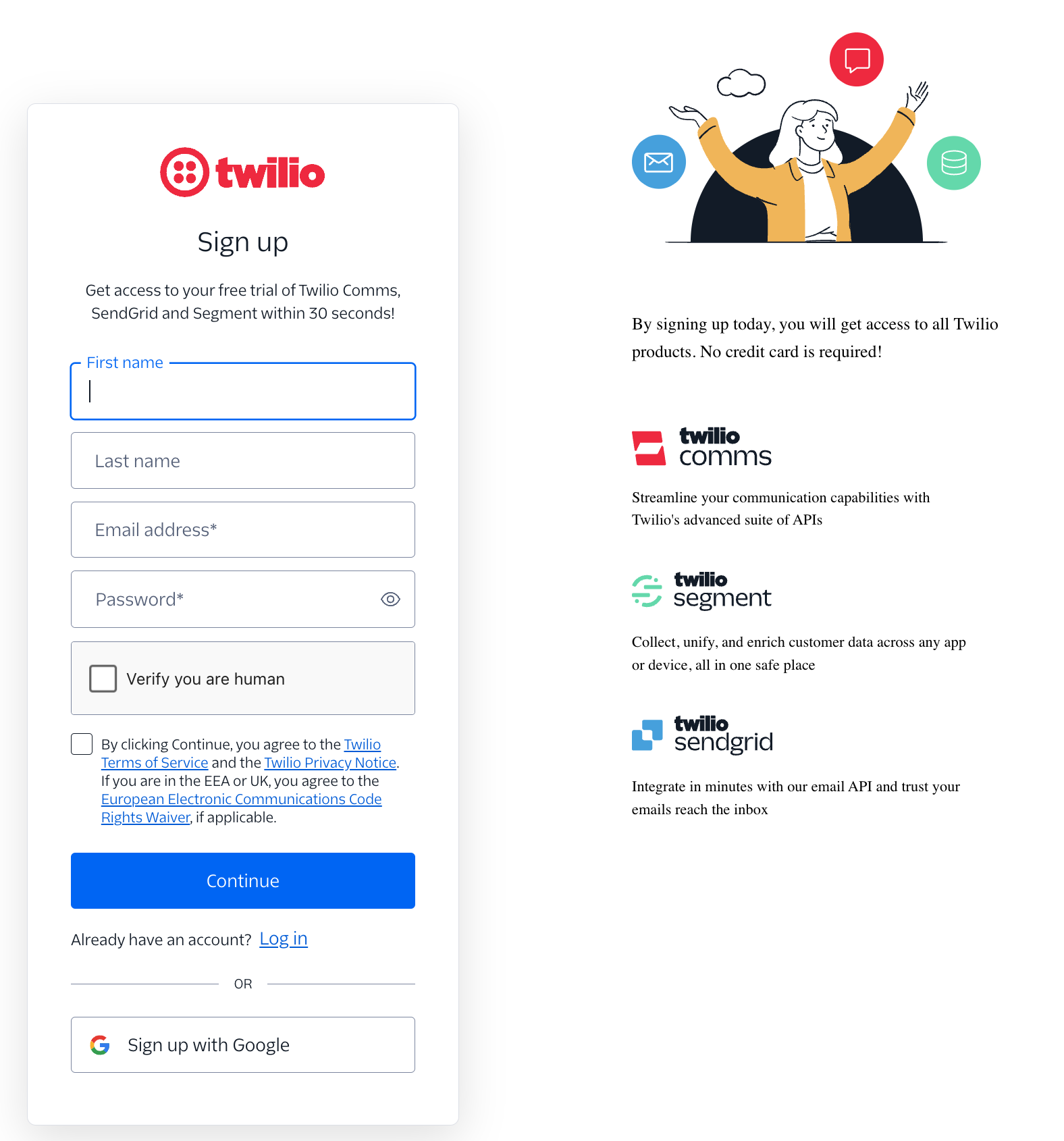
1. Enter Twilio Official website, click Sign up for registration.

2. You can register quickly by filling in the information or using your Google email.

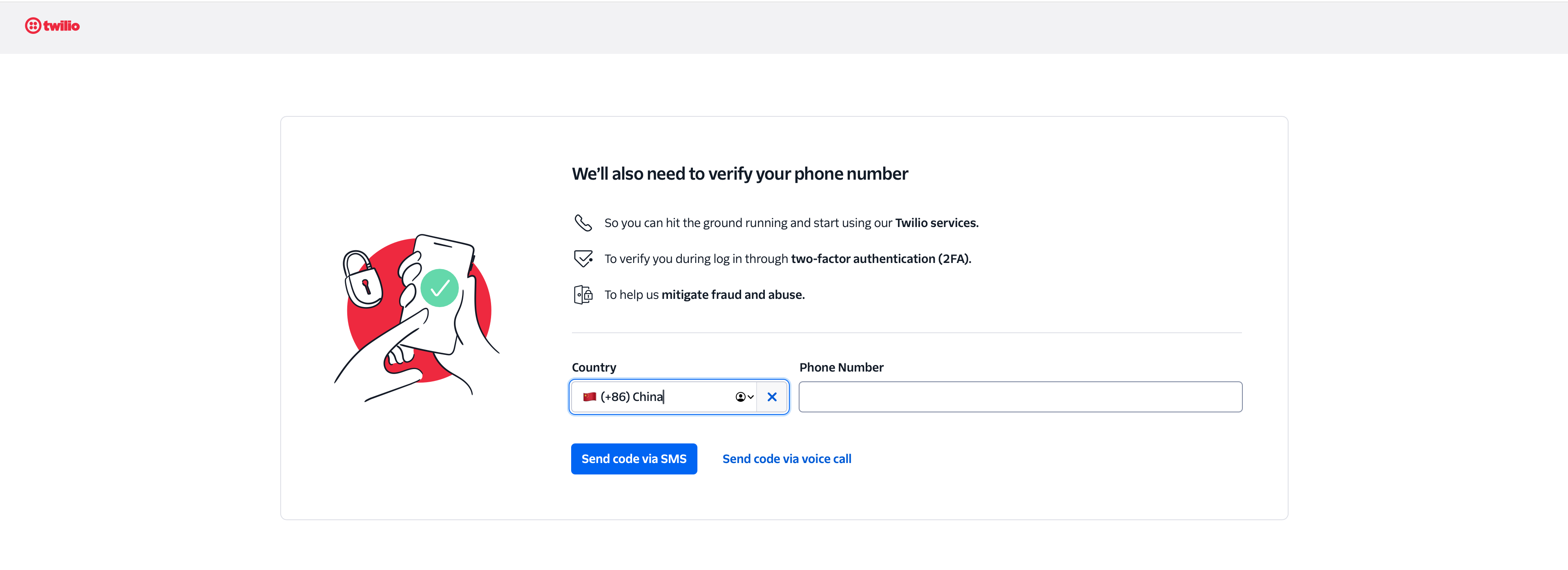
3. Mobile number binding and verification.

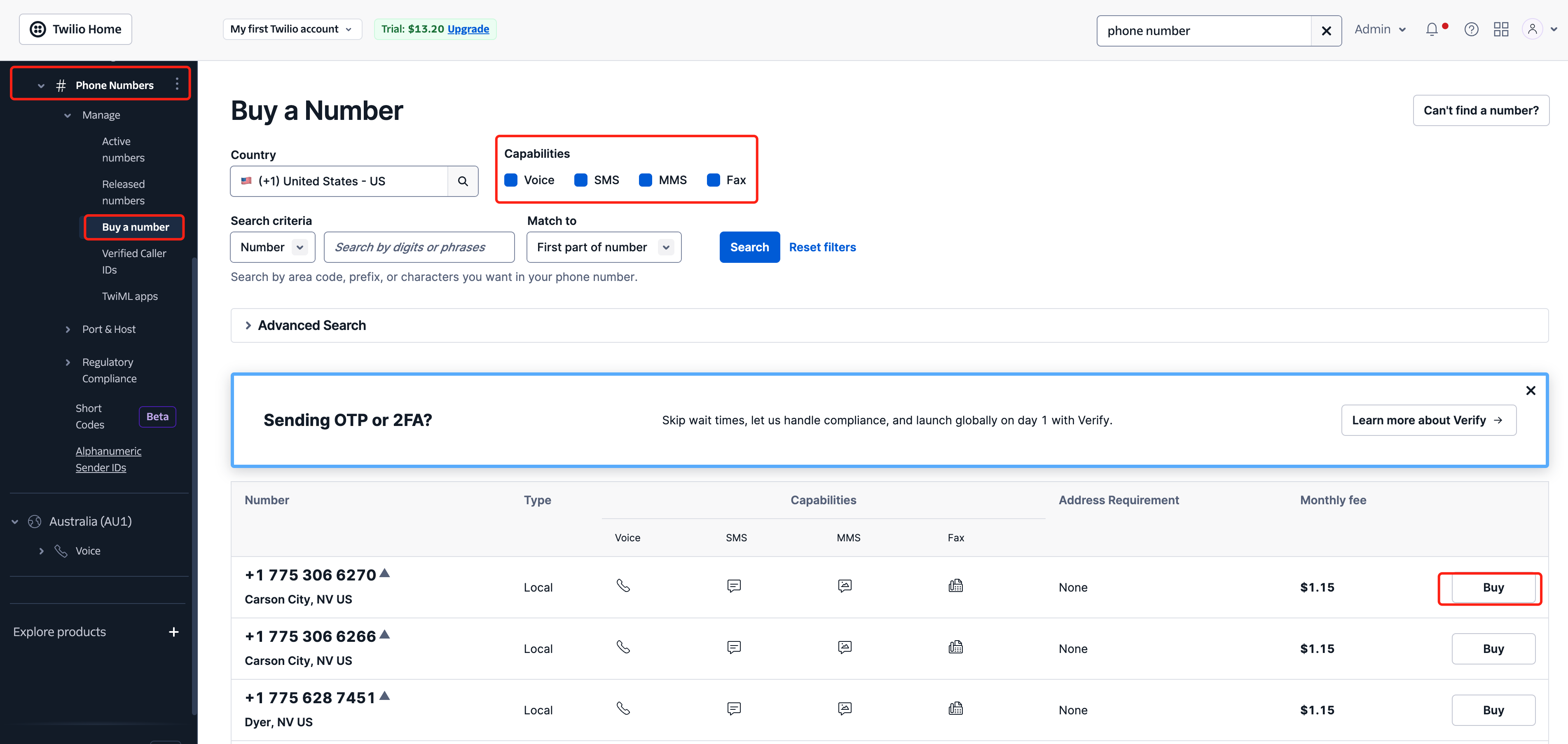
4. Enter the Twilio Console - select Phone numbers > Buy a number.
Select the desired country/number.
Check number capability (Voice, SMS, MMS, Fax).
Select the preferred number, click Purchase.

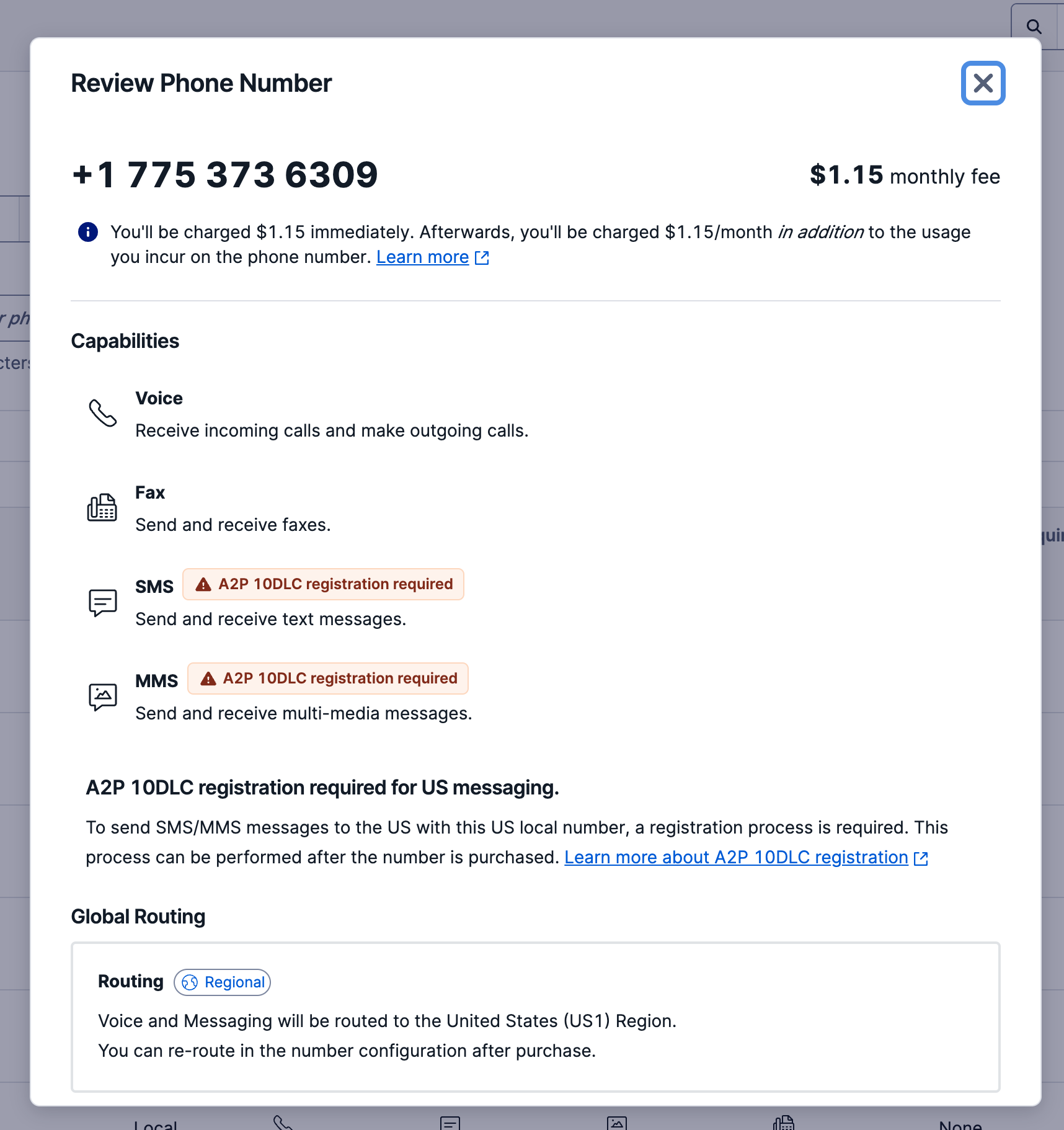
5. Select the number and view details.


2. SIP Trunk Configuration

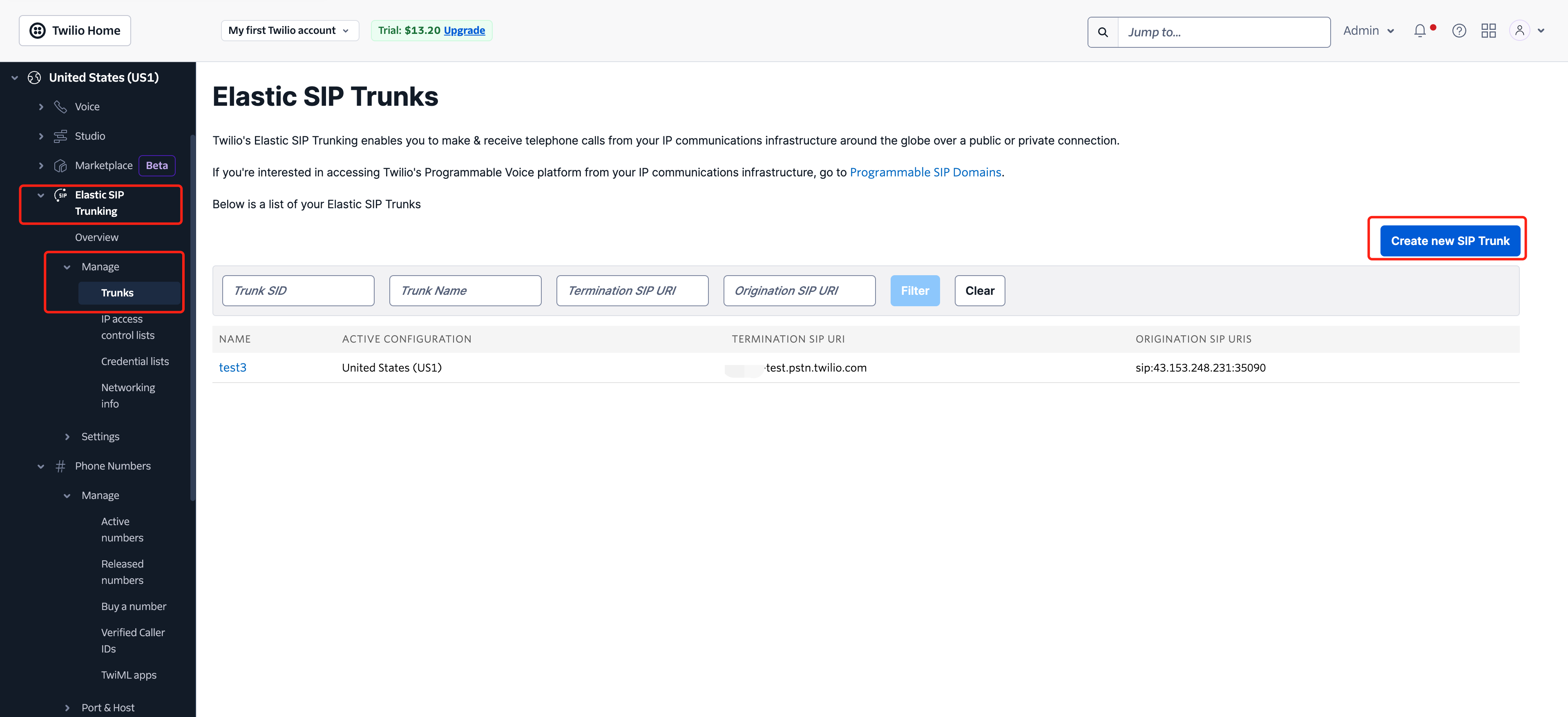
1. Please click Elastic SIP Trunking > Manage > Trunks, then click the Create new SIP Trunk button.

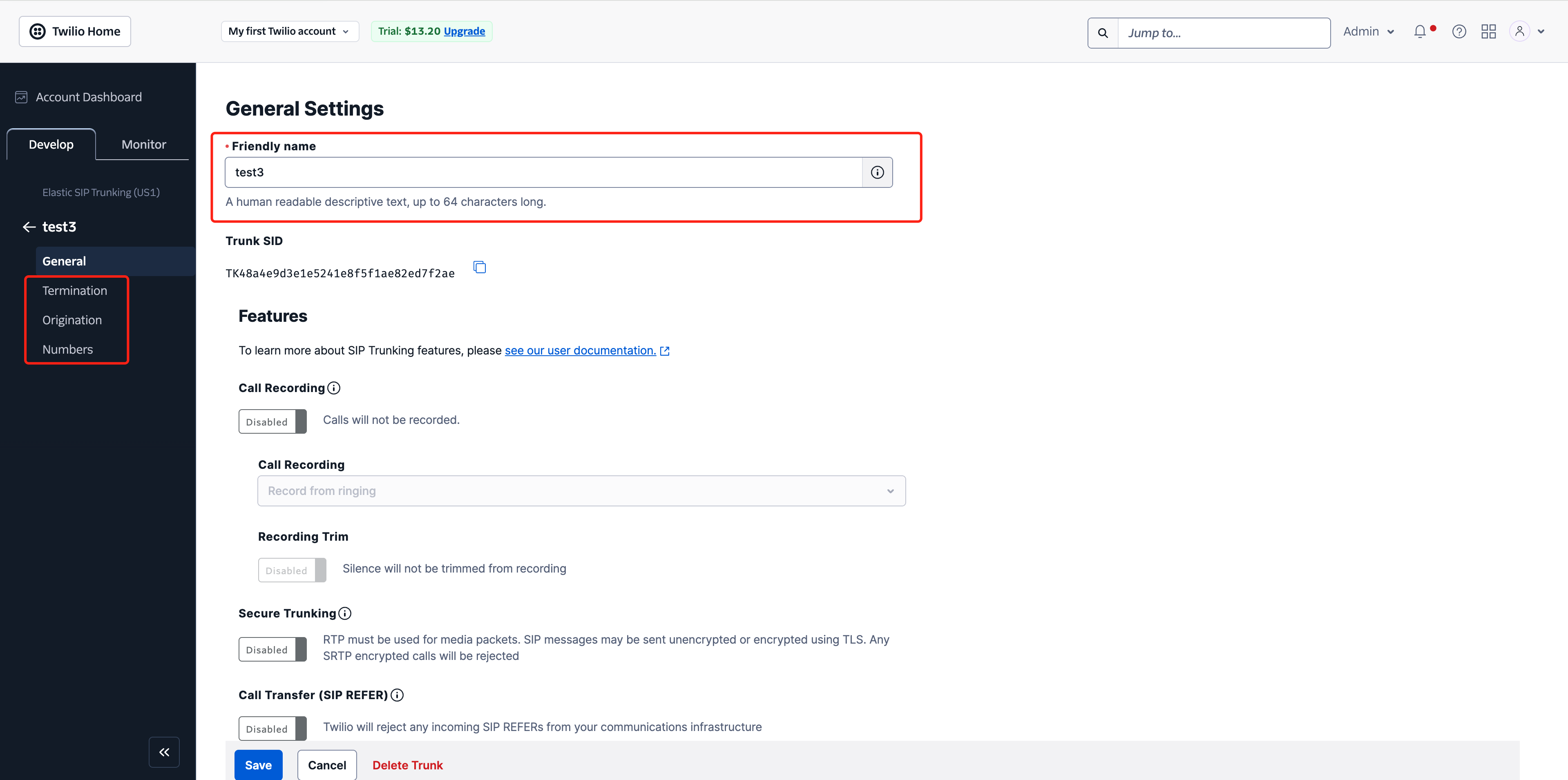
2. Name your SIP TRUNK


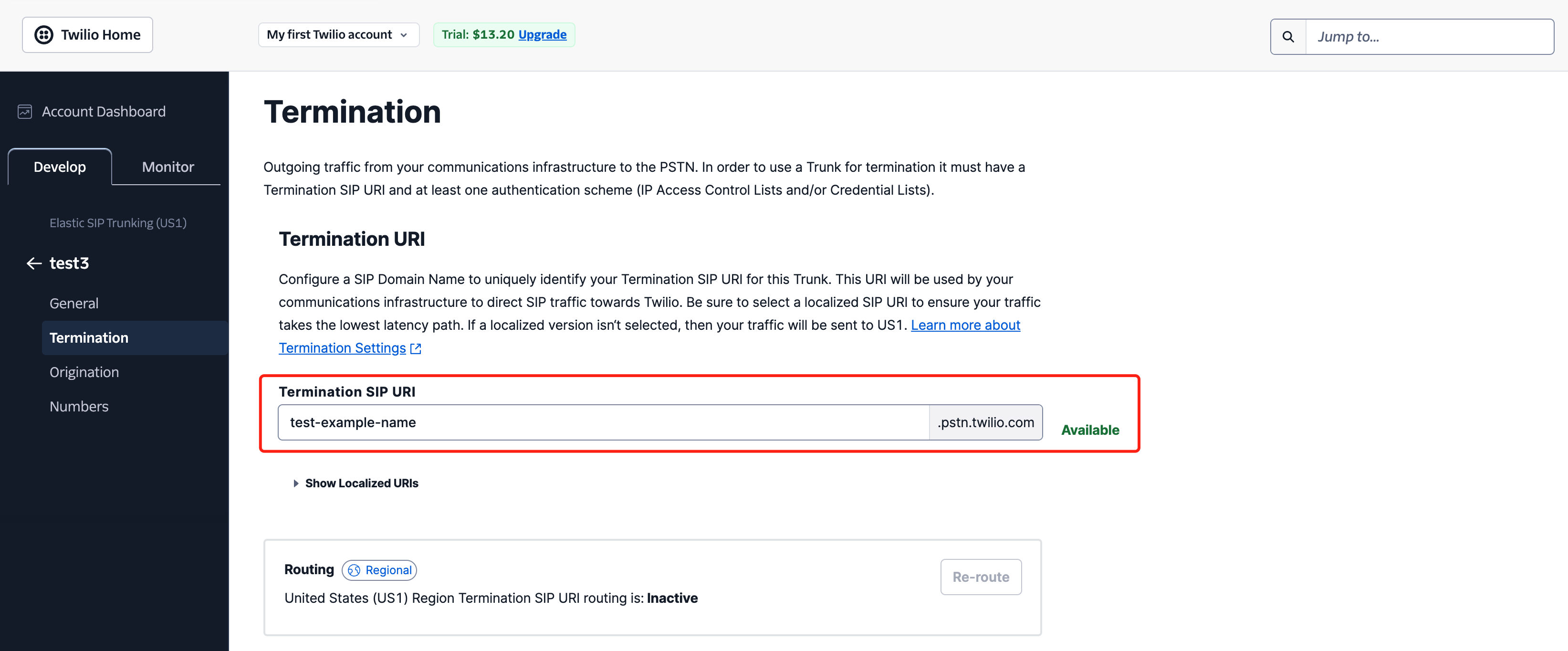
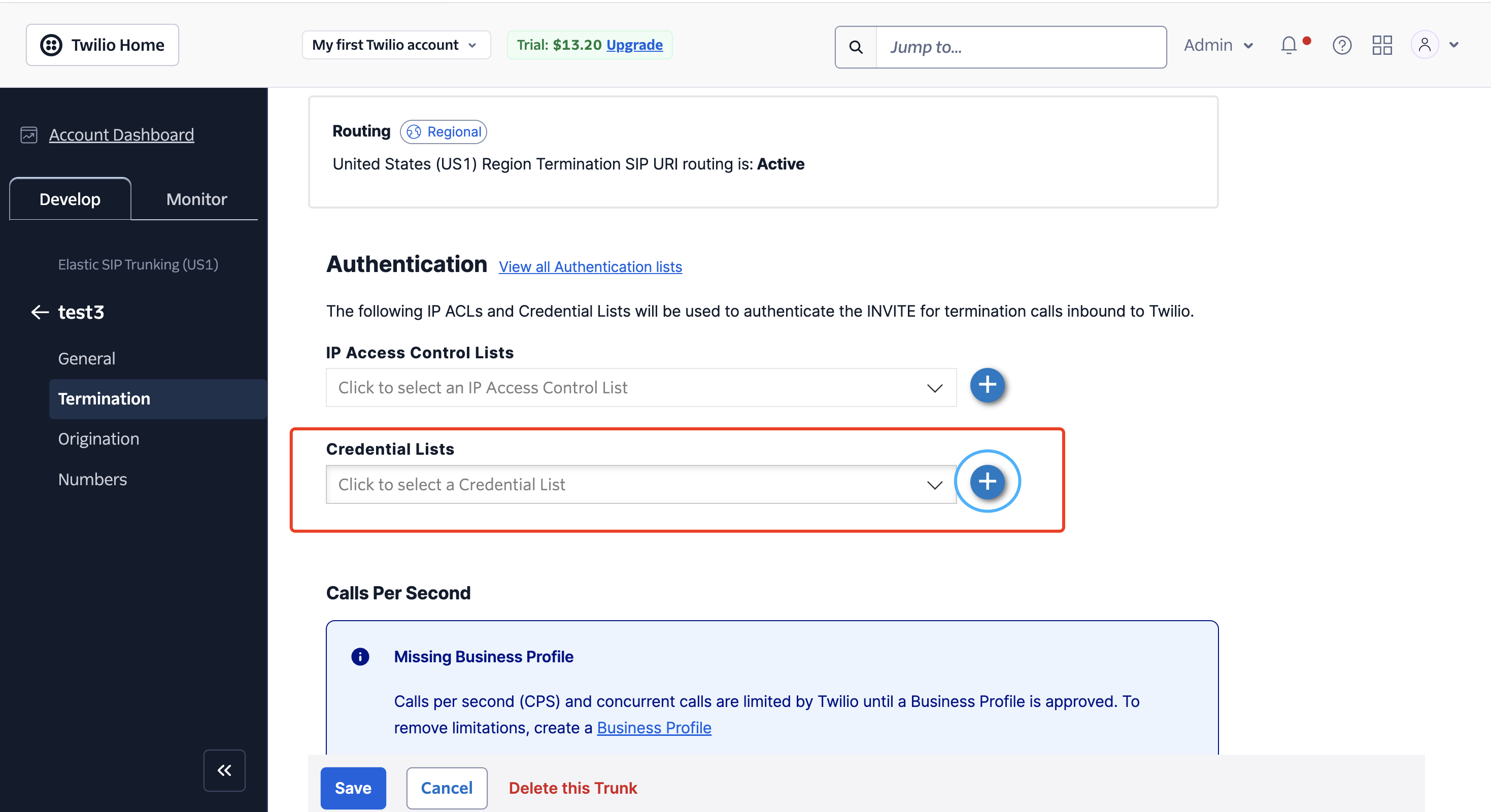
✓ Termination Configuration

Name Termination URL in your prefered way. Later, you will need to fill in this domain (xxxx.pstn.twilio.com) in the TCCC Number Management

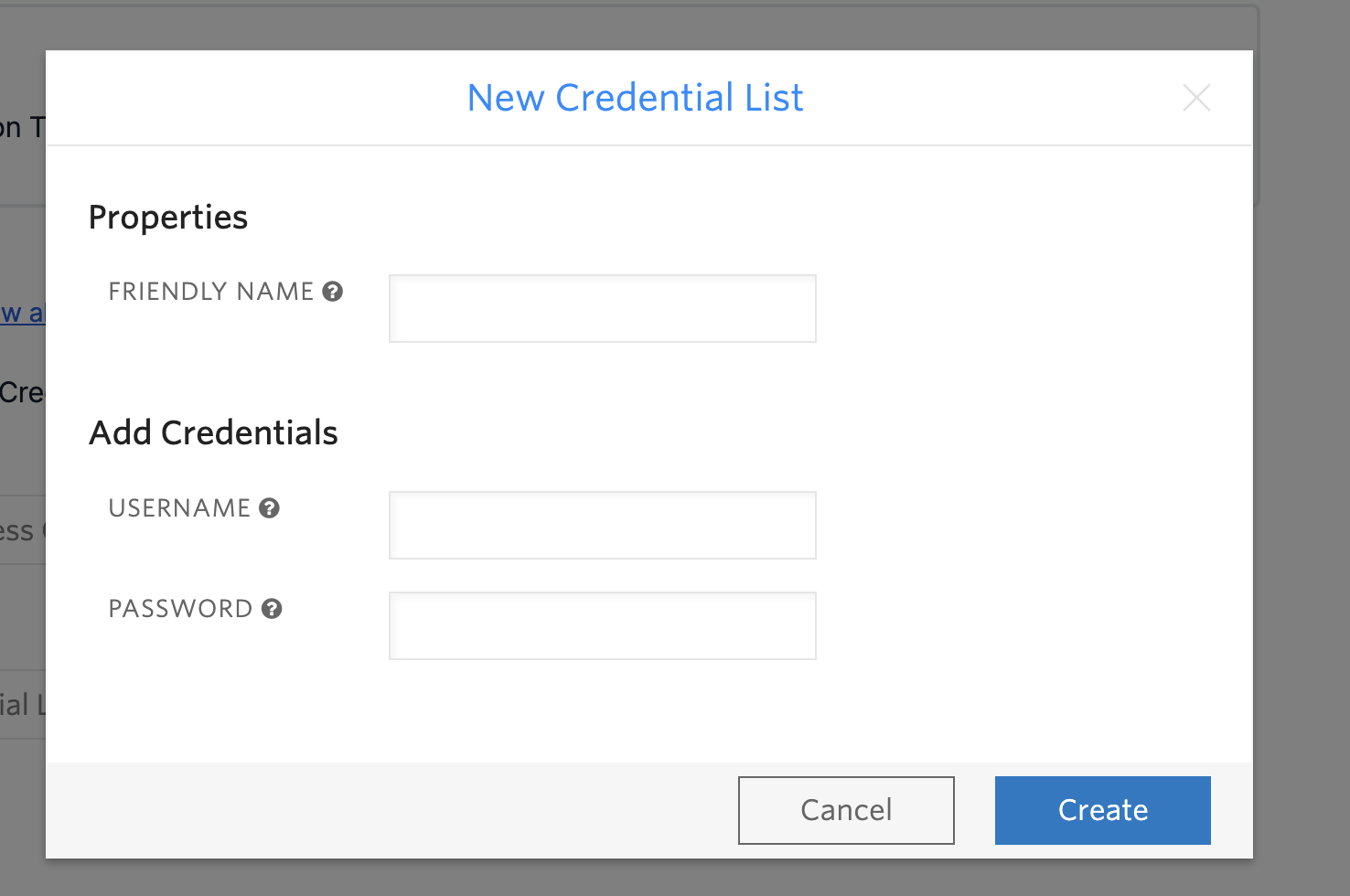
To enable your elastic SIP trunk to accept our outbound requests, you need to set up authentication using a username and password. Later you need to fill in credential information in the TCCC Number Management


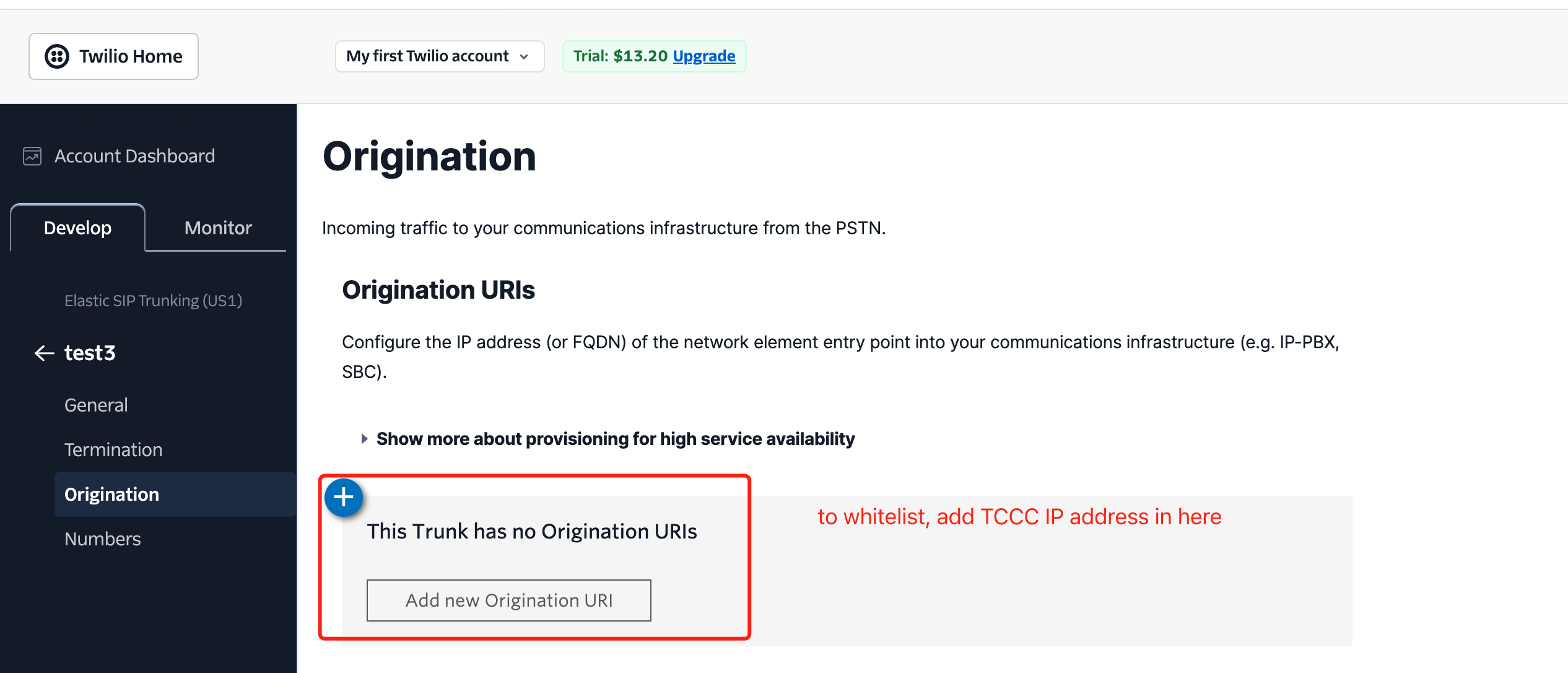
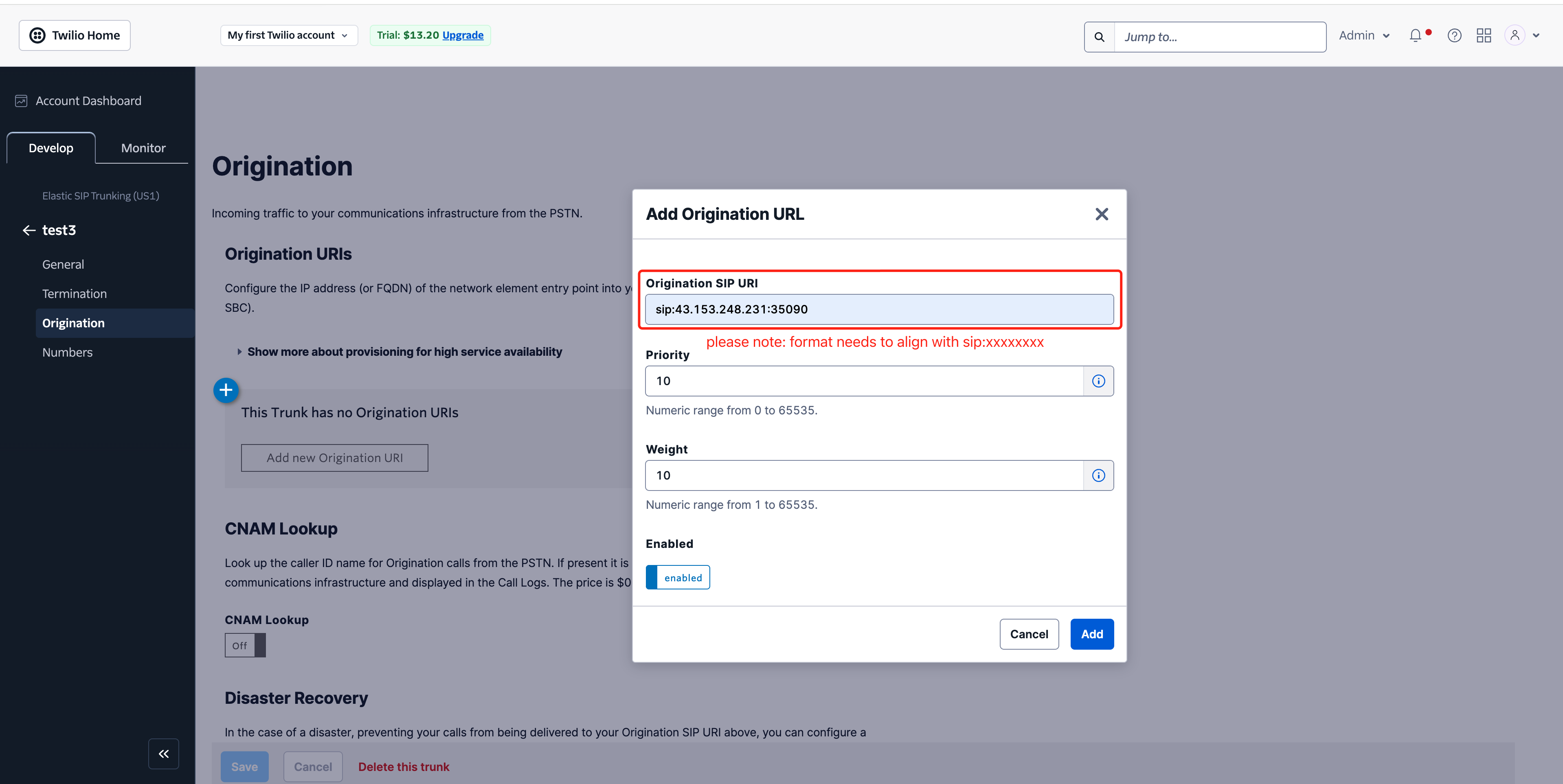
✓ Origination Configuration

Here you can enter TCCC static IP address on Twilio (sip:43.153.248.231:35090).


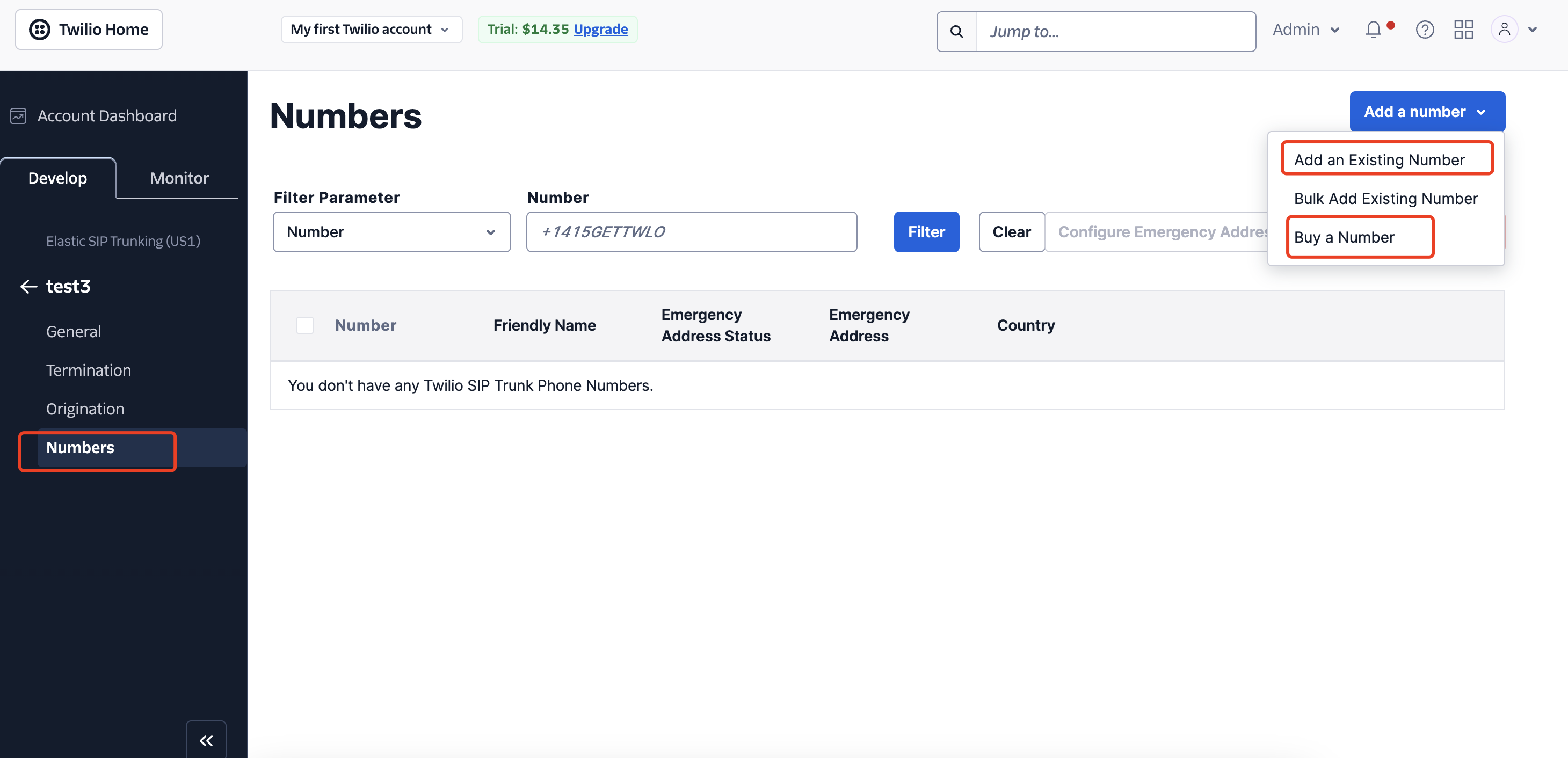
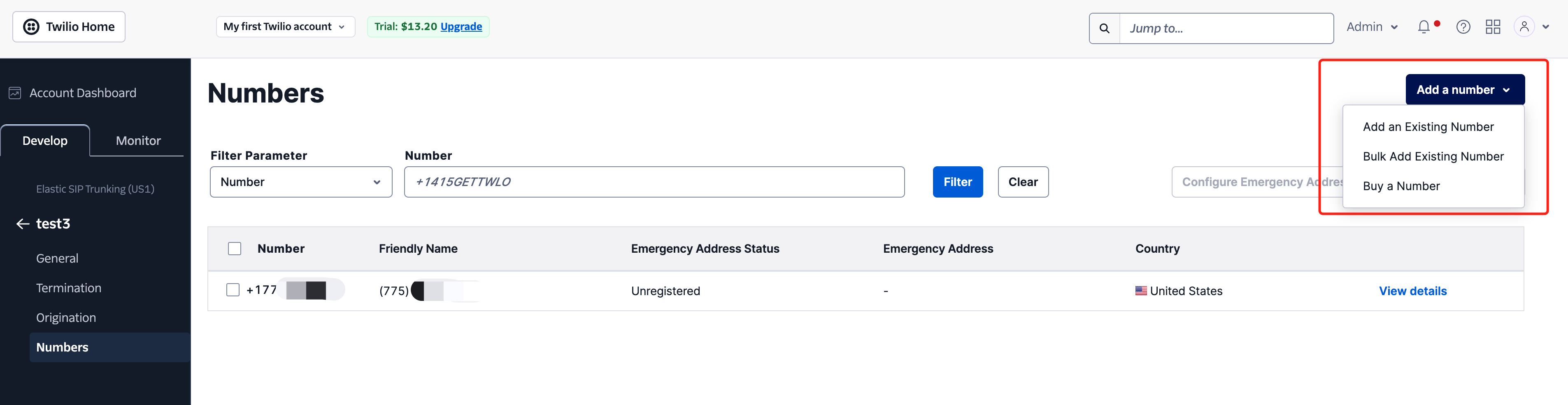
1. After completing the above configurations, add a number to the SIP channel OR purchase a new number.


2. You can add the number to TCCC Management > Number Management > Select the channel you just created > After the channel is created, add the number you successfully purchased.
Note:
TCCC Related Guide:
Console Number Integration:BYOC: SIP Trunk
Management Panel Outbound Rules:Outbound Number Assignment
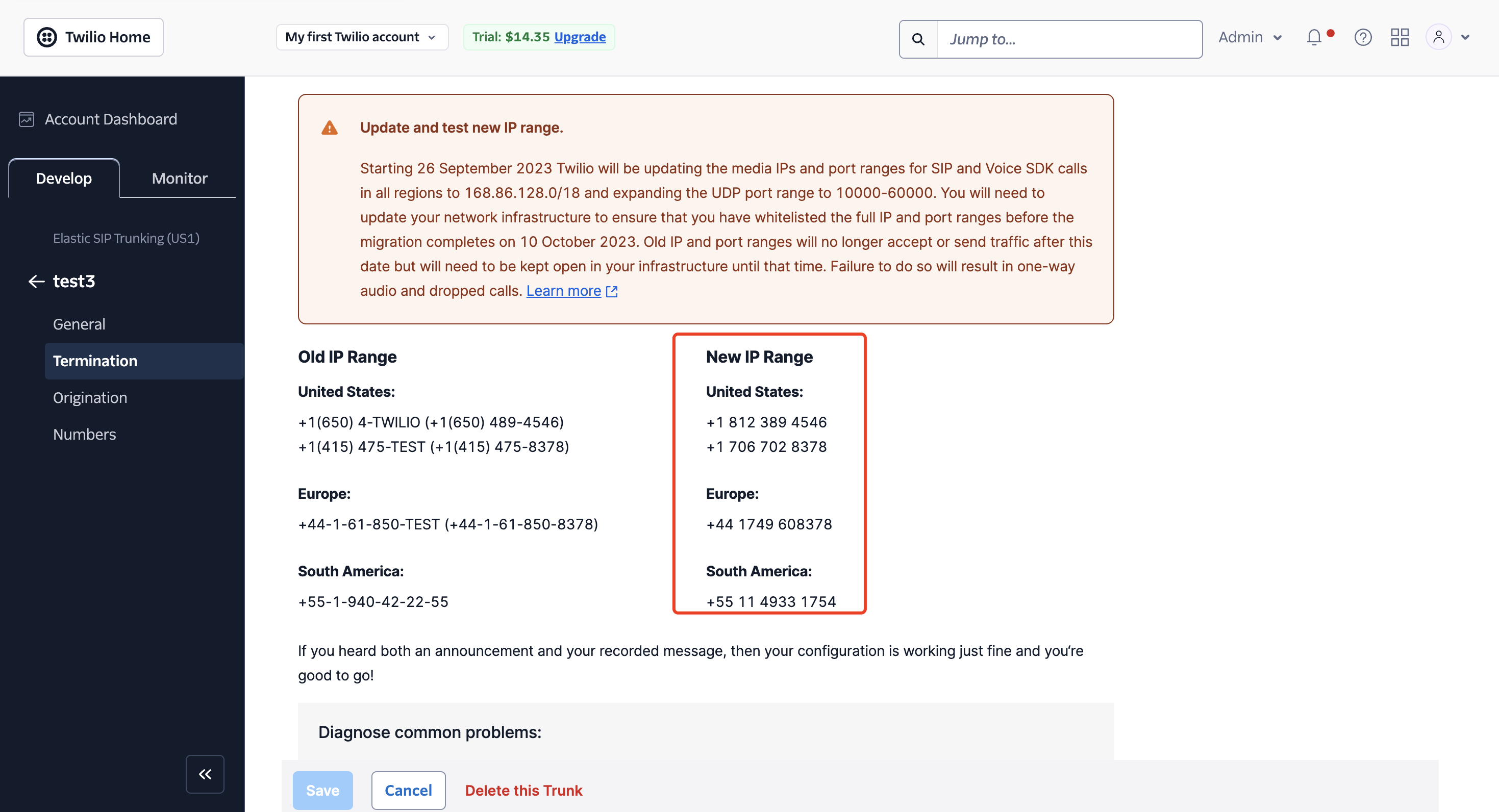
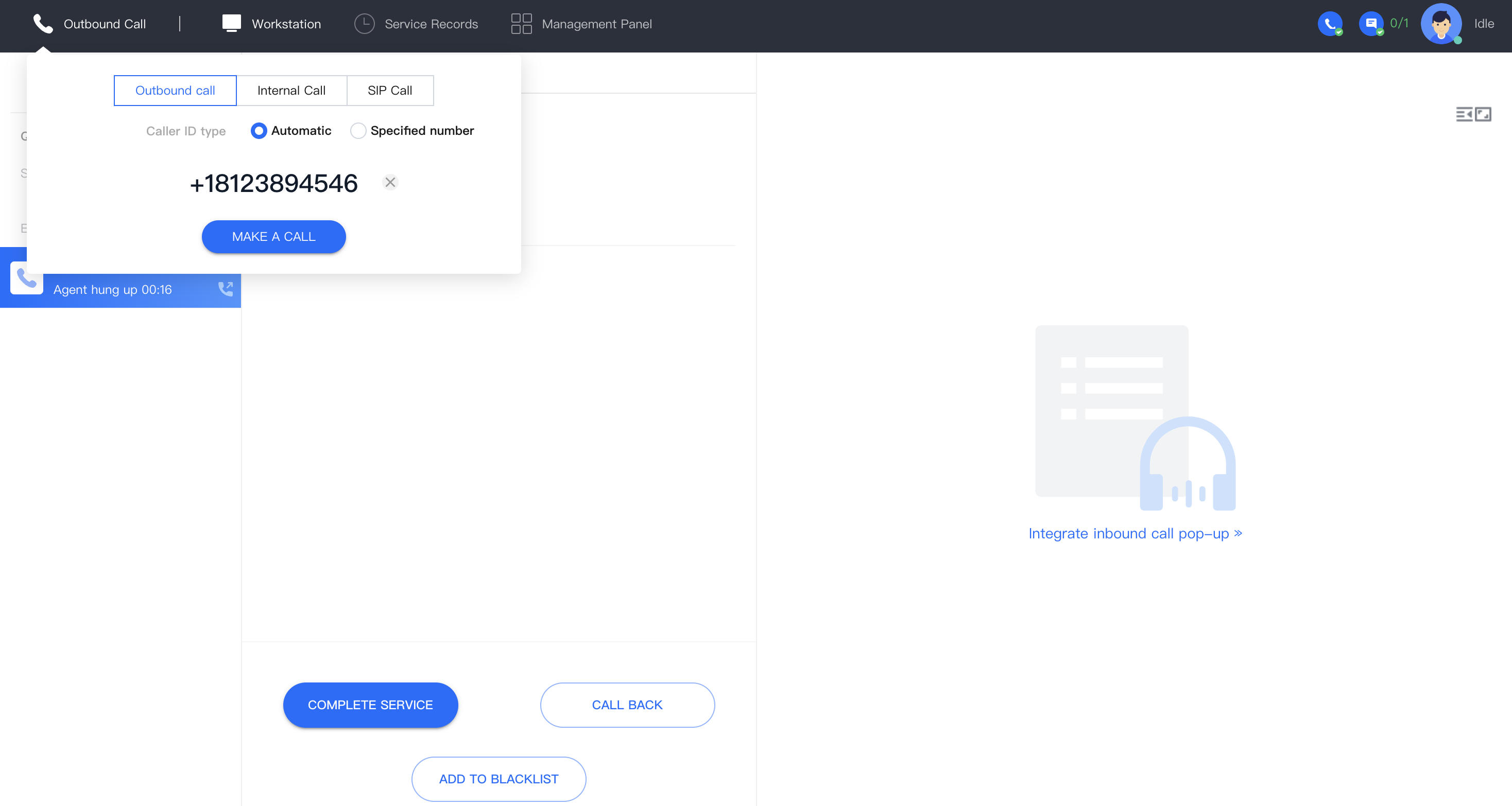
3. After adding the number, you can make a call to the number in the Twilio red box for testing in the TCCC workspace.

Twilio Elastic SIP Trunk > Termination > Make a test call


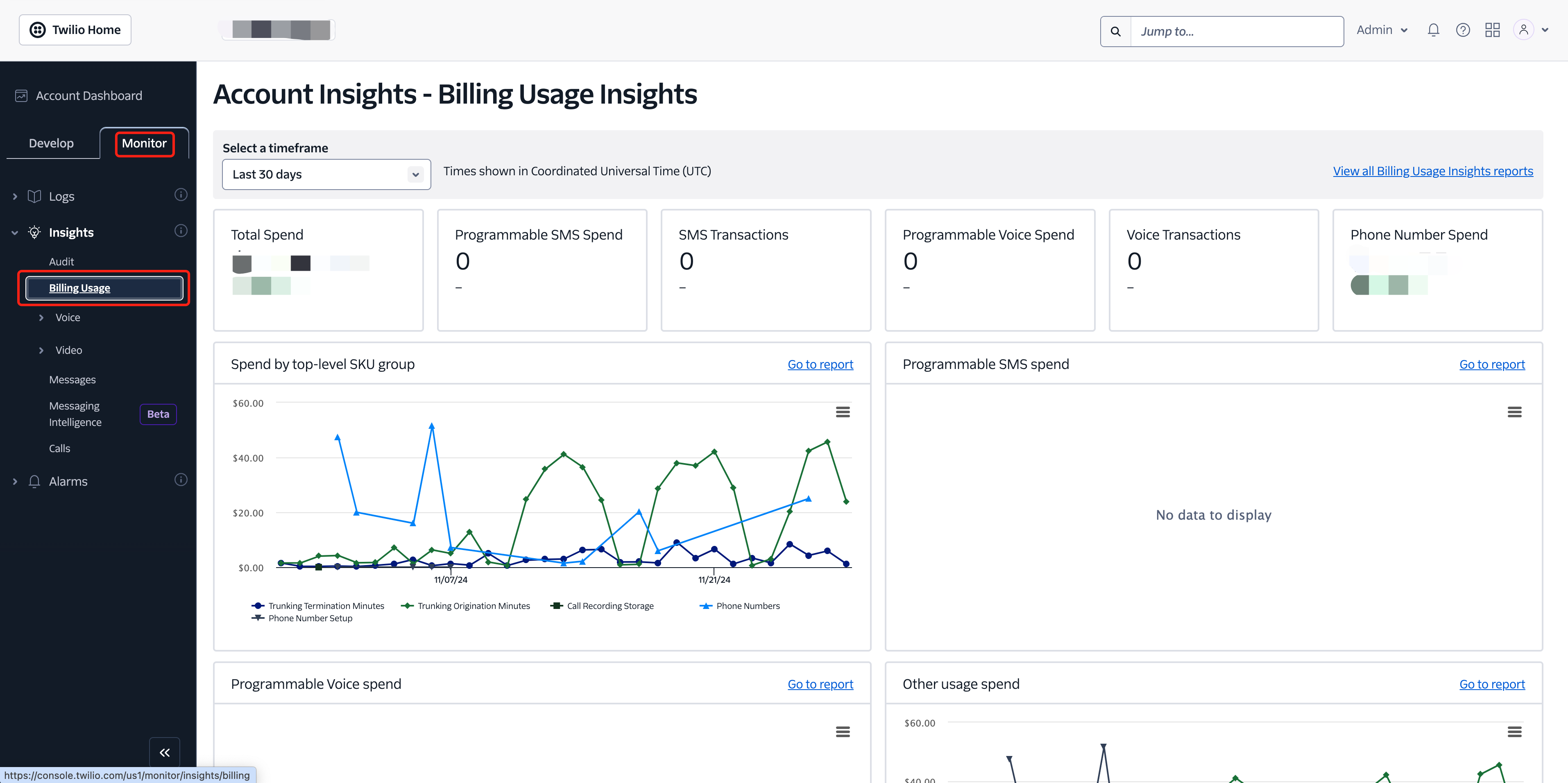
3. Twilio Number Monitor

Monitor > Insights > Billing Usage


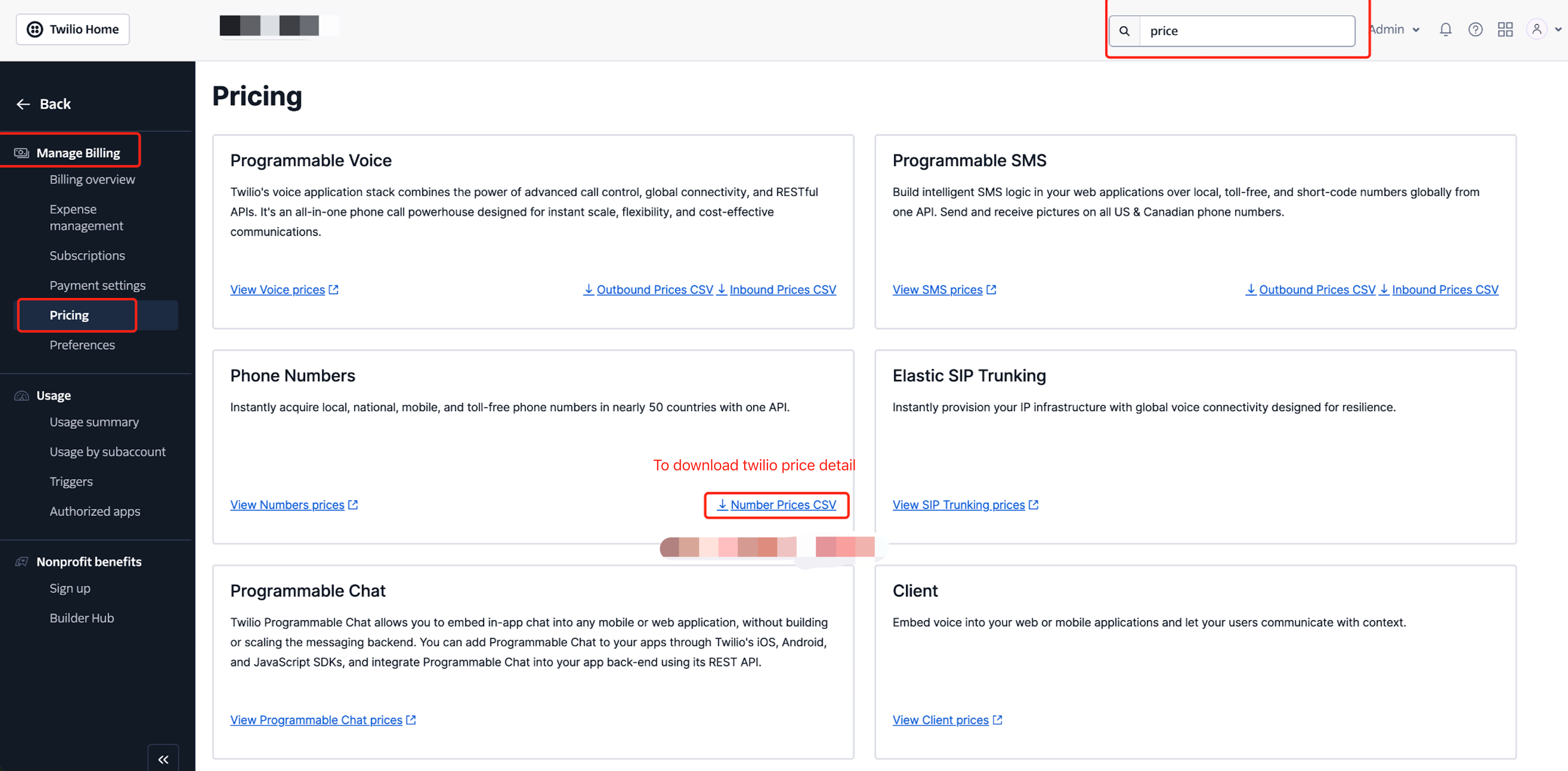
4. Twilio Number Price (For Reference Only)


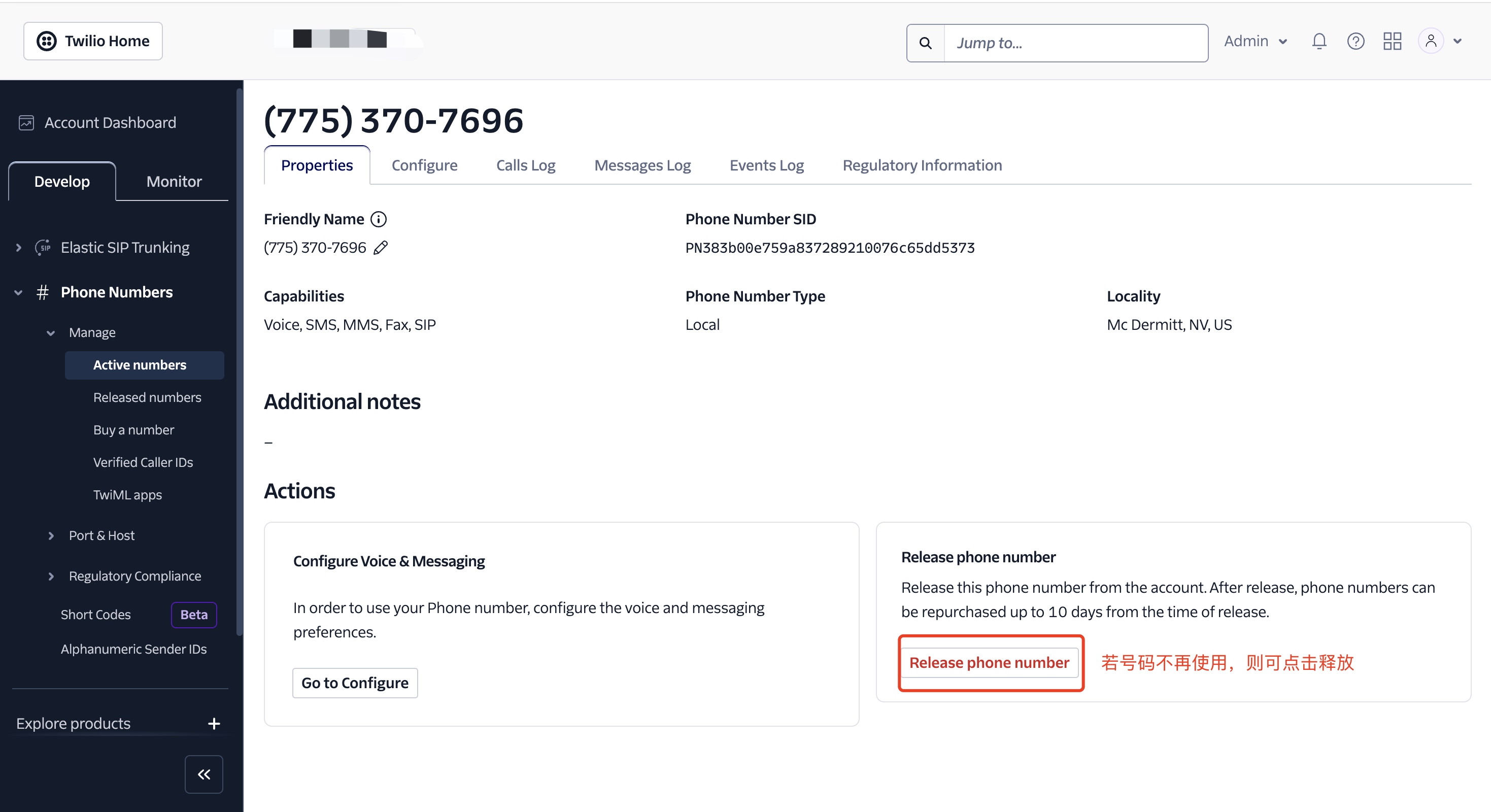
5. Twilio Number Cancellation


ヘルプとサポート

この記事はお役に立ちましたか?

フィードバック