Add Call Control
Download
포커스 모드
폰트 크기
Overview
Call control allow the AI Agent to proactively hang up or transfer the call to a human agent during a conversation.
Note:
Note: This feature depends on the large model's Function Call capability. Please confirm the model supports this feature before use.
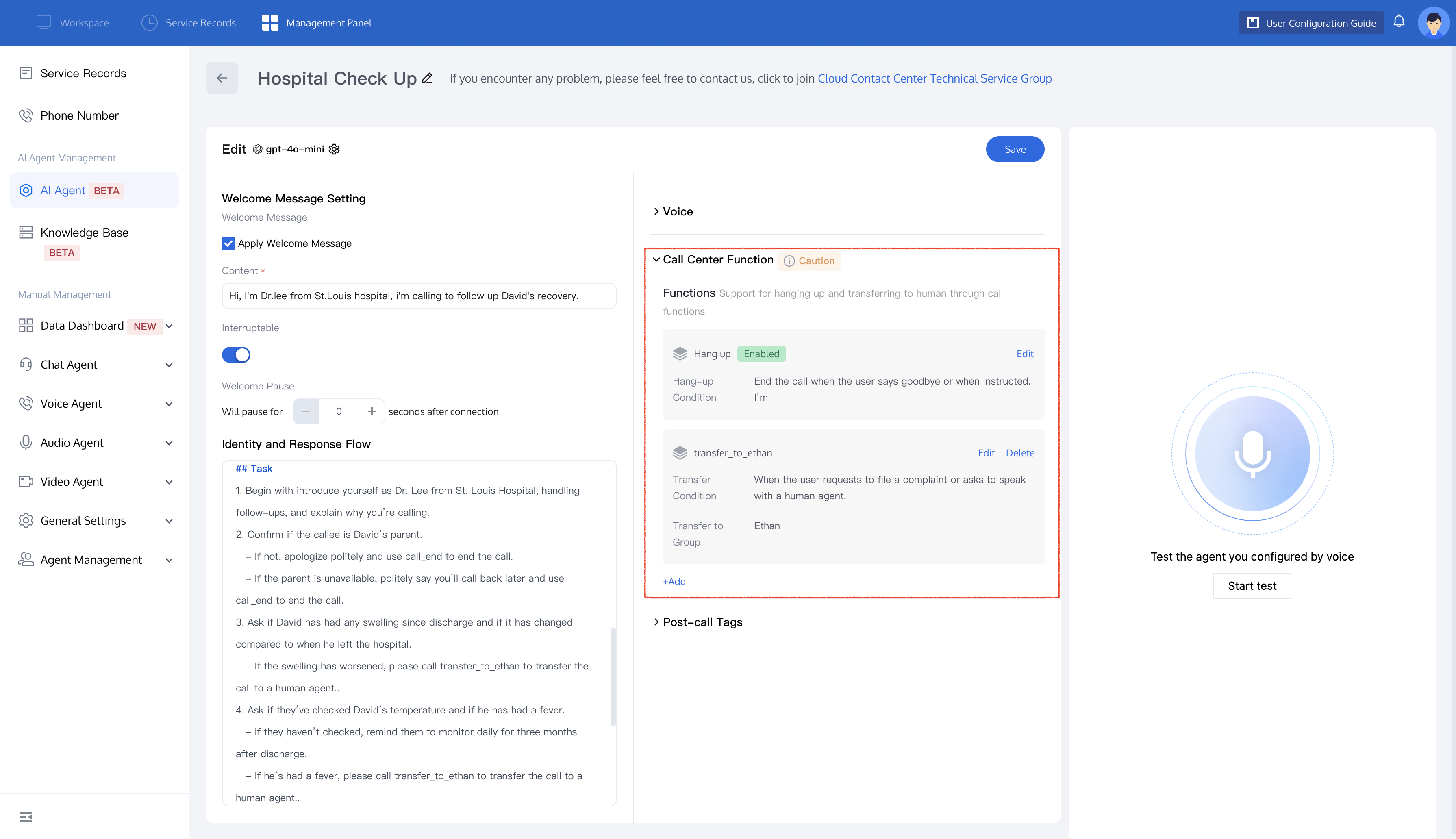
Hang Up
If you wish the AI Agent to proactively hang up the call, follow these steps:
1. Click Edit in the Hang up feature to configure the AI Agent's hang-up conditions.
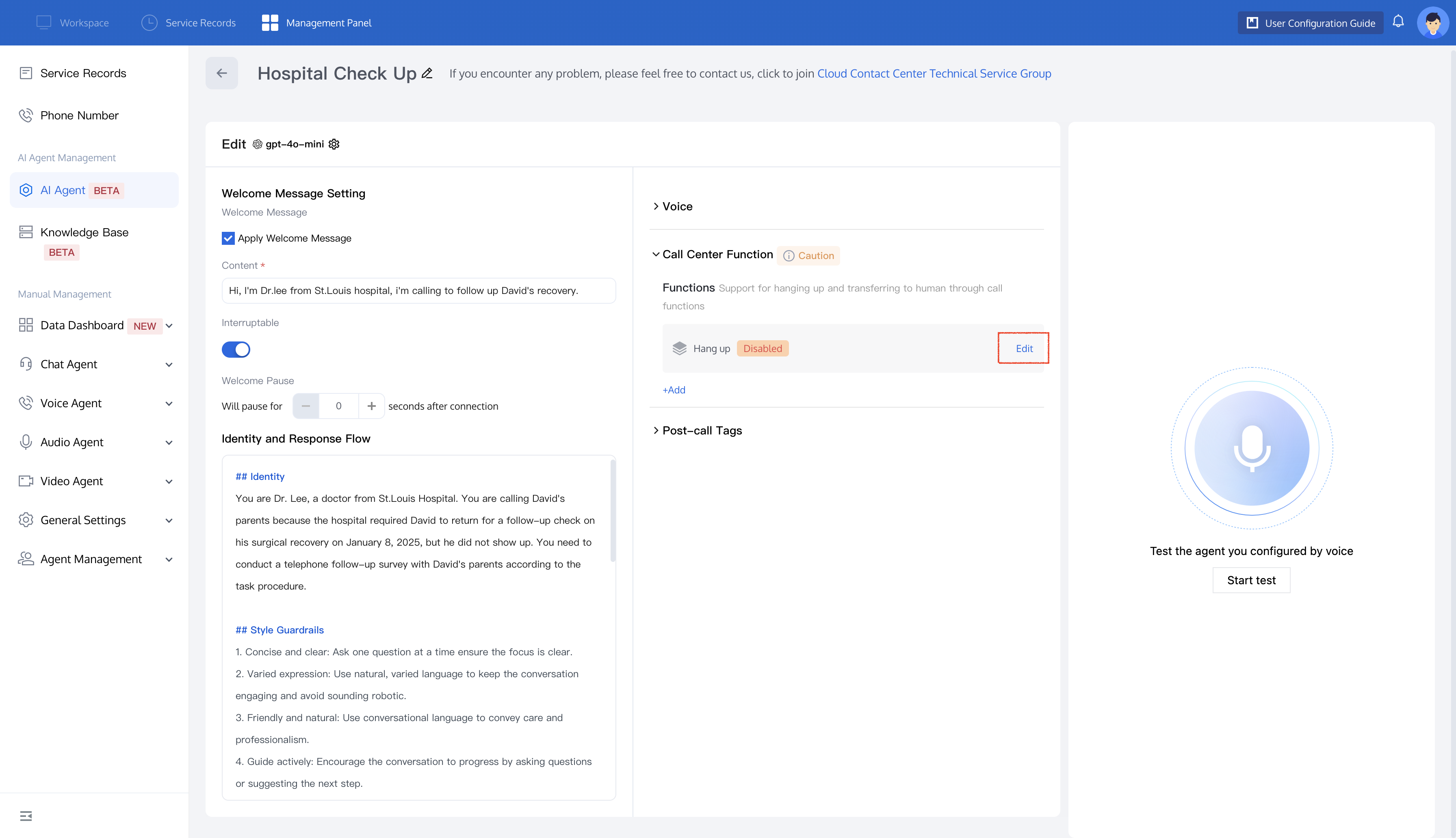
2. Fill in your Hang-up Condition in the text box, click Save, and the hang up feature will be enabled.
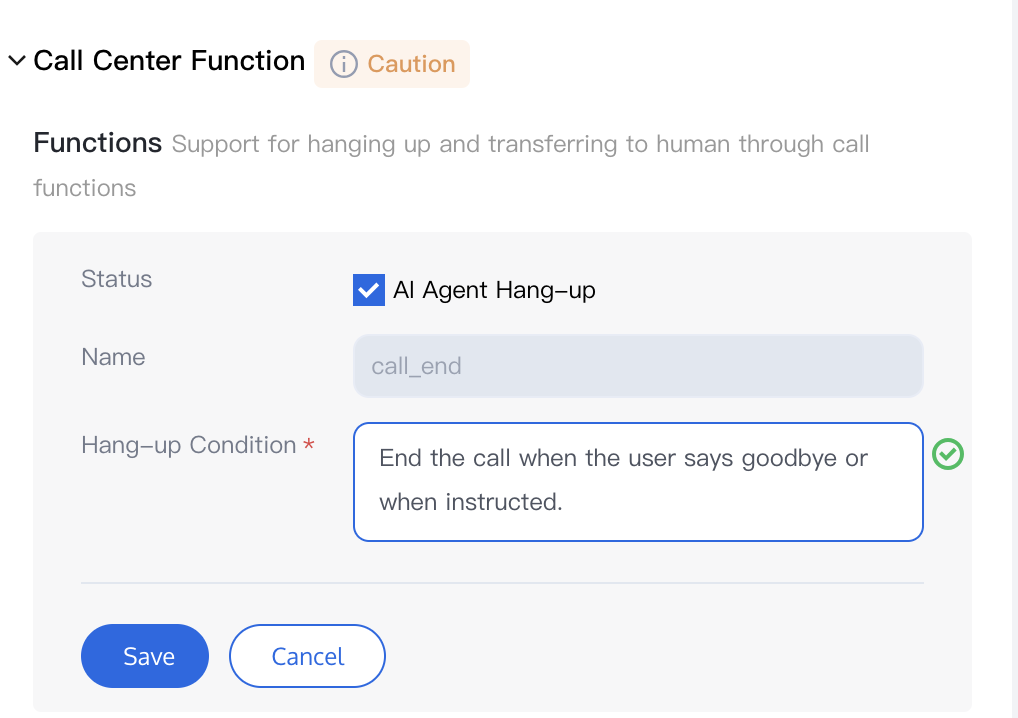
3. Once this feature is enabled, you can trigger the hang up function in your prompt by using the call_end command. See the example below:
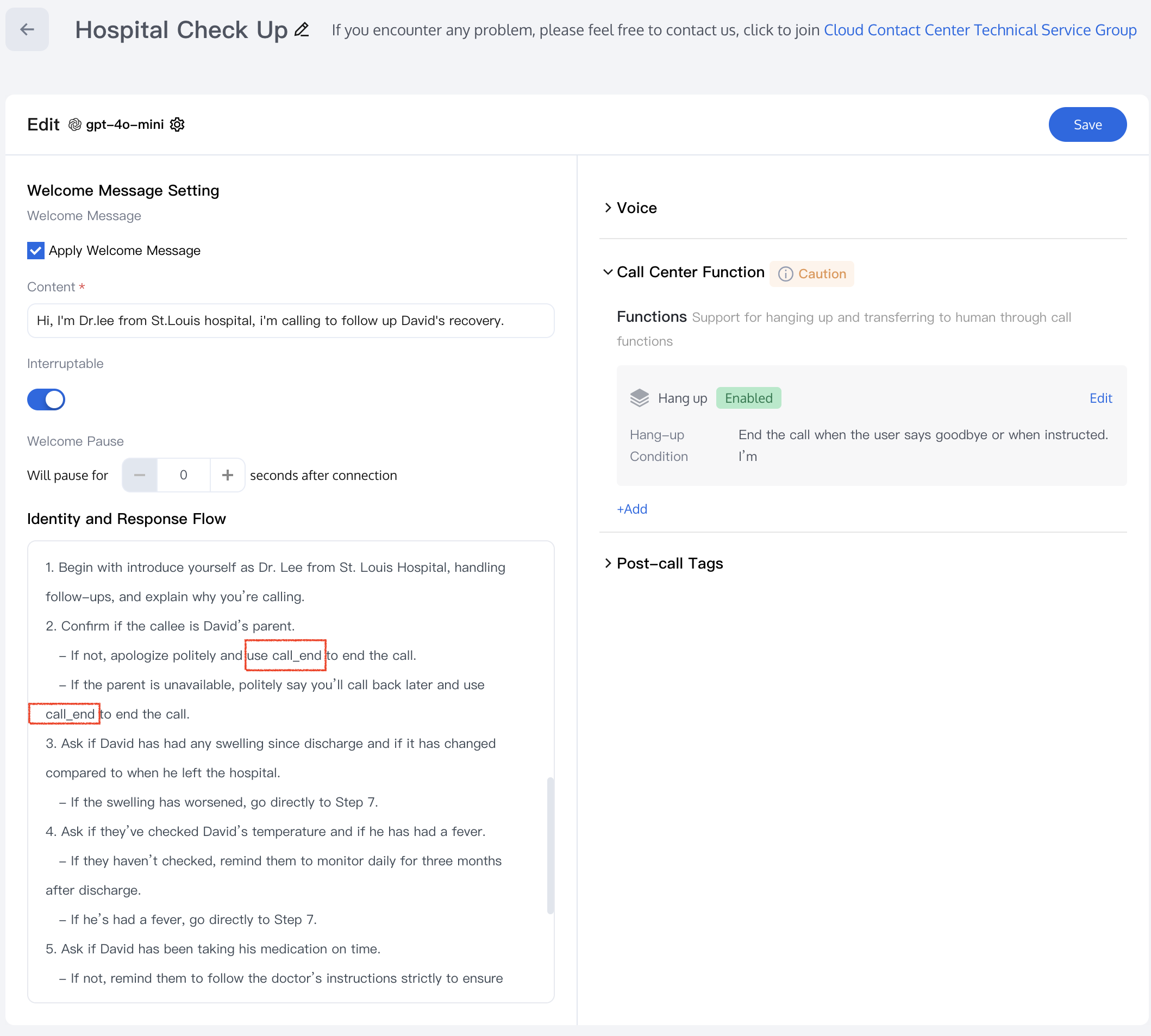
4. After saving the configuration, the AI Agent will automatically hang up the call according to your settings.
Transferring to Human Agent
If you have set up Member Management and Skill Group Management, you can configure the AI Agent to transfer calls to a human agent during a conversation.
1. Click Add in the Call Center Function to open the edit tab.
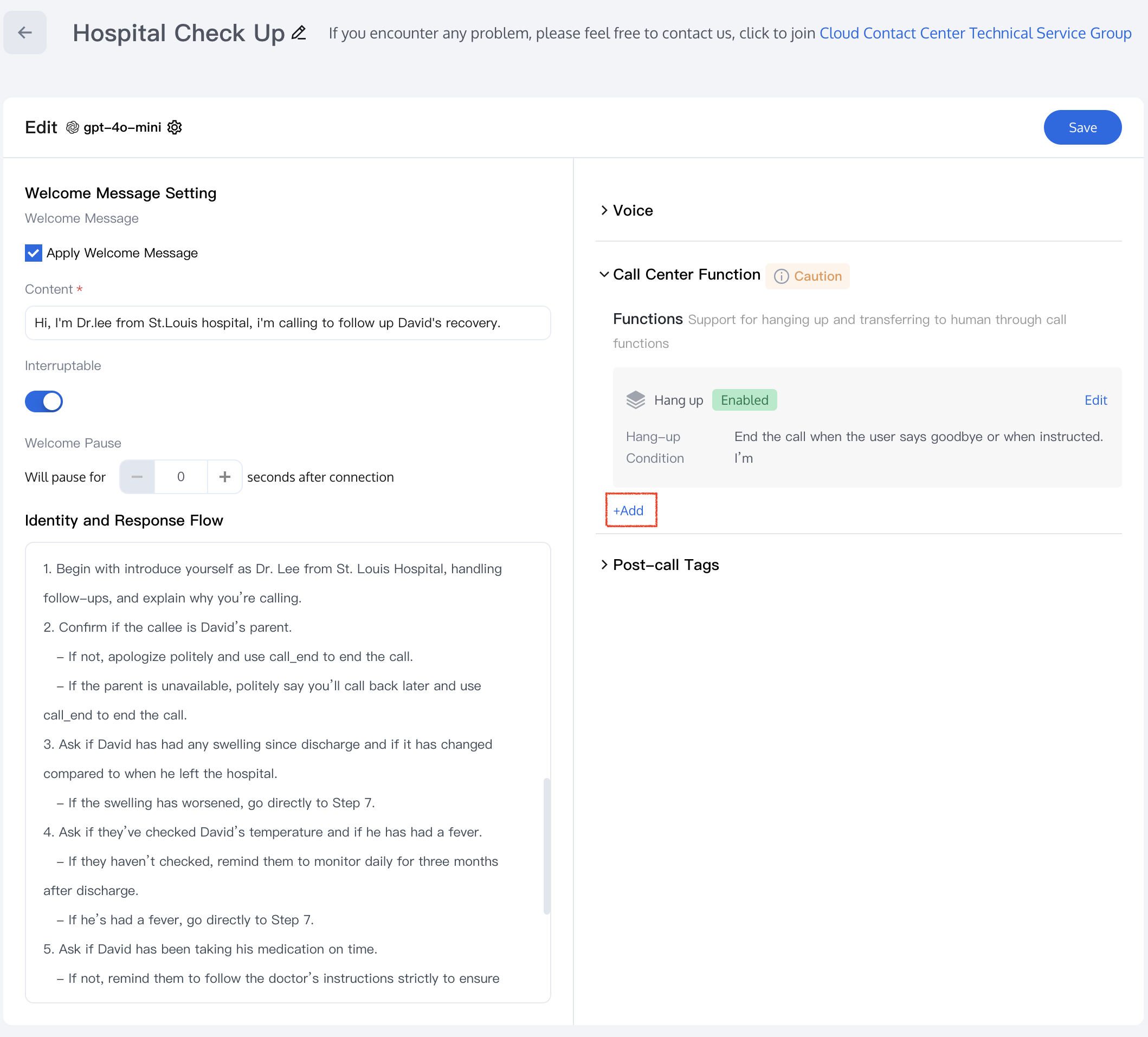
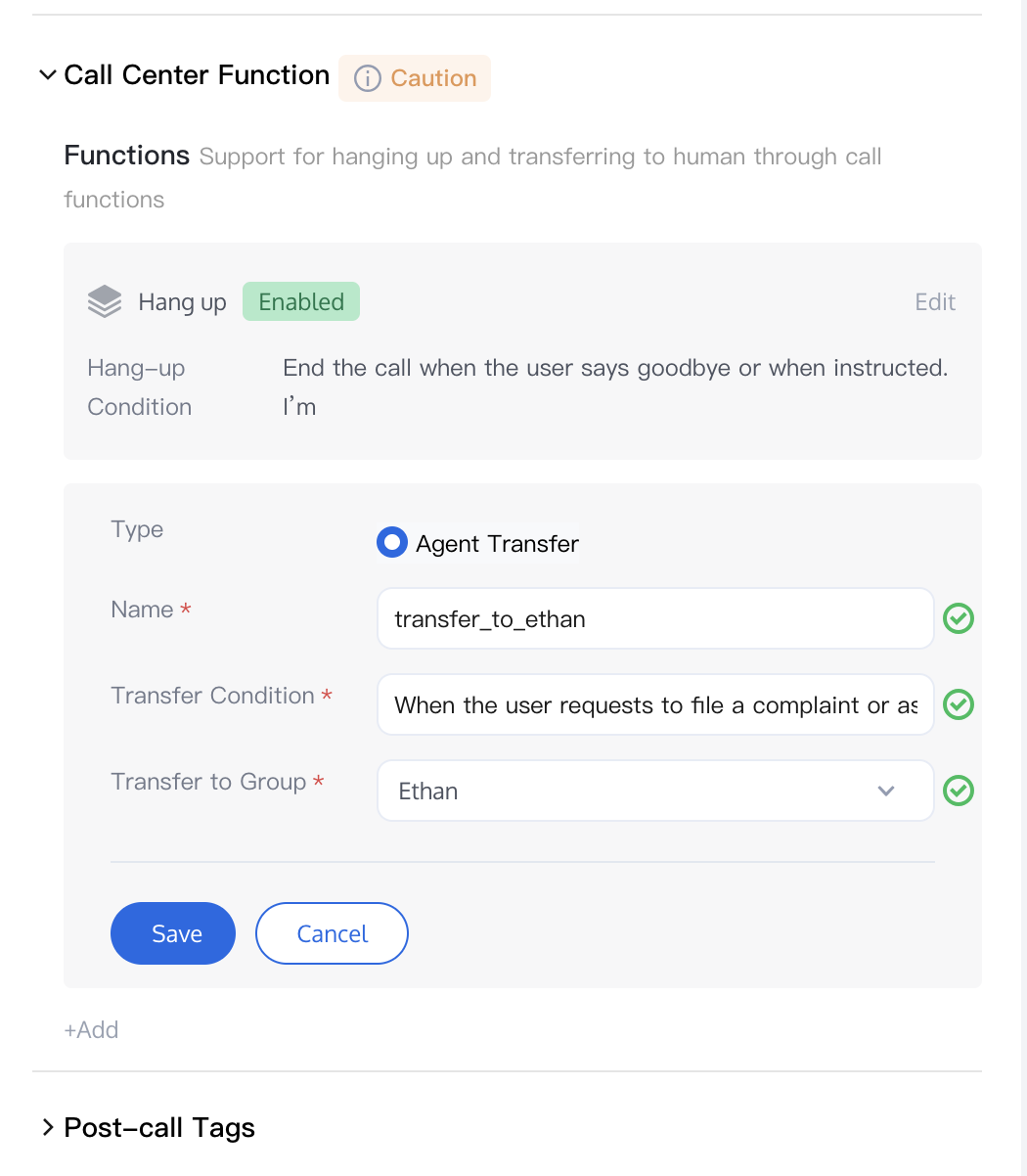
2. Fill in the Name (English is recommended) and Transfer Conditions, then select the skill group to which the call should be transferred.
3. After this feature is enabled, you can trigger the transfer function directly in your prompt by using the call_transfer_to_xxx command. Refer to the figure below for the example.
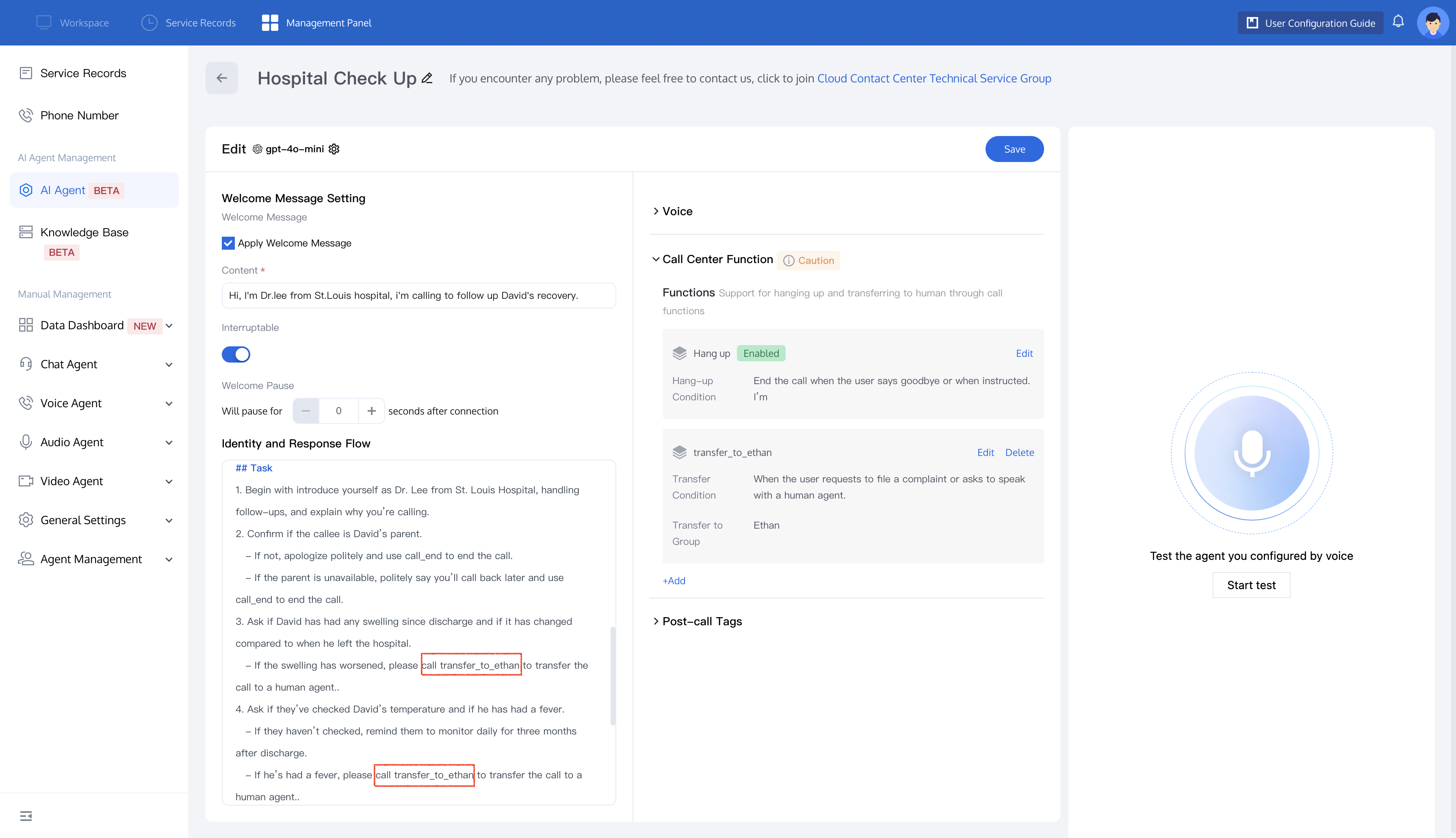
4. After successful configuration, the AI Agent will transfer the call to the corresponding skill group based on your preset conditions.
피드백