Configure Voice Interaction
Download
フォーカスモード
フォントサイズ
Overview
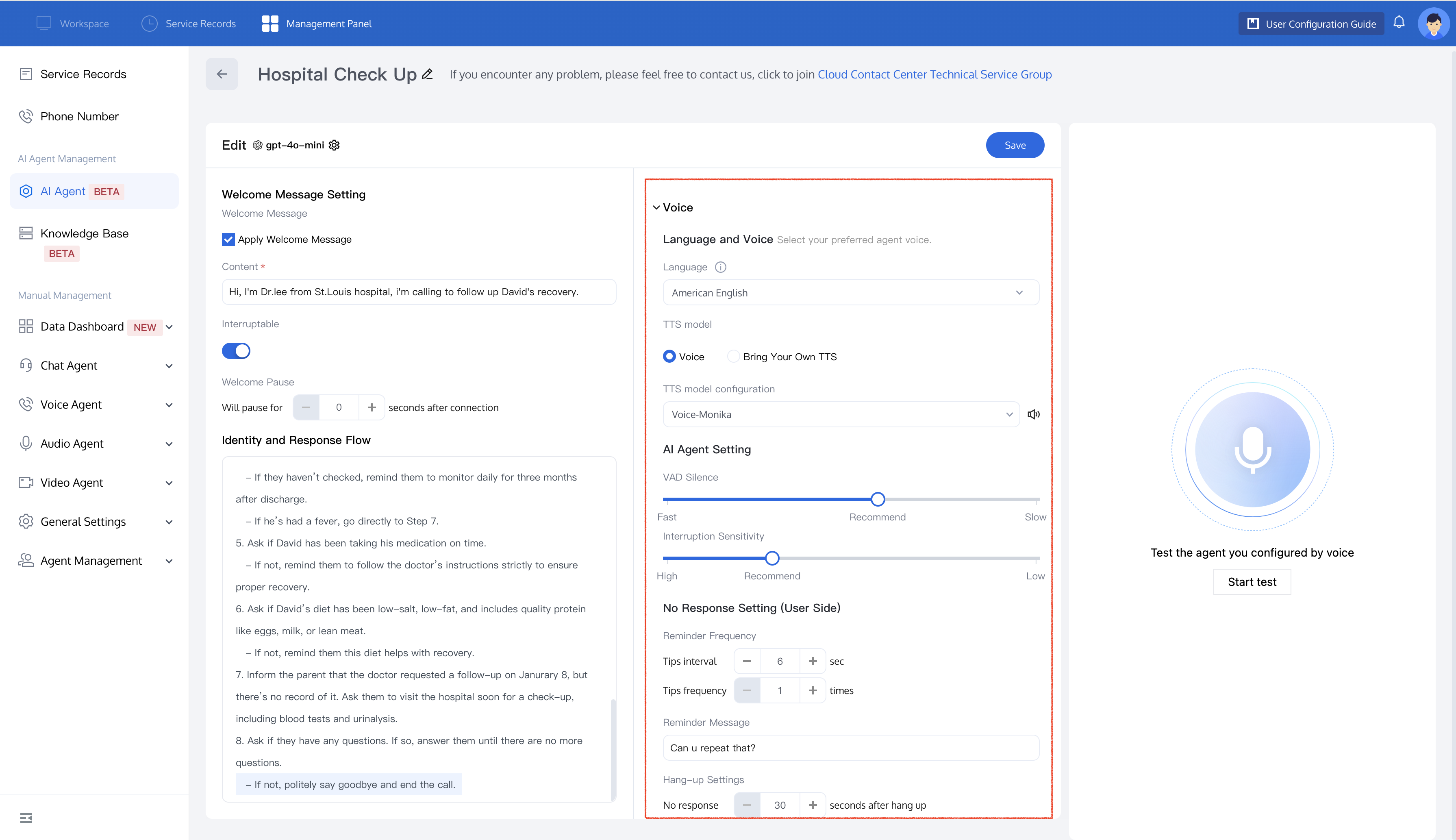
On the AI Agent Edit page, you can set up voice interactions, including language and voice preferences, AI Agent settings, and No Response Setting.
Voice
Language and Voice
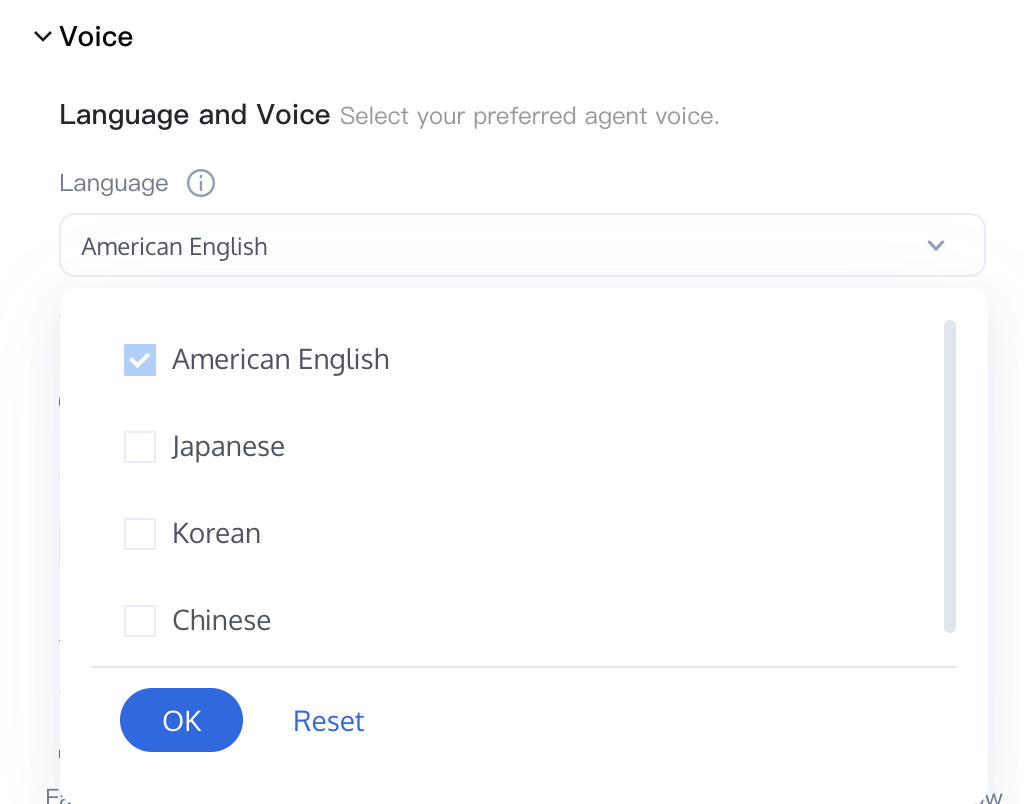
Choosing the Language
Select the language for the AI Agent. Currently, supported languages include Chinese, American English, Korean and Japanese .
Voice
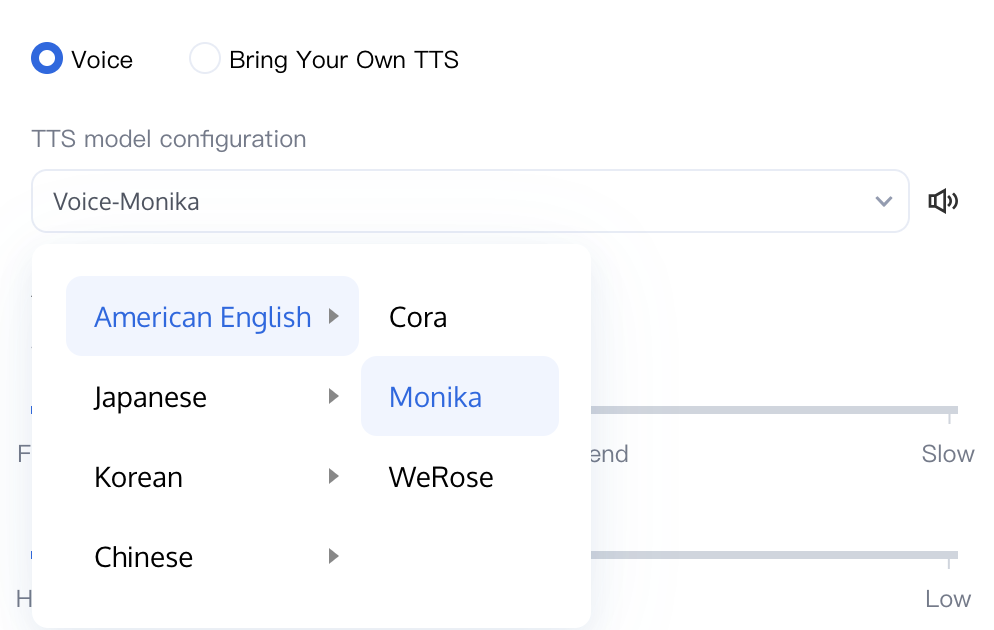
Based on your business needs, choose the appropriate voice model.
Voice: You can choose different TTS model configuration (e.g.,Monika) to fit different scenario.
Custom TTS: You can choose from different mainstream Provider Names.
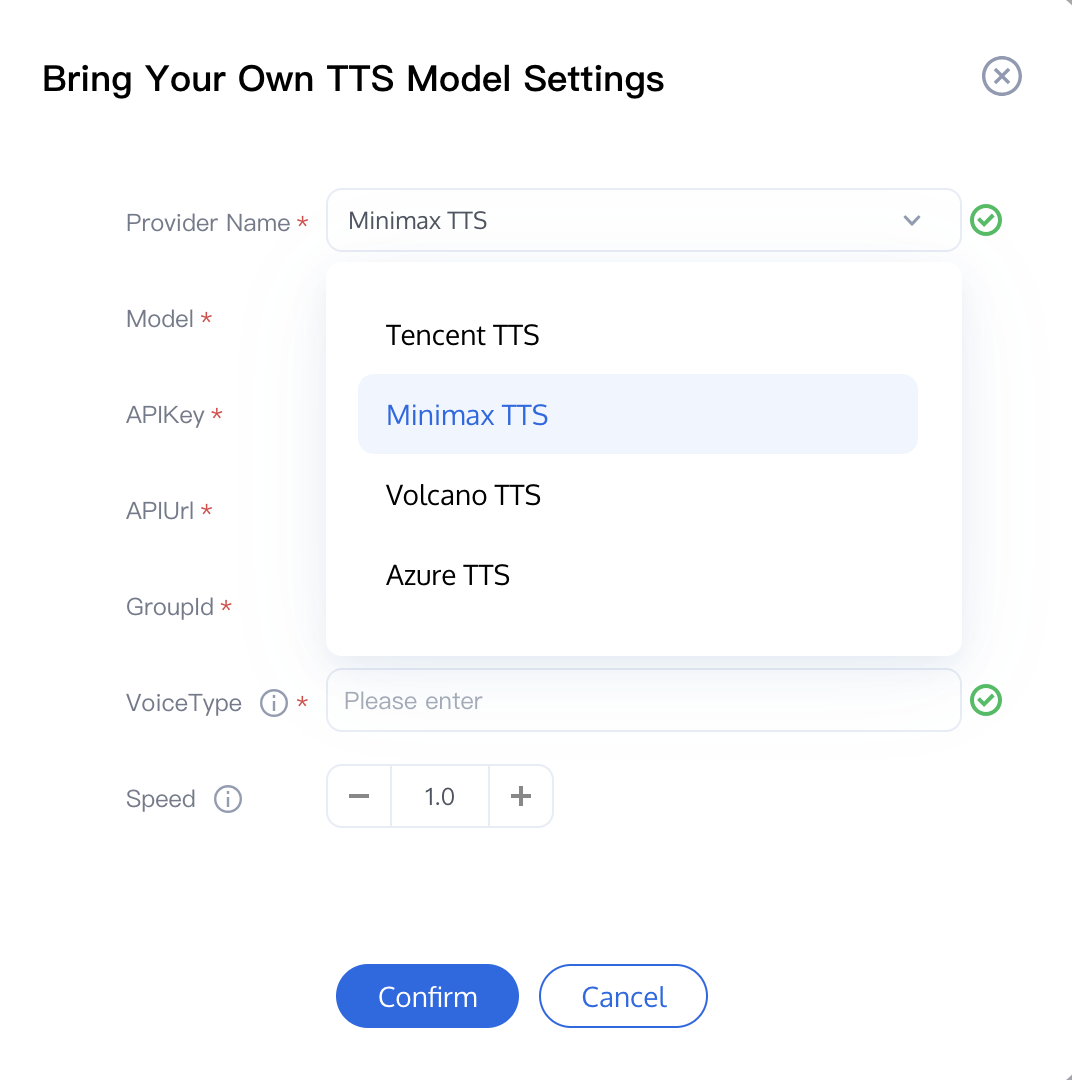
Reference API documents are as follows:
Manufacturer | Reference API Document |
Minimax TTS | |
Azure TTS |
AI Agent Settings
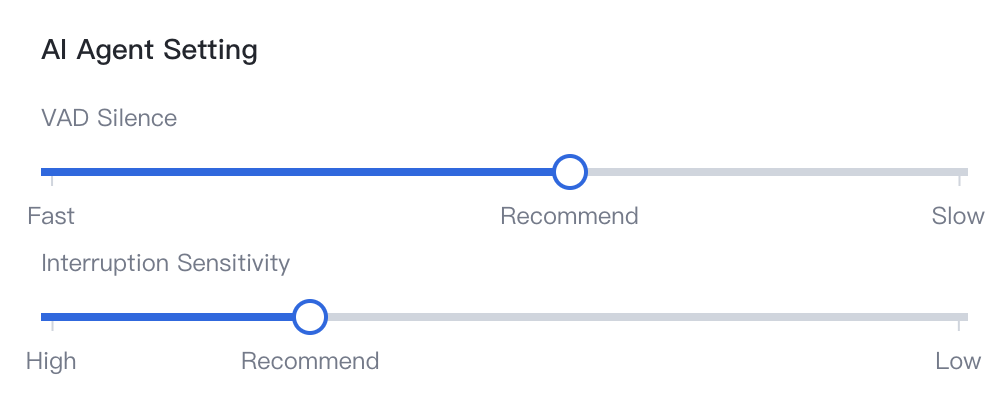
Speech Recognition Speed
Adjust the speech recognition speed by modifying the waiting time for the system. The recommended setting is 700 milliseconds. Shorter waiting times will speed up the AI's response but may increase the likelihood of interrupting the user's speech during conversation.
Interruption Sensitivity
Adjust the interruption sensitivity to control how easily the AI is interrupted. The recommended setting is 500 milliseconds. Higher sensitivity will increase the likelihood for the AI to be interrupted.
User No Response Settings
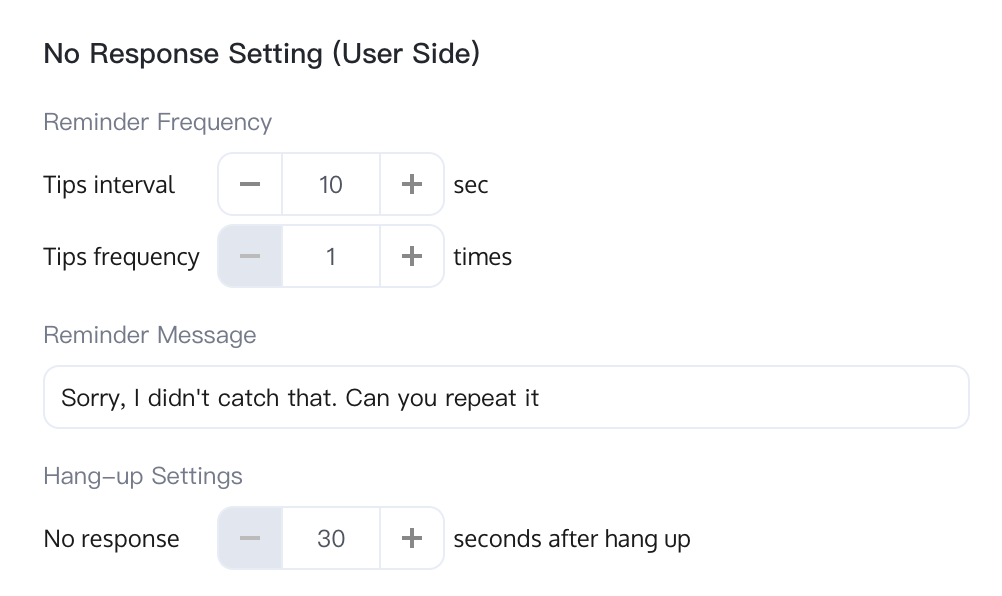
Reminder Frequency
Tips interval: Maximum duration for the AI Agent to wait for a user response, in seconds. The default is 10 seconds.
Tips frequencty: Maximum number of times the AI Agent will repeat the reminder if the user doesn’t respond. The default is 1.
Reminder Message
The default message the AI Agent will use when there's no response, e.g., "Sorry, I didn't catch that. Could you repeat it?"
Hang-Up Settings
If the user does not respond within the specified time, the AI Agent will automatically hang up the call. The default time is 30 seconds.
フィードバック