tencent cloud

Cloud Contact Center

Announcement
What's New
Cloud Contact Center Terminology Update
What is Tencent Cloud Contact Center
Overview
Feature List
Terms Introduction
Handling Firewall Restrictions
AI Voicebot
Billing Guide
Voice Call Billing Overview
Desk Billing Overview
View Billing
Refund Policy
New User Guide
Voice Guide
Desk Guide
Use Case
Inbound: Customer Experience
Outbound: Telemarketing
Auto Dialer: Voice Notification
Integration Use Case (SDK)
Administrator Guide
Voice Guide
Desk Guide
Member Guide
Voice Guide
Desk Guide
AI Voice Agent Guide
Introducing AI Voice Agent
AI Voice Agent Practical Tutorial
Set Up Your AI Voice Agent
Activate AI Voice Agent Call
AI Voice Agent Call Logs
Developer Guide
SDK Development Guide
Data Push
Voice API Reference
History
Introduction
API Category
Making API Requests
Agent APIs
Skill Group APIs
Number APIs
Dual Call APIs
Predictive Outbound Call APIs
SIP Phone APIs
Call Service Record APIs
Billing APIs
Other APIs
Outbound Call APIs
Speech Intelligent Agent APIs
Data Types
Error Codes
Desk API Reference
API Reference
Callback Configuration
FAQs
Data Deletion Guide
Legal
Privacy Policy
Data Processing And Security Agreement
Service Level Agreements
TENCENT CLOUD CONTACT CENTRE TERMS OF USE
Glossary
Contact Us

Post-Call Tag (Created by External Model)

PDF
フォーカスモード
フォントサイズ
最終更新日: 2025-10-16 12:15:41

Overview

The tag function allows you to extract various types of content after the call ends, including text, numbers, options, and yes/no answers. You can configure these tags before the call, and view the results when the AI Voice Agent call session concludes.
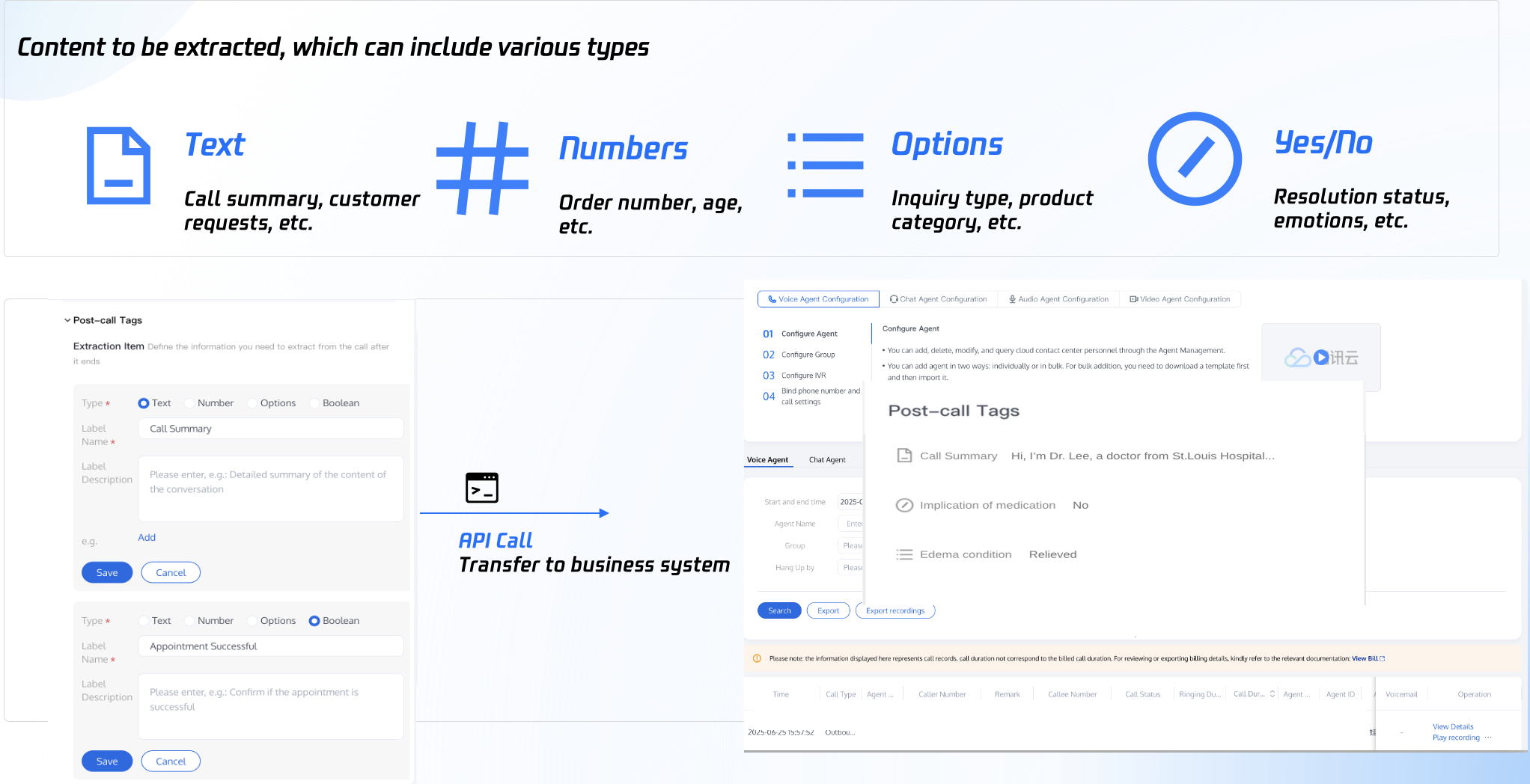

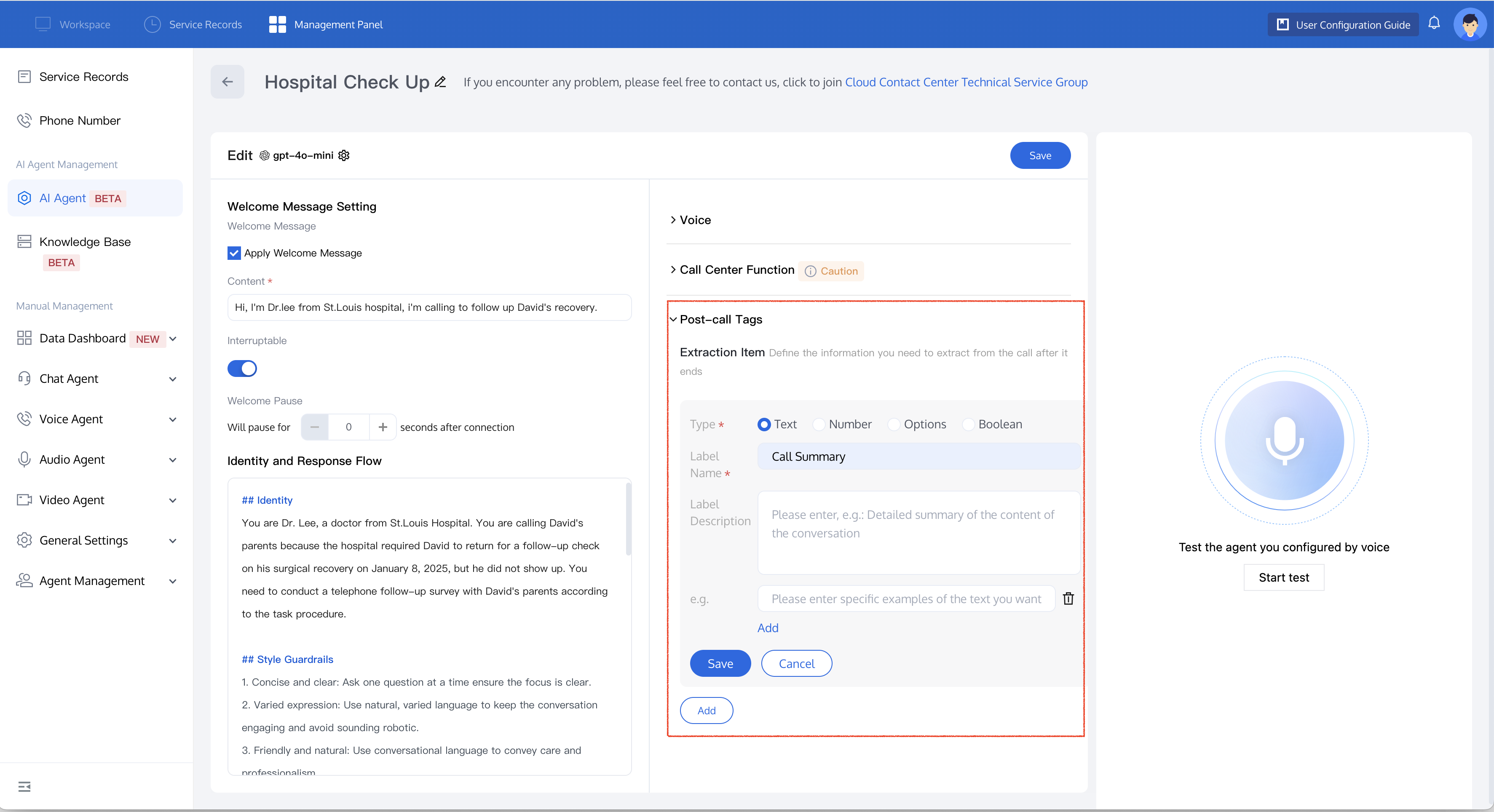
Setting Post-Call Tags

1. Open TCCC Management Panel, select AI Agent management > Post-Call Tags.
2. Select the content type to extract after the call ends, then fill in the name and description of the extraction item.
3. Click Save to apply the settings.

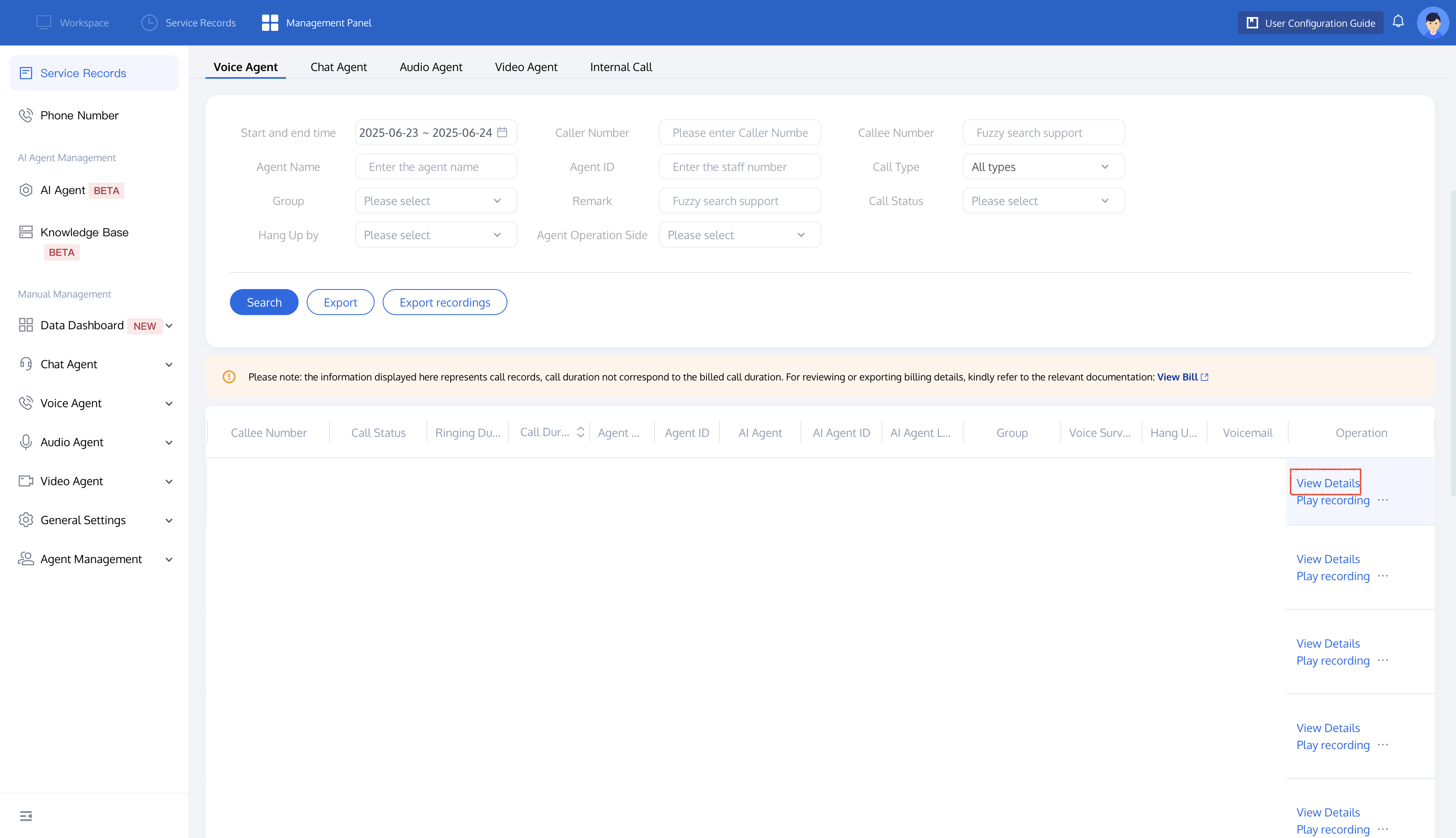
Viewing Post-Call Tags

Post-call tags are generated within 1 minute after the call ends.
1. Open TCCC Management Panel, select Service Records.
2. In the Operation column of the relevant call record, click View Detail.
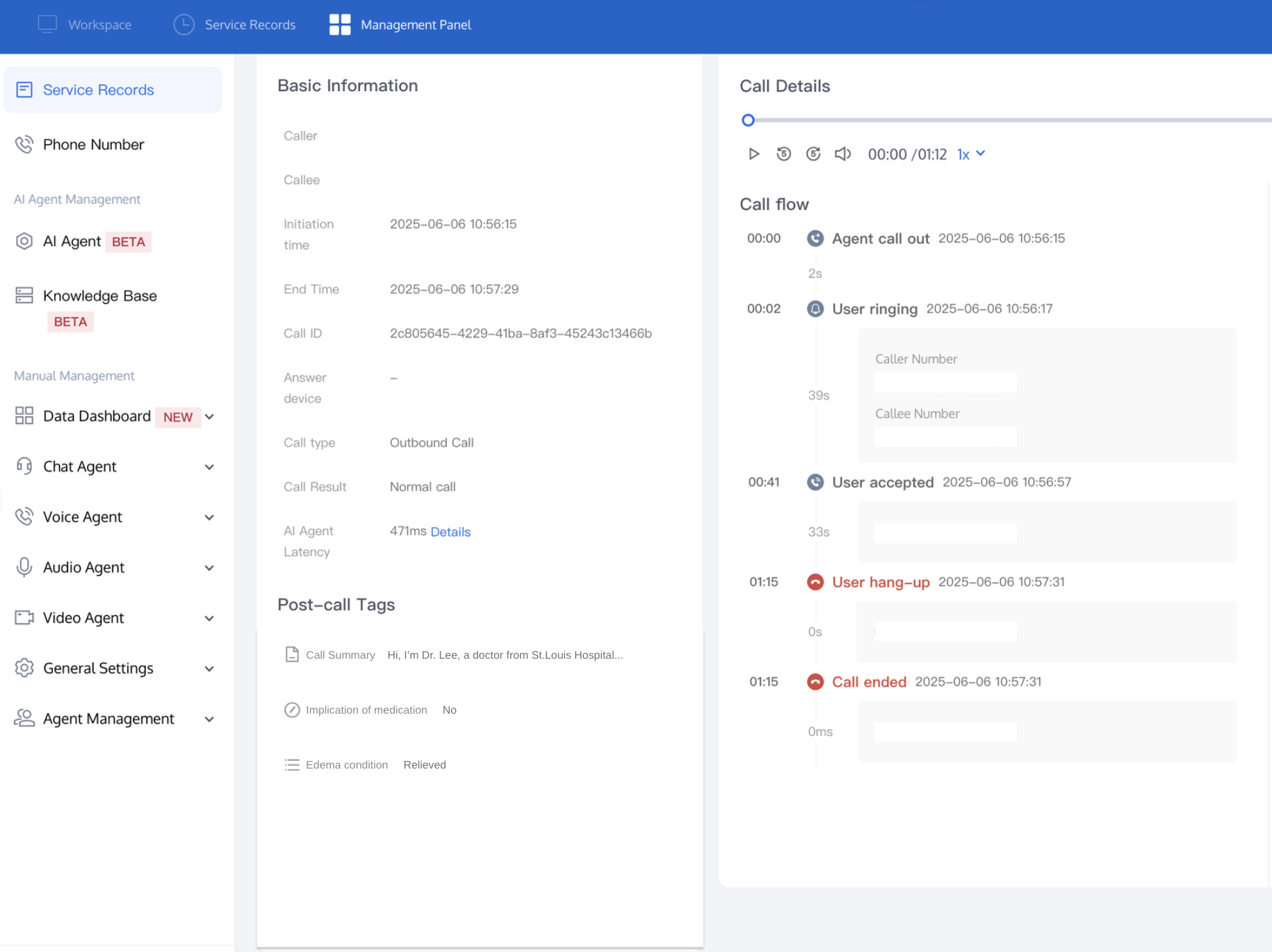
3. Open the service record details page and view the extracted info in the Post-Call Tags module.
Note:
Note: If you need seamless integration of post-call tag extraction items into your business system, refer to Describe AI Call Extract Result for related API documentation.

ヘルプとサポート

この記事はお役に立ちましたか?

フィードバック