Feature Overview
Natural language generation refers to the process where a large model automatically generates the basic structure and display style of a Widget based on the user's natural language description. Users do not need to manually write template code to quickly create a Widget that meets their requirements, suitable for rapid verification of ideas or building an initial version.
Applicable Scenarios
Hope to quickly generate an available initial version prototype of Widget.
For solution exploration or style reference.
Create requirements are clear, but not familiar with Widget development details.
Steps
You can refer to the following steps to generate a product display Widget:
Create a Widget
On the Widget development page, click Create Widget and select natural language generation.
2. Manually Input the Generate Command
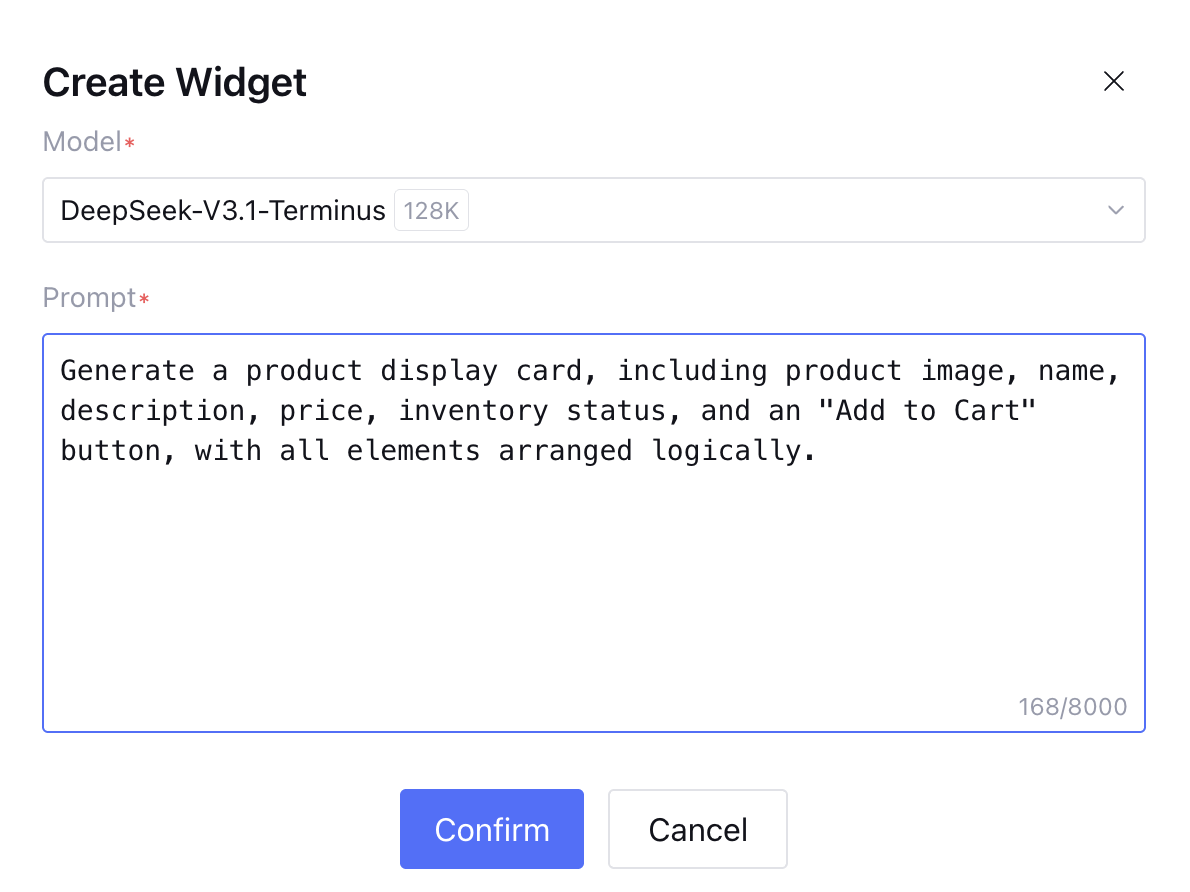
2.1 Choose appropriate model, input Widget generation command and click Confirm.
Input content in the prompt input box: generate a product display card with product image, name, description, price, inventory status and "add merchandise to the shopping cart" button, all elements arranged reasonably.
2.2 The system will automatically generate appropriate component code according to the prompt content. Wait patiently for loading complete. Generation time may vary depending on content complexity.
3. Edit and Save
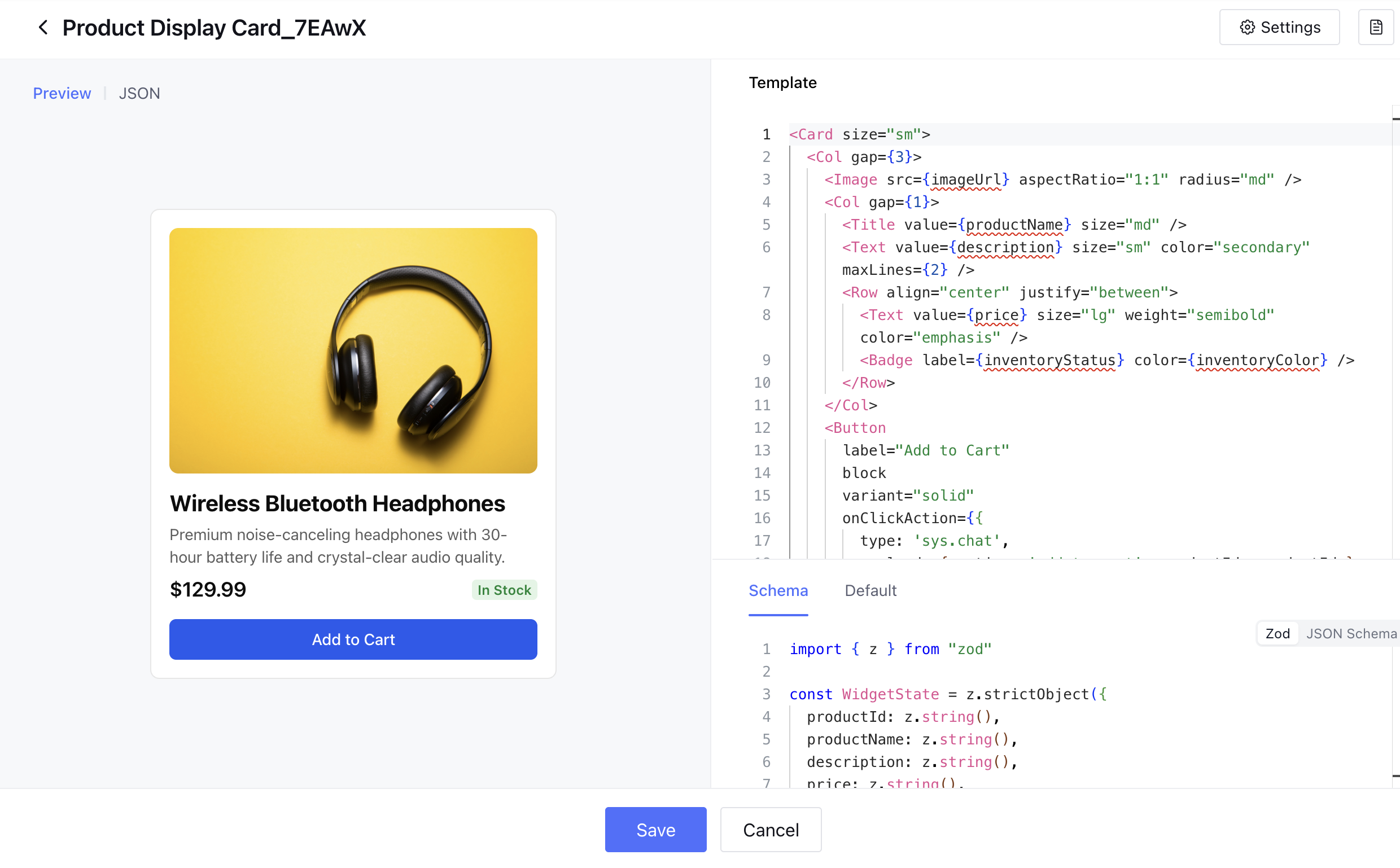
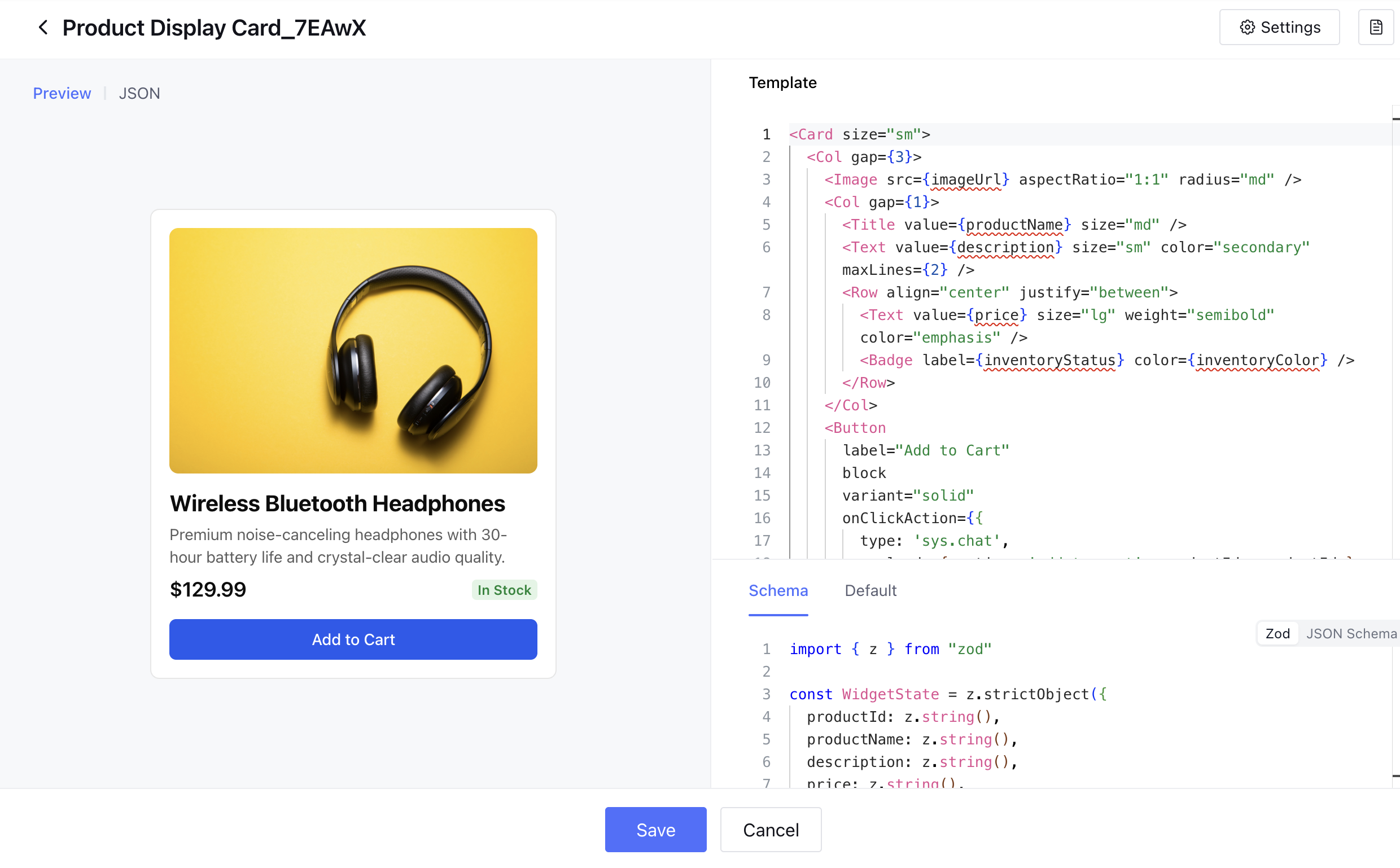
After generation completed, you can enter the editing page to adjust the Widget, including modify layout, style or data binding. For details on component usage and edit method, see Widget components. Confirm and click Save to complete Widget creation. Generation effect as follows: