This document describes how to modify the primary private IP address of a Cloud Virtual Machine (CVM) in the Elastic Network Interface (ENI) console.
Note:
You can modify only the primary private IP address of the primary ENI on a CVM. Modifying the primary private IP address of a secondary ENI is not supported.
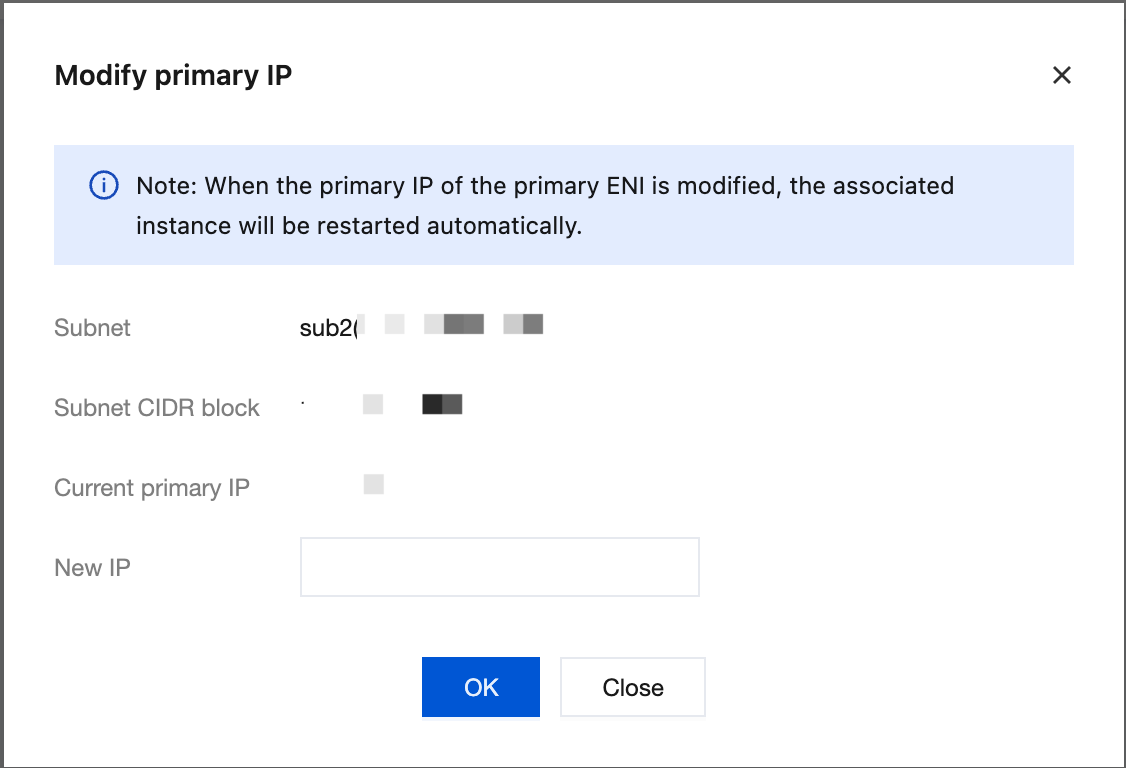
Modifying the primary private IP address of the primary ENI will cause the associated instance to automatically restart for about 30 seconds. A brief service interruption may occur during the restart process. Normal service will resume after the restart. Please proceed with caution based on your actual situation.
Modifying the primary private IP address can also be performed in the CVM console. If necessary, see Modifying the Private IP Address.
Prerequisites
Log in to the CVM console to obtain the primary ENI ID of the CVM. For details, see Viewing Instance Information.
2. In the left sidebar, choose IP and ENI > ENI to go to the ENI list page.
3. Click the ID of the instance you want to modify to go to its details page.
4. Click the IPv4 Address Management tab to view the bound primary private IP address.
5. Click Modify Primary IP in the Operation column of the primary private IP address that needs to be modified.
Note:
After the primary IP address is modified, the original IP address will no longer provide network services for the CVM. Before modification, confirm whether this operation meets your business expectations.
6. Enter the new primary private IP address in the dialog box and click OK.
Note:
If you select manual entry, ensure that the entered private IP address is within the CIDR block of the subnet and is not a system-reserved IP address. For example, if the subnet CIDR block is 10.0.0.0/24, the available private IP address range is 10.0.0.2 to 10.0.0.254.