TencentDB for MariaDB supports full backup and incremental backup, and backups are compressed with LZ4. For more information on how to use LZ4, see Decompressing Backups and Logs.
Backup Type
Full backup
You can set the backup retention period and backup execution time for full backups, which is set to seven days by default (30 days for finance cloud).
Incremental backup
Incremental backup is implemented based on binlogs, which are generated in real time. The binlogs occupy some disk space and are periodically uploaded to the TencentDB backup system.
Custom Backup Time
1. Log in to the TencentDB for MariaDB console. Click an instance ID or Manage in the Operation column to enter the instance management page.
2. Click Backup and Restoration in the instance management page
3. On Backup and Restoration > Backup and Log Settings page, you can set the storage period and backup execution time.
Storage time: Data and log backups can be retained for 1 to 365 days. Default value: 7 days.
Backup execution time: It can be set to any time period in hours.
Note:
Log backup is enabled by default and cannot be disabled. Logs include error logs, slow logs, and transaction logs (binlogs).
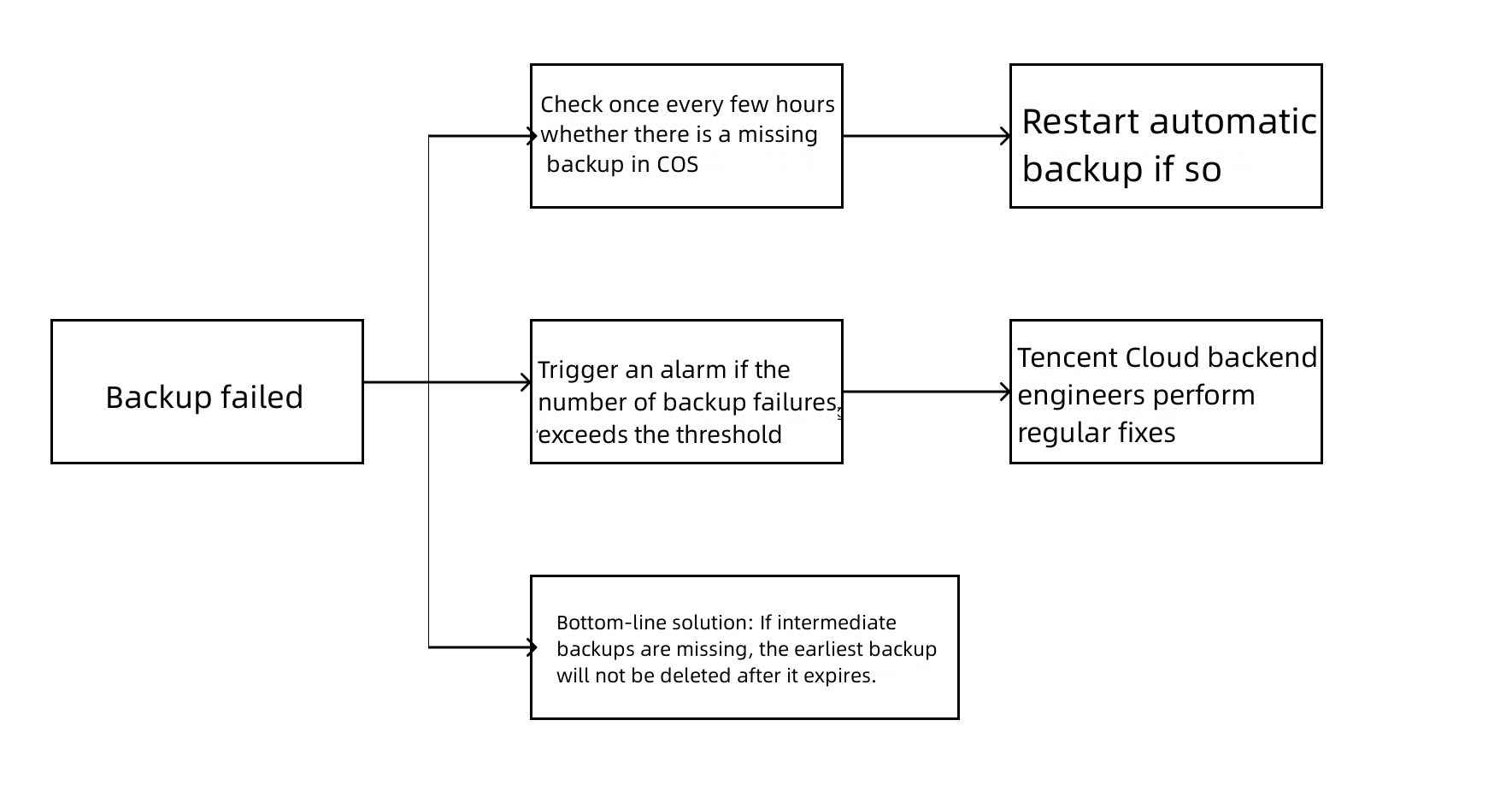
?There are three handling methods for backup failures:
Automatic fix: The database system checks once every few hours whether there is a missing backup in COS and starts another automatic backup if so.
Alarm and check: After the number of backup failures exceeds the threshold, an alarm will be triggered on the Tencent Cloud backend, and backend engineers will troubleshoot the issue.
Bottom-line solution: If there are so many backup failures that no backups are available, the database system will ensure that at least one backup is retained; that is, if intermediate backups are missing, the earliest backup will not be deleted after it expires.