Database List
Download
フォーカスモード
フォントサイズ
This document introduces the related fields and information of the database management list.
Prerequisites
Viewing the Database Management List
1. Log in to the TencentDB for SQL Server Console.
2. Find the target instance in the instance list, click Manage in the Operation column to enter the instance details page.
3. Click Database Management to enter the Database Management page.

Tool Item

Tool | Description |
Search box | Click  |
Refreshing | Click  |
Sorting by database name | Click  |
Sorting by creation time | Click  |
Database List Field Information
Field | Description |
Database Name | Displays the names of all databases created under the instance. |
Status | Displays the running status of the corresponding database. |
Character set | Displays the character set information of the corresponding database. |
Creation time | Displays the creation time of the database, in ascending or descending order. |
Bind account | Displays the accounts authorized to access the database. |
Description | Displays the description information of the database. |
Primary-Secondary Synchronization Status | Displays the primary-secondary synchronization status at the database level. The values include synchronized and not synchronized. This field is only applicable to dual-node and multi-node architecture instances. Synchronized: indicates that the data is consistent after primary-secondary synchronization. Not synchronized: indicates that the data is inconsistent after primary-secondary synchronization, which may occur in the following scenarios: During database creation (for example, a database is created during rollback). After the database is created, data synchronization is not yet completed. During abnormal database synchronization statuses, such as synchronization interruption. When data is being written, backup data synchronization is not yet completed. |
TDE status | Displays the TDE status of the database. |
Operation | Set permissions: Set read-write, read-only, and owner permissions on databases for accounts. Delete: Delete the corresponding database. Clone: Clone existing databases to the instance with one click. Others: Enable/Disable change data capture (CDC) for databases, enable/disable change tracking, and shrink databases. |
Note:
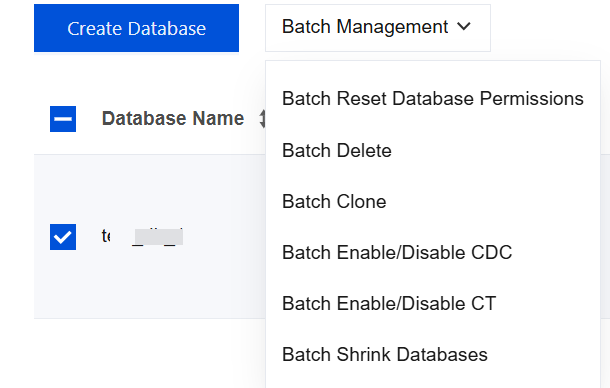
Each operation of the database list supports selecting multiple databases, allowing you to perform corresponding batch operations by clicking Batch Management above the database list.
Related Operations
Related APIs
API | Description |
This API is used to create a database. | |
This API is used to update the database name. | |
This API is used to modify database remarks. | |
This API is used to query the character sets supported by instances. | |
This API is used to query the database list. | |
This API is used to query information on the account and permissions associated with the database. | |
This API is used to delete a database. | |
This API is used to clone a database. Only cloning to this instance is supported, and a new database name should be specified during cloning process. | |
This API is used to enable or disable CDC for databases. | |
This API is used to enable or disable CT for databases. | |
This API is used to shrink the database mdf (Shrink mdf). | |
This API is used to query database configuration information. This API does not contain accounts associated with databases. |
フィードバック