tencent cloud

Tencent Cloud Observability Platform

Release Notes and Announcements
Release Notes
Product Introduction
Overview
Strengths
Basic Features
Basic Concepts
Use Cases
Use Limits
Purchase Guide
Tencent Cloud Product Monitoring
Application Performance Management
Mobile App Performance Monitoring
Real User Monitoring
Cloud Automated Testing
Prometheus Monitoring
Grafana
EventBridge
PTS
Quick Start
Monitoring Overview
Instance Group
Tencent Cloud Product Monitoring
Application Performance Management
Real User Monitoring
Cloud Automated Testing
Performance Testing Service
Prometheus Getting Started
Grafana
Dashboard Creation
EventBridge
Alarm Service
Cloud Product Monitoring
Tencent Cloud Service Metrics
Operation Guide
CVM Agents
Cloud Product Monitoring Integration with Grafana
Troubleshooting
Practical Tutorial
Application Performance Management
Product Introduction
Access Guide
Operation Guide
Practical Tutorial
Parameter Information
FAQs
Mobile App Performance Monitoring
Overview
Operation Guide
Access Guide
Practical Tutorial
Tencent Cloud Real User Monitoring
Product Introduction
Operation Guide
Connection Guide
FAQs
Cloud Automated Testing
Product Introduction
Operation Guide
FAQs
Performance Testing Service
Overview
Operation Guide
Practice Tutorial
JavaScript API List
FAQs
Prometheus Monitoring
Product Introduction
Access Guide
Operation Guide
Practical Tutorial
Terraform
FAQs
Grafana
Product Introduction
Operation Guide
Guide on Grafana Common Features
FAQs
Dashboard
Overview
Operation Guide
Alarm Management
Console Operation Guide
Troubleshooting
FAQs
EventBridge
Product Introduction
Operation Guide
Practical Tutorial
FAQs
Report Management
FAQs
General
Alarm Service
Concepts
Monitoring Charts
CVM Agents
Dynamic Alarm Threshold
CM Connection to Grafana
Documentation Guide
Related Agreements
Application Performance Management Service Level Agreement
APM Privacy Policy
APM Data Processing And Security Agreement
RUM Service Level Agreement
Mobile Performance Monitoring Service Level Agreement
Cloud Automated Testing Service Level Agreement
Prometheus Service Level Agreement
TCMG Service Level Agreements
PTS Service Level Agreement
PTS Use Limits
Cloud Monitor Service Level Agreement
API Documentation
History
Introduction
API Category
Making API Requests
Monitoring Data Query APIs
Alarm APIs
Legacy Alert APIs
Notification Template APIs
TMP APIs
Grafana Service APIs
Event Center APIs
TencentCloud Managed Service for Prometheus APIs
Monitoring APIs
Data Types
Error Codes
Glossary
ドキュメントTencent Cloud Observability PlatformEventBridgePractical TutorialAutomatic Backup and Restart of Exceptional CVM Instance

Automatic Backup and Restart of Exceptional CVM Instance

PDF
フォーカスモード
フォントサイズ
最終更新日: 2024-11-01 21:03:49

Overview

A monitoring and alarming system is indispensable for a business production environment. Complete monitoring, prompt alarming, and automated alarm handling can help you quickly locate and fix problems to reduce possible economic losses.
Tencent Cloud EventBridge is a secure, stable, and efficient serverless event management platform. EventBridge in Event Center can receive real-time events and relevant data streams from your applications, SaaS services, and Tencent Cloud services. By integrating notification message and SCF, it can send alarm messages in real time and automatically handle alarms.
This document uses a server exception as an example to describe how to implement real-time alarm message push and automatic snapshot-based disk rollback with the aid of EventBridge and SCF after your CVM instances generate alarm events. In this way, you can quickly build an automated OPS architecture.

Architecture Design

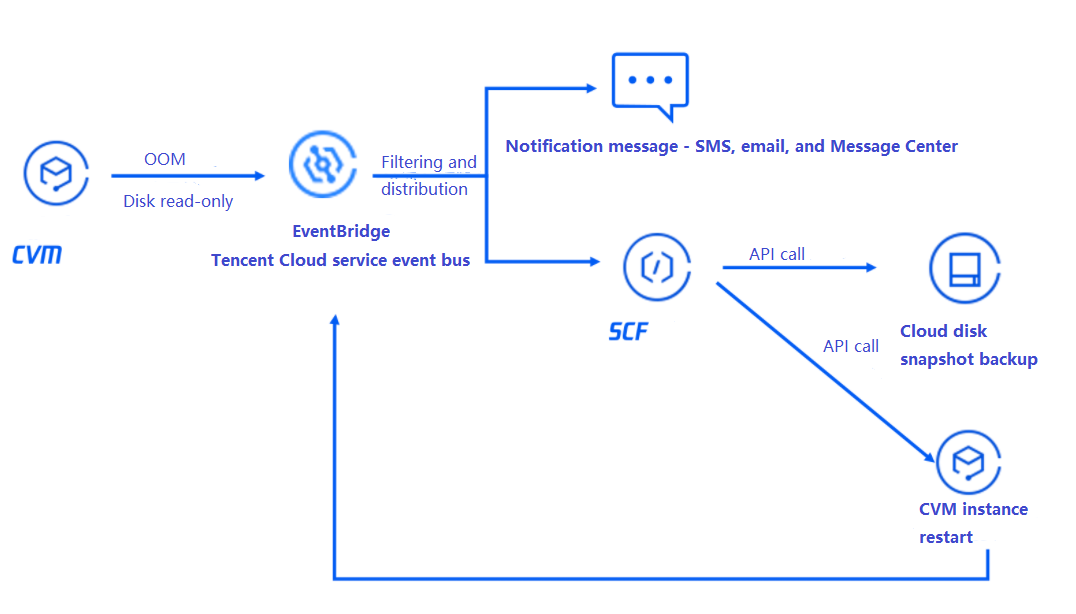
The overall architecture is as shown below. When a CVM instance triggers an exception alarm, CVM will automatically generate an alarm event and actively push it to EventBridge. After the alarm is filtered by the alarm rules bound to EventBridge, the alarm message will be pushed to users promptly through the specified notification channels, and SCF will be triggered at the same time to call an API to quickly roll back the disk based on snapshot, so as to recover the business in time.


The basic process is as follows:An instance generates an alarm event > The event is filtered by the EventBridge rules > The event is delivered to notification message and SCF > SCF calls an API to back up the disk data and restart the instance > The alarm event is pushed to users after the restart.

Directions

Step 1. Create a function to implement the snapshot creation and restart logic
1. Log in to the SCF console.
2. Create a function as instructed in Creating Event-Triggered Function in Console.
3. Write the code logic of calling the API. Below is the sample code:
exports.main_handler = async (event, context) => {
// Depends on tencentcloud-sdk-nodejs version 4.0.3 or higher
const tencentcloud = require("tencentcloud-sdk-nodejs");

const CvmClient = tencentcloud.cvm.v20170312.Client;
const CbsClient = tencentcloud.cbs.v20170312.Client;
var secretId = process.env.secretId // Pass in `secretId` of your account to the environment variable
var secretKey = process.env.secretKey // Pass in `secretKey` of your account to the environment variable
var insID = event.subject

const clientConfig1 = {
credential: {
secretId: secretId,
secretKey: secretKey,
},
region: "ap-guangzhou",
profile: {
httpProfile: {
endpoint: "cvm.tencentcloudapi.com",
},
},
};

const client1 = new CvmClient(clientConfig1);
const params1 = {
"InstanceIds": [
${Replace it with the ID of the instance to be restarted}
],
"StopType": "SOFT"
};
client1.RebootInstances(params1).then(
(data) => {
console.log(data);
},
(err) => {
console.error("error", err);
}
);

const clientConfig2 = {
credential: {
secretId: secretId,
secretKey: secretKey,
},
region: "ap-guangzhou",
profile: {
httpProfile: {
endpoint: "cbs.tencentcloudapi.com",
},
},
};

const client2 = new CbsClient(clientConfig2);
const params2 = {
"DiskId": ${Replace it with the ID of the disk to be backed up}
};
client2.CreateSnapshot(params2).then(
(data) => {
console.log(data);
},
(err) => {
console.error("error", err);
}
);
};

You can also use API Explorer to quickly generate the sample code.

Step 2. Create en event rule and filter alarm events

1. Log in to the EventBridge console.
2. Select Tencent Cloud service event bus > default in Event Bus.
3. In the details of the default event bus, click Manage Event Rules.
4. In Event Rule, click Create Event Rule to create rules to filter and convert events.
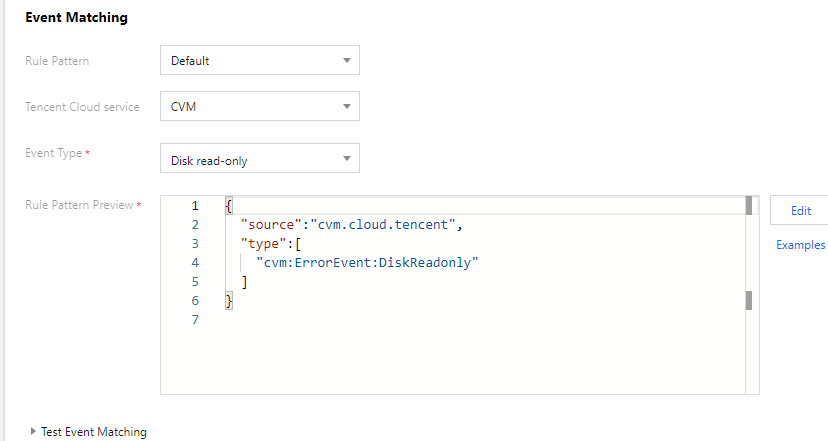
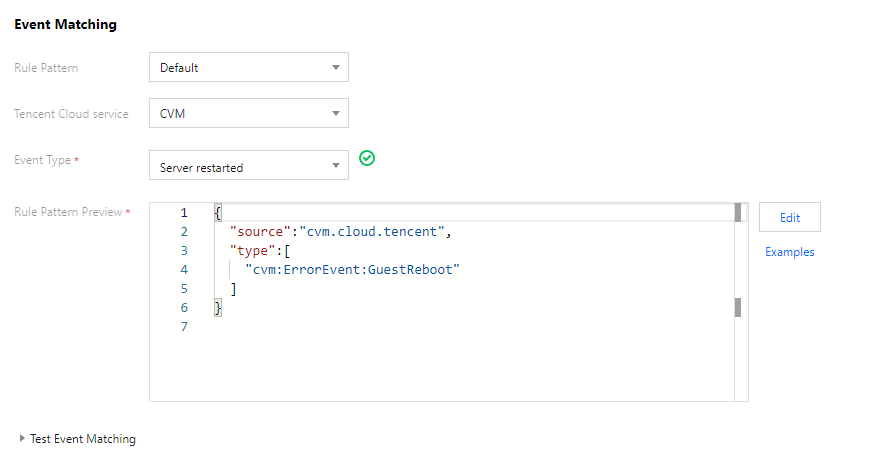
4.1 Taking the CVM disk is read-only event as an example, create rules as follows:
Rule 1: receive the disk read-only exception events


Rule 2: receive instance restart events


4.2 You can also customize the event rules based on your actual needs as follows:
Filter all CVM events in the Guangzhou region.
{
"source":"cvm.cloud.tencent",
"region":"ap-guangzhou"
}
Filter CVM events with the specified instance ID.
{
"source":"cvm.cloud.tencent",
"subject":[
"ins-xxxxxx",
"ins-xxxxxx"
]
}

Step 3. Bind event targets and backend processing logic and set the push target

After creating rules, you can bind delivery targets to the rules as prompted. The above demo is used as an example here:
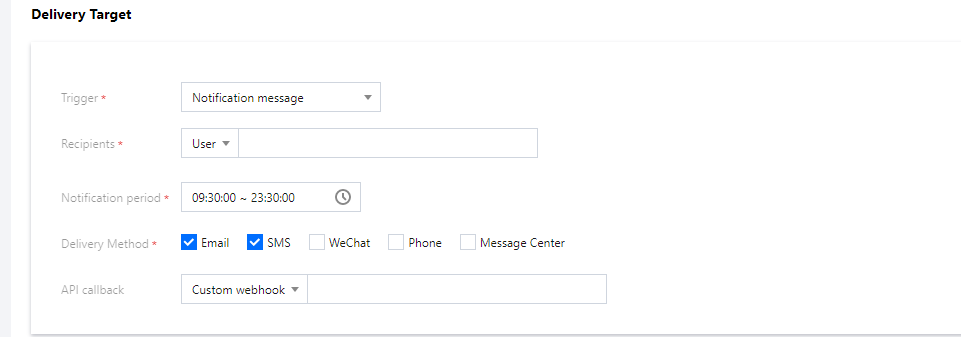
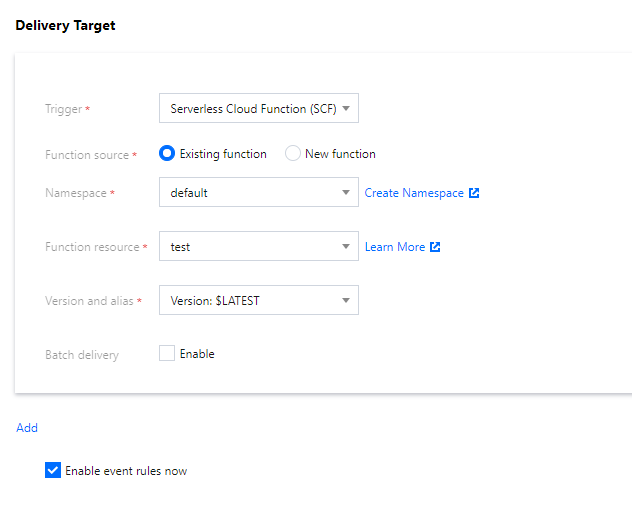
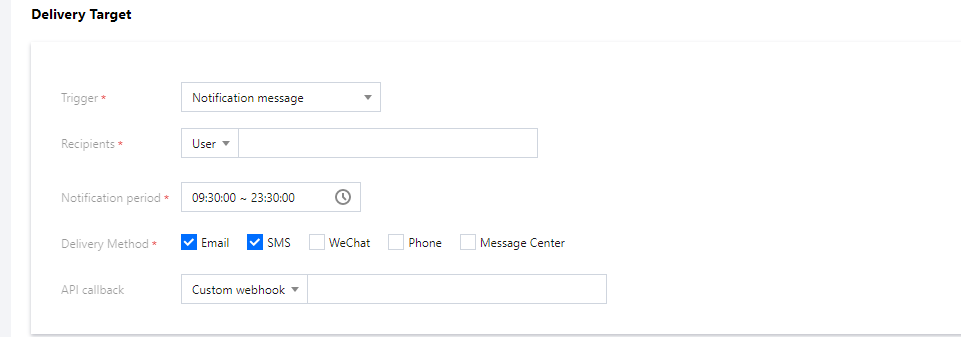
For rule 1, you need to bind two targets: notification message and SCF.
Notification message
SCF
Select a method to receive alarm messages.


Bind the function created in step 1 to implement automated processing of alarm events.


For rule 2, you only need to bind the notification message target.


Step 4. Send a simulated event to check whether the process works normally

At this point, you have built the automated alarm processing link. You can use a simulated alarm event to test whether the process can run normally:
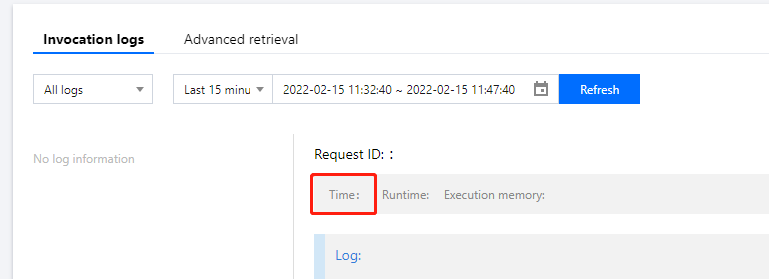
Successful function invocation:


Instance restart:


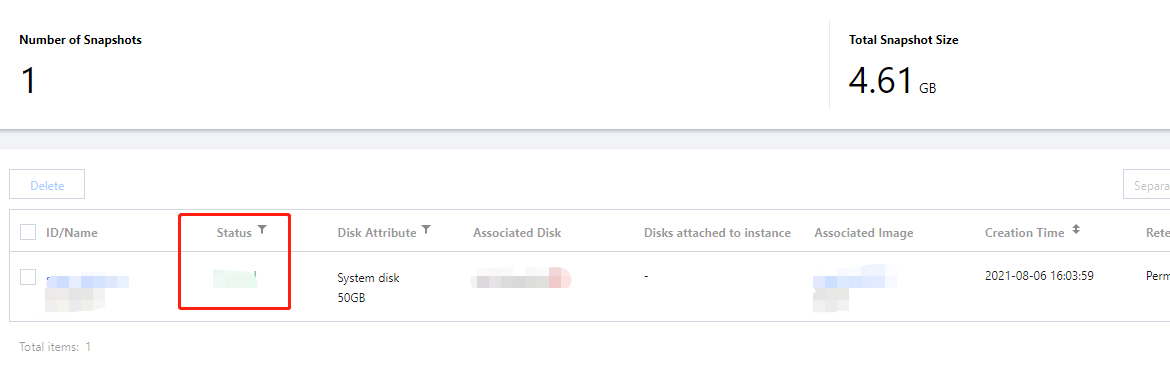
Snapshot creation:


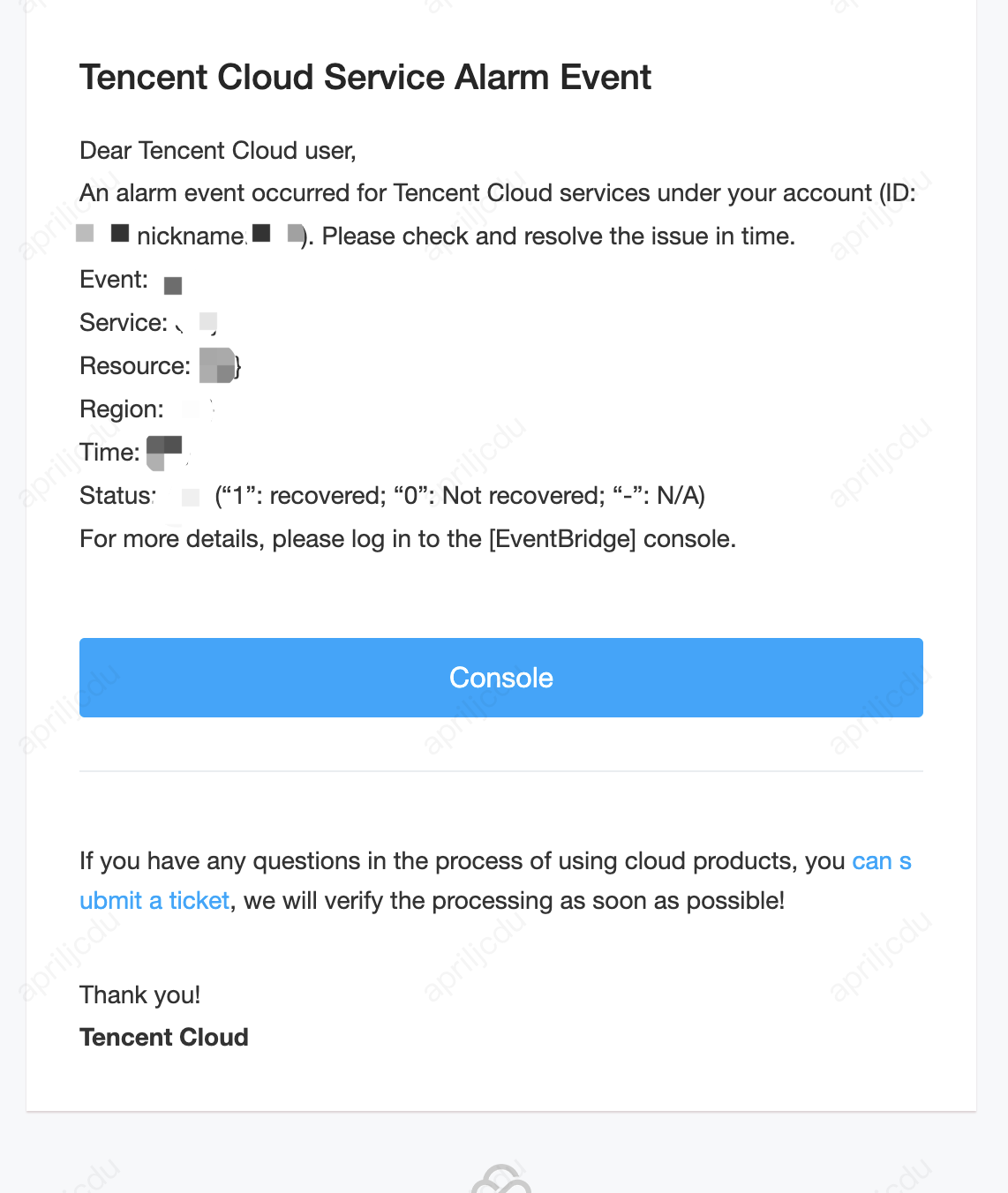
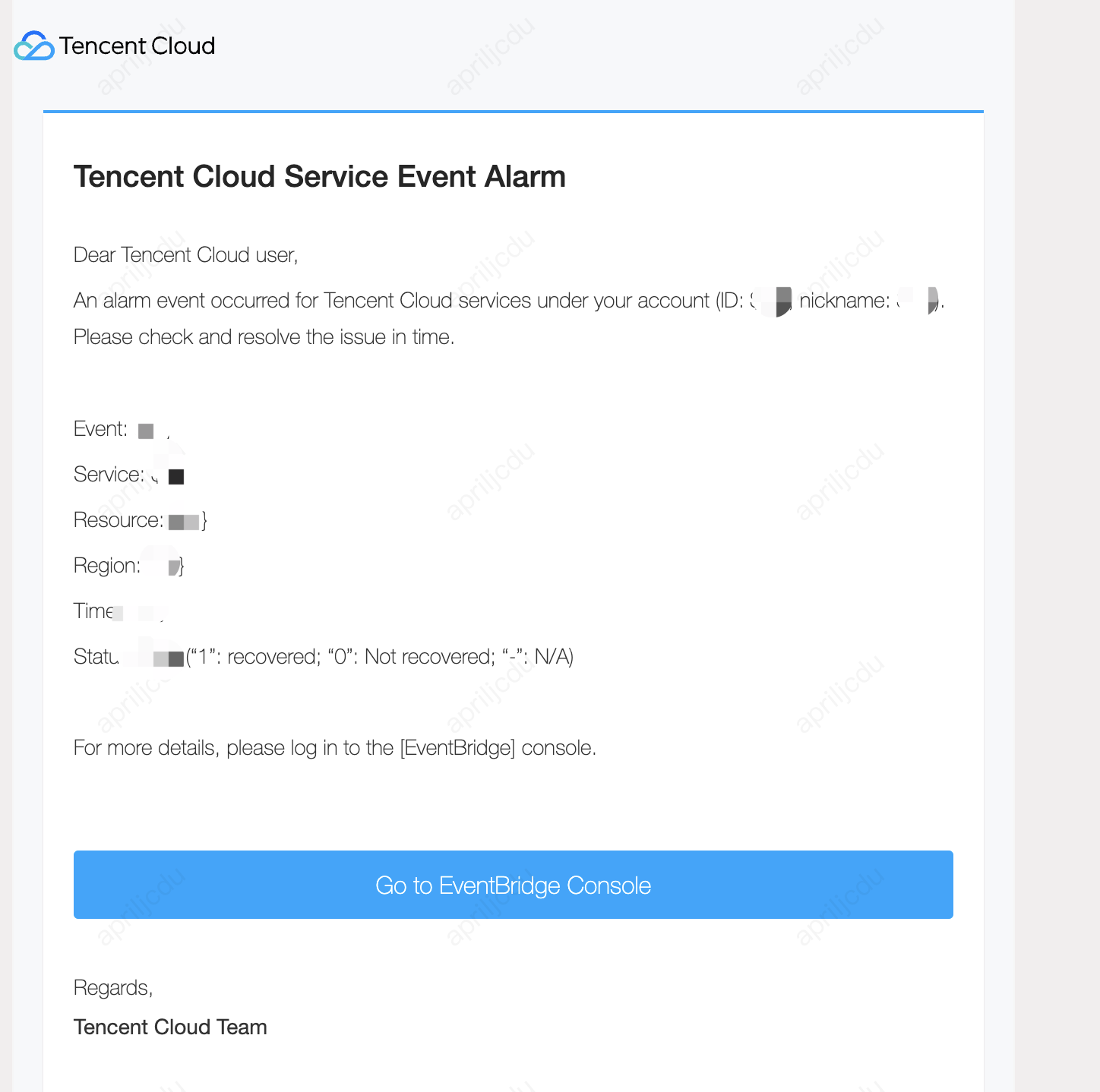
Alarm message receipt:


Restart email receipt:


ヘルプとサポート

この記事はお役に立ちましたか?

フィードバック