tencent cloud

Cloud File Storage

Releases Notes and Announcements
Release Notes
Announcements
Product Introduction
Overview
Strengths
Storage Classes and Performance
Use Cases
Recommended Regions
Use Limits
Service Regions and Service Providers
Purchase Guide
Billing Overview
Pricing Overview
General Series Billing
Turbo Series Billing
High-Throughput CFS Billing
Billing Mode
IA ‍Storage Billing
Storage Resource Units
Resource Purchase
Viewing Bills
Arrears Reminder
Getting Started
Creating File Systems and Mount Targets
Using CFS File Systems on Linux Clients
Using CFS File Systems on Windows Clients
Using CFS Turbo on Linux Clients
Using the CFS Client Assistant to Mount File Systems
Operation Guide
Access Management
Managing File Systems
Permission Management
Using Tags
Snapshot Management
Guide for Cross-AZ and Cross-Network Access
Automatically Mounting File Systems
Data Migration Service
User Permission Management
User Quotas
Data Encryption
Data Lifecycle Management
Upgrading Standard File Systems
Practical Tutorial
Selecting Kernels for NFS Clients
Managing Turbo CFS Directories
Terminating Compute Instances
Using CFS on TKE
Using CFS on SCF
Using CFS Turbo on TKE
Using CFS Turbo on TKE Serverless Cluster
Selecting a Network for Turbo CFS
Copying Data
CFS Storage Performance Testing
API Documentation
History
Introduction
API Category
Snapshot APIs
File system APIs
Lifecycle APIs
Other APIs
Data Flow APIs
Making API Requests
Permission Group APIs
Service APIs
Scaling APIs
Data Migration APIs
Data Types
Error Codes
Troubleshooting
Client Use Bottleneck due to Large Number of Small Files or Parallel Requests
FAQs
CFS Service Level Agreement
Contact Us
Glossary

Viewing Migration Task Result

PDF
フォーカスモード
フォントサイズ
最終更新日: 2024-01-22 22:15:48

Overview

This document describes how to view the results of migration tasks.

Prerequisites

You have logged in to the CFS console.

Directions

Viewing results in the data migration service panel

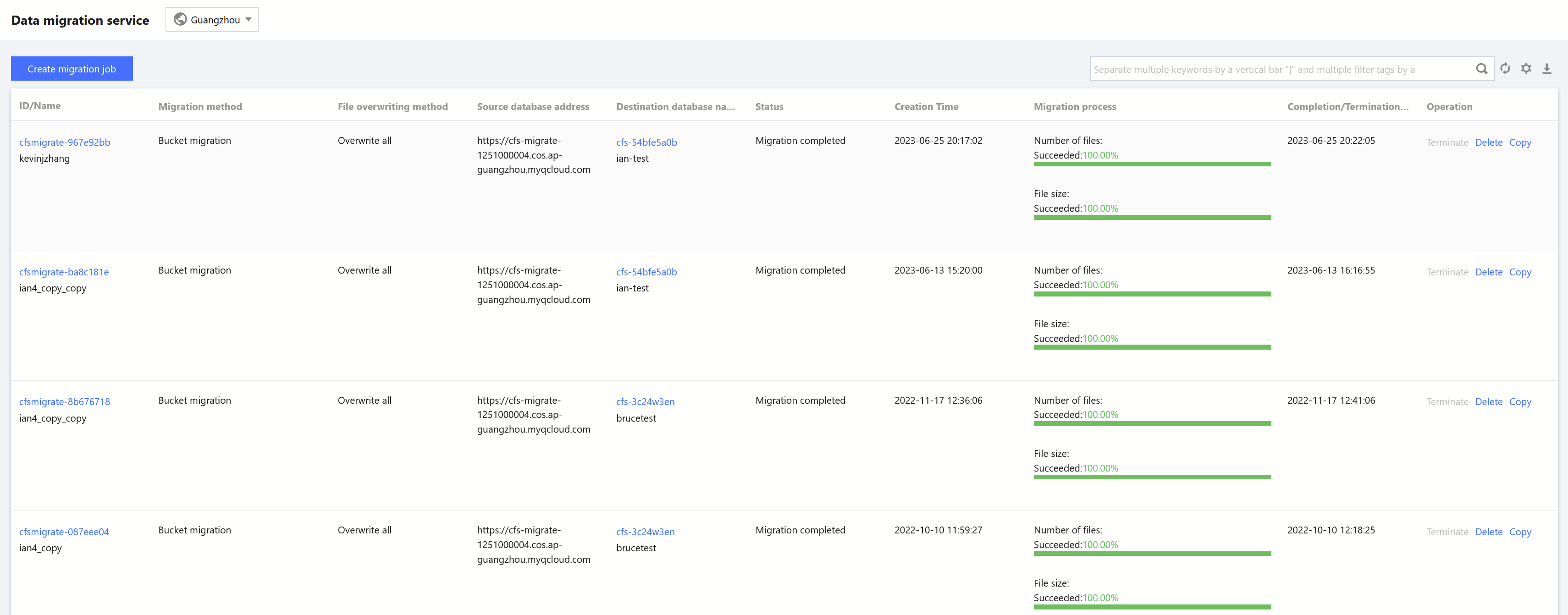
On the Data Migration Service page, select the target region and view the basic information of a migration task, such as migration settings and progress.

Viewing detailed information

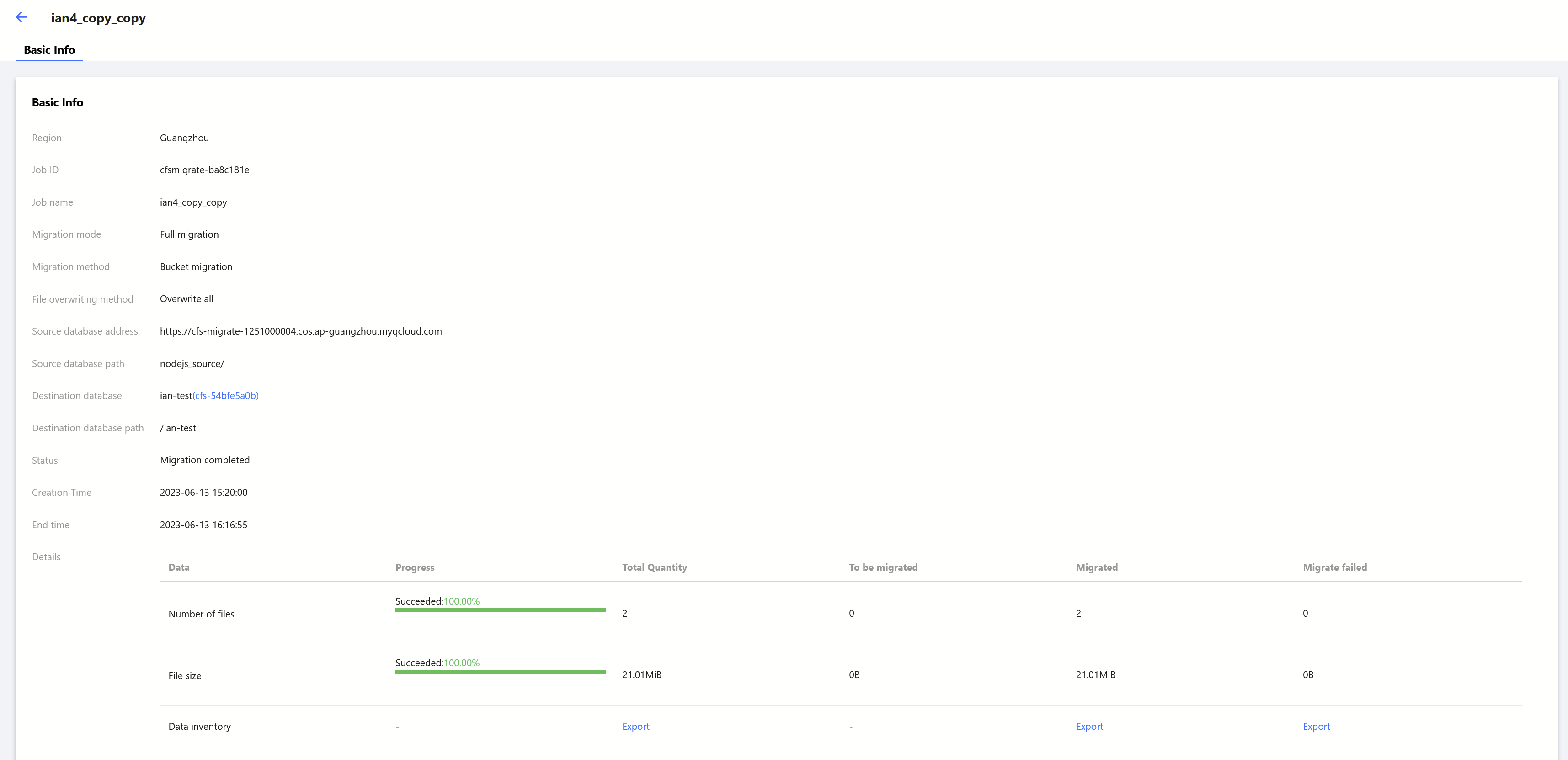
On the Data Migration Service page, click the ID/Name of the target migration task to view its details, such as the total number/size of files, and the number/size of files to be migrated, migrated successfully, and failed to be migrated.

ヘルプとサポート

この記事はお役に立ちましたか?

フィードバック