OS reinstallation is to reinstall the OS (and pre-installed applications) of a Lighthouse instance to restore it to the initial status or install a new system. This is a common way to recover the instance in the event of a system failure.
Note:
Currently, Lighthouse supports the sensitive operation protection feature to effectively protect the security of account resources. It can be enabled in security settings. OS reinstallation is a sensitive operation.
Notes
Cross-OS reinstallation:
Currently, only instances in the Chinese mainland support cross-OS reinstallation, for example, from Linux to Windows or vice versa. A Linux instance system disk must be at least 40 GB in size as required by the Windows Server image; otherwise, cross-platform reinstallation will fail.
Instances outside the Chinese mainland only support same-OS reinstallation.
Data backup: After OS reinstallation, the system disk will be cleared and reset to the initial status of a new image. Therefore, you need to back up important data in it before reinstallation.
Instance IP: After OS reinstallation, the instance public IP will remain unchanged.
Forced shutdown: During OS reinstallation, the instance will be automatically shut down (soft shutdown will be performed first by default, and forced (hard) shutdown will be performed if soft shutdown fails).
2. Find the target instance in the instance list and select a reinstallation method as desired.
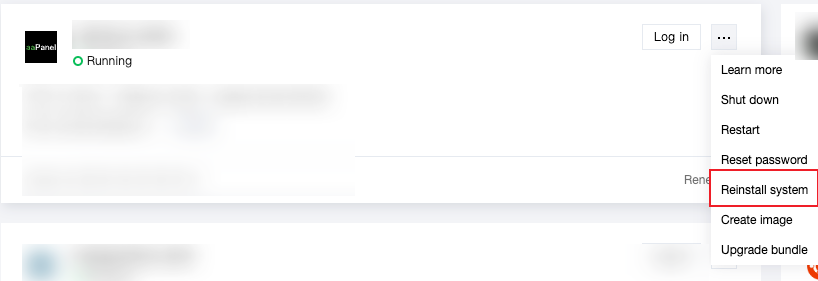
In the instance card, select
> Reinstall system as shown below:
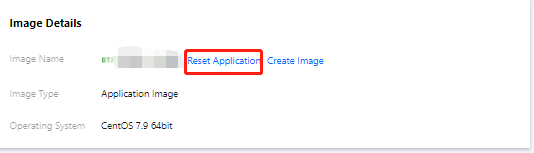
Click the instance card to enter the instance details page. On the Overview tab, click Reset Application in Image details as shown below:
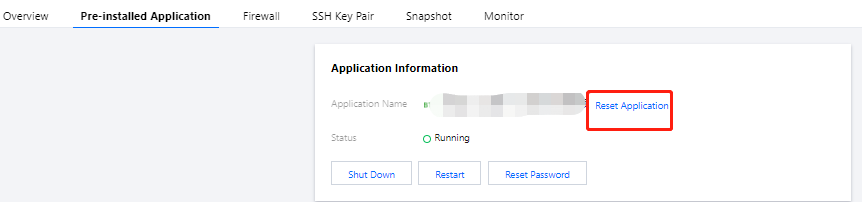
Click the instance card to enter the instance details page. On the Pre-installed Application tab, click Reset Application in Application information as shown below:
Note:
If the Lighthouse instance doesn't use an application image, you cannot reinstall the OS in this way.
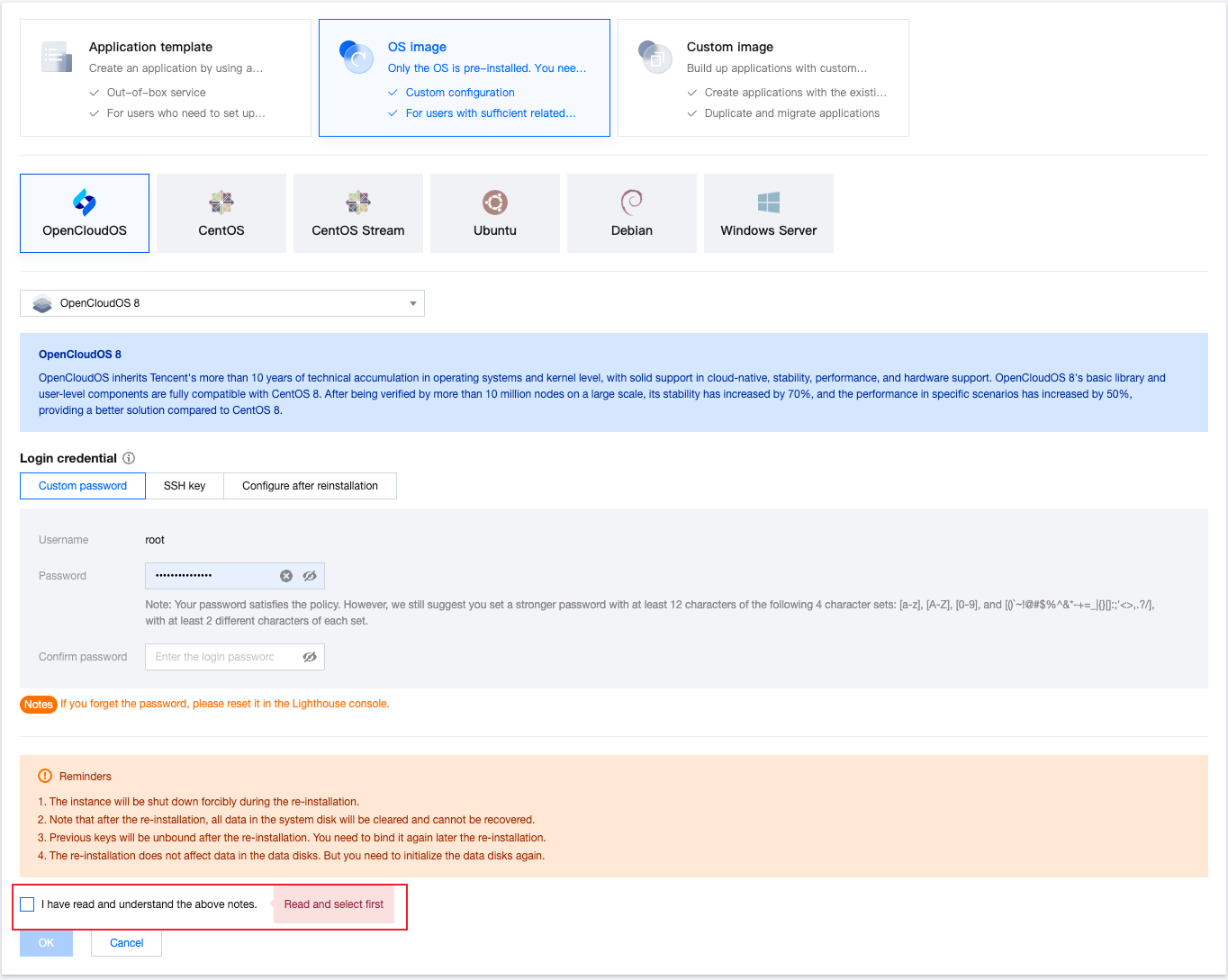
3. On the Reset Application page, select the target image (you can select a system, application, basic Docker, custom, or shared image), read the reinstallation notes, select I have read and understand the above notes., and click OK as shown below: