You can combine basic IVR modules through the drag-and-drop operation to build the basic call-in process. If the basic modules cannot meet your business requirements, you can refer to the multi-feature IVR module for more complex call-in scene construction.
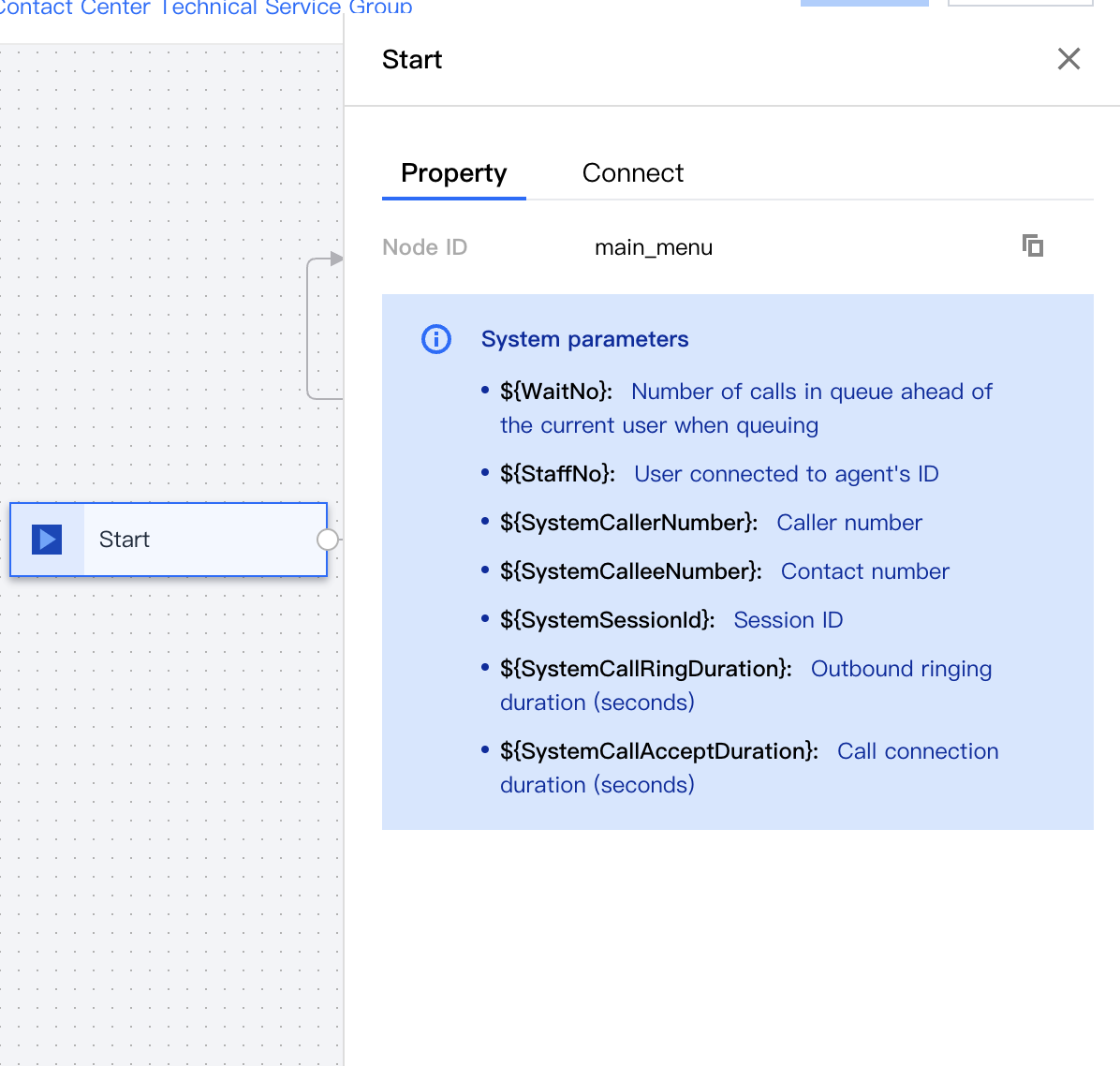
Start Module and System Parameter
The start module, as the first IVR module, automatically appears on the canvas and cannot be deleted. The Start module provides system parameters that can be referenced in other modules.
Key Parameter
Description
Example
${WaitNo}
The number of people in line in front of the current user during the queue
There are ${WaitNo} people currently in line. You can continue to wait or call back later
${StaffNo}
The ID of the agent that the user connects to
Successfully transferred, agent ${StaffNo} will serve you.
${SystemCallerNumber}
Caller Number
This parameter is generally used to pass to the business system
${SystemCalleeNumber}
Contact Number
${SystemSessionId}
Conversation ID
${SystemCallRingDuration}
Outbound ring duration (second)
${SystemCallAcceptDuration}
Call connection duration (second)
Prompt Module
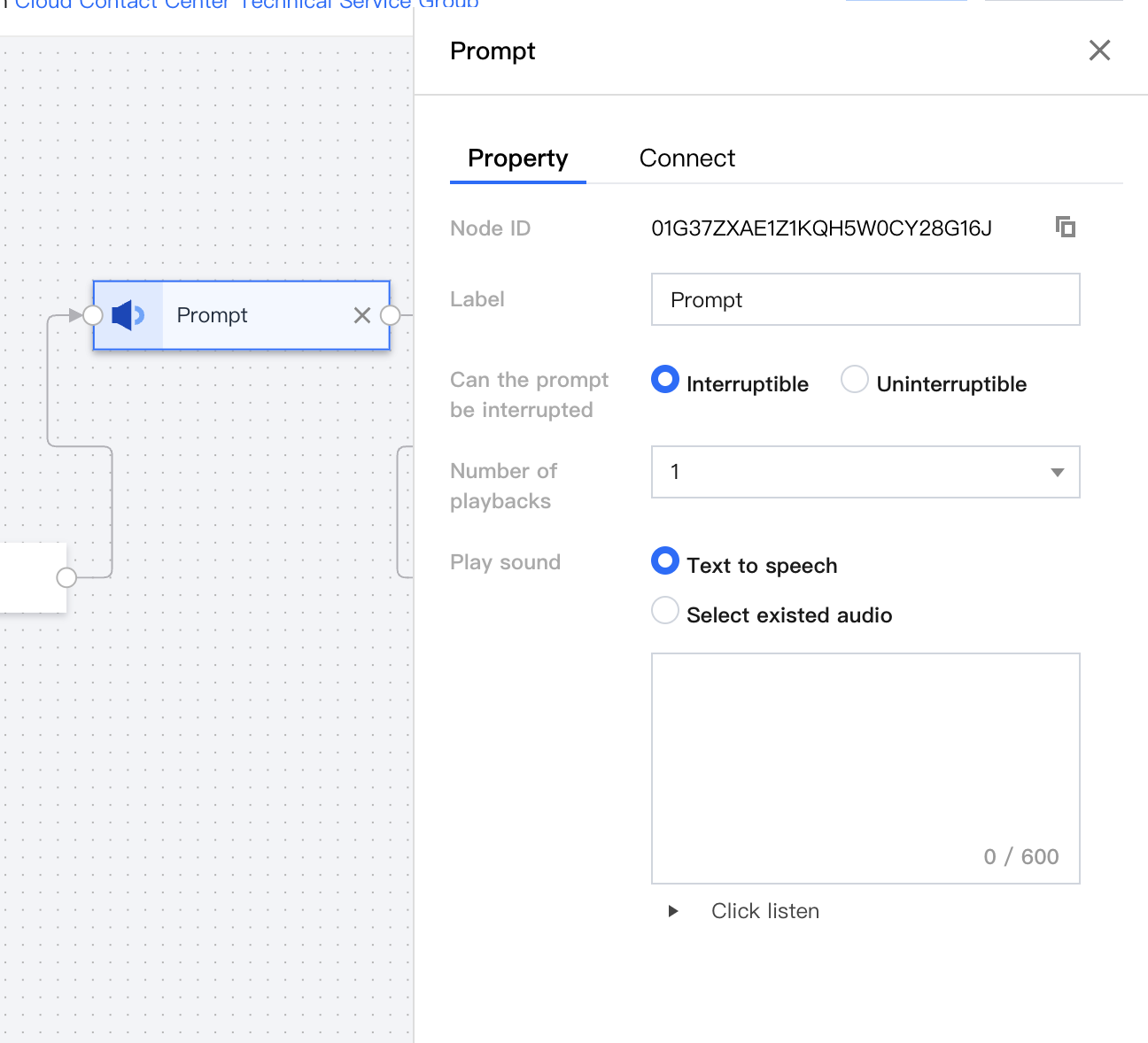
This module is used to play audio files or text-to-speech, usually used as a greeting.
Key Parameter
Description
Example
Label
You can define the name of this module
Welcome message
Can the Prompt Be Interrupted
Choose whether this prompt can be interrupted.
Interruptible
Number of Prompts
The loop playback times of this prompt
2
Play Sound
Text-to-Speech or Select Existed Audio
Hello, welcome to our customer service hotline.
Branch Module
Key Parameter
Description
Example
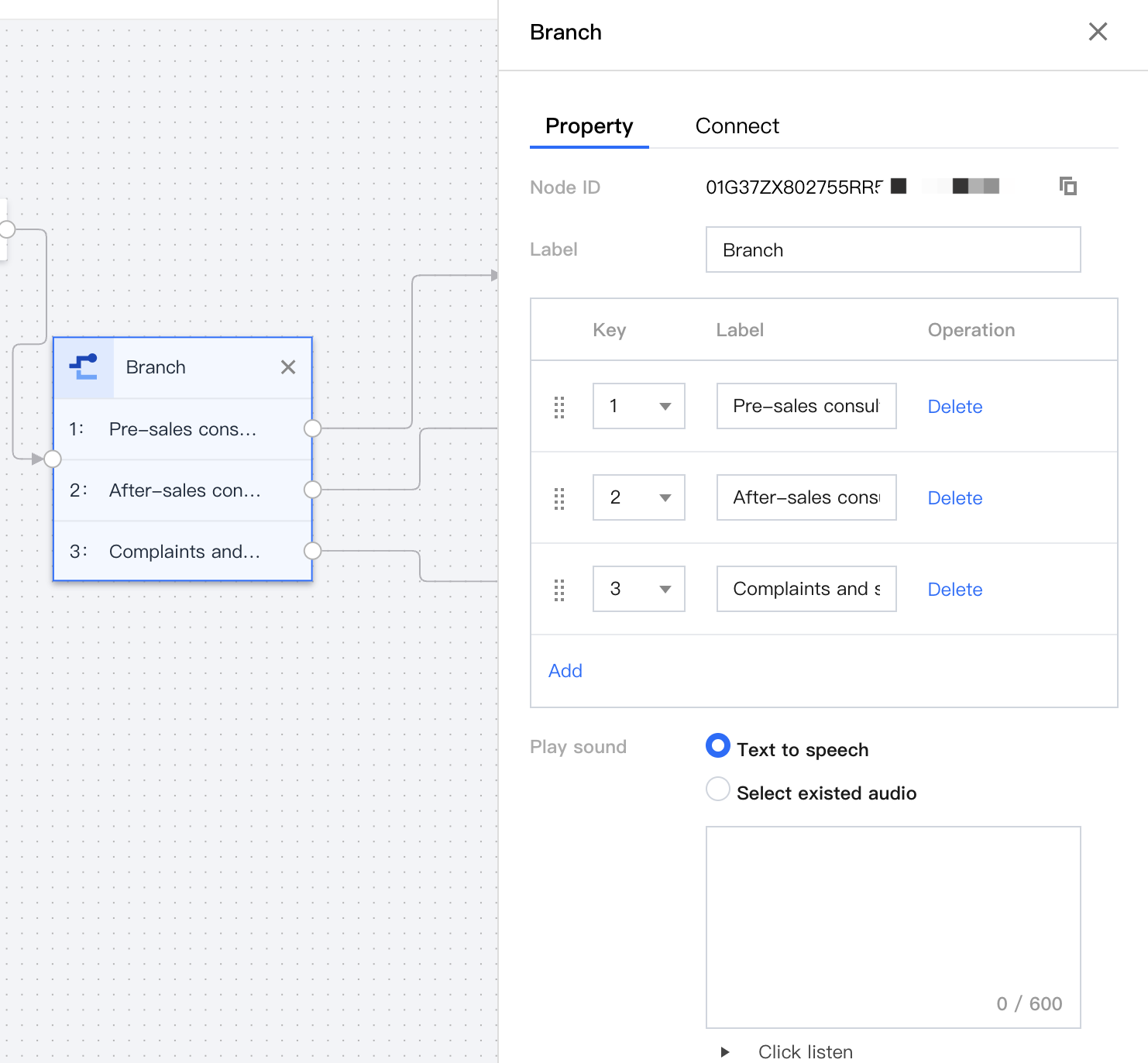
Label
You can define the name of this module.
Key Branch
Play Sound
Prompt guiding users to respond with corresponding keypresses.
For pre-sales service, press 1; for after-sales service, press 2.
Timeout Prompt
Prompt when user keypress response times out. In case of timeout, the previous module will be executed automatically.
Your input has timed out, please enter it again.
Error Prompt
Prompt when user keypress entry is incorrect.
Your input is incorrect, please re-enter. After 3 incorrect attempts, the call will automatically be disconnected.
Maximum Number of Errors
Maximum number of entry errors allowed for the user. Calls will be automatically disconnected after this limit is reached.
3
Timeout (Seconds)
Setting for response timeout.
60
Key Branch
Matching the user's telephone key value.
For pre-sales service, press 1; for after-sales service, press 2.
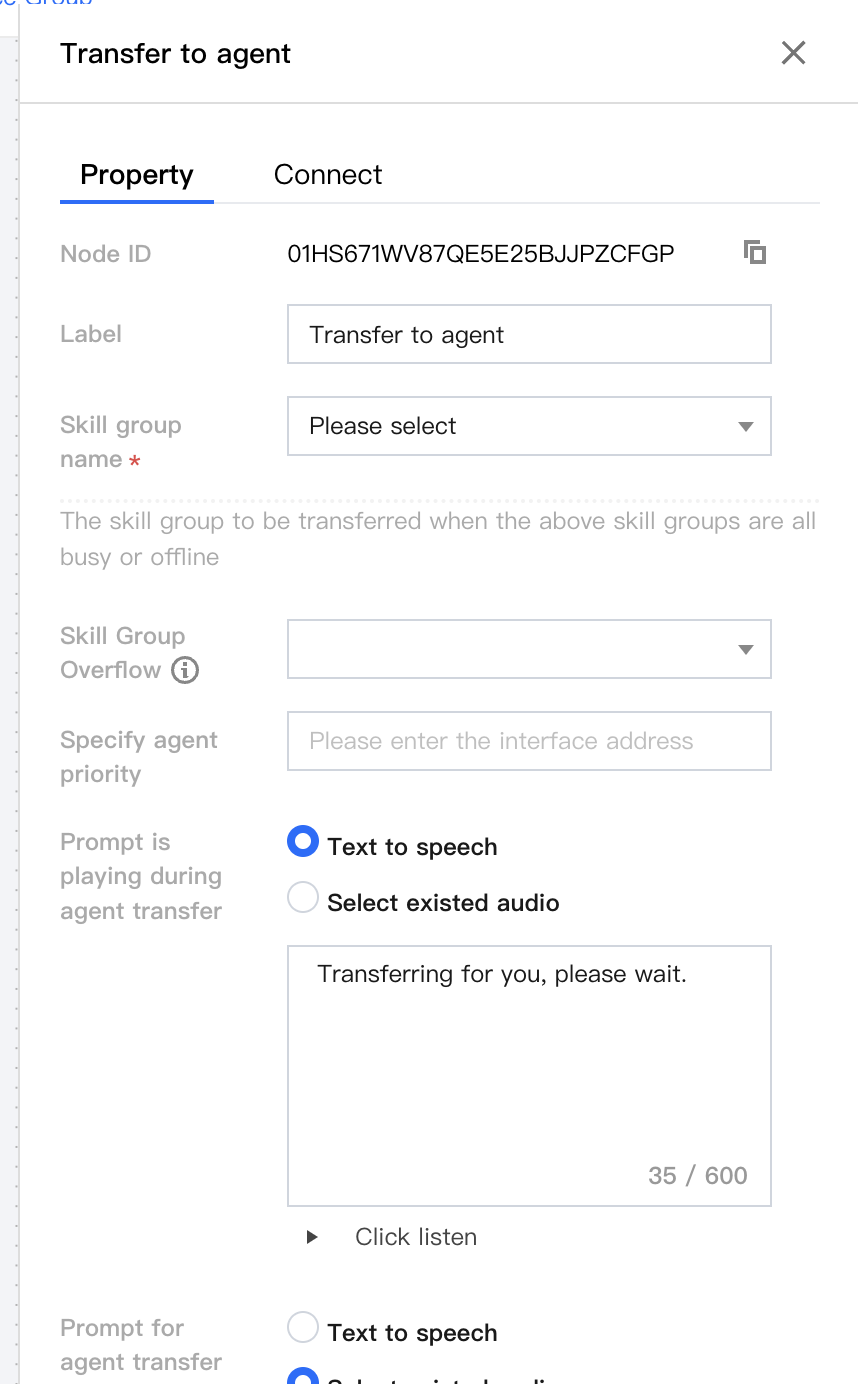
Agent Transfer Module
Agent Transfer node is used to transfer inbound calls to the appropriate skill group based on the status and priority of the customer service agent within the group. It is generally connected after the branch module.
Business Hour Module
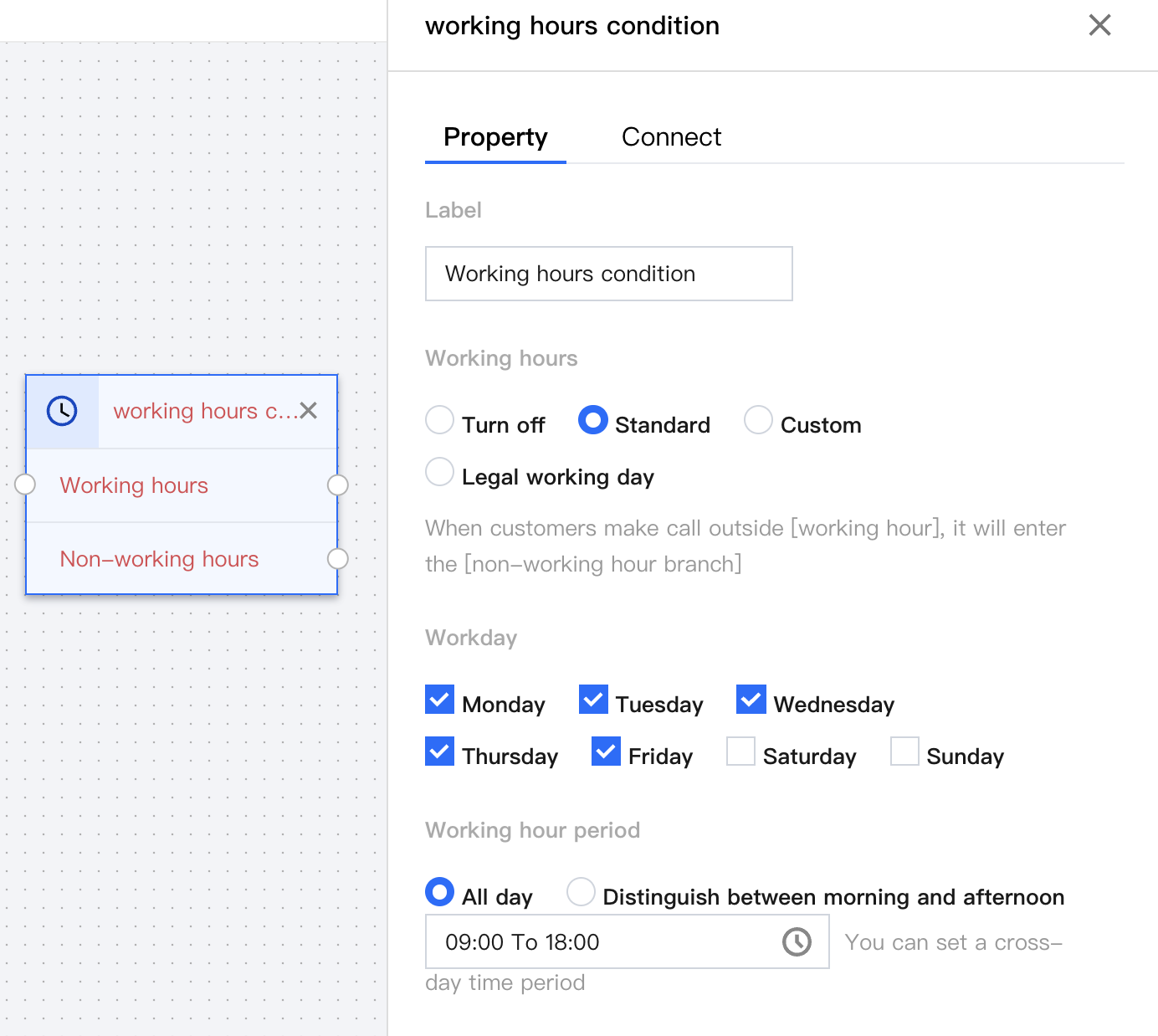
Business Hour Condition Module is used to set the working hours for the customer service agents. Depending on whether it is working hours or not, users can be led to different reception processes when they call in.
Voice Survey Module
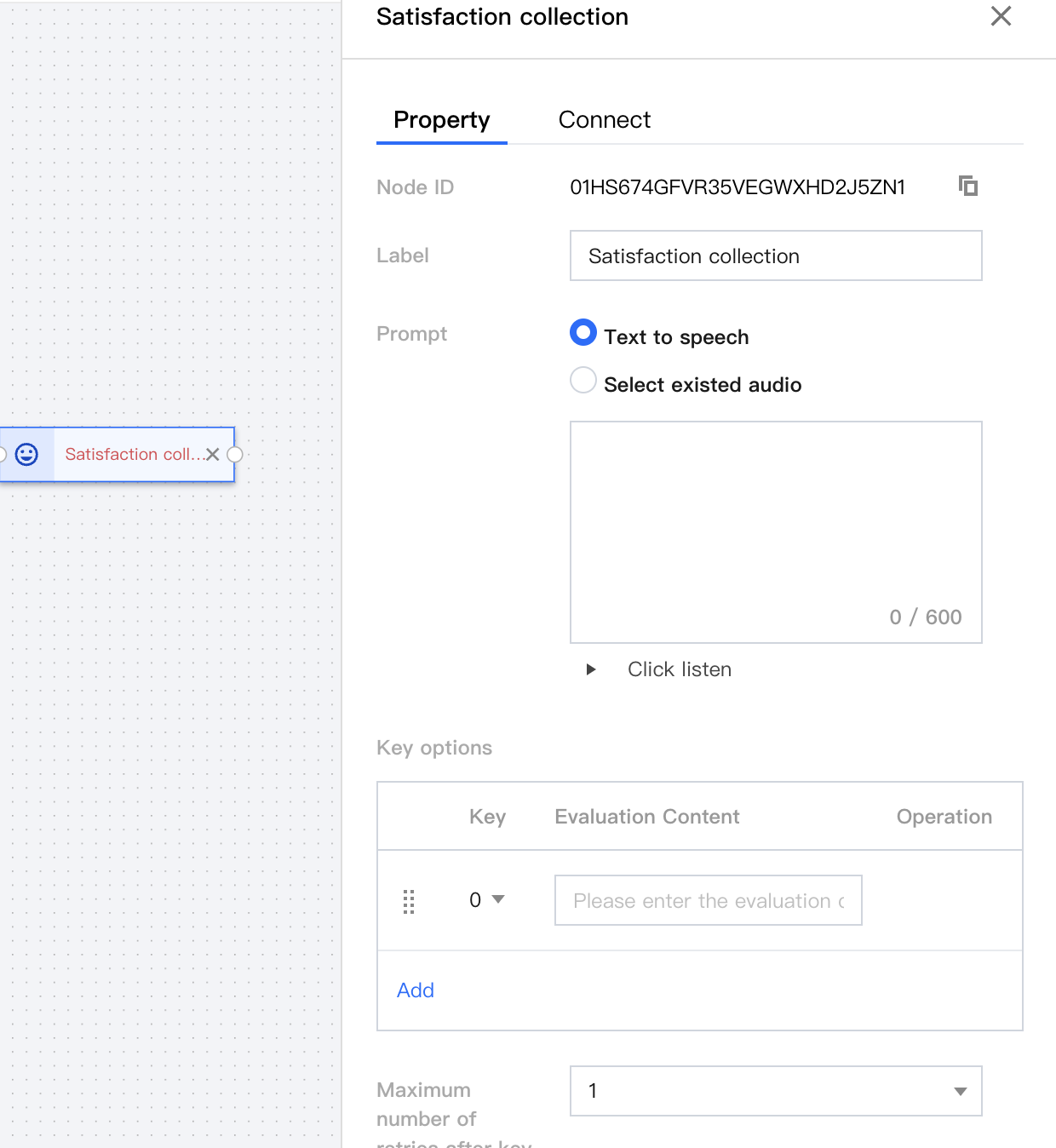
Voice Survey Rating Module is typically used to collect user satisfaction information after a service interaction has ended.
Key Parameter
Description
Example
Label
You can define the name of this module
Satisfaction collection
Prompt
Prompt guiding users to rate satisfaction.
Please rate my service, press 1 if satisfied, press 0 if not satisfied.
Key Options
Key settings for satisfaction.
0: Dissatisfied
1: Satisfied
End Module
The end module automatically appears on the canvas as the last IVR module and cannot be deleted. The end module is generally connected after the transfer-to-agent module.