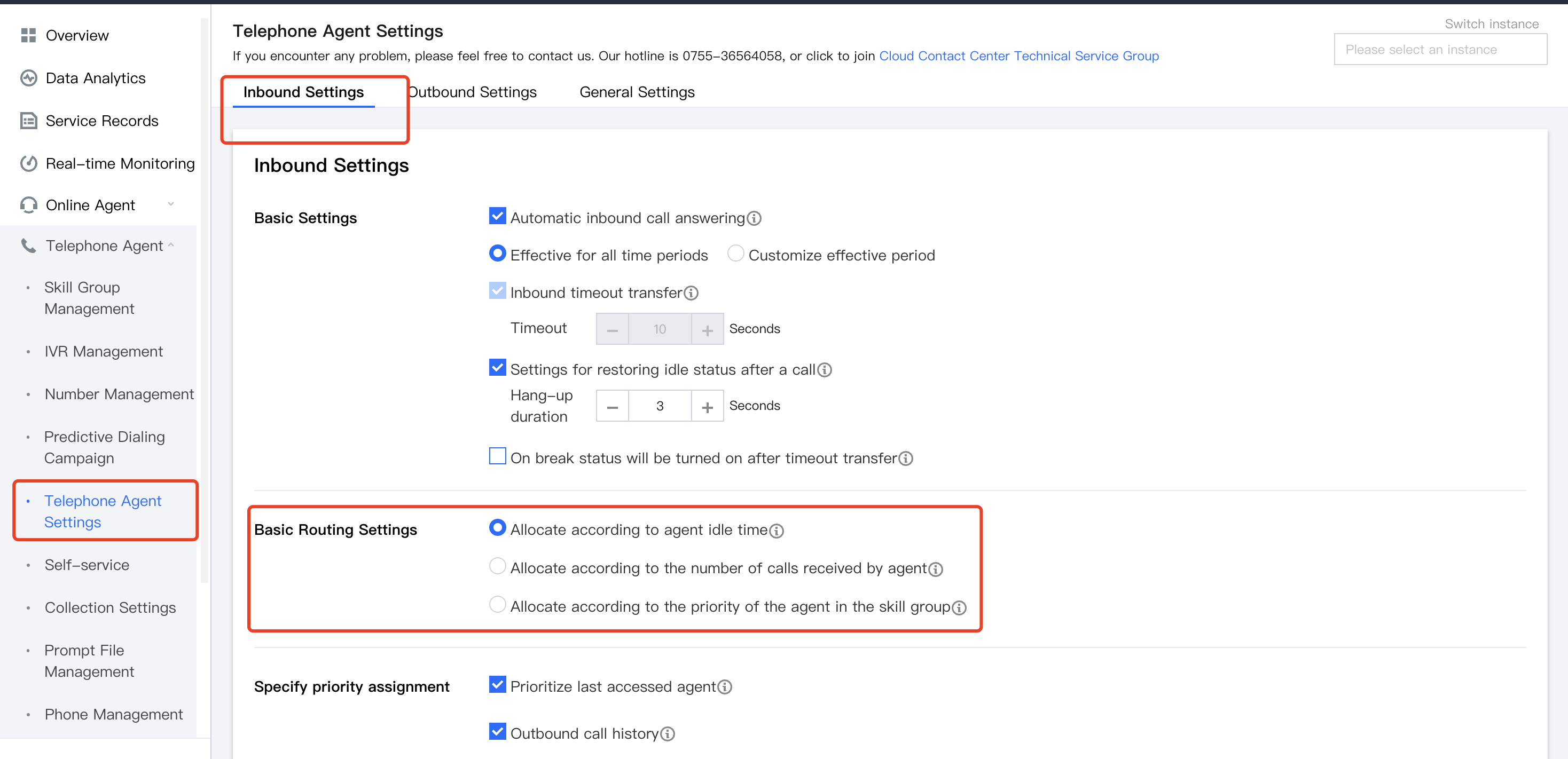
1. Cloud Contact Center provides basic routing settings and specified priority assignment features. When the number of inbound calls exceeds the number of agents, the system can allocate inbound calls to suitable agents according to the preset rules.
2. Go to the Cloud Contact Center management console, and click Telephone Customer Service Settings in the left navigation bar to go to the telephone customer service settings page.
Route Category
Routing Settings
Description
Basic Routing Settings
Allocate according to agent idle time
When the customer call is transferred to an agent, the agent who has been idle for the longest time is prioritized.
Allocate according to the number of calls received by agent
When the customer call is transferred to an agent, it is assigned to the agent who currently has received the fewest calls.
Allocate according to the priority of the agent in the skill group
The call is assigned according to agent's priority level in the skill group.
Specify Priority Assignment
Prioritize last accessed agent
When the customer call is transferred to an agent, the last receptionist is prioritized.
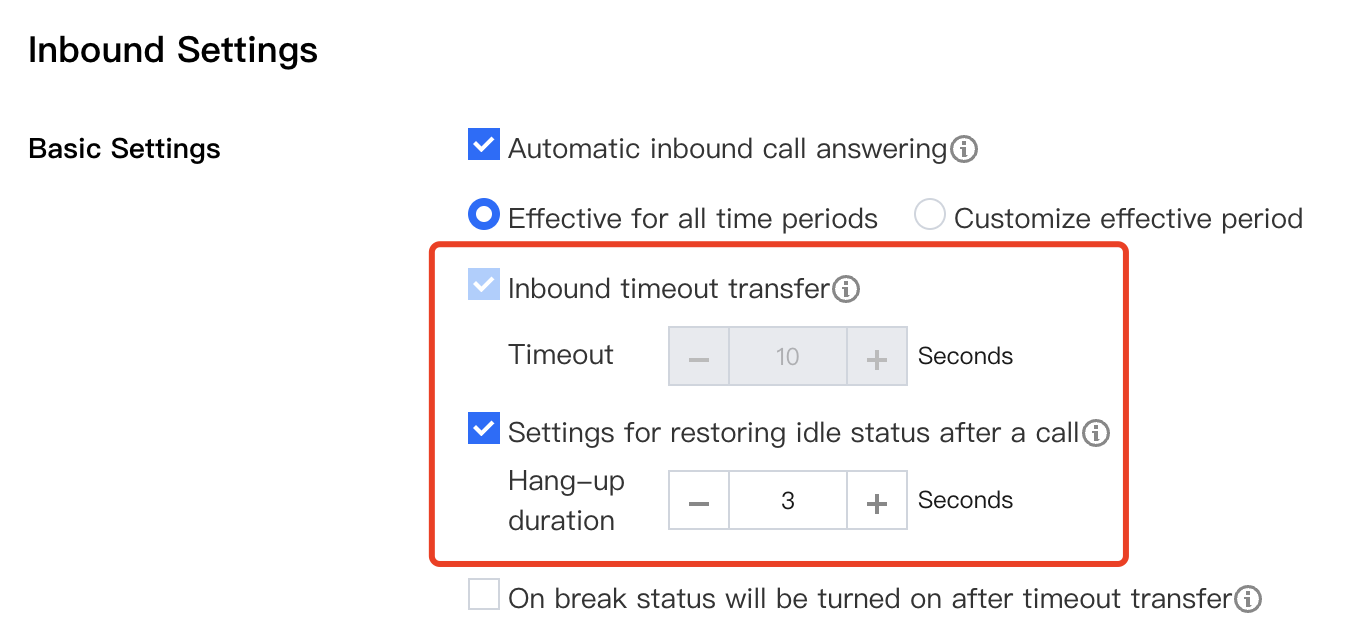
Inbound Call Answering Settings
Configuration Item
Description
Automatic inbound call answering
After this feature is enabled, calls are automatically answered when they come in, and agents do not need to click Answer.
Inbound timeout transfer
After this feature is enabled, if the inbound call rings for longer than the set time without being answered, it is automatically assigned to another agent.
Settings for restoring idle status after a call
After this feature is enabled, if the call is hung up, the agent will return to the pre-call status after the set duration.
On break status will be turned on after timeout transfer
After this feature is enabled, if the inbound call is not answered and exceeds the set time, the agent will automatically be set to on break state, otherwise be set to idle.