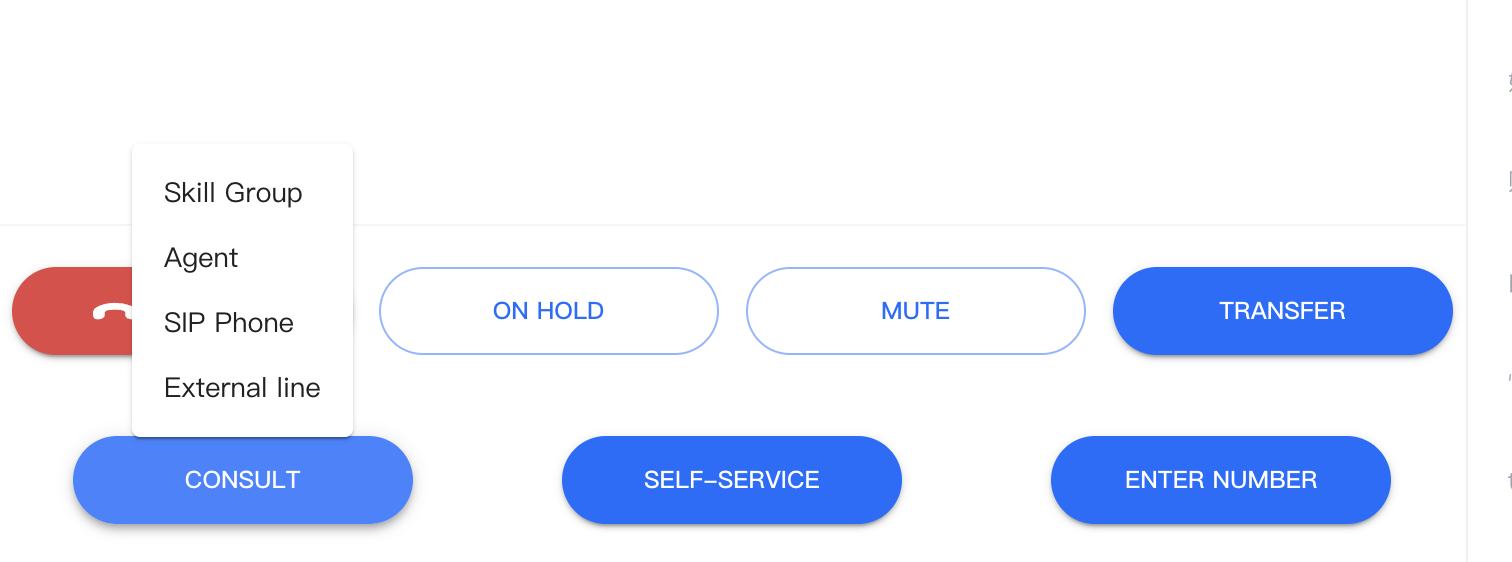
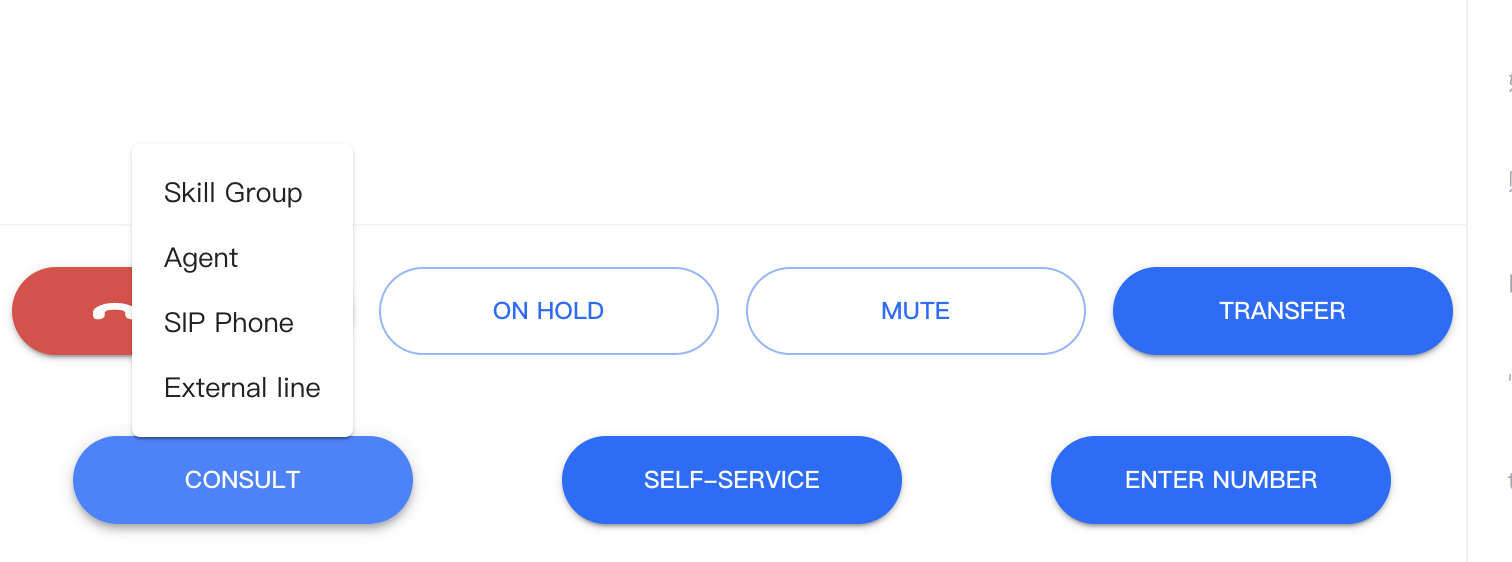
During a call, the agent can invite a third party to join, allowing the user, agent, and third party to be on the same call. Tencent Cloud Contact Center provides features for Consultation Agent, Skill Group, Phone, and External Line.
Consultation Agent
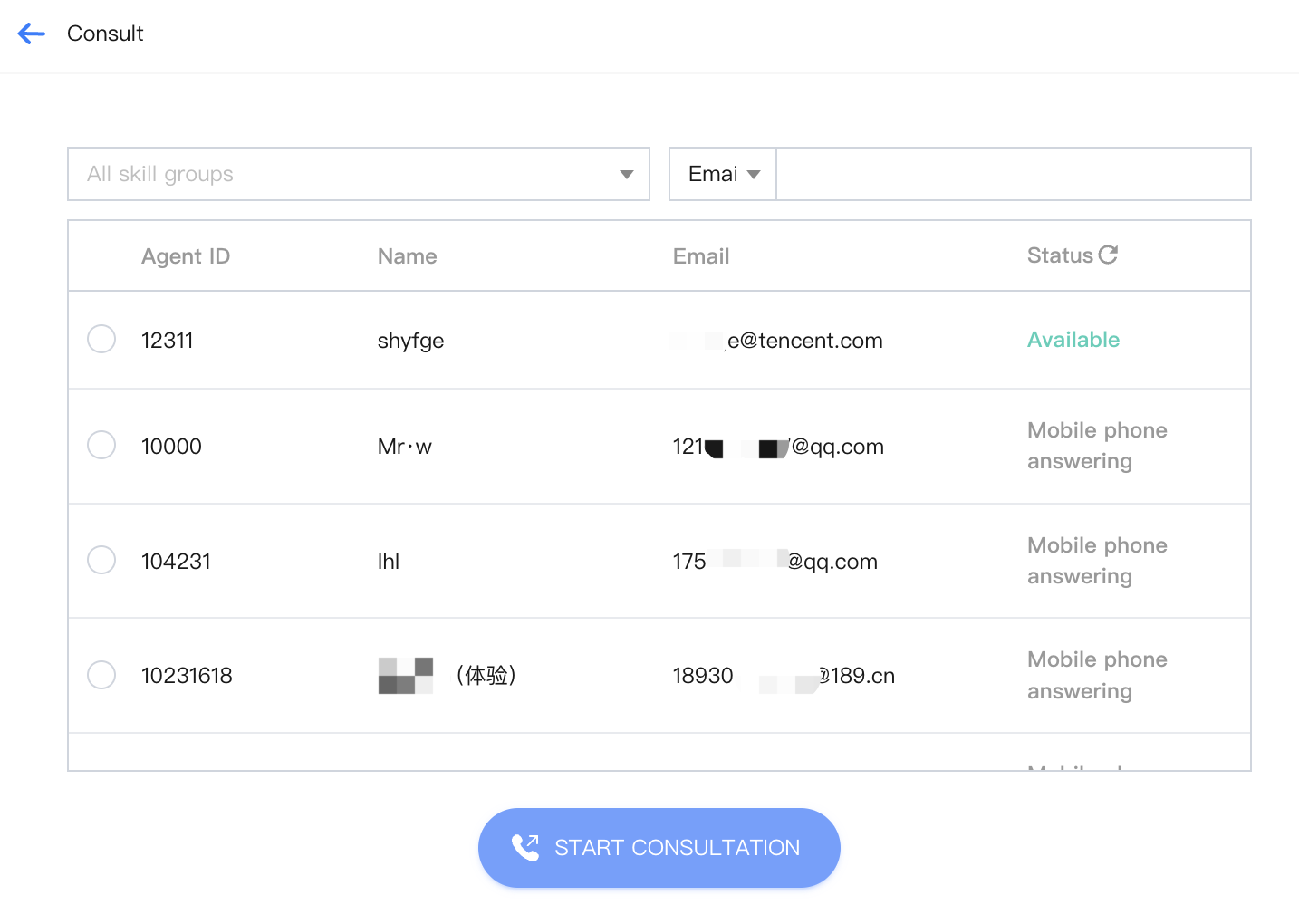
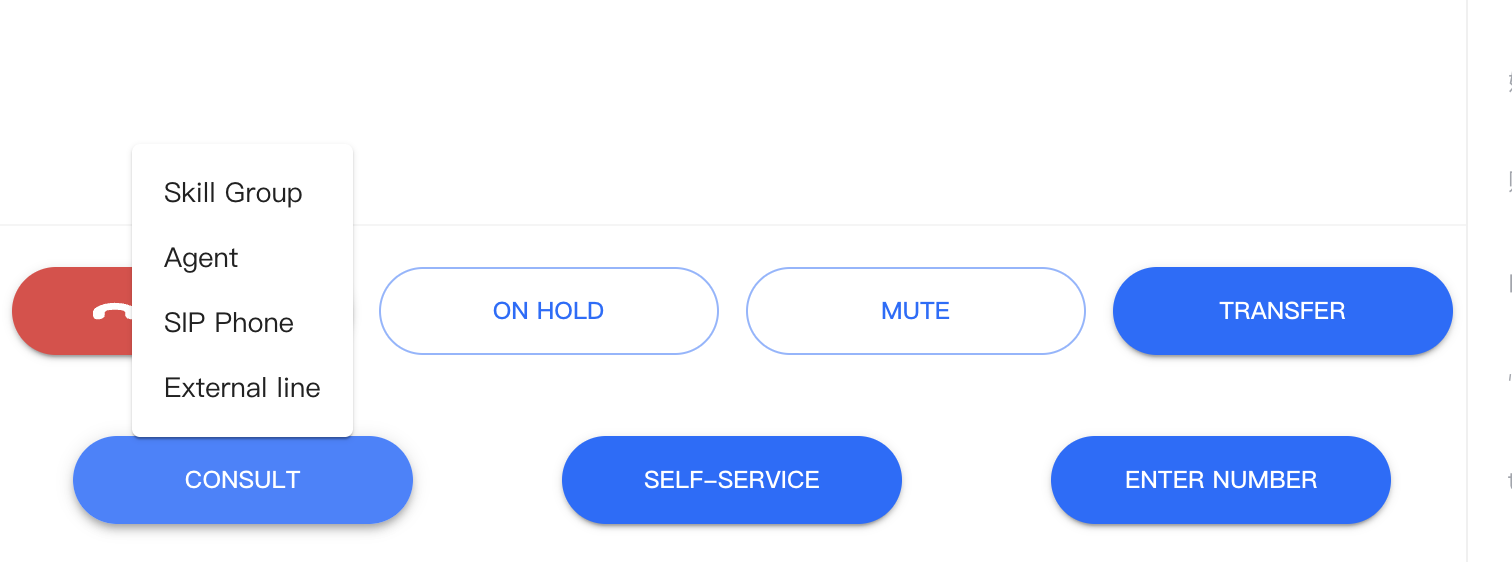
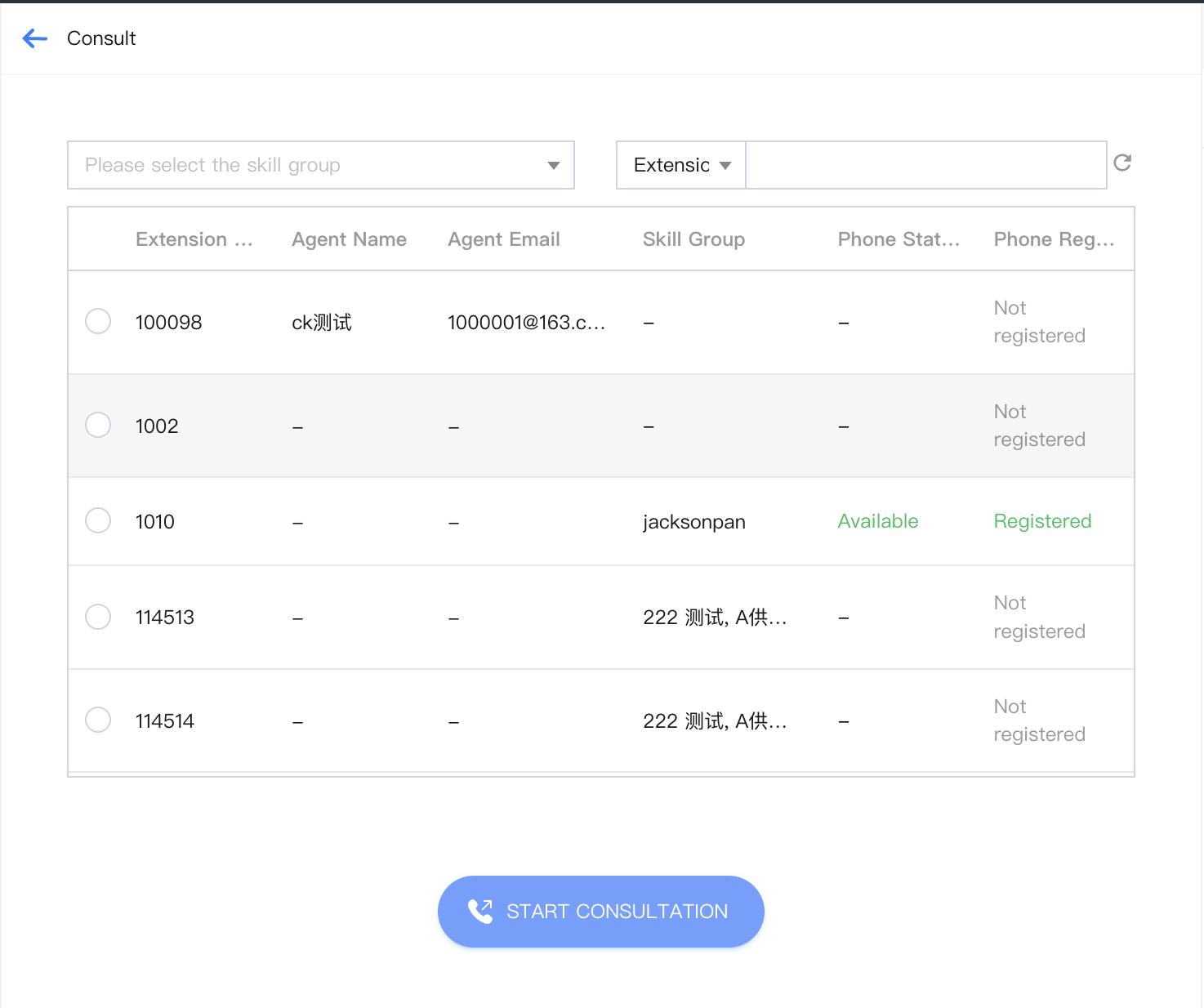
1. The customer service personnel clicks Consultation Agent on the call bar to navigate to the list of agents to consult.
2. After selecting the agent to consult, click Start Consultation to initiate a call with the agent.
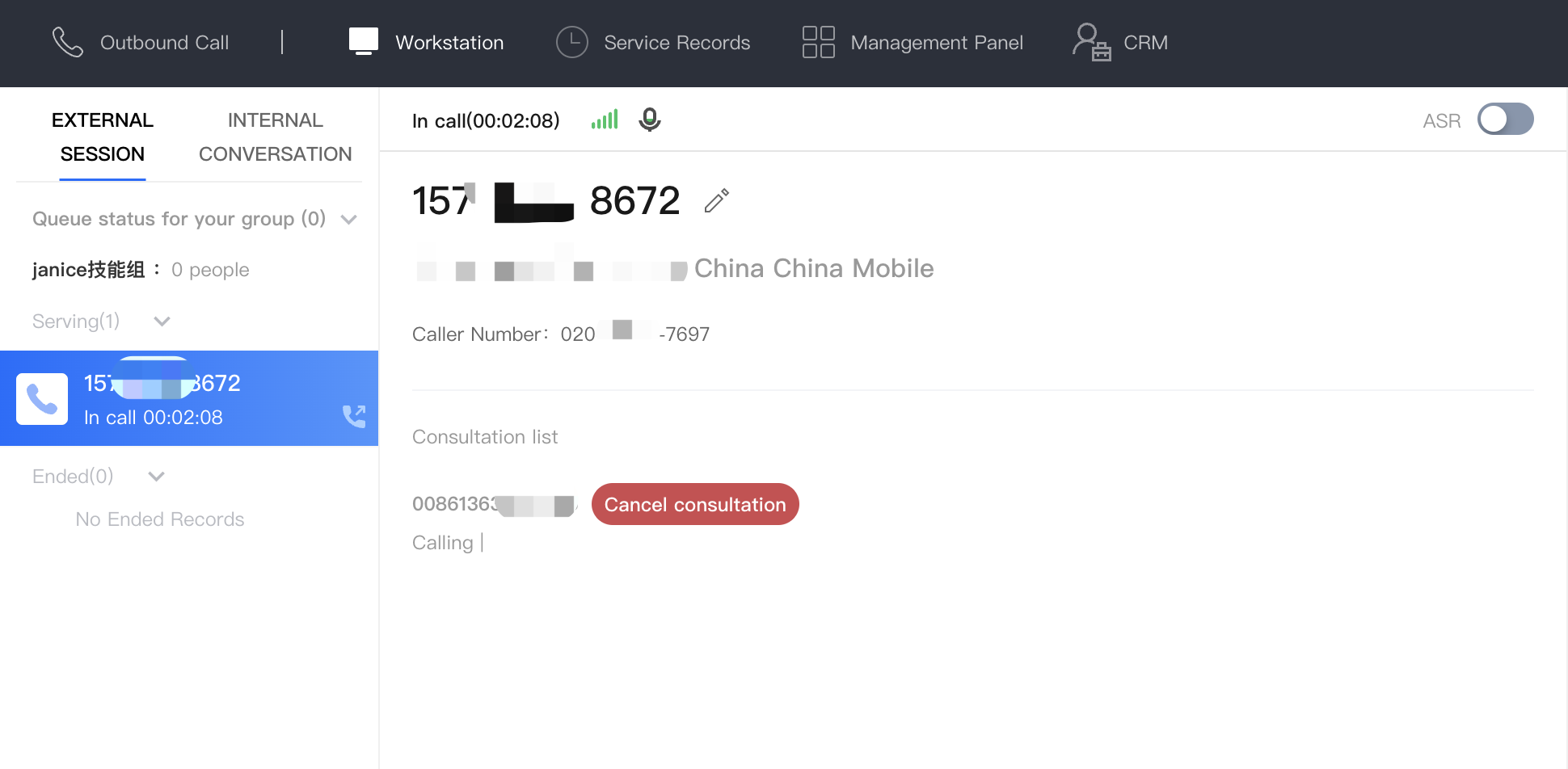
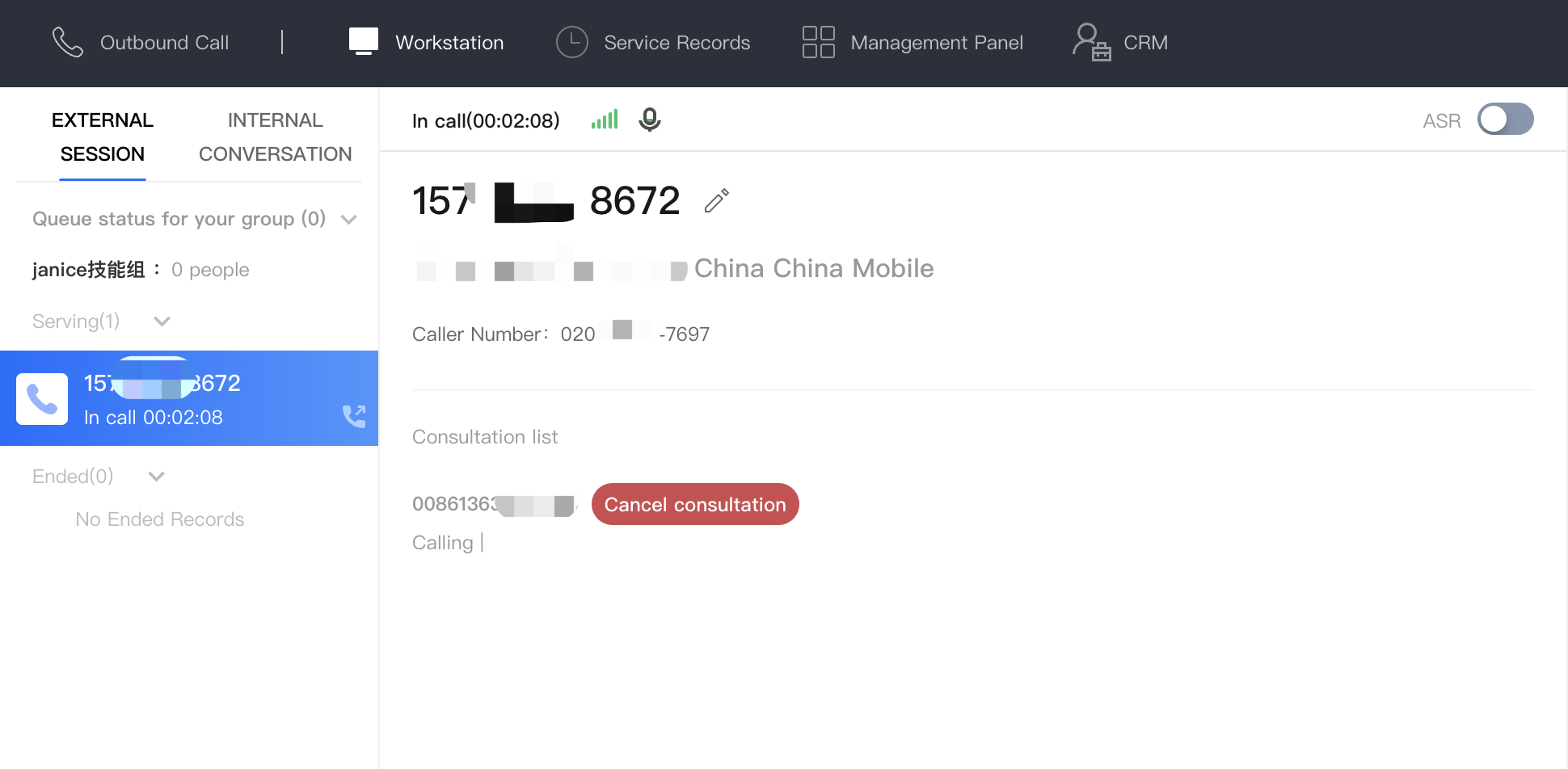
3. Before the agent is connected, you can cancel the consultation. After the agent is connected, a three-way call (customer service, customer, and consulted agent) will begin. During the call, the customer service can choose to hang up the consultation without affecting the call between the customer service and the customer. The customer service can also exit the call at any time without affecting the call between the customer and the consulted agent.
Consulting Skill Group
1. The customer service personnel clicks Consultation Agent on the call bar to navigate to the list of agents to consult.
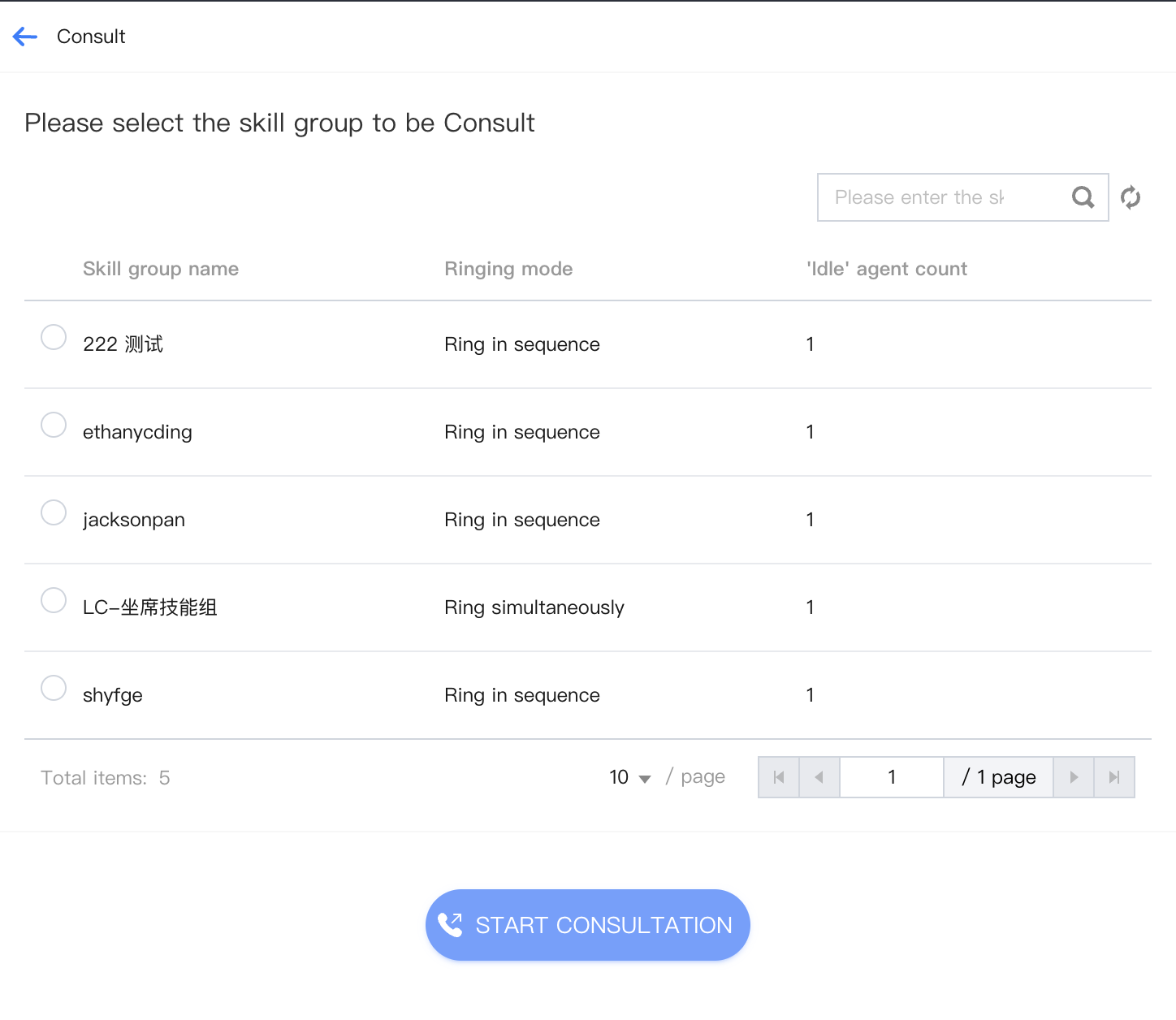
2. Select the skill group to consult, click the Start Consultation button to initiate a call with an agent in the skill group in an orderly manner.
3. Before any agent in the skill group is connected, the consultation call will be in a queue. After any agent in the skill group is connected, a three-way call (customer service, customer, and consulted agent) will begin. During the call, the customer service can choose to hang up the consultation without affecting the call between the customer service and the customer. The customer service can also exit the call at any time without affecting the call between the customer and the consulted agent.
Consulting Phone
1. The customer service personnel clicks Consulting Phone on the call bar to navigate to the list of agents to consult.
2. Select the phone to consult, click Start Consultation to initiate a call with the phone.
3. Before the agent is connected, the consultation phone can be canceled. After the phone is connected, a three-way call (customer service, customer, and consulted phone) will begin. During the call, the customer service can choose to hang up the consultation without affecting the call between the customer service and the customer. The customer service can also exit the call at any time without affecting the call between the customer and the phone agent.
Consulting External Line
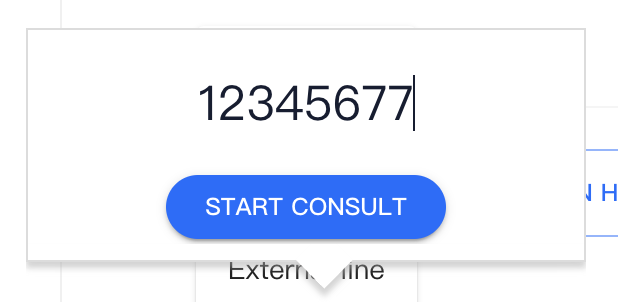
1. The customer service personnel clicks Consulting External Line on the call bar to pop up the input window for the external line number.
2. The customer service inputs the number to transfer to the external line, clicks Start Consultation, and initiates a consultation call with the external line.
3. Before the agent is connected, the consultation with the external line can be canceled. After the external line is connected, a three-way call (customer service, customer, and external line) will begin. During the call, the customer service can choose to hang up the consultation without affecting the call between the customer and the customer. The customer service can also exit the call at any time without affecting the call between the customer and the external line.