Viewing Backup Space
Download
포커스 모드
폰트 크기
This document describes how to view the backup space for a TDSQL Boundless instance through the console.
Viewing Instance Backup Space
1. Log in to the TDSQL Boundless Console. In the Instance List, click Instance ID or Manage in the Operation column to go to the Instance Management page.
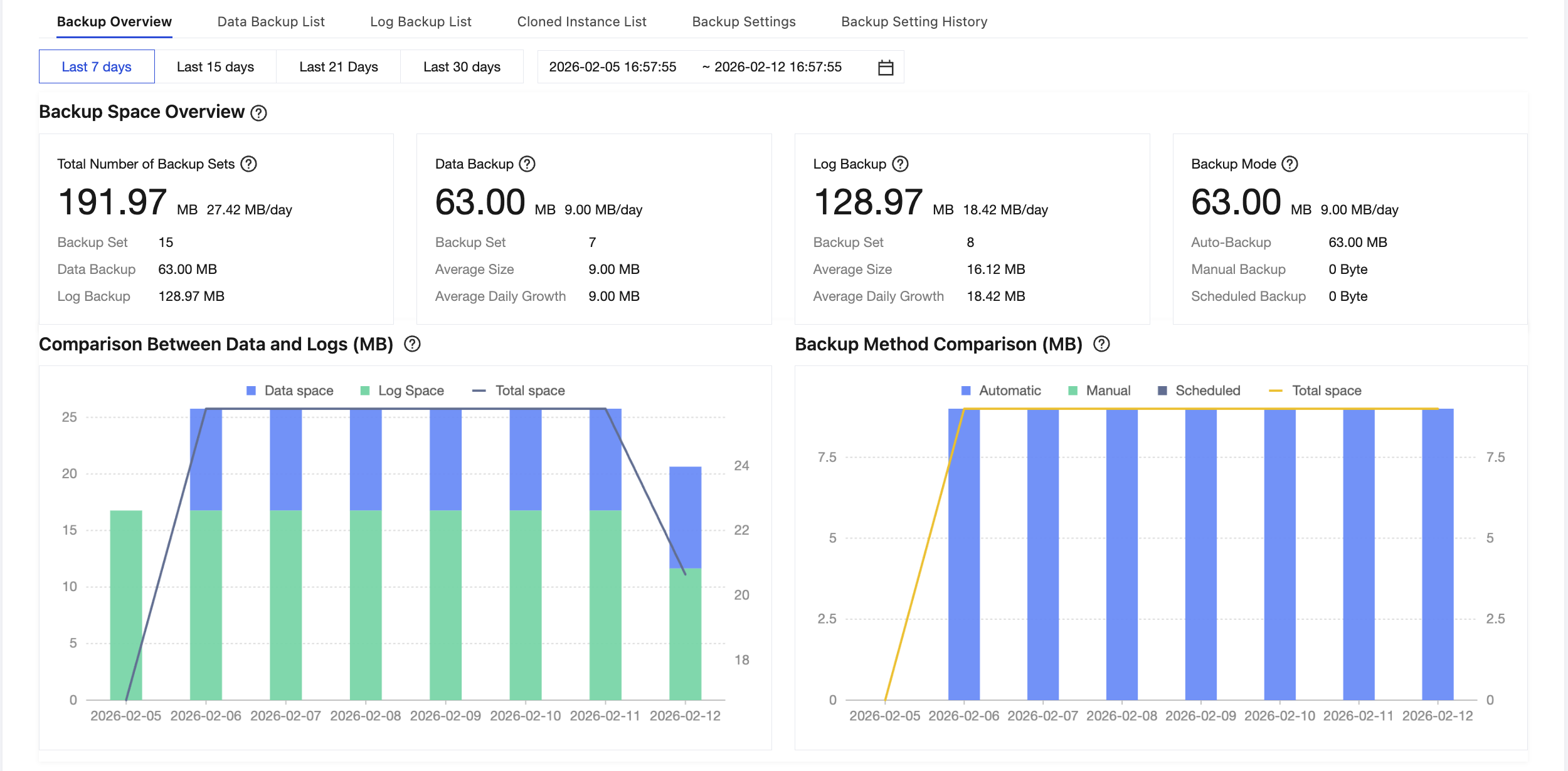
2. Choose the Backup and Restoration > Backup Overview tab. From the Backup Overview page, you can obtain global information about backup sets, including backup space overview, data and log comparison, and backup method comparison.
Backup Space Overview
The Backup Space Overview allows you to view the space usage of backup sets across four dimensions: total backup set space, data backup space, log backup space, and backup method.

Total Number of Backup Sets
The Total Backup Set Space Overview provides a statistical summary of backup sets at the instance level, including the total backup set space size, average daily backup set size, number of backup sets, data backup space size, and log backup space size.
Data Backup
The Data Backup Overview provides a statistical summary of data backups at the instance level, including the total data backup size, average daily data backup size, number of data backup sets, and average size per data backup.
Log Backup
Log Backup Overview provides a statistical summary of log backups at the instance level, including total log backup size, average daily log backup size, number of log backup sets, and average size per log backup.
Backup Mode
Backup Methods provide a space usage statistics summary of three different backup methods, including total backup space usage, average daily backup set size, automatic backup space usage, manual backup space usage, and periodic backup space usage.
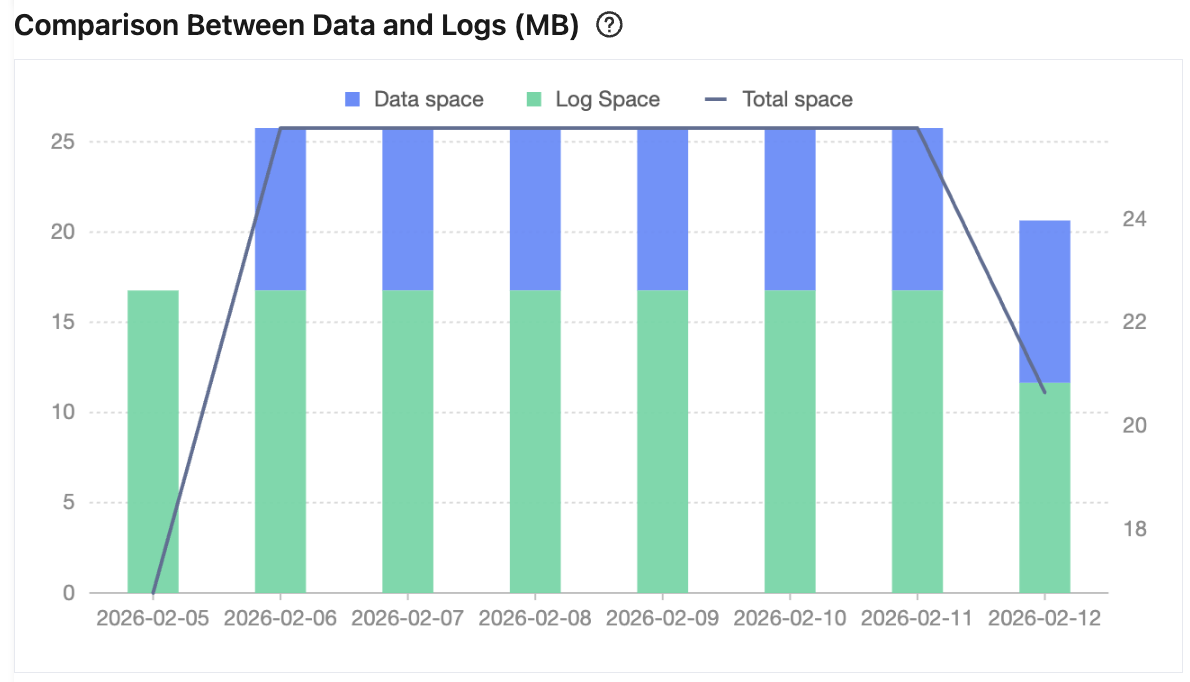
Data and Log Comparison
The Data and Log Comparison provides a comparison of space usage between data backups and log backups at the instance level, along with the trend of total space usage. This helps users identify whether abnormal space usage is caused by data backups or log backups, thus enabling targeted optimizations.
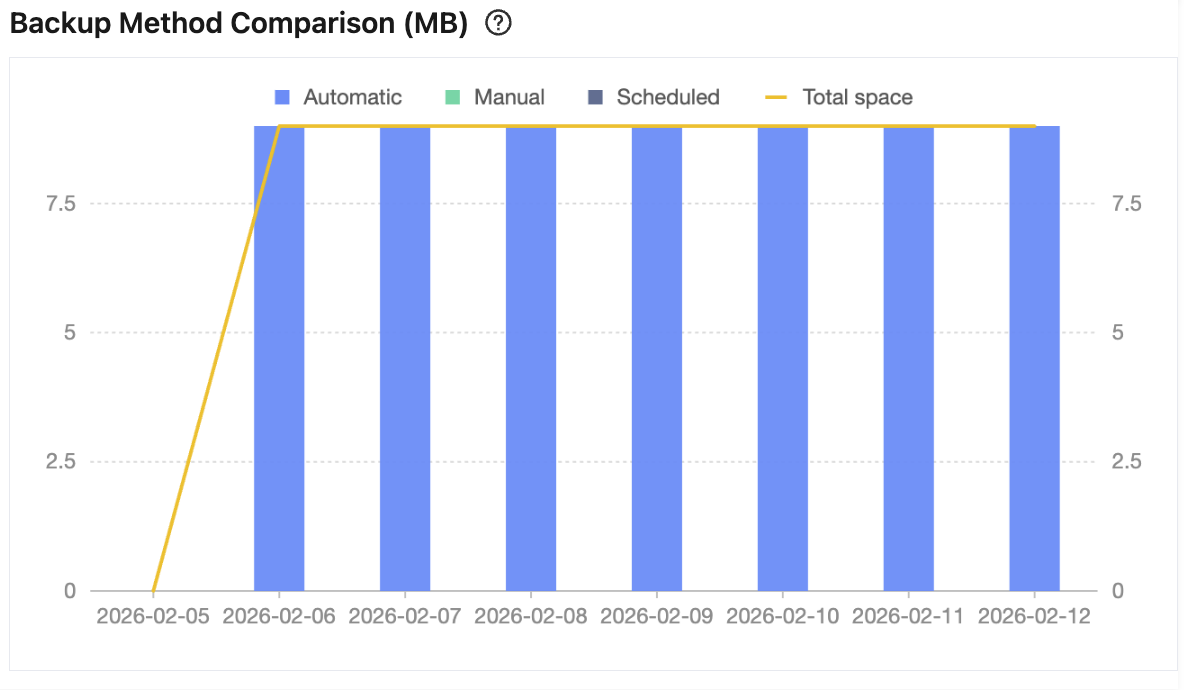
Backup Method Comparison
To help users better understand the sources of backup space consumption, the Backup Methods comparison provides a statistical summary across three dimensions: automatic backups, manual backups, and periodic backups. By comparing backup methods across different dates, users can clearly identify which method contributes more to space usage.
피드백