Individual Identity Verification Guide
Download
포커스 모드
폰트 크기
Overview
This document describes how to verify individual identity for your Tencent Cloud account. After successful verification, the account and the Tencent Cloud resources under it will belong to you. You will be able to purchase or manage resources for individual businesses. However, you cannot purchase or use resources designated for organization businesses.
Note:
One ID card/passport/driver's license/work permit can be used to verify the identity of up to 3 Tencent Cloud accounts.
If your resources are in the Mainland China, and you want to apply for ICP filing for service in Mainland China in the future, please make sure that the name in identity verification is the same as that of the ICP filing entity; otherwise, ICP filing application will fail.
The following describes how to verify your individual identity in detail.
Prerequisites
You need to have a Tencent Cloud account. If you don't have an account, you can sign up for one as instructed in Signing up for Tencent Cloud Account.
Directions
Step 1. Select individual identity verification
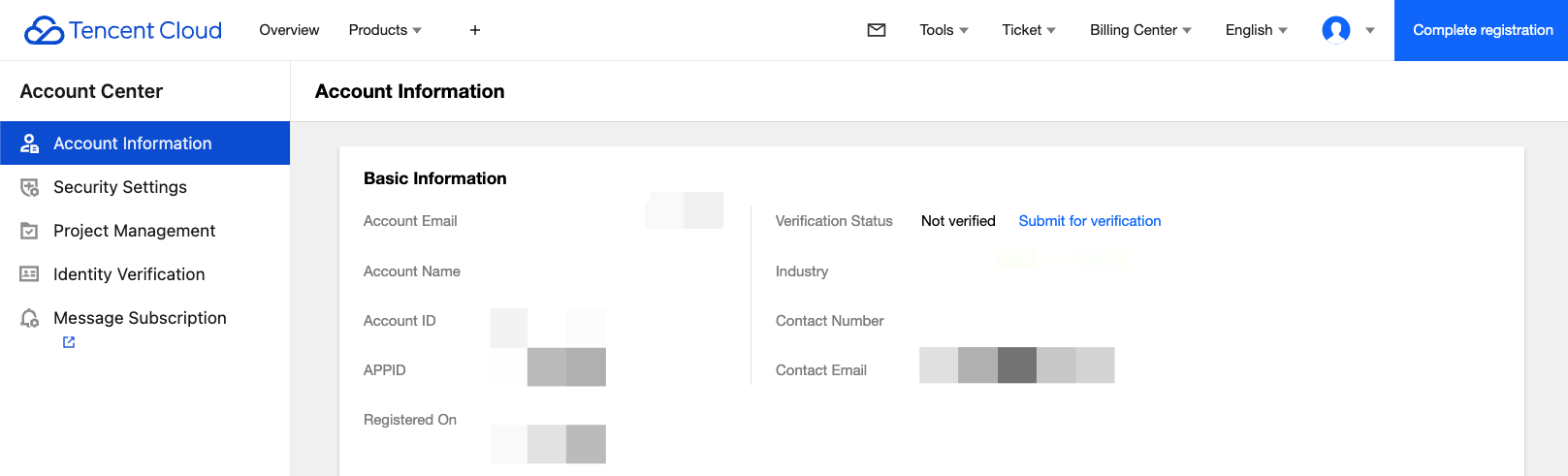
1. Log in to the Tencent Cloud Console and go to Account Information, navigate to Basic Information > Verification Status, and click Submit for Verification.
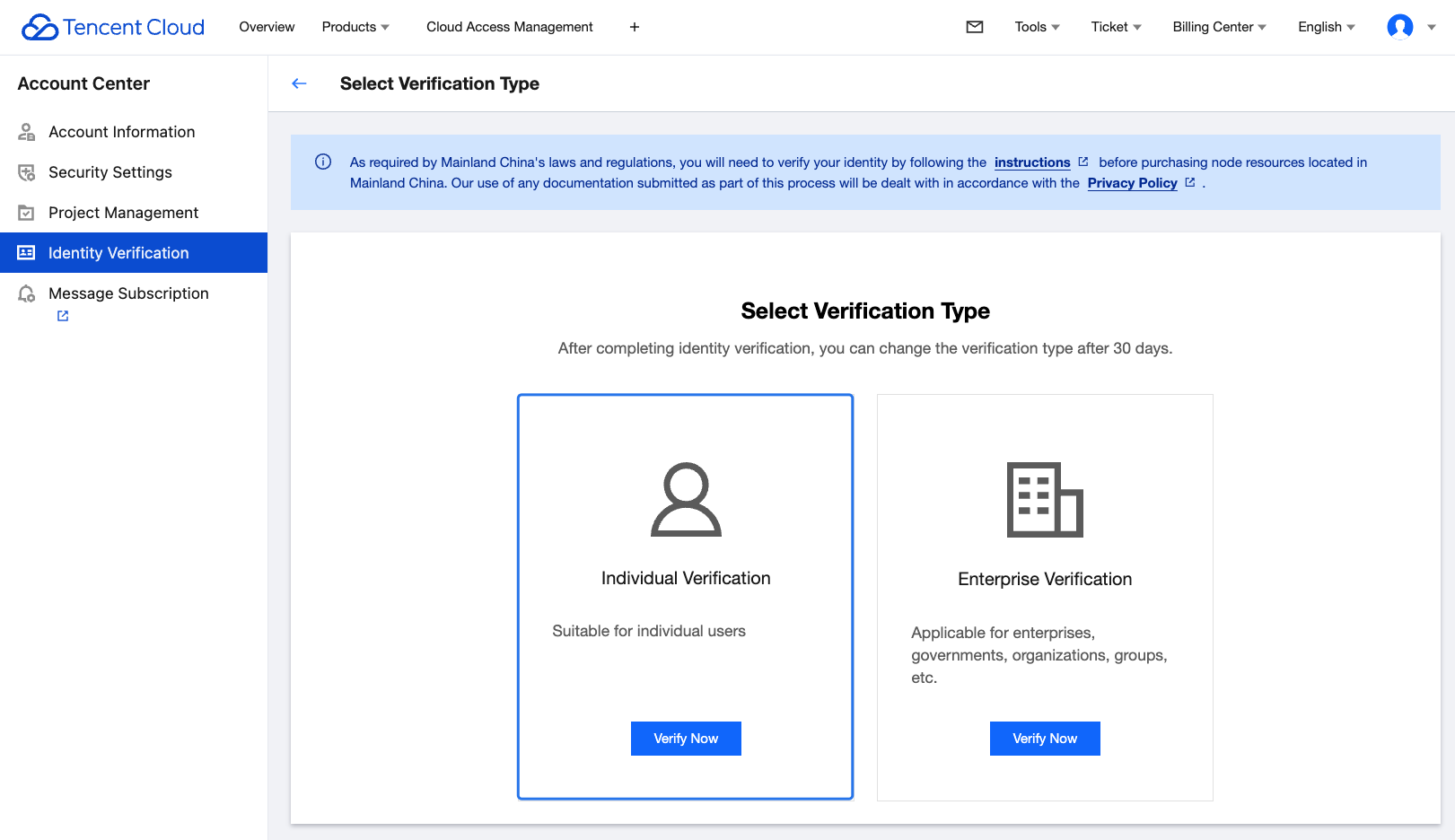
2. Select "Individual Verification"and click Verify Now.
Step 2. Enter basic individual information
The International Tencent Cloud website allows you to verify your individual identity with your valid ID card/passport, driver's license, or work permit issued by the government agency of your account registration location. After completing all required information, please click Submit.
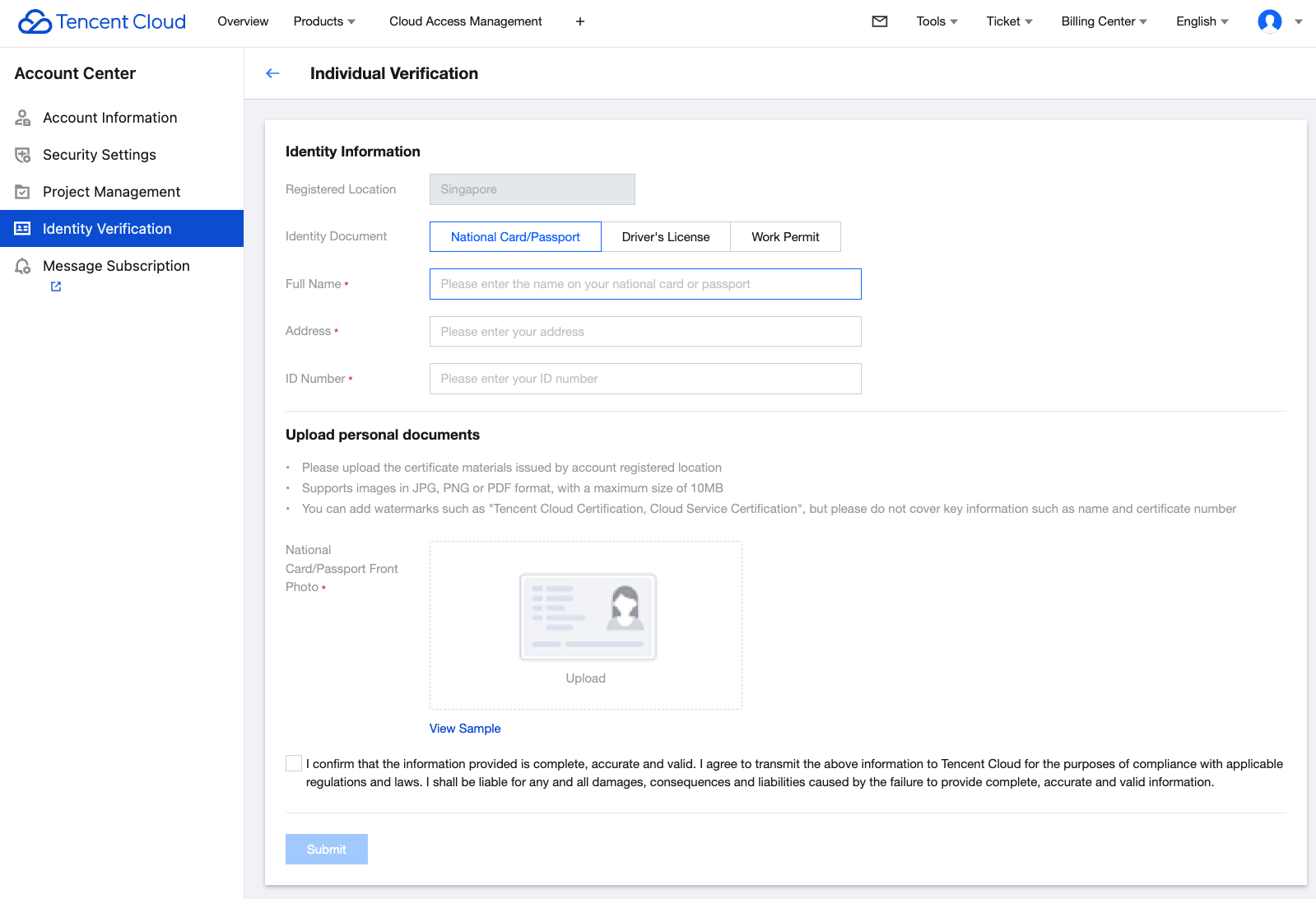
The Tencent Cloud team will review the application within 2-4 business days and notify you of the result through the console Message Center, email, and SMS.
피드백