Identity Verification Change Guide
Download
포커스 모드
폰트 크기
This document describes how to change the identity information of a Tencent Cloud account whose individual/enterprise identity has already been verified. The verified identity determines an account's ownership. After the identity of an account is verified, we recommend that you do not change the identity information arbitrarily.
Note:
There is no time limit on changing an individual identity to an enterprise identity. Other types of identity information change need to be made 30 days after last successful identity verification.
You can submit a ticket to withdraw the application at any time before the application is approved or rejected, and the originally verified entity will stay unchanged.
Resources and incurred fees are subject to the originally verified entity before the application is approved.
Step 1. Initiate modification of identity verification
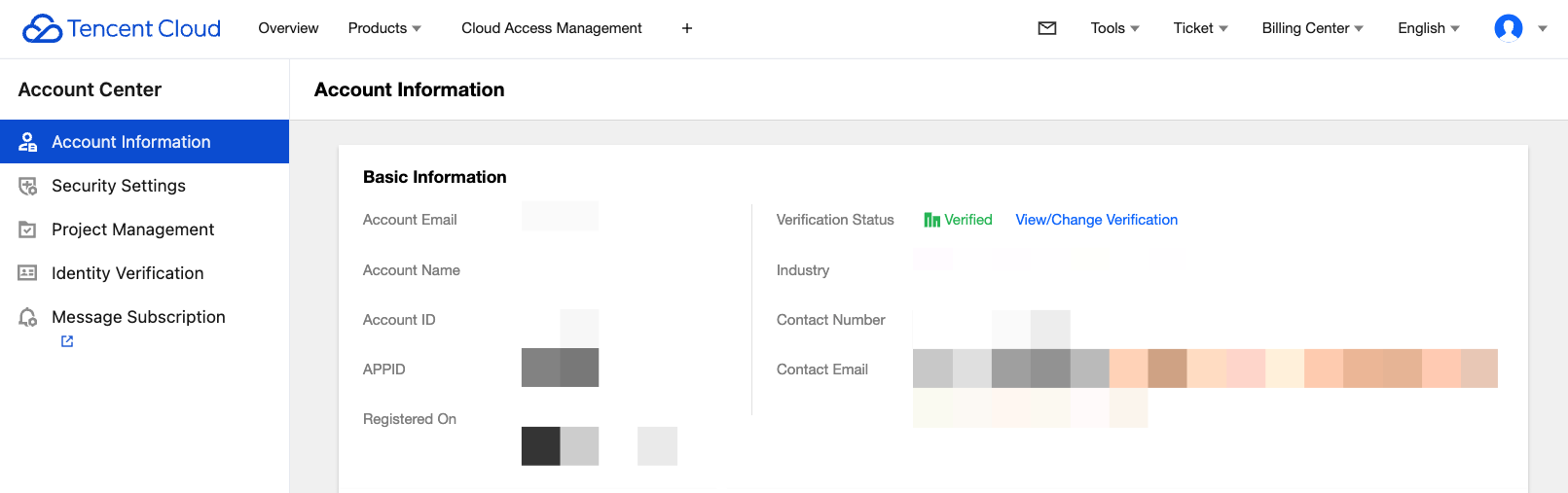
1. Log in to the Tencent Cloud Console and go to Account Information, navigate to Basic Information > Verification Status, and click View/Change Verification.
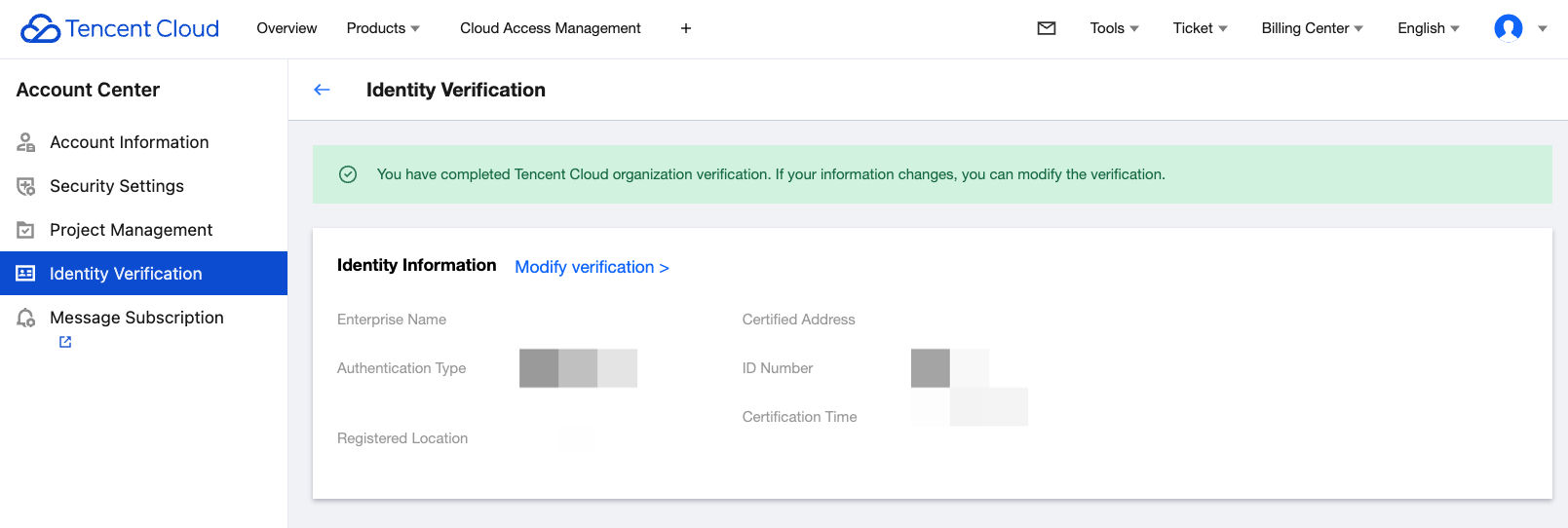
2. On the identity verification information page, click Modify verification.
Step 2. Select the verification type
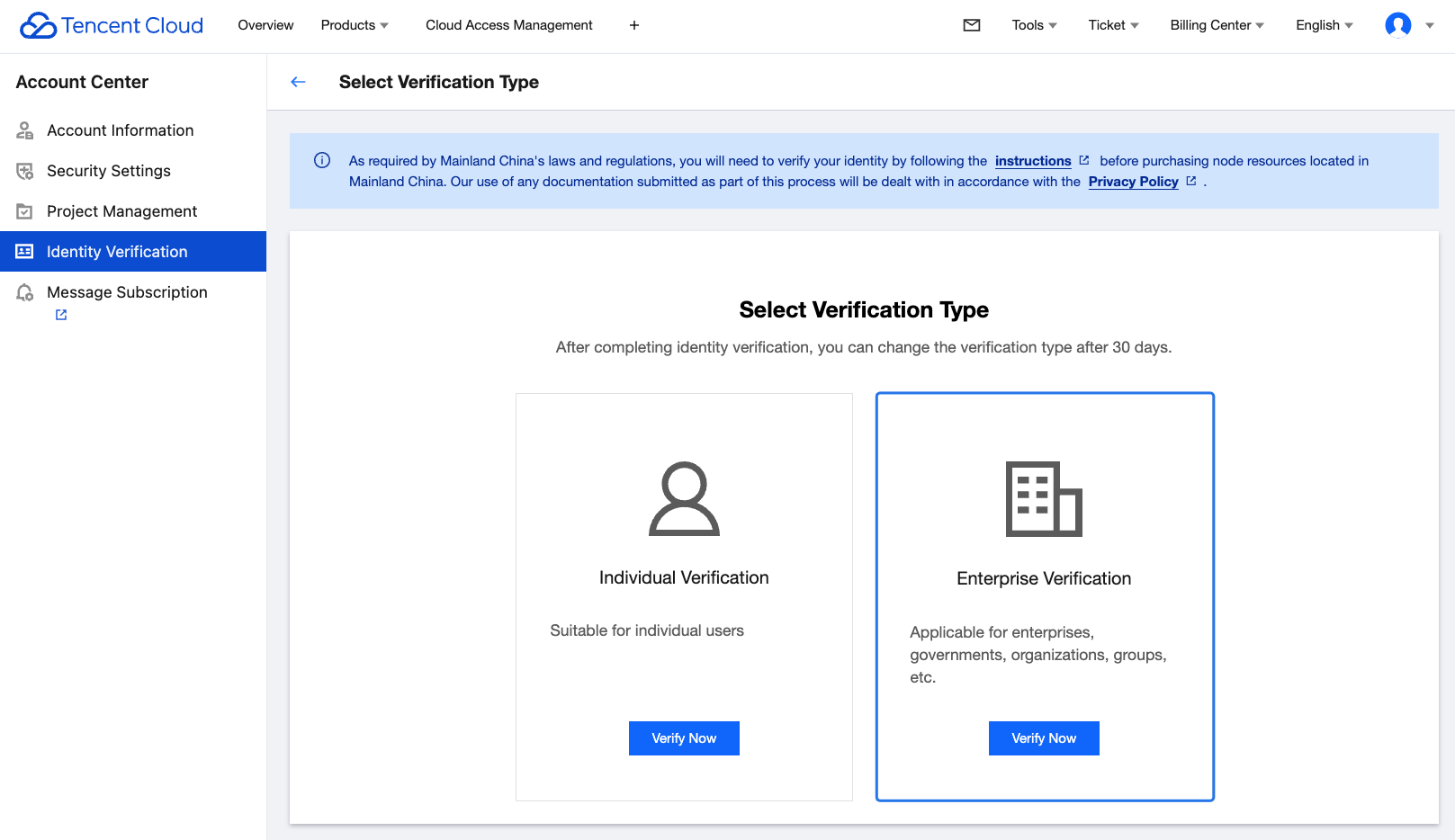
Select the target verification type: individual or enterprise.
Changing individual verification to enterprise verification
1. Select Enterprise Verification and click Verify Now.
2. Enter the basic enterprise information.
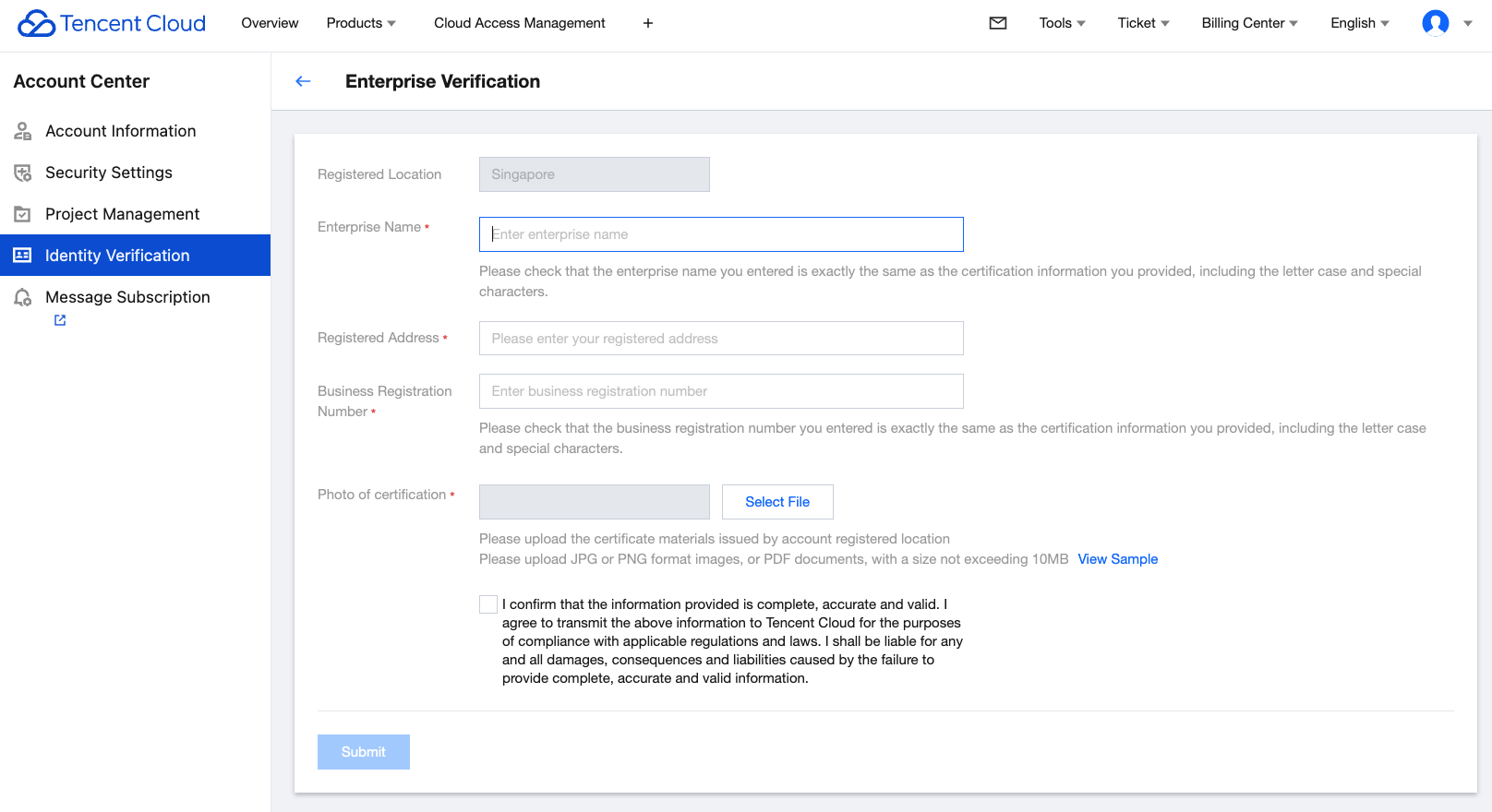
Enter the following enterprise information in the console:
Enterprise Name.
Registered address.
Business Registration Number.
Photo for enterprise verification.
3. After entering the information, click Submit. The Tencent Cloud team will review the application within 2-4 business days and notify you of the result through the console Message Center, email, and SMS.
Changing individual verification to another individual verification
1. Select Individual Verification and click Verify Now.
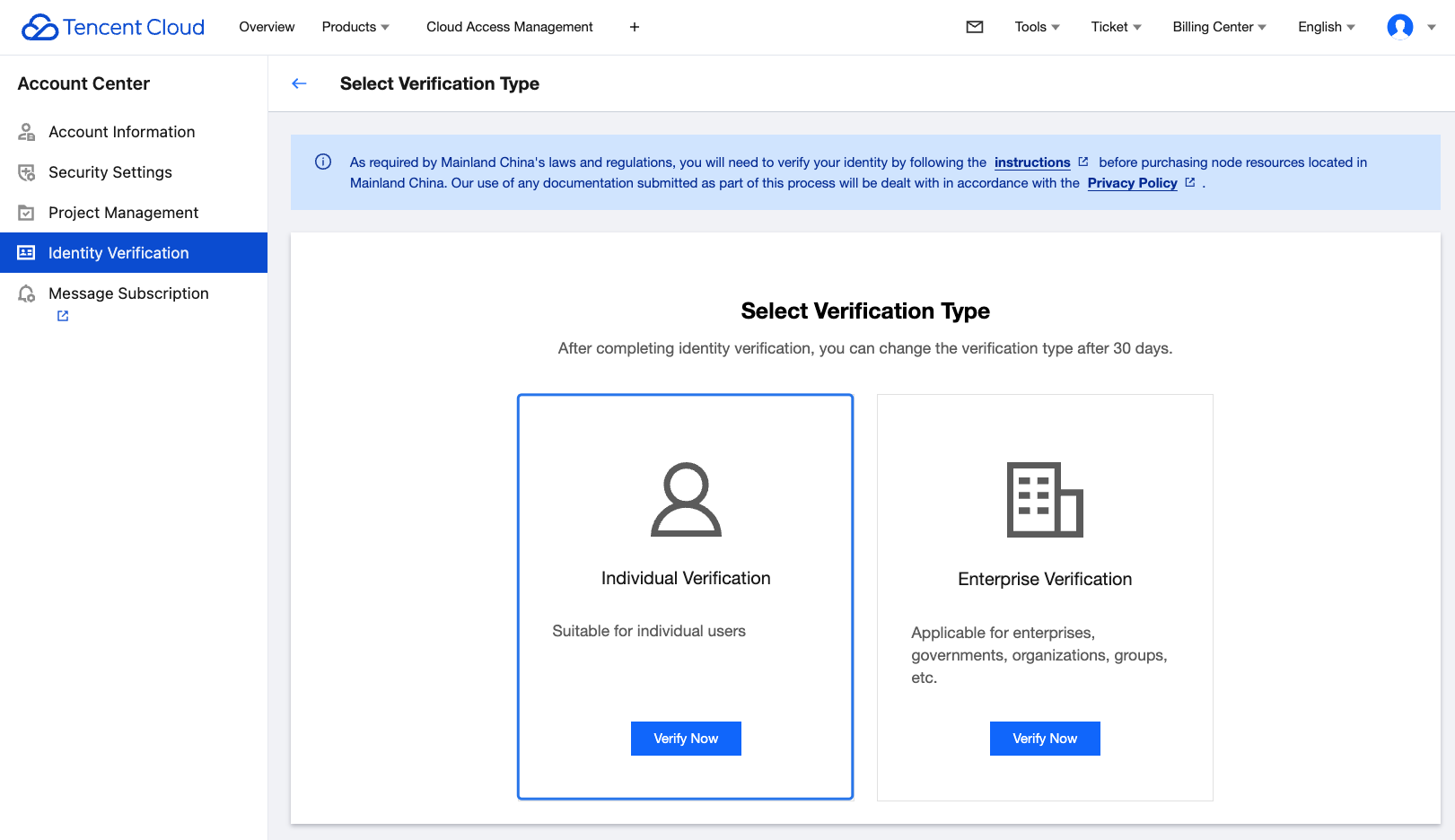
2. The International Tencent Cloud website allows you to verify your individual identity with your valid ID card/passport, driver's license, or work permit issued by the government agency of your account registration location. After completing all required information, please click Submit.
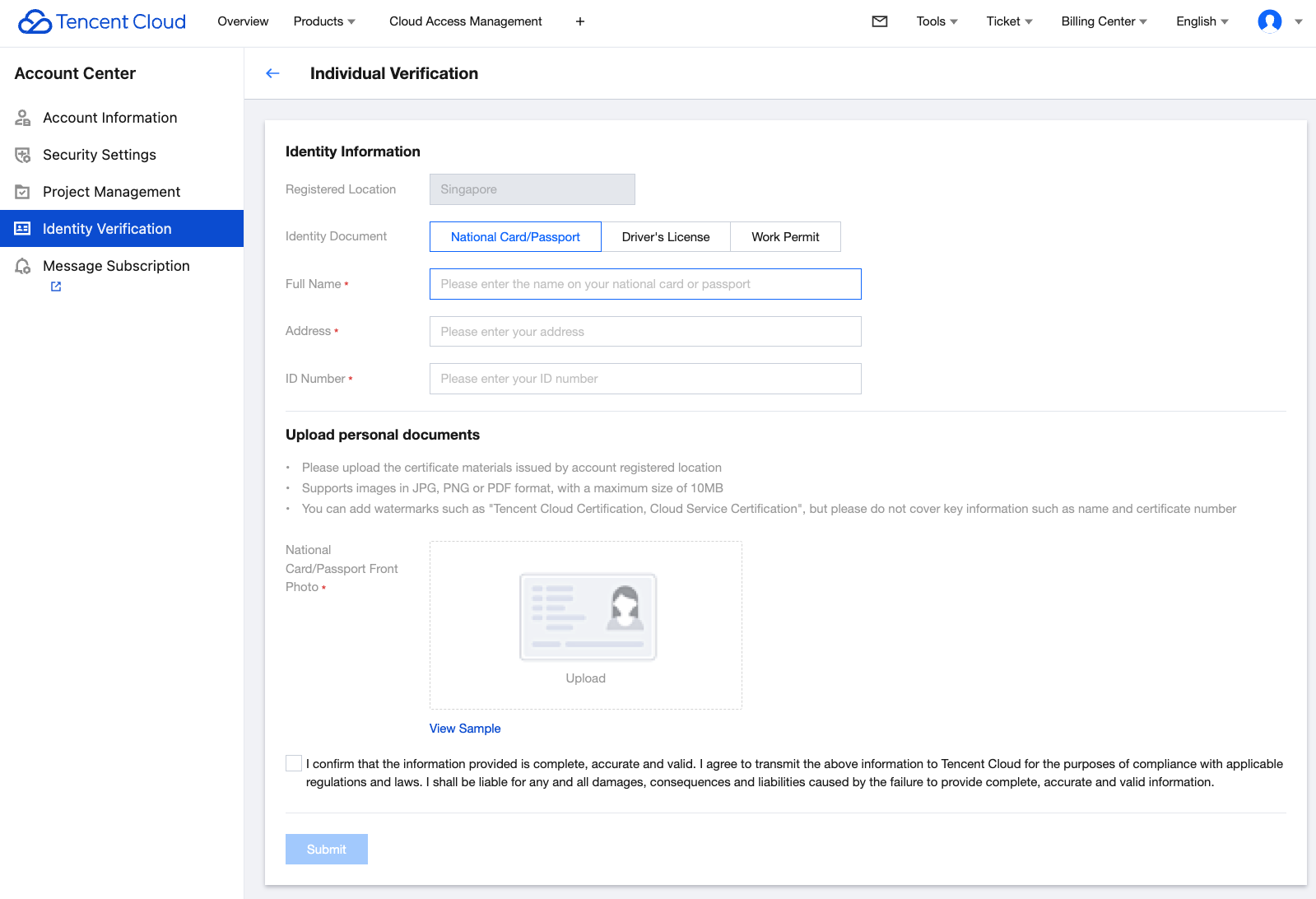
3. The Tencent Cloud team will review the application within 2-4 business days and notify you of the result through the console Message Center, email, and SMS.
Changing enterprise verification to individual verification
1. Select Individual Verification and click Verify Now.
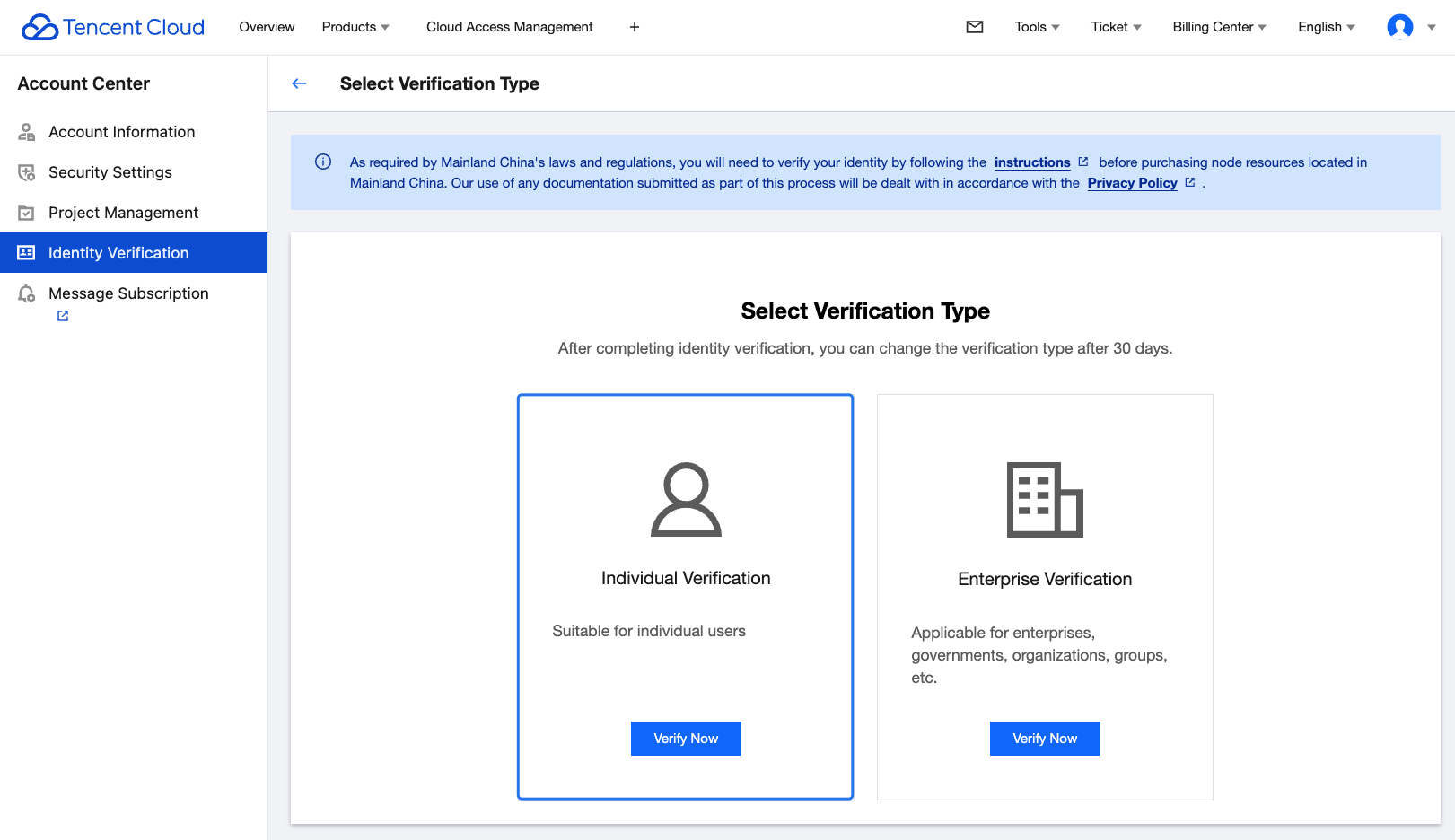
2. The International Tencent Cloud website allows you to verify your individual identity with your valid ID card/passport, driver's license, or work permit issued by the government agency of your account registration location. After completing all required information, please click Submit.
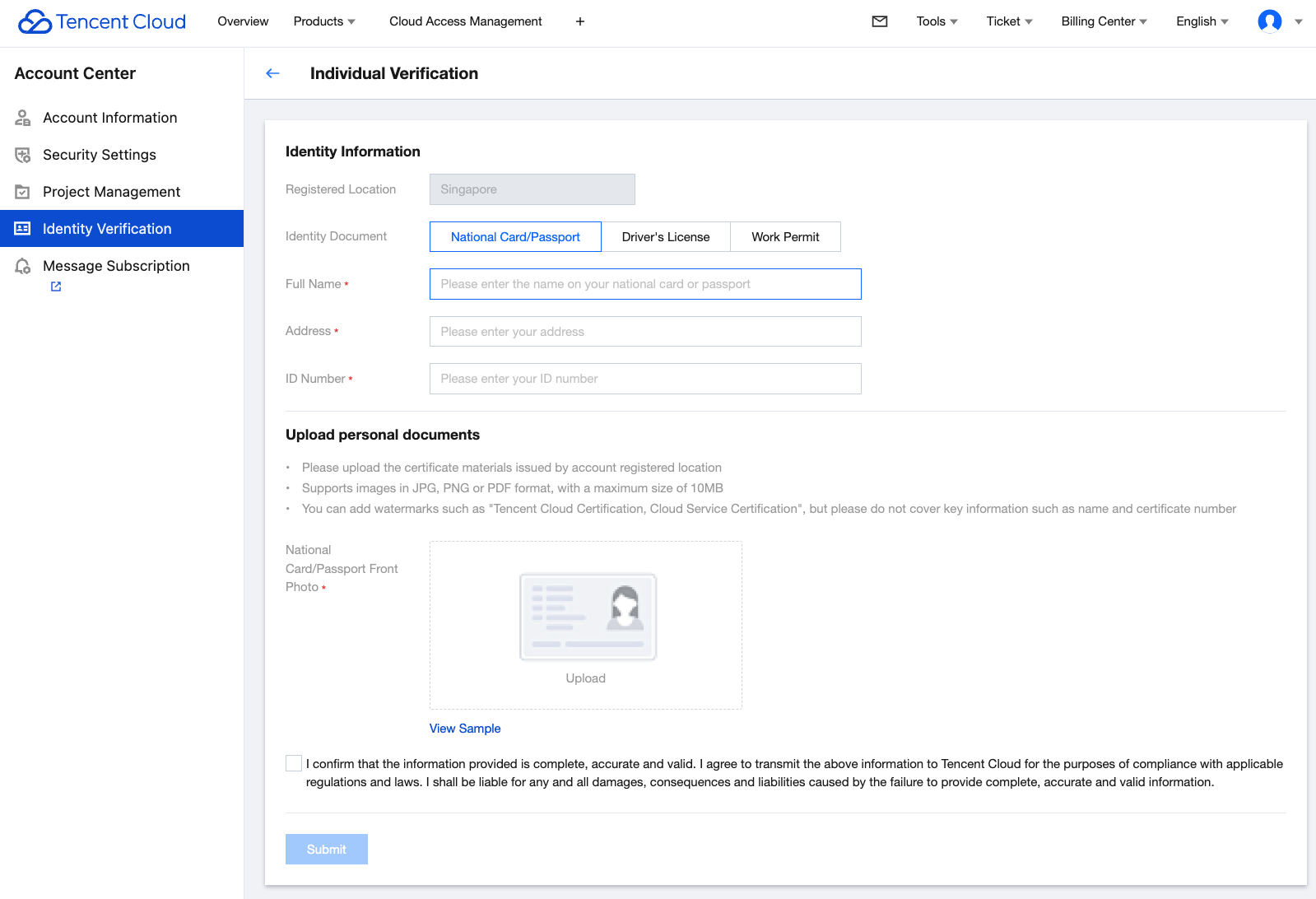
3. The Tencent Cloud team will review the application within 2-4 business days and notify you of the result through the console Message Center, email, and SMS.
Changing enterprise verification to another enterprise verification
1. Select Enterprise Verification and click Verify Now.
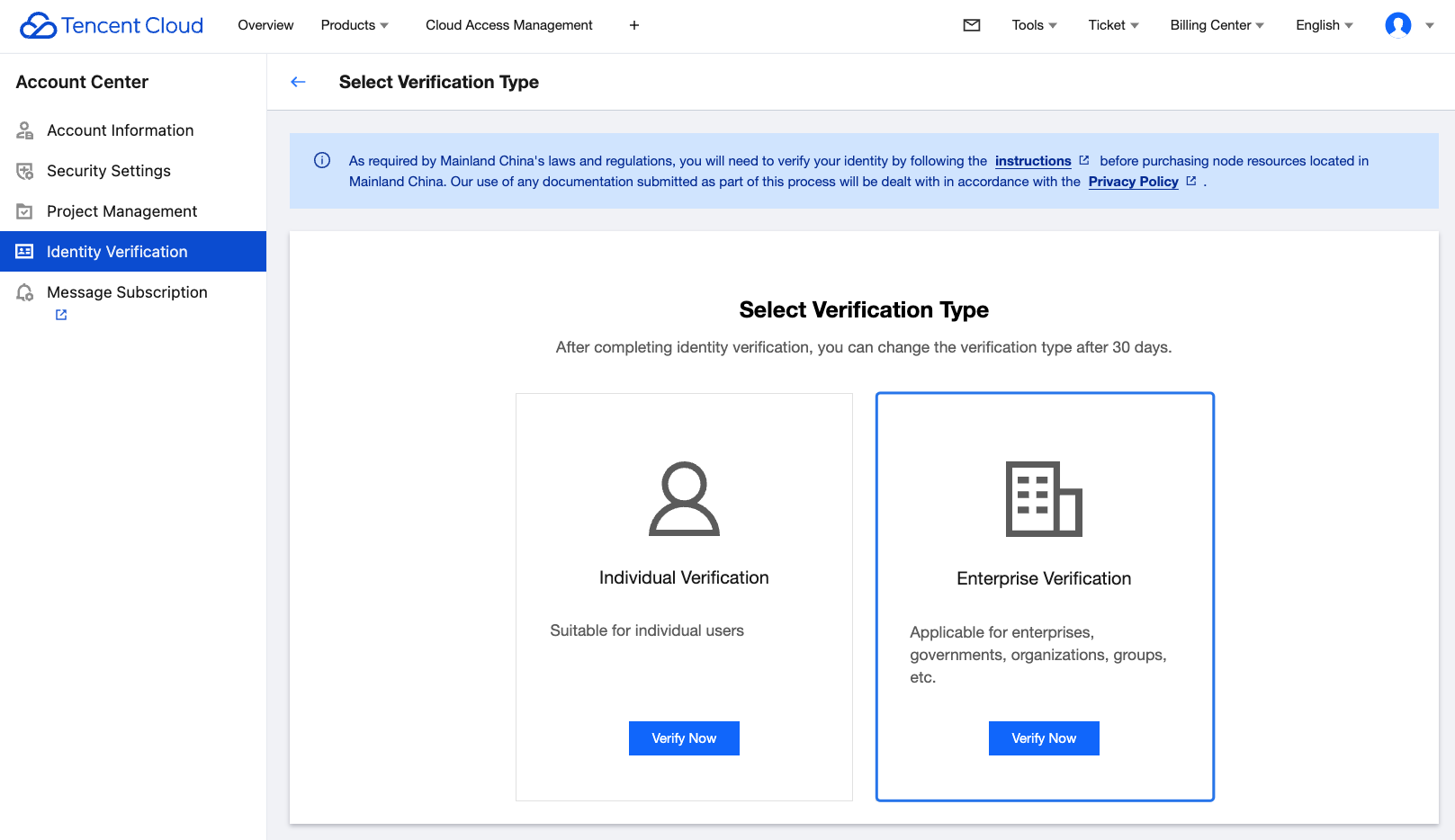
2. Enter the basic enterprise information.
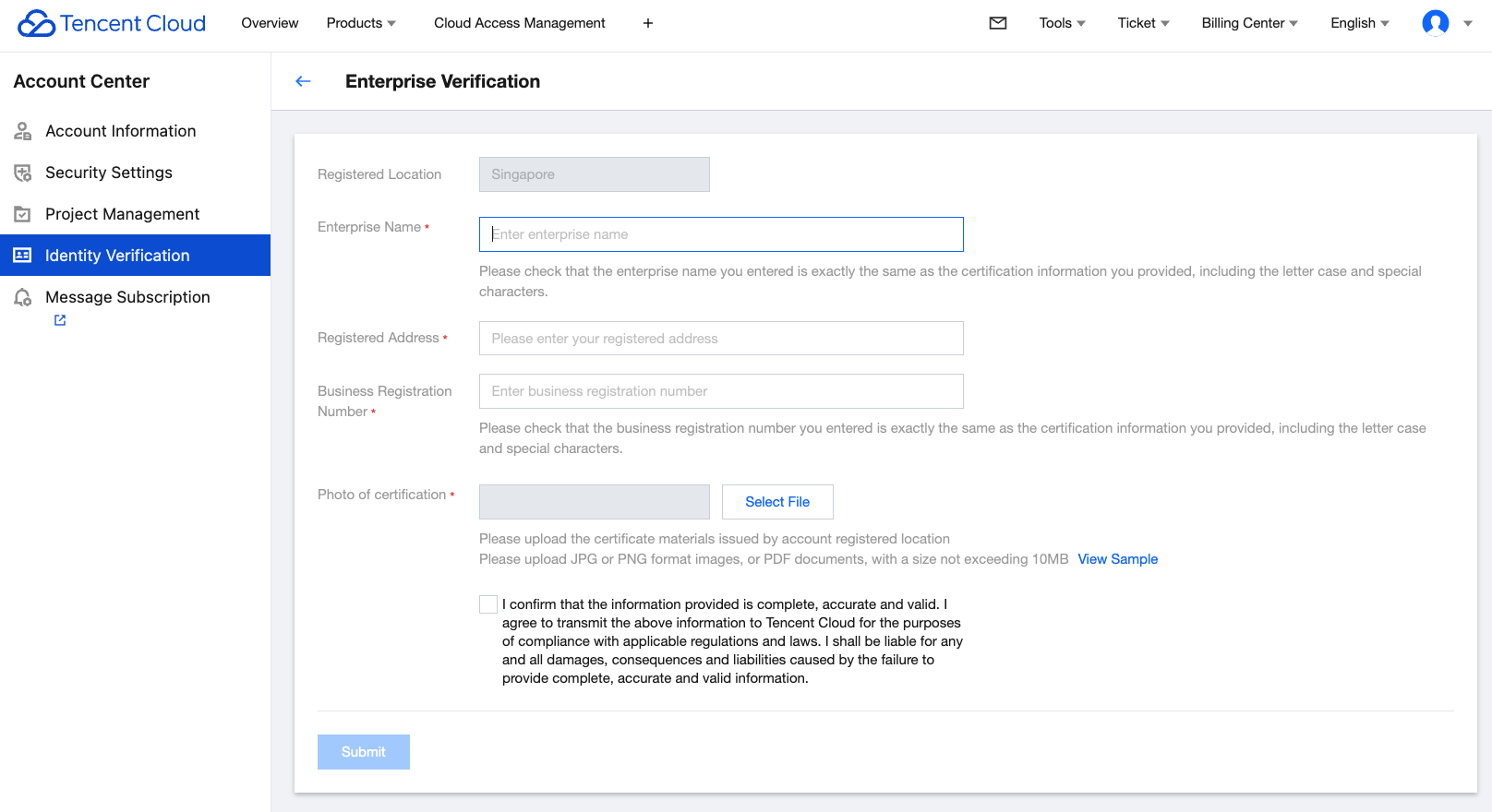
Enter the following enterprise information in the console:
Enterprise Name.
Registered address.
Business Registration Number.
Photo for enterprise verification.
3. After entering the information, click Submit. The Tencent Cloud team will review the application within 2-4 business days and notify you of the result through the console Message Center, email, and SMS.
피드백