This document describes the tamper protection feature of WAF. It is used to protect core static webpages. By caching pages and locking access requests, it protects your website from being affected by malicious tampering with your real server pages. In addition, you can also configure tamper protection rules as needed.
Overview
With the tamper protection feature, you can add protection rules to protect core webpages from being tampered with as needed. You can refresh the protected pages, during which WAF will update them to ensure that they are the same as those on the real server. Moreover, you can also choose whether to retain rule hit logs to analyze hit conditions.
Note:
CLB WAF doesn't support the tamper protection feature. For more information on detailed specifications, see Billing Overview.
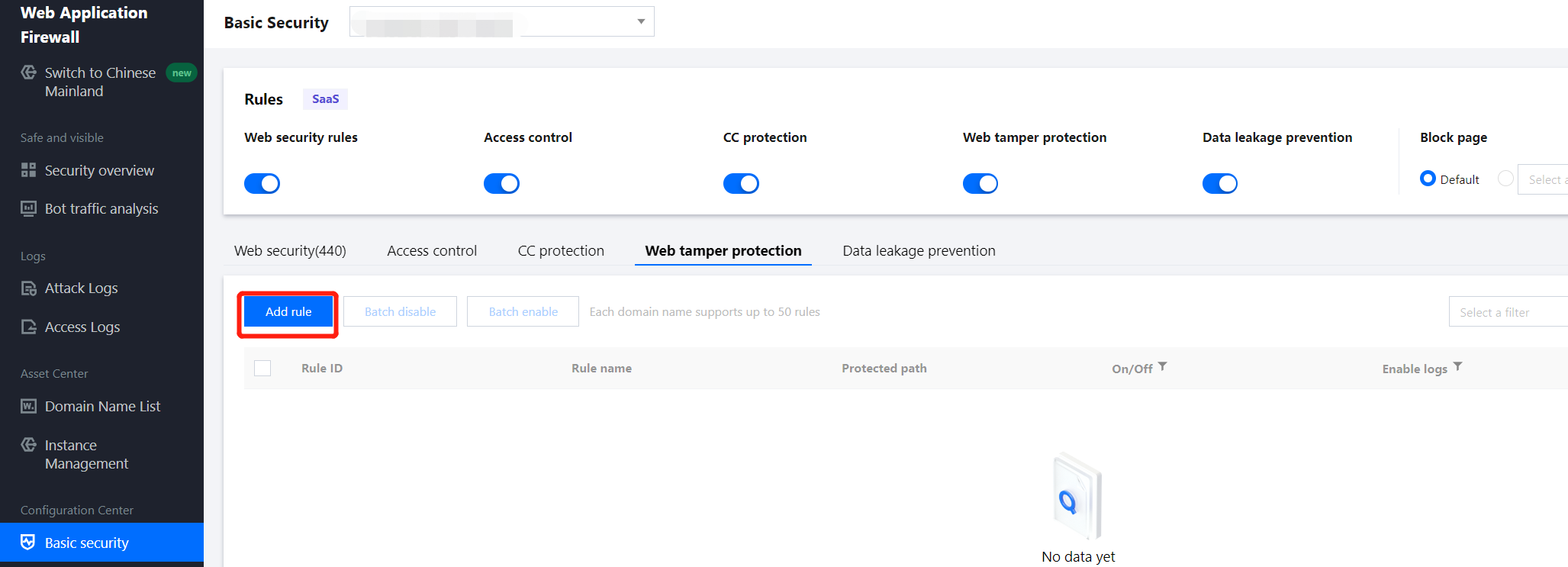
1. Log in to the WAF console and select Configuration Center > Basic Security on the left sidebar.
2. On the basic security page, select the target domain name in the top-left corner and click Web tamper protection.
3. On the tamper protection page, click Add rule, and the rule adding window will pop up.
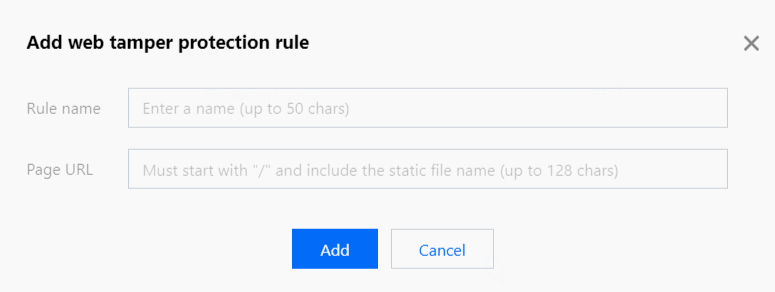
4. In the pop-up window, configure relevant fields and click OK.
Field description:
Rule name: Tamper protection rule name of up to 50 characters. You can search for rules by name in attack logs.
Page path: Path of the page to be protected from tampering. You need to enter a specific URL rather than a path.
Note:
The specified page is limited to static resources such as .html, .shtml, .txt, .js, .css, .jpg, and .png.
After the rule is added, when a user accesses this page for the first time, WAF will cache the page, and subsequent access requests will be directed to the WAF-cached page.
5. After the tamper protection rule is added, it will be enabled by default.
Searching Rules
1. On the basic security page, select the target domain name in the top-left corner and click Tamper Protection.
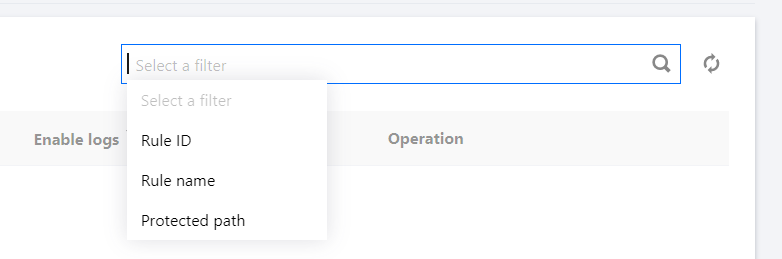
2. On the tamper protection page, click the search box to filter rules by keywords such as rule ID, rule name, and protection path.
Editing Rules
1. On the basic security page, select the target domain name in the top-left corner and click Web tamper protection.
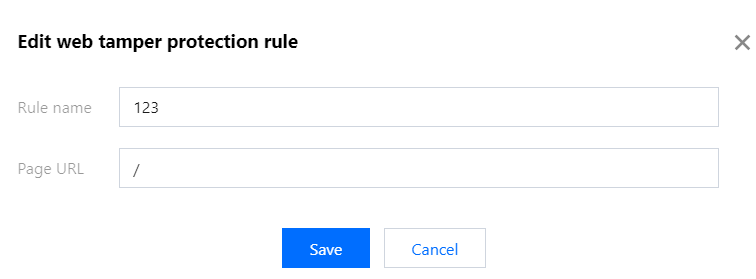
2. On the tamper protection page, select the target rule, click Edit in the Operation column, and the rule editing window will pop up.
3. In the pop-up window, modify relevant parameters and click Save.
4. After the protected page is updated, click Refresh to cache the updated page to WAF.
Deleting Rules
1. On the basic security page, select the target domain name in the top-left corner and click Web tamper protection.
2. On the tamper protection page, select the target rule, click Delete in the Operation column, and the deletion confirmation window will pop up.
3. In the pop-up window, click Delete.
Note:
Once deleted, it cannot be restored and takes effect only after being added again.