Is there a conflict between TUILiveKit and the integrated audio and video library?
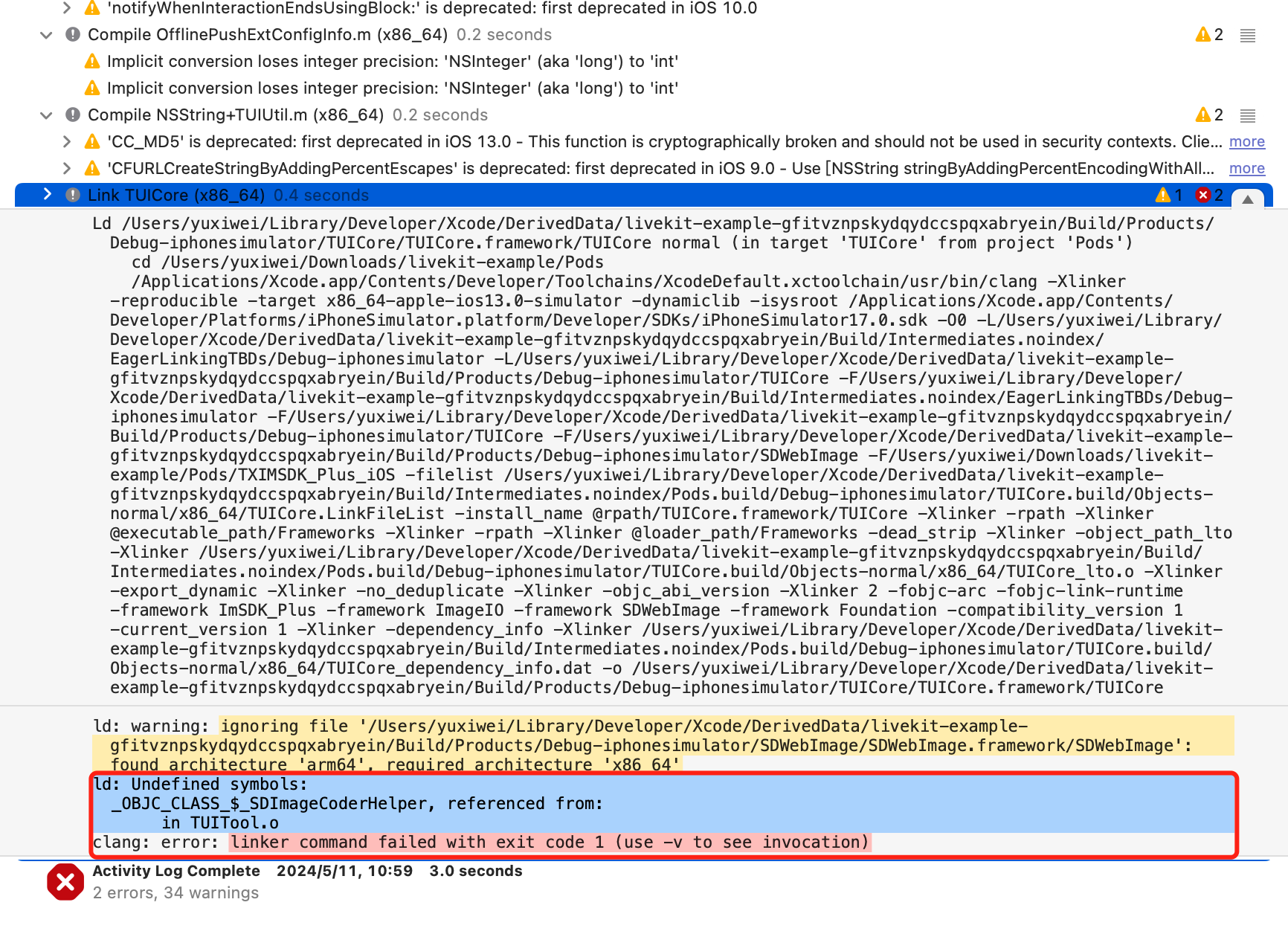
Tencent Cloud's audio and video libraries cannot be integrated at the same time, and there may be symbol conflicts. You can handle it according to the following scenarios.
1. If you are using the TXLiteAVSDK_TRTC library, there will be no symbol conflicts. You can directly add dependencies in the Podfile file.
pod 'TUILiveKit'
2. If you are using the TXLiteAVSDK_Professional library, there will be symbol conflicts. You can add dependencies in the Podfile file.
pod 'TUILiveKit/Professional'
If you are using the TXLiteAVSDK_Enterprise library, there will be symbol conflicts. It is recommended to upgrade to TXLiteAVSDK_Professional and then use TUILiveKit/Professional.
How to view TRTC logs?
TRTC logs are compressed and encrypted by default, with the extension .xlog. Whether the log is encrypted can be controlled by setLogCompressEnabled. The file name containing C(compressed) is encrypted and compressed, and the file name containing R(raw) is plaintext.
iOS:Sandbox's Documents/log。
Note:
To view the .xlog file, you need to download the decryption tool and run it directly in the Python 2.7 environment with the xlog file in the same directory using python decode_mars_log_file.py.
To view the .clog file (new log format after version 9.6), you need to download the decryption tool and run it directly in the Python 2.7 environment with the clog file in the same directory using python decompress_clog.py.
Android
Can TUILiveKit use TRTC without introducing IM SDK?
No, all the components of TUIKit use Tencent Cloud IM SDK as the basic service for communication, such as the core logic of creating room signaling, Lian-mic signaling, etc., all use IM services. If you have purchased other IM products, you can also refer to TUILiveKit logic to adapt.
allowBackup exception, How to Handle?
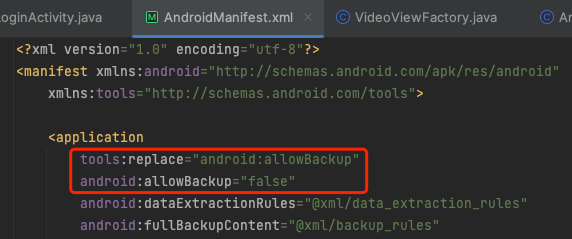
Reasons:The allowBackup property is configured in the AndroidManifest.xml of several modules, causing conflicts.
Solution:You can remove the allowBackup attribute from your project's AndroidManifest.xml file or change it to false to turn off backup and restore, And add tools:replace="android:allowBackup" in the application node of the AndroidManifest.xml file; Indicates to override the settings of other modules, using your own Settings.
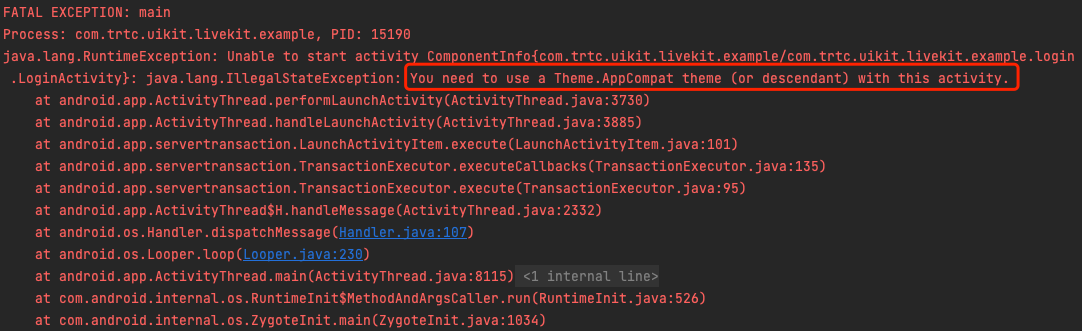
Activity need to use a Theme.AppCompat theme?
Reasons: Since LoginActivity inherited from AppCompatActivity, a Theme.AppCompat was to be given toLoginActivity.
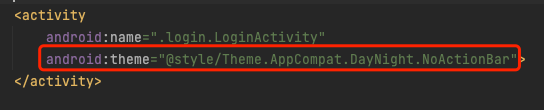
Solution:You can add a Theme.AppCompat theme to the LoginActivity configuration in your project's AndroidManifest.xml file. You can also use your own Theme.AppCompat theme. An example of a fix is shown in the image:
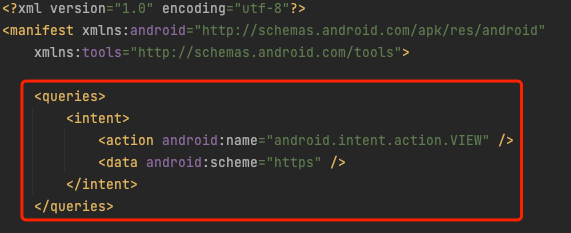
Failed to open the web page address in the browser?
Solution: You can add the following configurations to the AndroidManifest.xml file of your project: