If you wish to delete your data, you can log in to the IT Ticketing System and follow these steps.
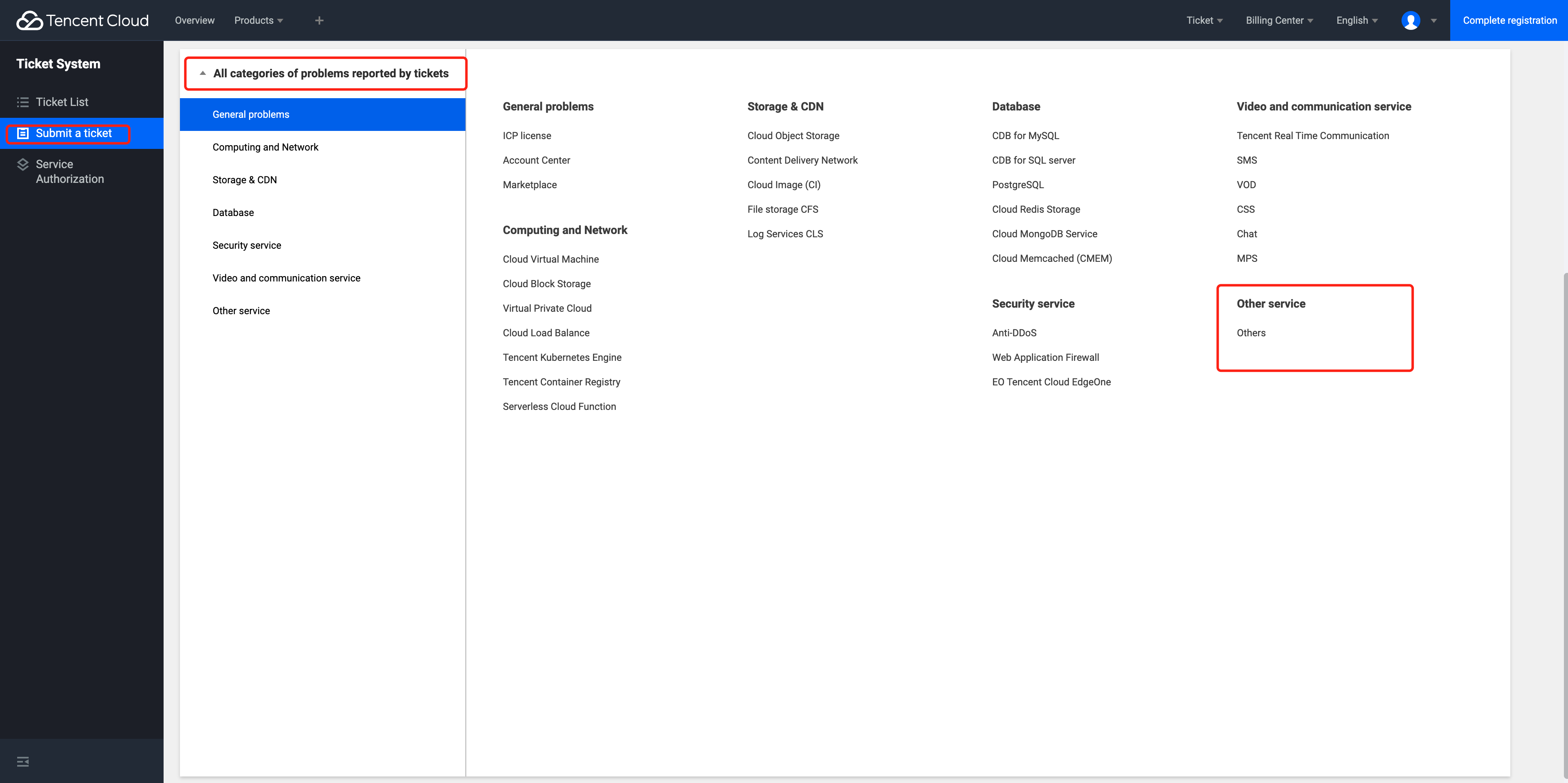
1. Log in to Console - Ticket System - Submit a Ticket, first select All Categories of problems reported by tickets - Other Service - Others.
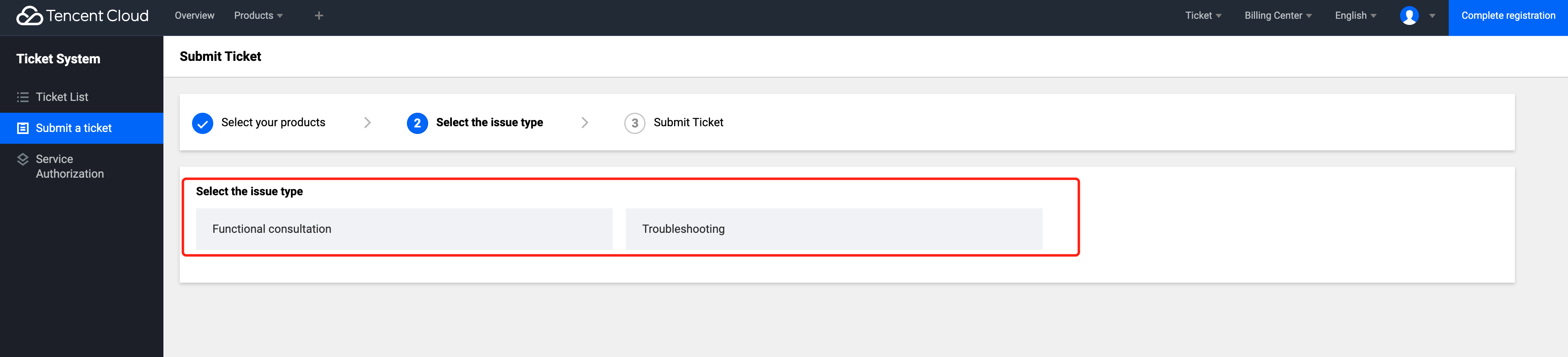
2. Select your issue type. For data deletion ticket requests, please select Functional Consultation.
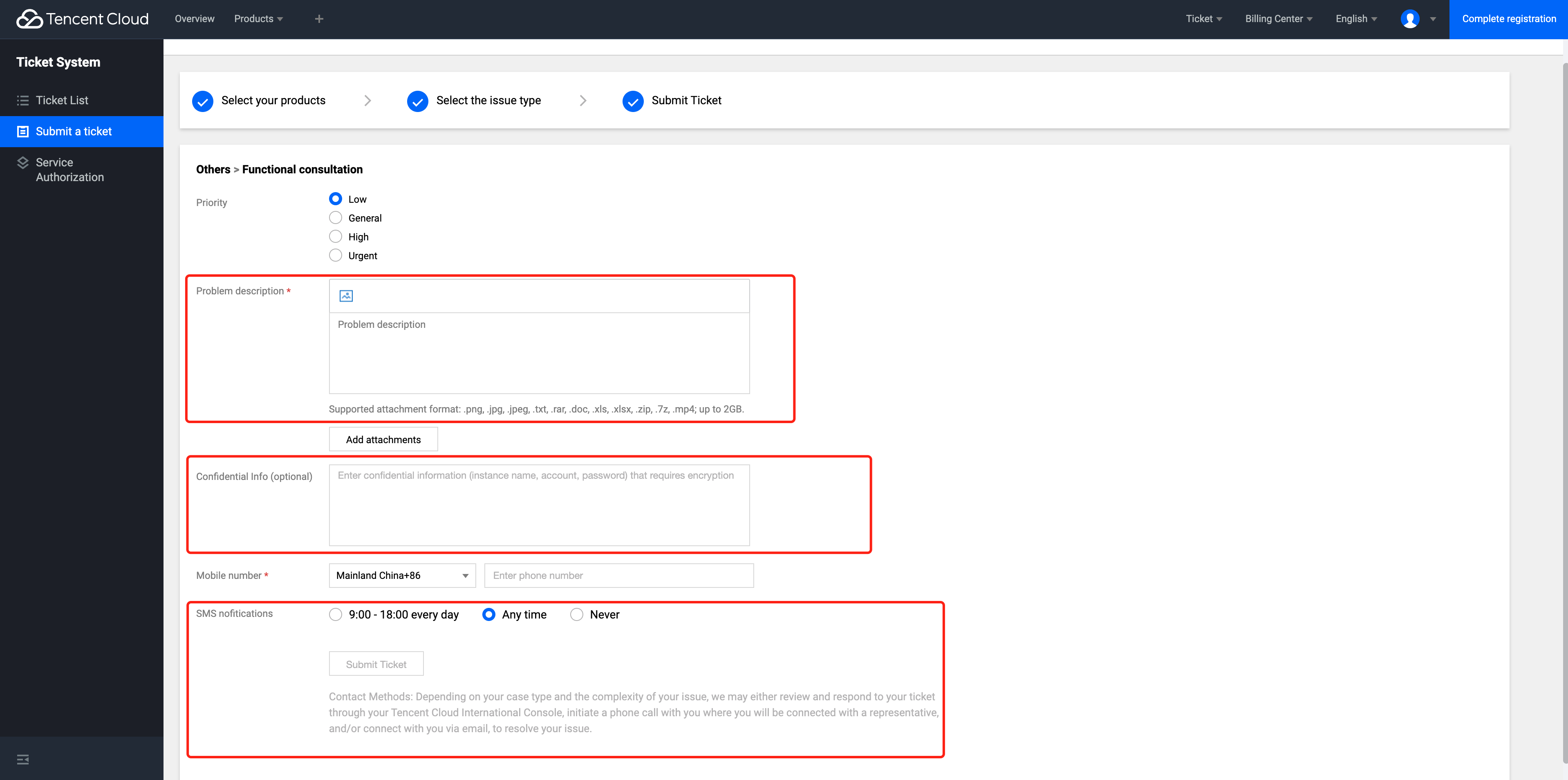
3. Please fill in the data detail you need to delete in the problem description. You may also include your instance name, account, and other information (note: confidential information will be encrypted upon submission)
4. You can choose your contact preference. Once we receive your ticket, a professional colleague will contact the mobile number you provided at your convience.