Inbound: Customer Experience
Download
聚焦模式
字号
To enhance CX, enterprises can use IVR for 24/7 support, optimizing agent resources and boosting satisfaction. Flexible IVR menus with advanced routing meet diverse customer service needs.
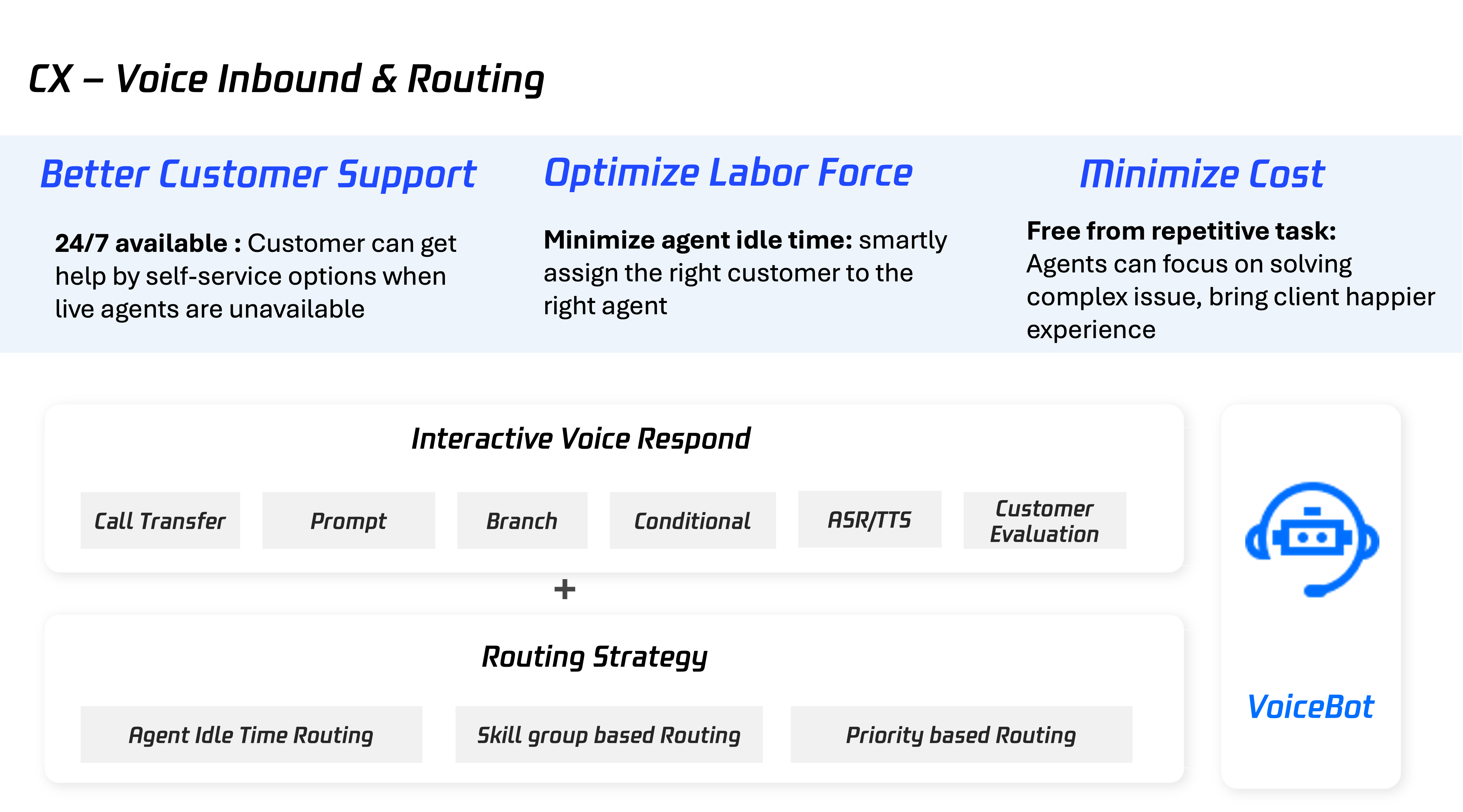
Pre Call Setup
0. Complete Below Setup Before Get Started
Cloud Console: BYOC: SIP Trunk
Management Panel: Add Agent Account, Group Management
1. Create an Inbound IVR Process
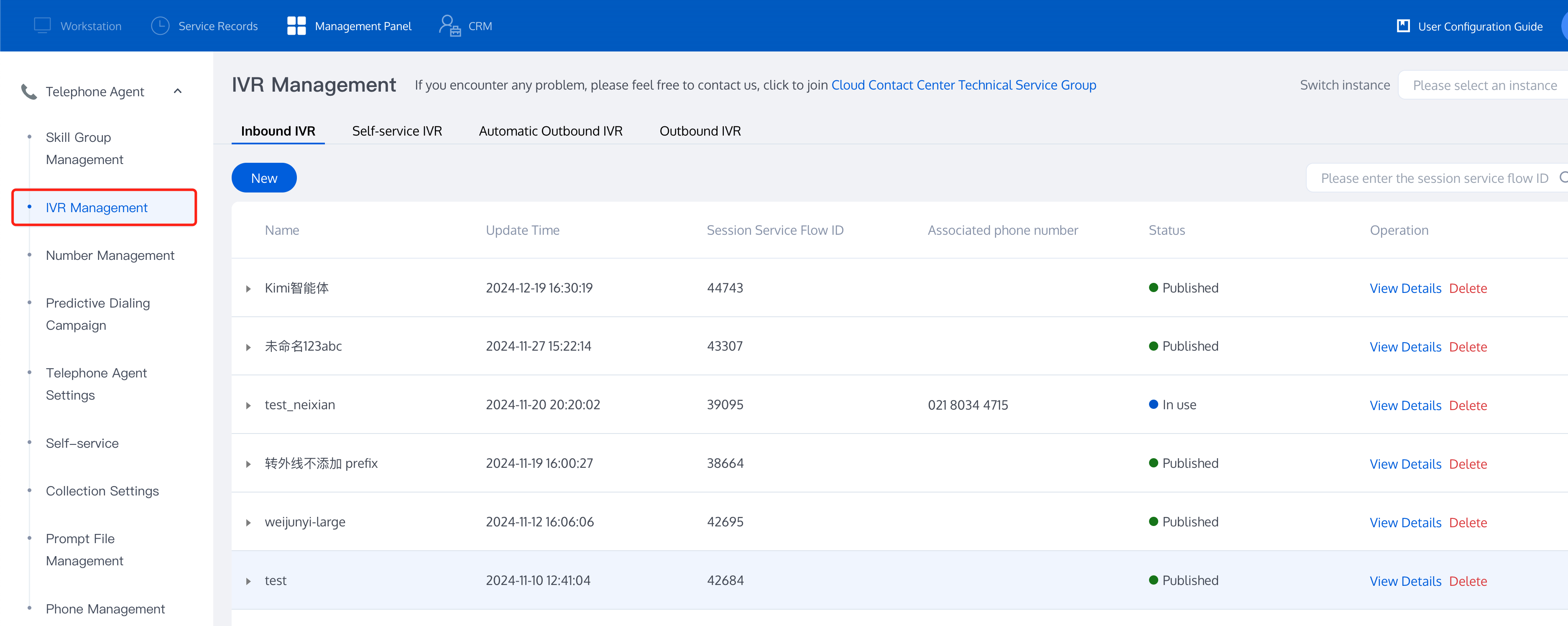
Management Panel, choose Telephone Customer Service > IVR Management, IVR provides various interactive voice response features. You can configure your own voice broadcast, key branch, etc.
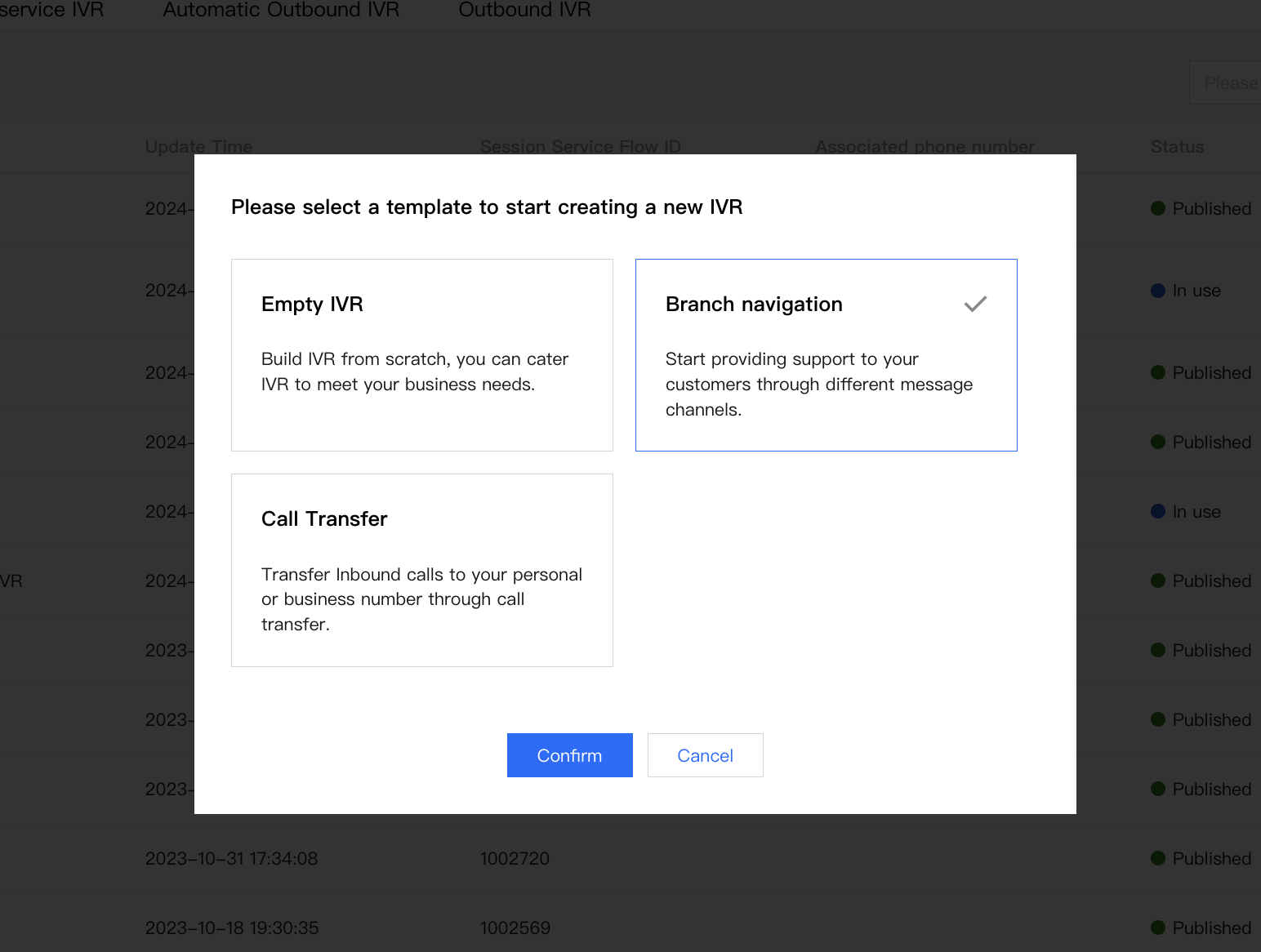
Click Create Button > Branch Navigation. This template allows you to swiftly establish a workflow, while you can customize it to suit your business needs.
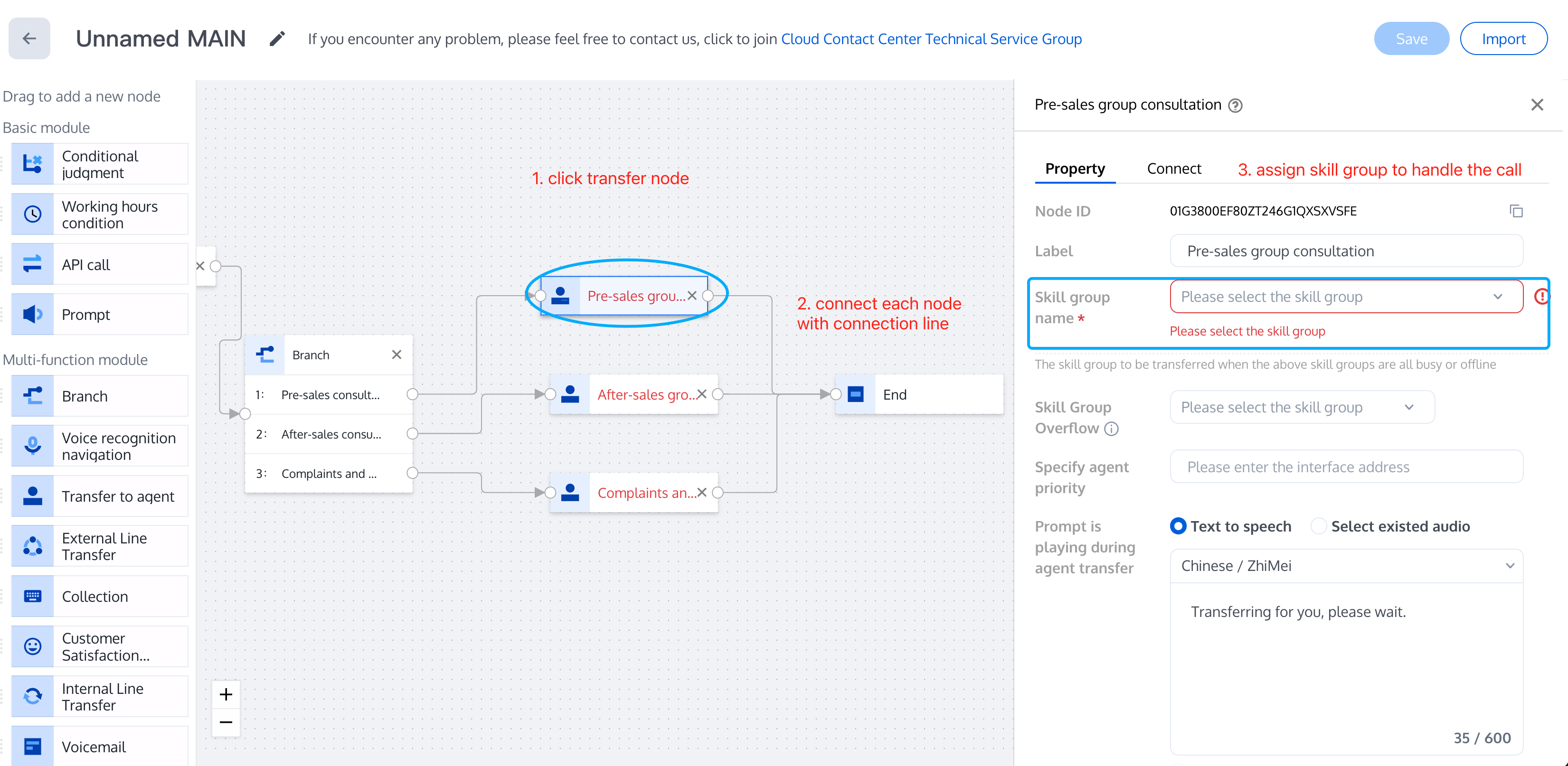
End your flow with Transfer Agent Node, assign a Group in Node Setting.
Note:
If returns parameter error, please check 1. Transfer Agent Node is filled with Skill Group info, 2. Link all nodes with lines, 3. IVR name is unique.
2.Add Phone Number to IVR
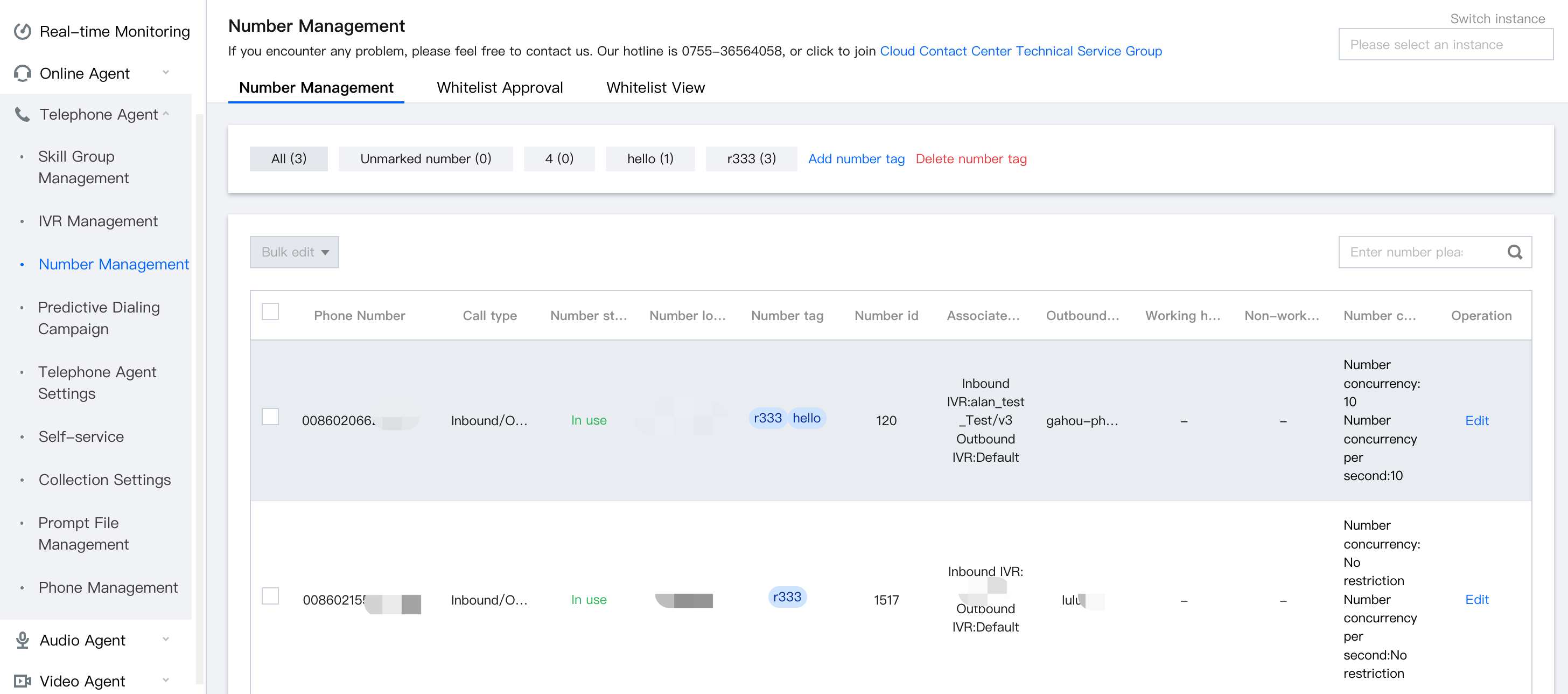
Telephone Agent > Number Management, click Edit to manage number detail.
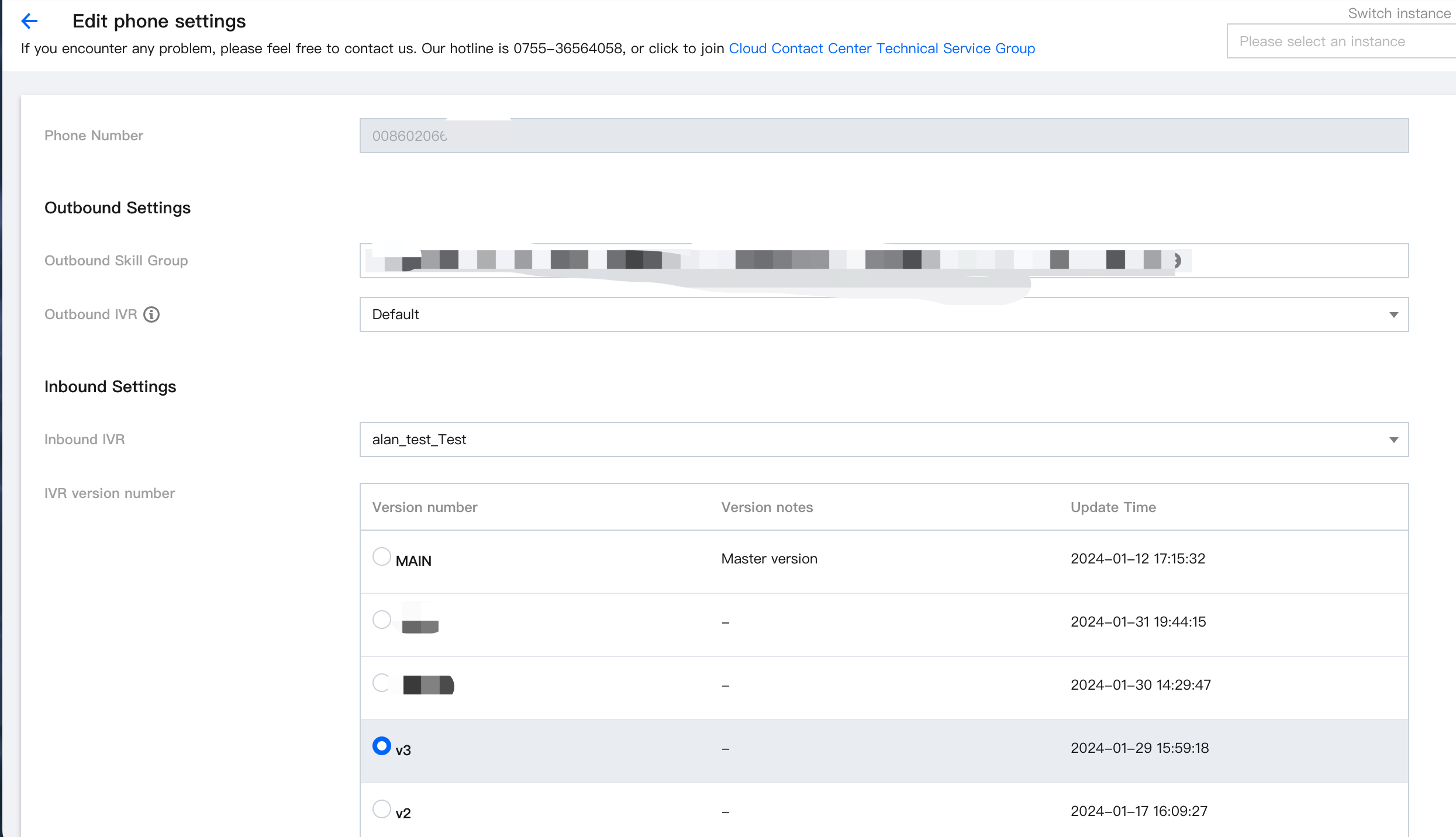
Inbound Settings > choose an IVR, click save. Effective in 1 minute.
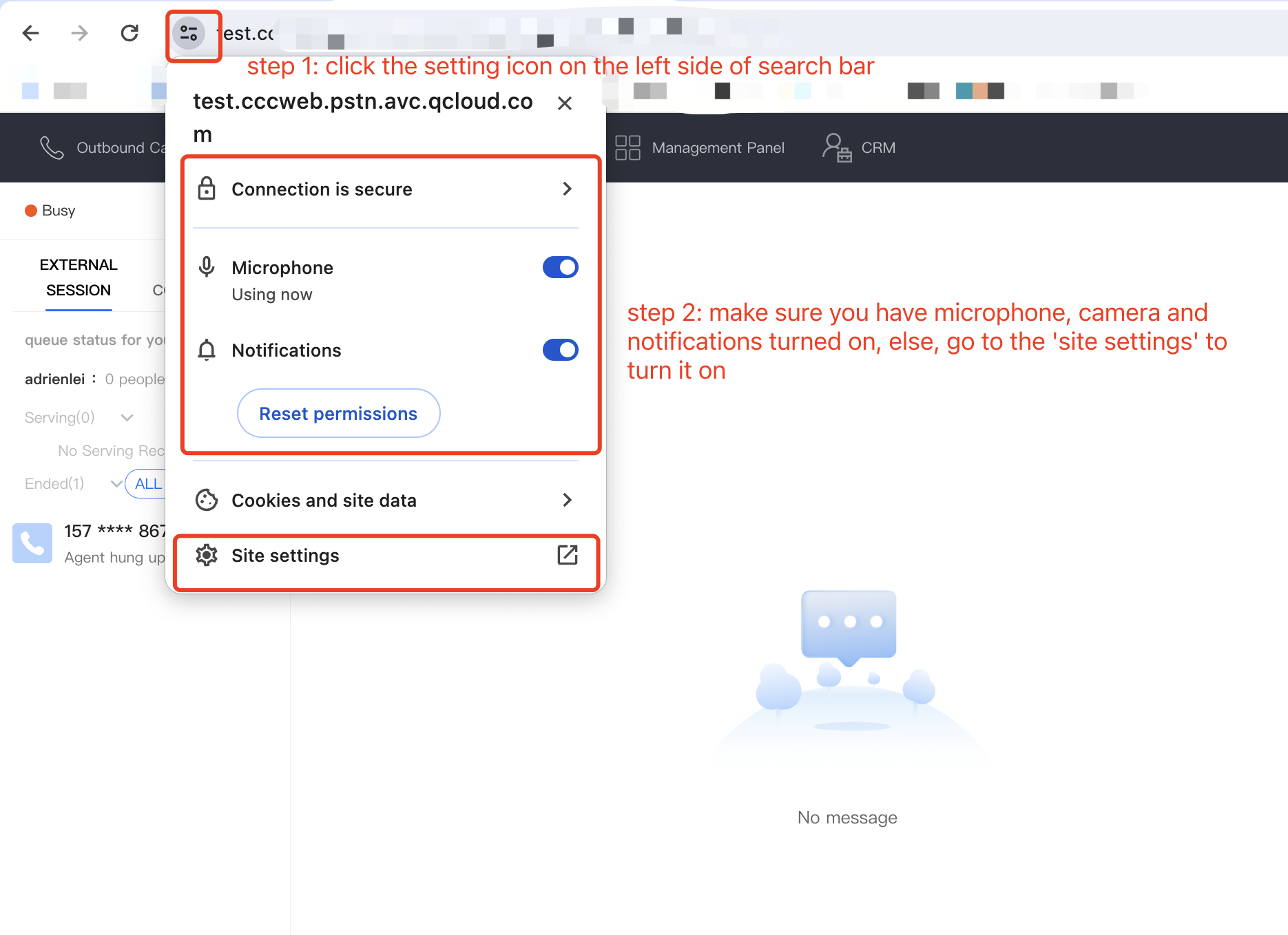
3. Check Microphone Authorization
Check whether your Microphone is turned on or not.
4. Inbound Test
Note:
Before testing incoming calls, ensure that agents in the skill group are online at the IVR Transfer to Manual Customer Service node.
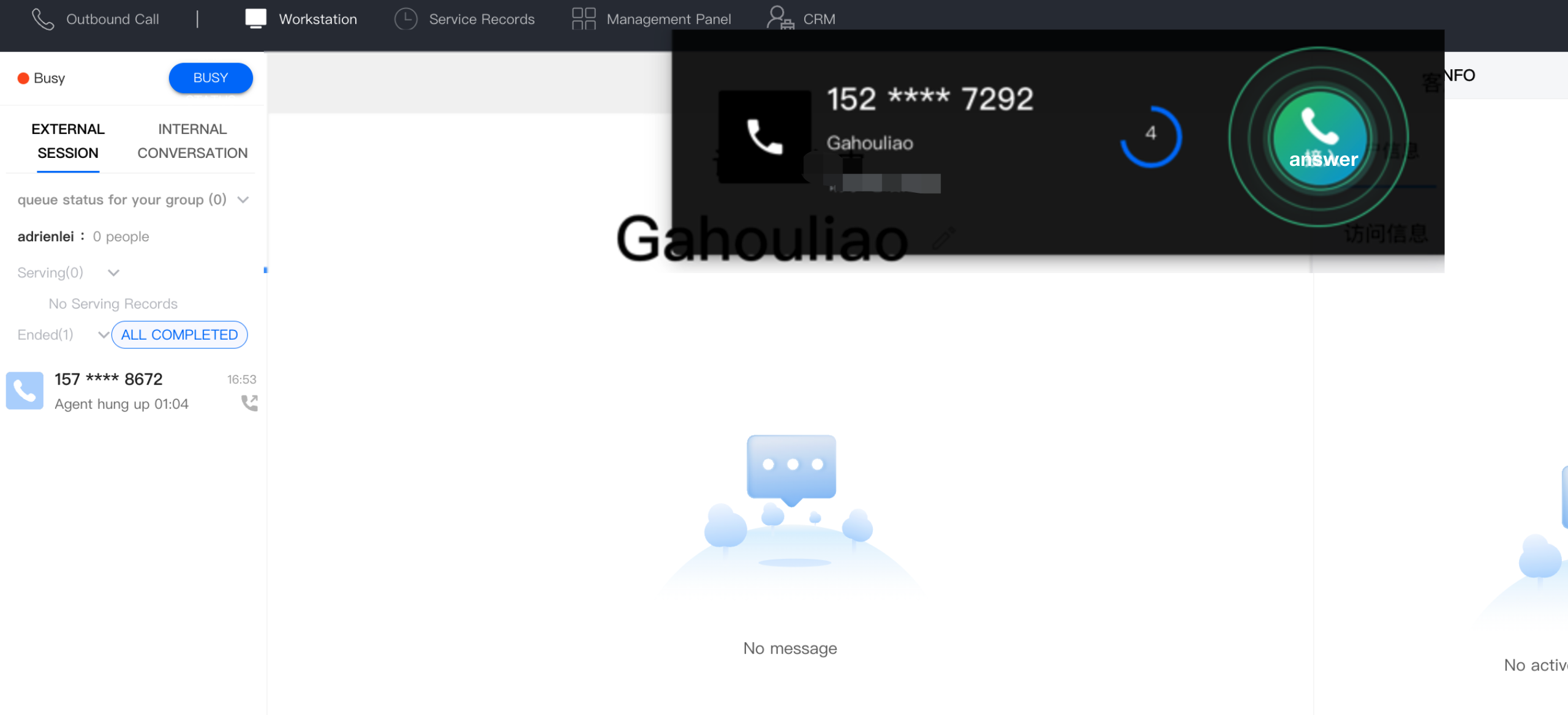
Call your hotline to test the configured IVR effects. The effect on the agent's workstation for incoming calls is as follows:
Note:
If agents have not received call notification, go Management Panel > Service Records > View Details to check.
In Call Features
Agent Call Features
For more features, refer to Call Feature Overview.
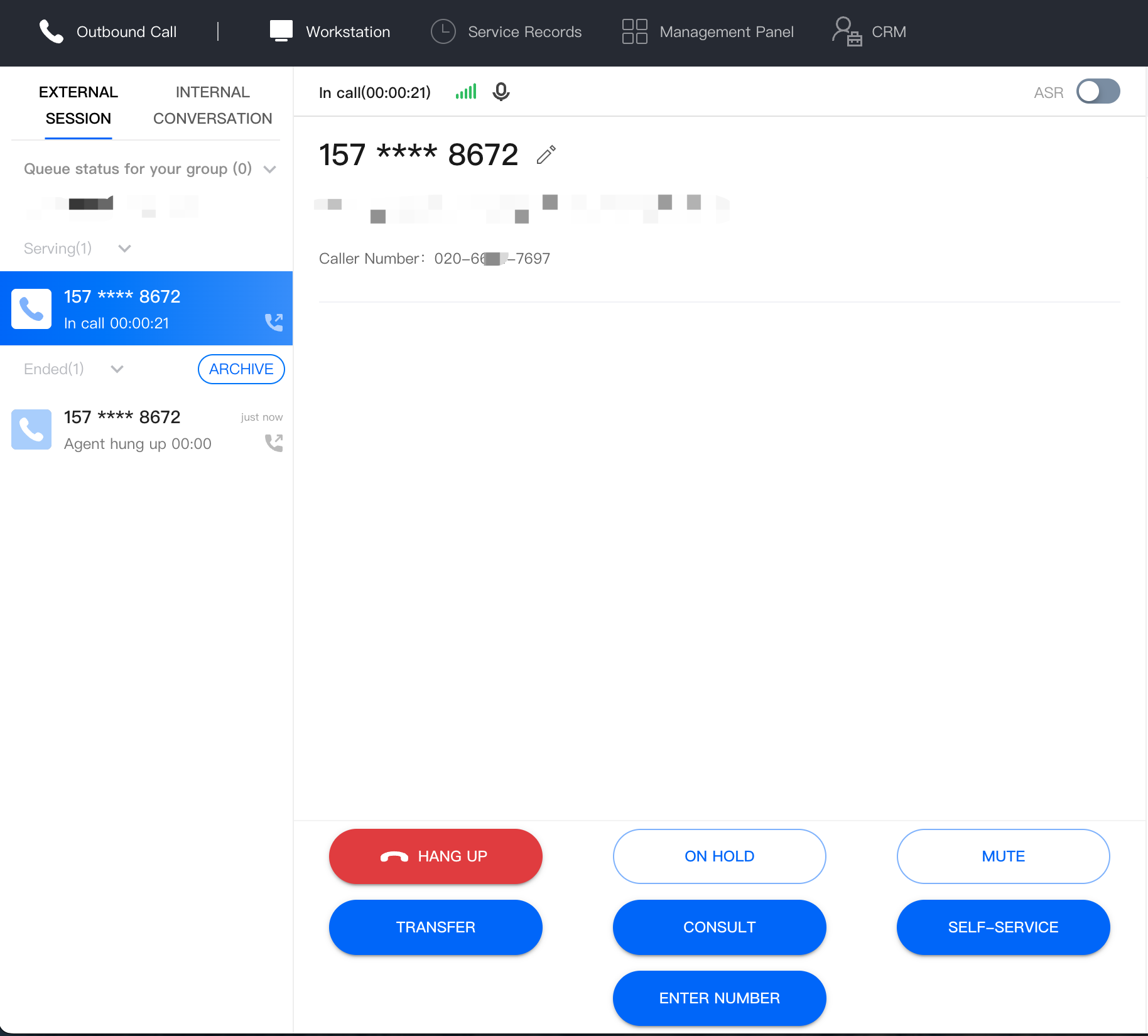
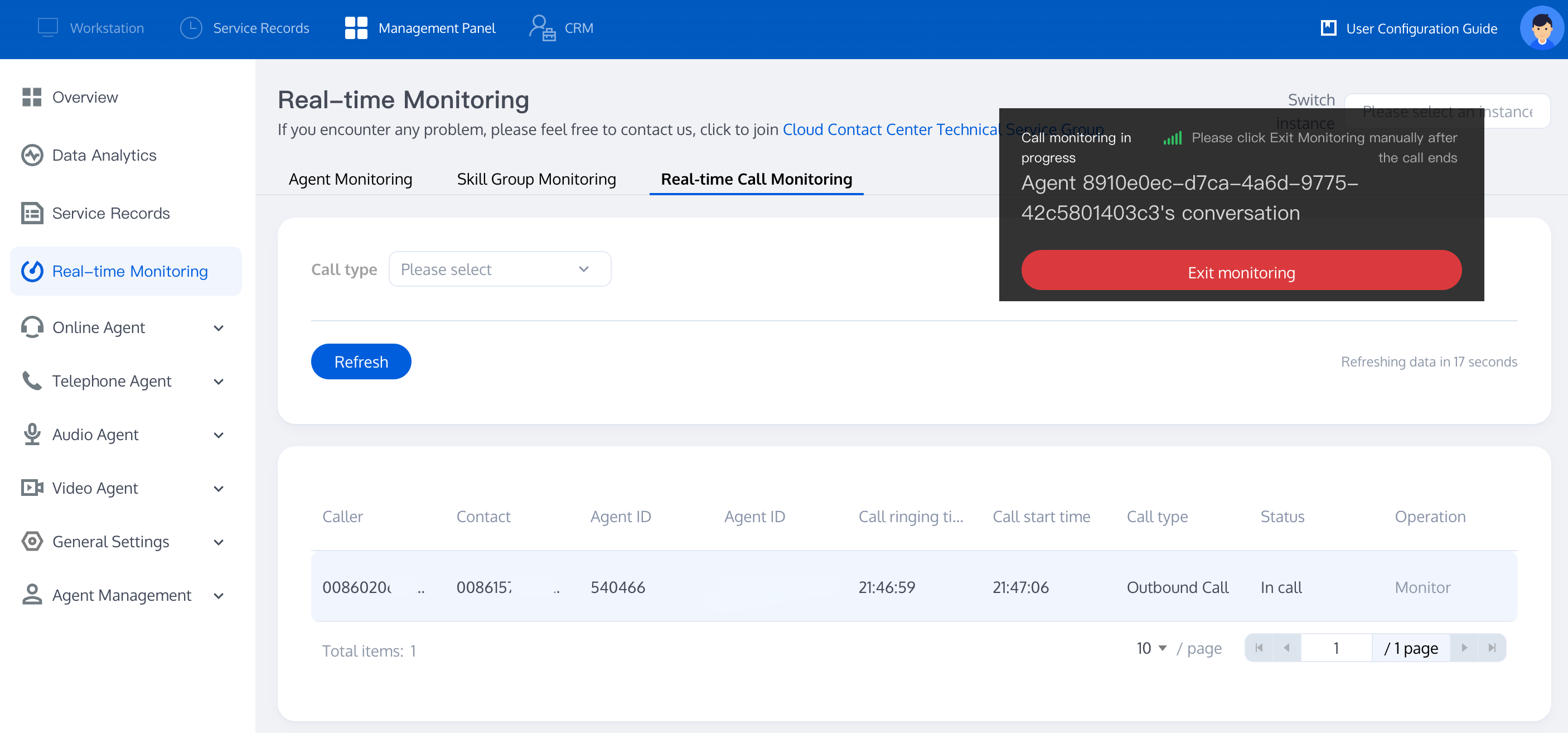
Admin Call Monitoring
Post Call Features
Post Call Record Analysis
Review Service Records: TCCC provides CDR with free storage for 3 months. Business can use APIs to pull or push service records for local storage.
Recording Storage and Access: TCCC offers dual-track recordings with free storage for 3 months. Business can transfer recordings to Tencent Cloud COS for cloud storage or use APIs to pull or push recordings for local storage.
Customer Service Evaluation: TCCC supports satisfaction ratings collection, where the system plays survey prompts during or after calls, allowing users to rate via keypress.
You Might Want to Read
Routing and ACD Strategy
Answering Routing Configuration: Provides basic routing settings and priority allocation features. If the number of incoming calls exceeds the number of agents, the system can allocate calls to appropriate agents based on pre-set rules.
Multi-Devices Answering
SIP Phone Answering: Bring your physical SIP phones to the Cloud to access advanced softphone features and enable seamless multi-device communication.
Web Page Answering: Agents can log in to the workstation via Chrome or Edge to answer calls.
SDK Integration: Cloud Contact Center can be integrated into your business system, allowing agents to complete call reception within your business system.
文档反馈