Signing Up
Baixar
Modo Foco
Tamanho da Fonte
Before you start using Tencent Cloud services, you need to register a Tencent Cloud account. Before registration, we recommend that you first understand the Tencent Cloud account restrictions.
After you have a Tencent Cloud account, you can log in to the Tencent Cloud website or console to purchase and use the cloud products and services you need.
Note:
Step 1: Go to the Registration Page
Step 2: Register an Account
Tencent Cloud accounts can be registered using an email address or a Google account (you can choose either method):
Note:
If you plan to use an account for business purposes, we recommend registering with a official business email address. This can help avoid issues where the account becomes inaccessible after an employee leaves the company.
If you plan to use an account for personal purposes, you can register using a personal email address or a Google account.
Email Signup
1. Go to the Tencent Cloud website and click Sign Up Free in the upper right corner.
2. Select the account registration location. The page will recommend a location based on your current country/region of access. If you are accessing from a different country/region, please select it again.
Note:
The account registration location determines the applicable tax rate for the account and is linked to the phone number area code and identity verification in subsequent registration steps. For an enterprise account, select the country/region where the enterprise entity is located. For an individual account, select the country/region where you reside.
Once an account is registered, its registration location cannot be changed. Please choose carefully.
3. Enter your email address and login password. After registration, this email address will be used for both login protection and operation protection verification, and to receive account notifications.
4. Click Send code, then enter the verification code received by your registered email address.
5. Carefully read the Terms of Service. If you agree, select the checkbox, then click Sign up to go to Step 3: Complete account information.
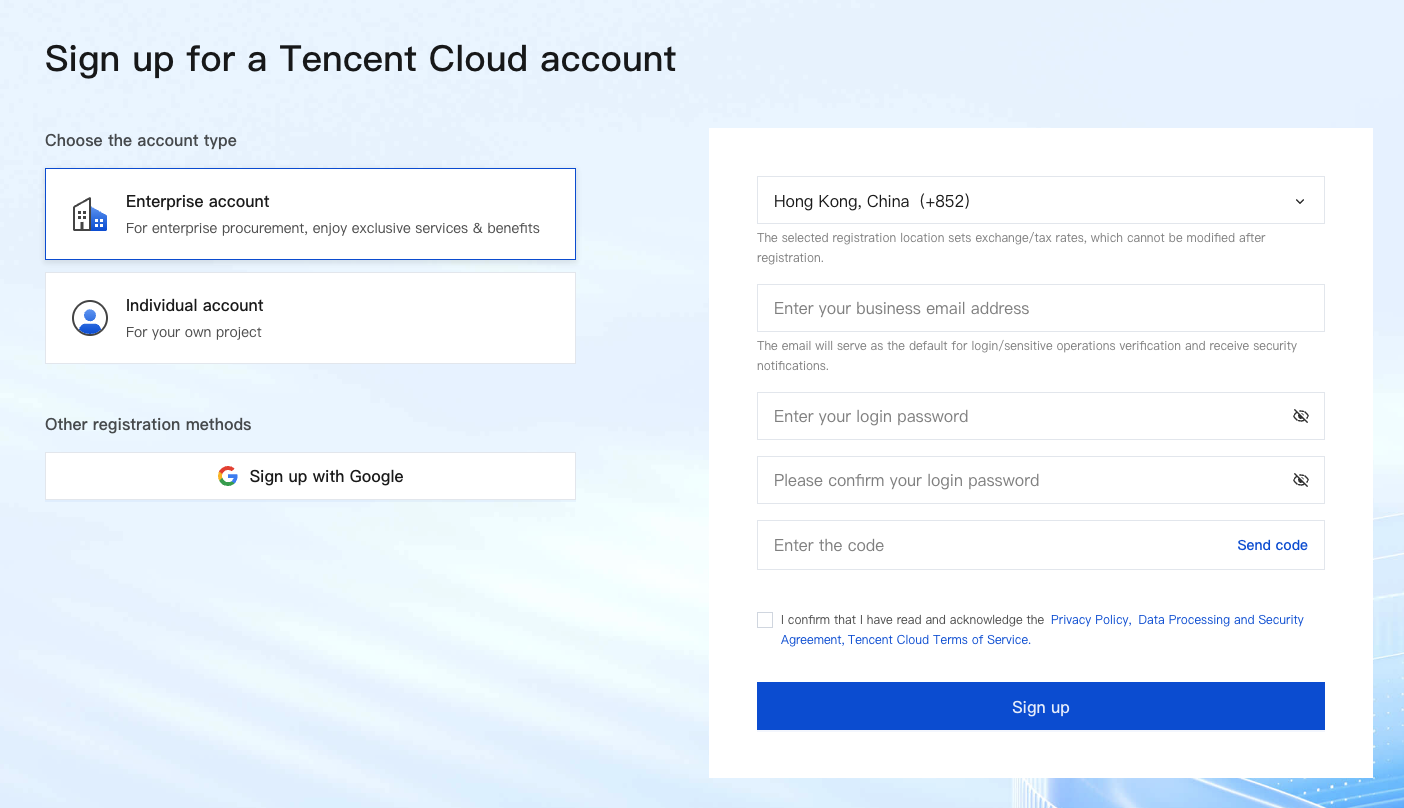
Google Account Signup
1. Go to the Tencent Cloud website and click Sign Up Free in the upper right corner.
2. Choose Other registration methods > Sign in with Google.
3. Log in to your Google account using your email address or phone number.
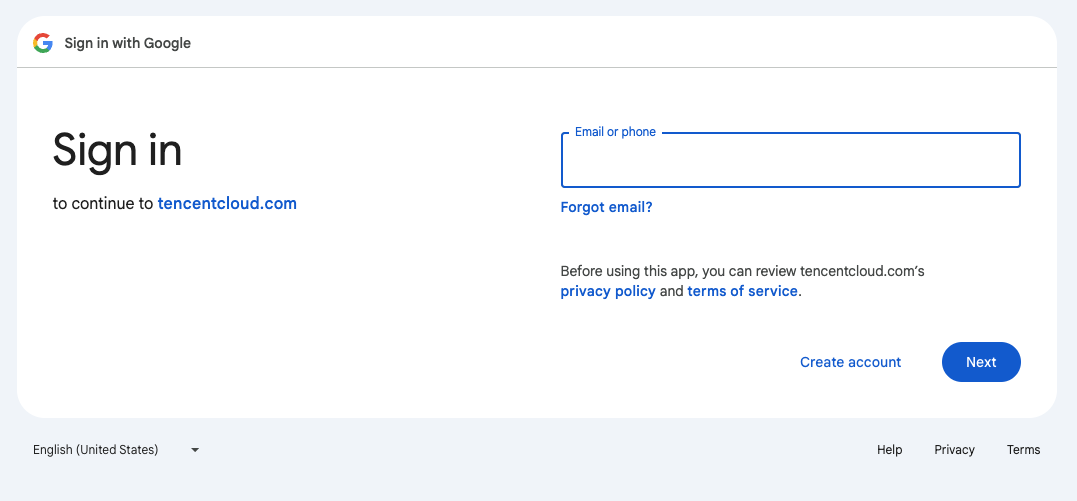
4. After logging in successfully, choose to sign up for an enterprise account or an individual account based on your needs.
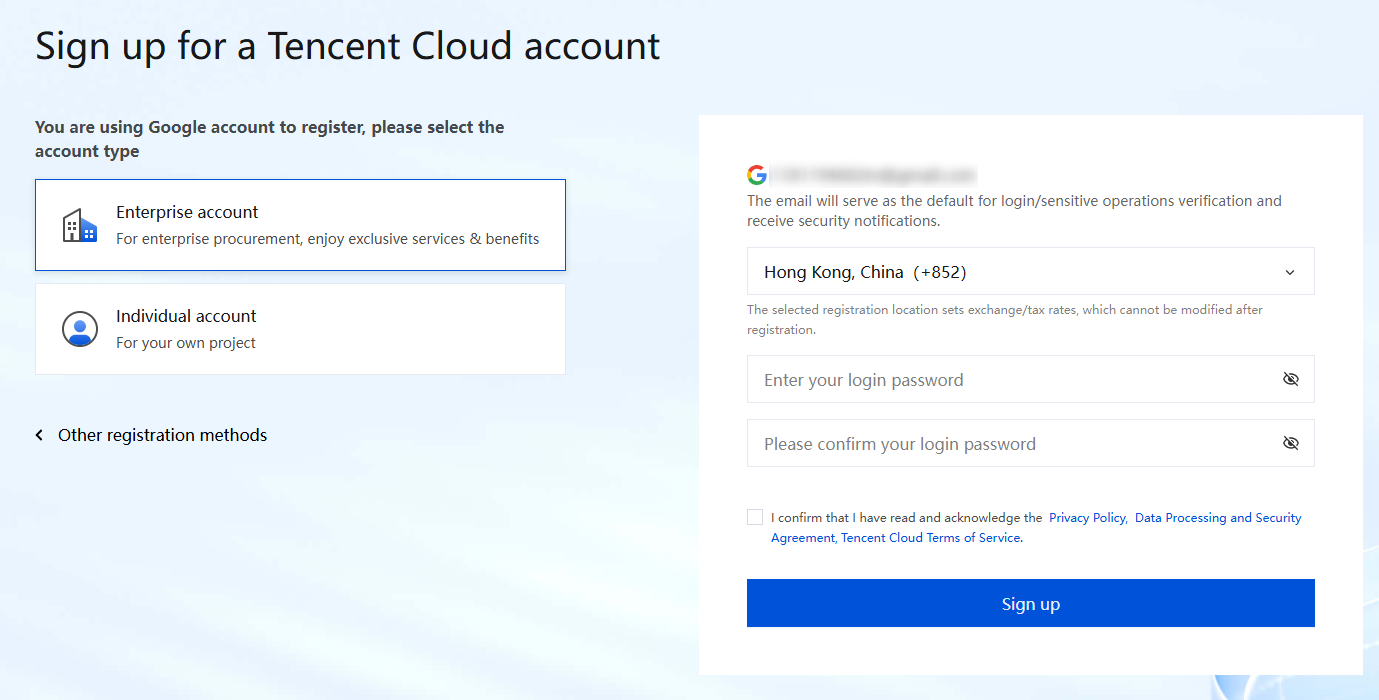
5. Select your country/region. For enterprise accounts, select the country/region where the enterprise entity is located. For individual accounts, select the country/region where you reside.
6. Enter the login password for your Google account on Tencent Cloud. After registration, the email address associated with your Google account will be used for both login protection and operation protection verification and to receive account notifications.
7. Read the terms of service carefully. If you agree, check the box and click Sign up to proceed to the next step.
Step 3: Complete Account Information
1. On the Complete information page, enter the account name. For enterprise accounts, fill in the enterprise entity name. For individual accounts, fill in the individual name.
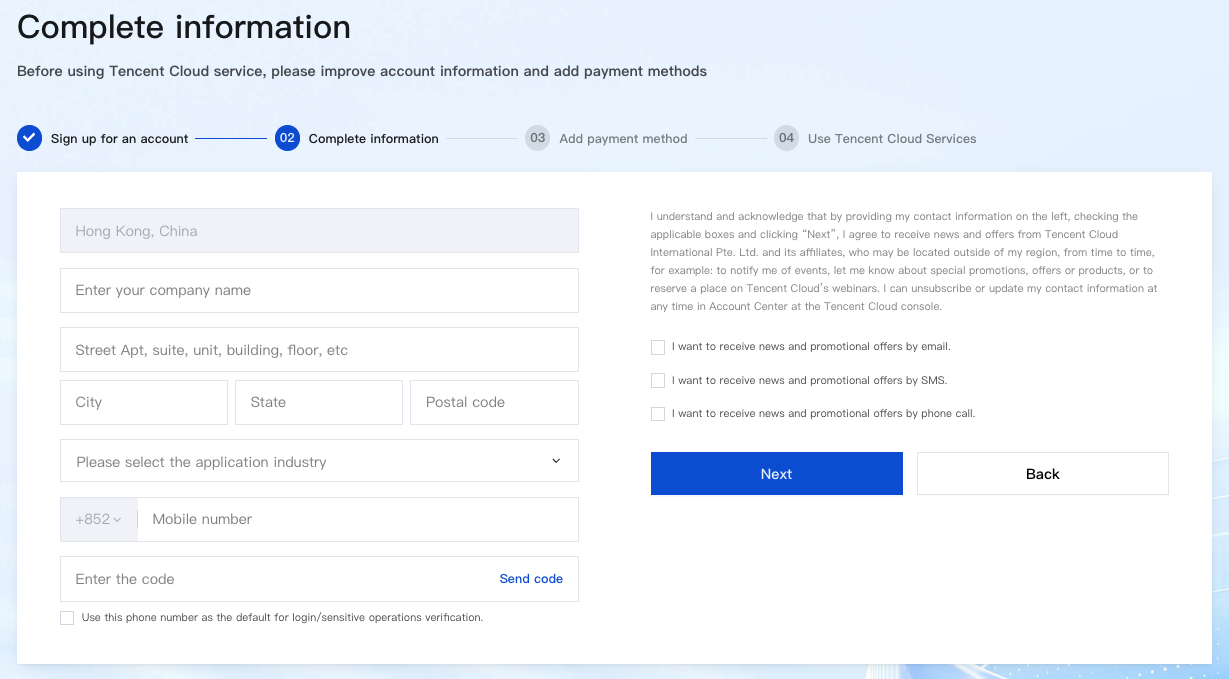
2. Enter address information. For enterprise accounts, fill in the enterprise address. For individual accounts, fill in the individual address.
3. Select the industry.
4. Enter the mobile number of the registration location.
Note:
Each mobile number can be used for at most 5 Tencent Cloud accounts. If the limit is reached, change the mobile number and try again.
5. Obtain and enter the verification code sent to your mobile number.
6. If you check Use this phone number as the default for login/sensitive operations verification, after registration, the entered mobile number will be used to enable login protection and operation protection.
7. After confirming that the entered information is correct, click Next.
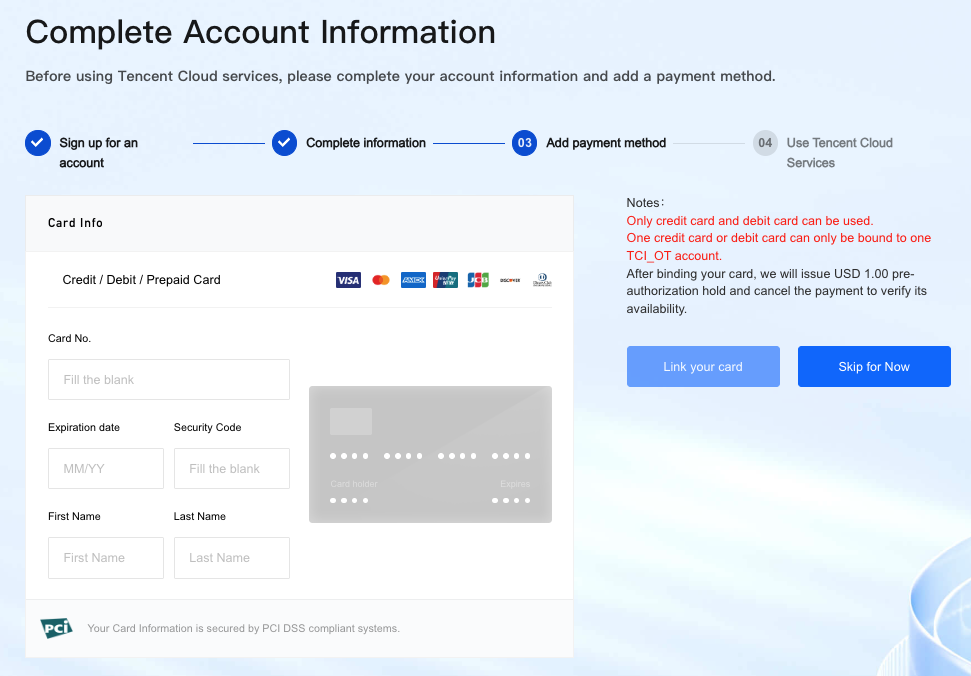
Step 4: Add a Payment Method
Enter your card information correctly to complete the card binding. Seven types of credit cards/debit cards/prepaid cards are supported: VISA, MasterCard, AMEX, UnionPay, JCB, DISCOVER, and Diners Club.
Note:
During the bank card binding process, the system will issue a 1.00 USD pre-authorization on your bound bank card to verify its validity. Upon successful verification, the bank card will be added, and the pre-authorization will be automatically canceled. Generally, the pre-authorization will be canceled, and the amount will be refunded within 1 to 5 business days.
Tencent Cloud does not support virtual cards or gift cards, and it does not support binding corporate accounts. Some card brands may not support debit cards. If you cannot complete the binding, we recommend that you use a different new card.
NICEPAY payment service is available to users in South Korea. The supported types of cards include BC card, KB Kookmin card, KEB Bank card, SAMSUNG card, SHINHAN card, HYUNDAI card, LOTTE card, HANMI card, CITI card, NH card, SUHYUP card, SHINHYUP card, WOORI card, HANA SK card, KWANGJU card, JEONBUK card, JEJU card, KDB Capital card, Post card, Savings Bank card, MG card, KDB Bank card, Kakao Bank card, and KBank card.
Ajuda e Suporte
Esta página foi útil?
Você também pode entrar em contato com a Equipe de vendas ou Enviar um tíquete em caso de ajuda.
comentários