tencent cloud

Data Transfer Service

Release Notes and Announcements
Release Notes
Announcements
Product Introduction
Overview
Data Migration
Data Sync
Data Subscription (Kafka Edition)
Strengths
Supported Regions
Specification Description
Purchase Guide
Billing Overview
Configuration Change Description
Payment Overdue
Refund
Getting Started
Data Migration Guide
Data Sync Guide
Data Subscription Guide (Kafka Edition)
Preparations
Business Evaluation
Network Preparation
Adding DTS IP Addresses to the Allowlist of the Corresponding Databases
DTS Service Permission Preparation
Database and Permission Preparation
Configuring Binlog in Self-Built MySQL
Data Migration
Databases Supported by Data Migration
Cross-Account TencentDB Instance Migration
Migration to MySQL Series
Migrating to PostgreSQL
Migrating to MongoDB
Migrating to SQL Server
Migrating to Tencent Cloud Distributed Cache
Task Management
Data Sync
Databases Supported by Data Sync
Cross-Account TencentDB Instance Sync
Sync to MySQL series
Synchronize to PostgreSQL
Synchronization to MongoDB
Synchronize to Kafka
Task Management
Data Subscription (Kafka Edition)
Databases Supported by Data Subscription
MySQL series Data Subscription
Data Subscription for TDSQL PostgreSQL
MongoDB Data Subscription
Task Management
Consumption Management
Fix for Verification Failure
Check Item Overview
Cutover Description
Monitoring and Alarms
Supported Monitoring Indicators
Supported Events
Configuring Metric Alarms and Event Alarms via the Console
Configuring Indicator Monitoring and Event Alarm by APIs
Ops Management
Configuring Maintenance Time
Task Status Change Description
Practical Tutorial
Synchronizing Local Database to the Cloud
Creating Two-Way Sync Data Structure
Creating Many-to-One Sync Data Structure
Creating Multi-Site Active-Active IDC Architecture
Selecting Data Sync Conflict Resolution Policy
Using CLB as Proxy for Cross-Account Database Migration
Migrating Self-Built Databases to Tencent Cloud Databases via CCN
Best Practices for DTS Performance Tuning
FAQs
Data Migration
Data Sync
FAQs for Data Subscription Kafka Edition
Regular Expressions for Subscription
Error Handling
Common Errors
Failed Connectivity Test
Failed or Alarmed Check Item
Inability to Select Subnet During CCN Access
Slow or Stuck Migration
Data Sync Delay
High Data Subscription Delay
Data Consumption Exception
API Documentation
History
Introduction
API Category
Making API Requests
(NewDTS) Data Migration APIs
Data Sync APIs
Data Consistency Check APIs
(NewDTS) Data Subscription APIs
Data Types
Error Codes
DTS API 2018-03-30
Service Agreement
Service Level Agreements

Database/Table Renaming

PDF
Modo Foco
Tamanho da Fonte
Última atualização: 2026-01-07 18:01:40

Overview

Database/table renaming is also known as database/table mapping. In data migration scenarios, you can rename the databases/tables to be synced in order to avoid name conflicts between the source and target databases.
‍You can either rename a single database/table or rename them in batches. In batch renaming scenarios, there are three renaming methods: adding prefix/suffix, renaming uniformly, and replacing keyword.

Note

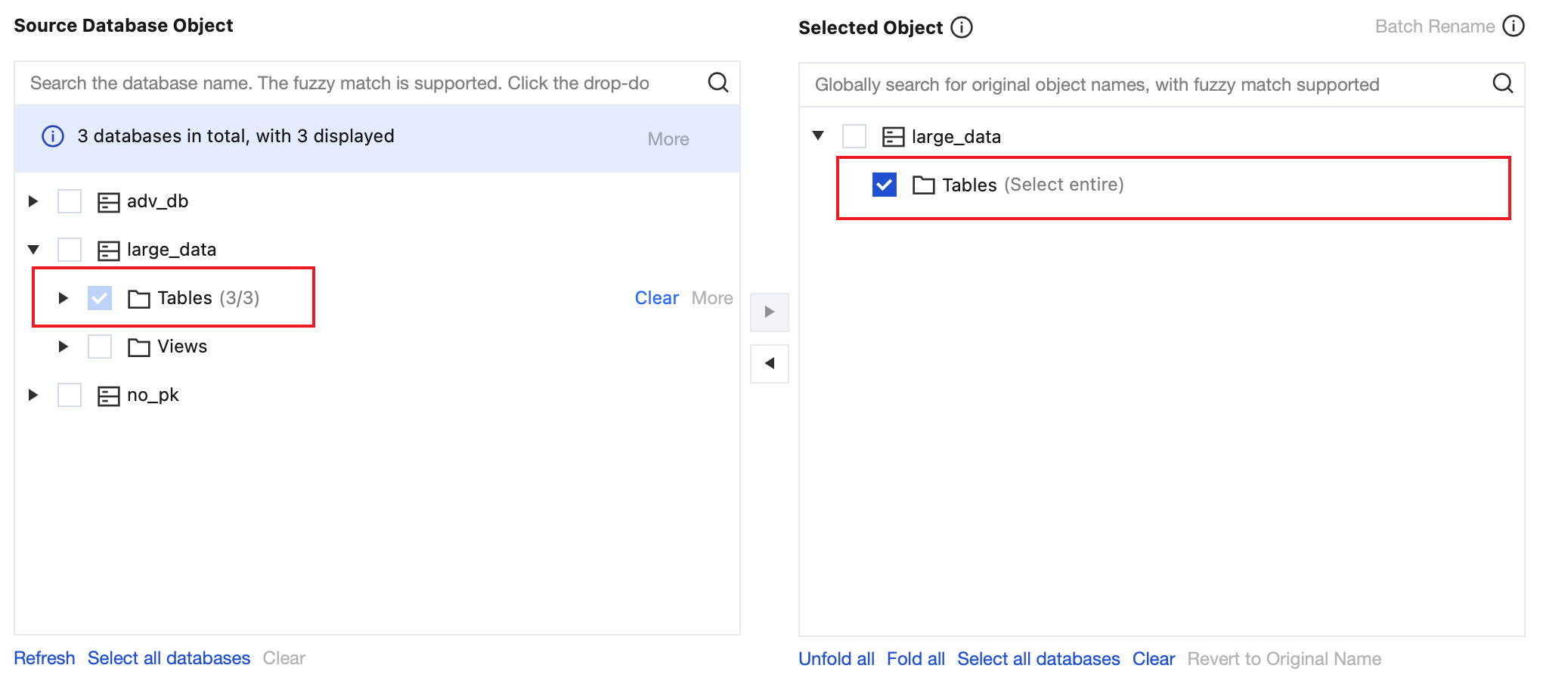
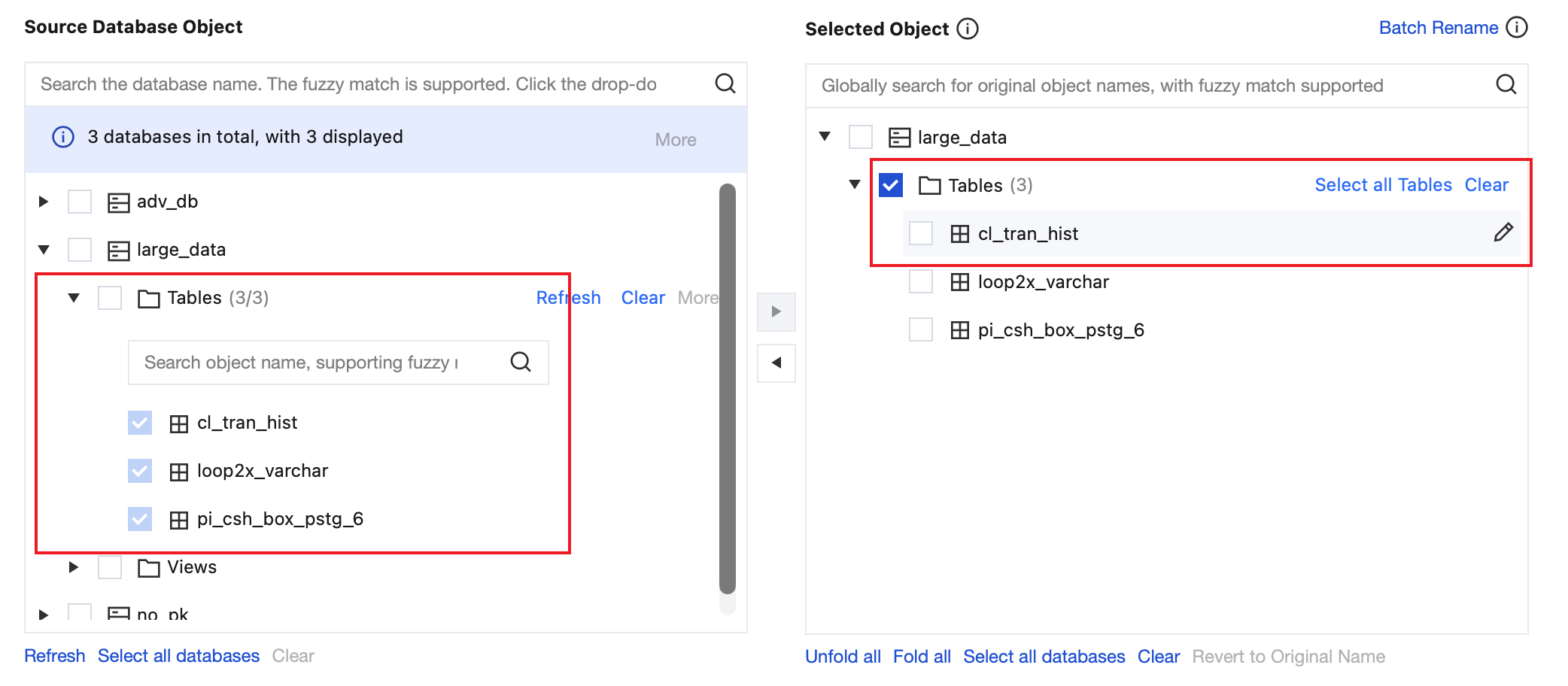
1. If you select an entire database or table as the migration object, you cannot rename a specified table. If you need to do so, select the target tables one by one when selecting migration objects.


2. In batch renaming scenarios, if you select the uniform renaming method, the result of the data consistency check task will be "Inconsistent". You need to check data consistency on your own.
3. In many-to-one migration scenarios:
After you use the batch renaming feature, a structure initialization failure may be reported on the Task Progress tab in the console. The failure is reported because the target database already contains the structure information of this table. You can ignore this error because the data updates of this table will be migrated normally.
In the task check stage, the check item "Target instance content conflict check" will report an error, which can be ignored. To skip this check item, submit a ticket.

Renaming a Specified Database/Table

1. Log in to the DTS console, select Data Migration on the left sidebar, and create a migration task.
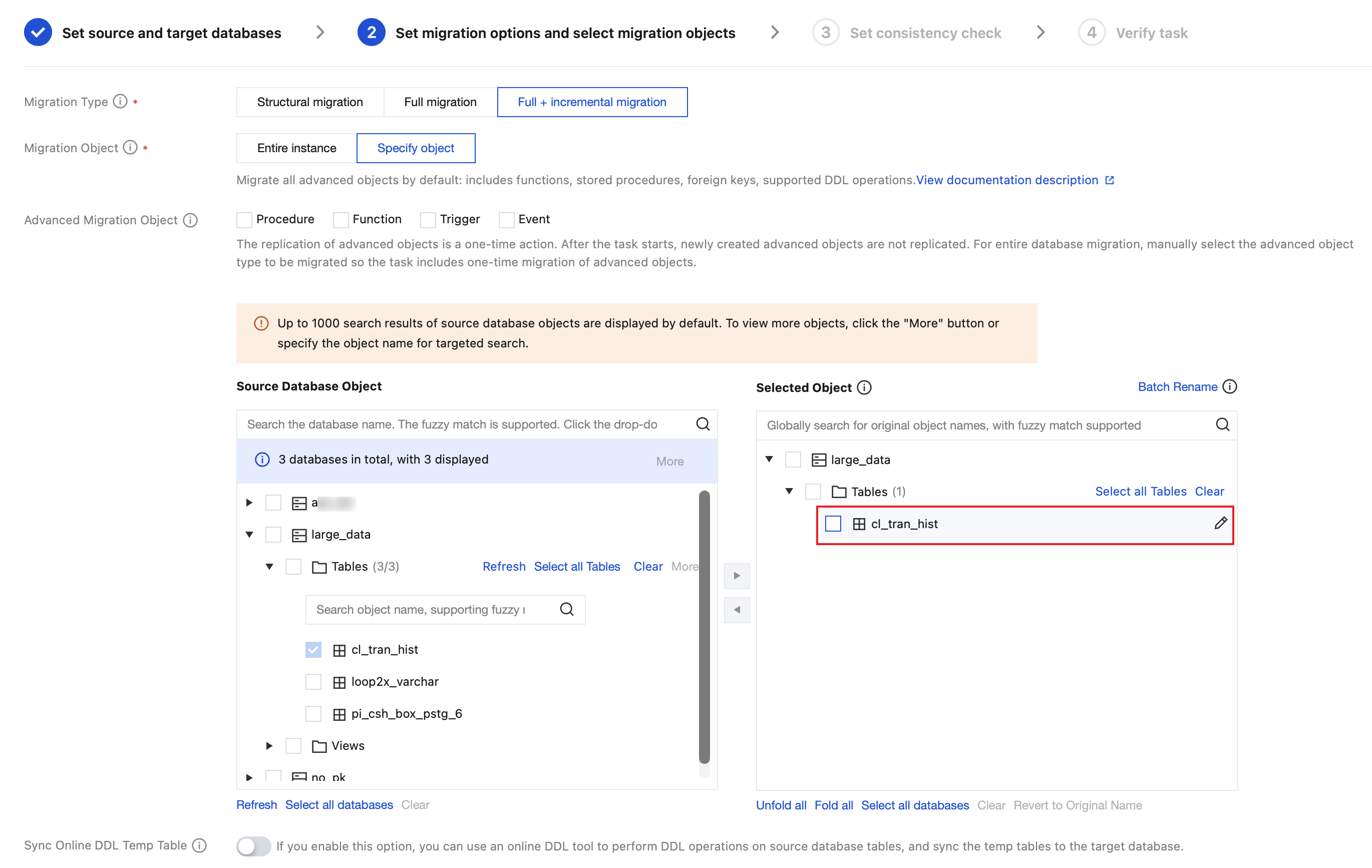
2. In the Set migration options and select migration objects step, in Selected Object on the right, hover over an object to be modified and click the displayed Edit icon.


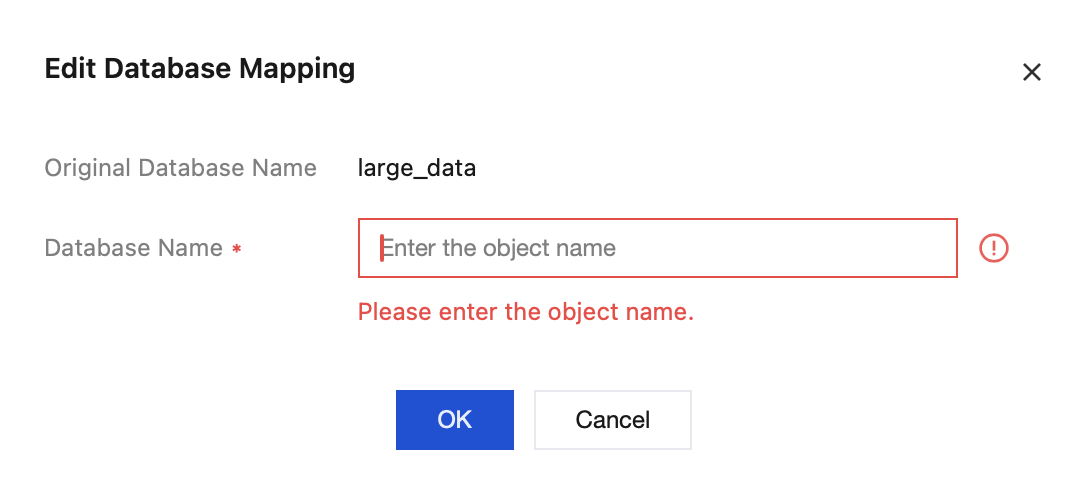
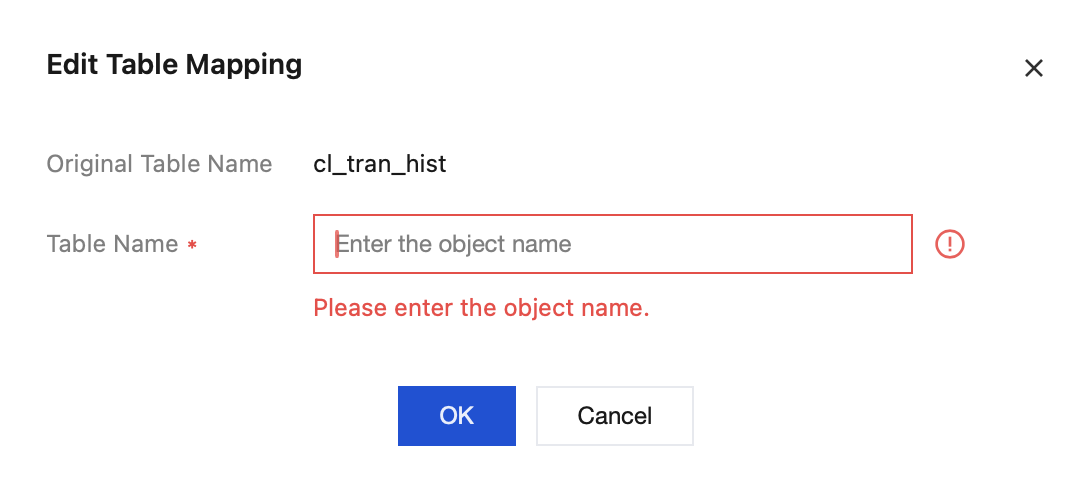
3. In the pop-up window, rename the object and click OK.
Database name mapping: In the pop-up window, set the name of the database in the target instance.


Table name mapping: In the pop-up window, set the name of the table in the target instance.


Batch Renaming

1. Log in to the DTS console, select Data Migration on the left sidebar, and create a migration task.
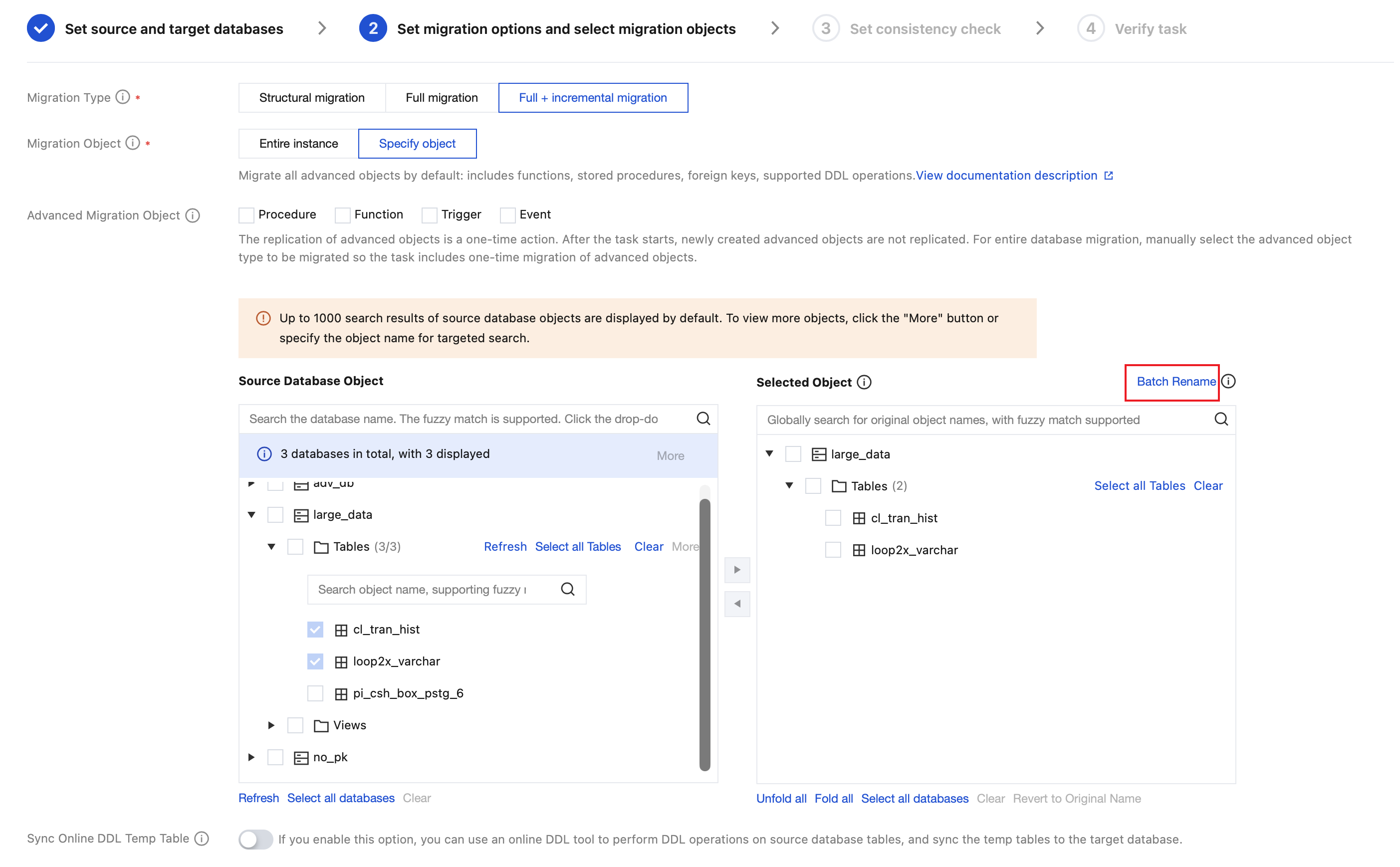
2. In the Set migration options and select migration objects step, select the migration objects and click Batch Rename on the right of the Selected Object box.


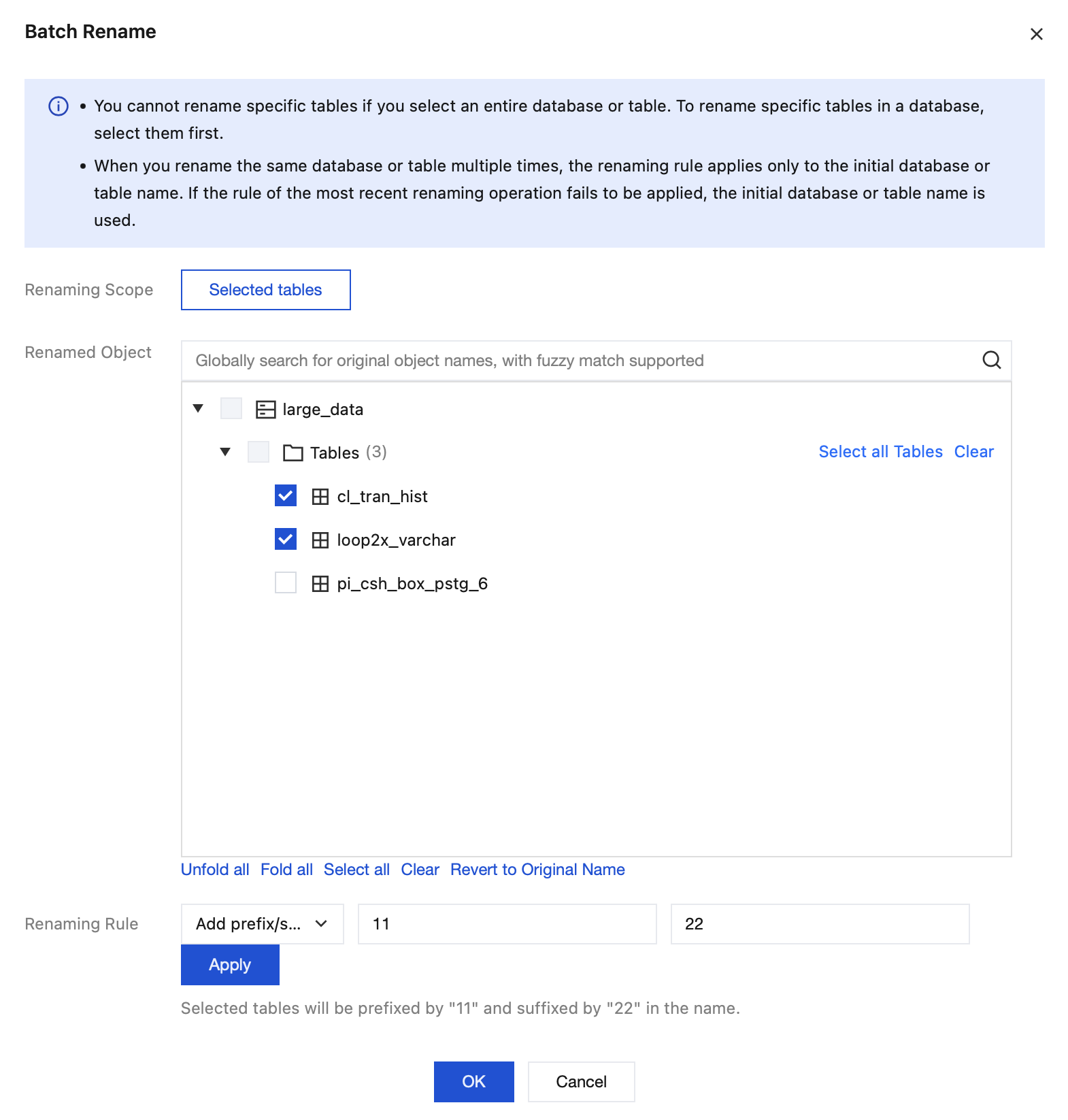
3. Set the batch renaming rules and click OK.
Renaming Rule
Add prefix/suffix


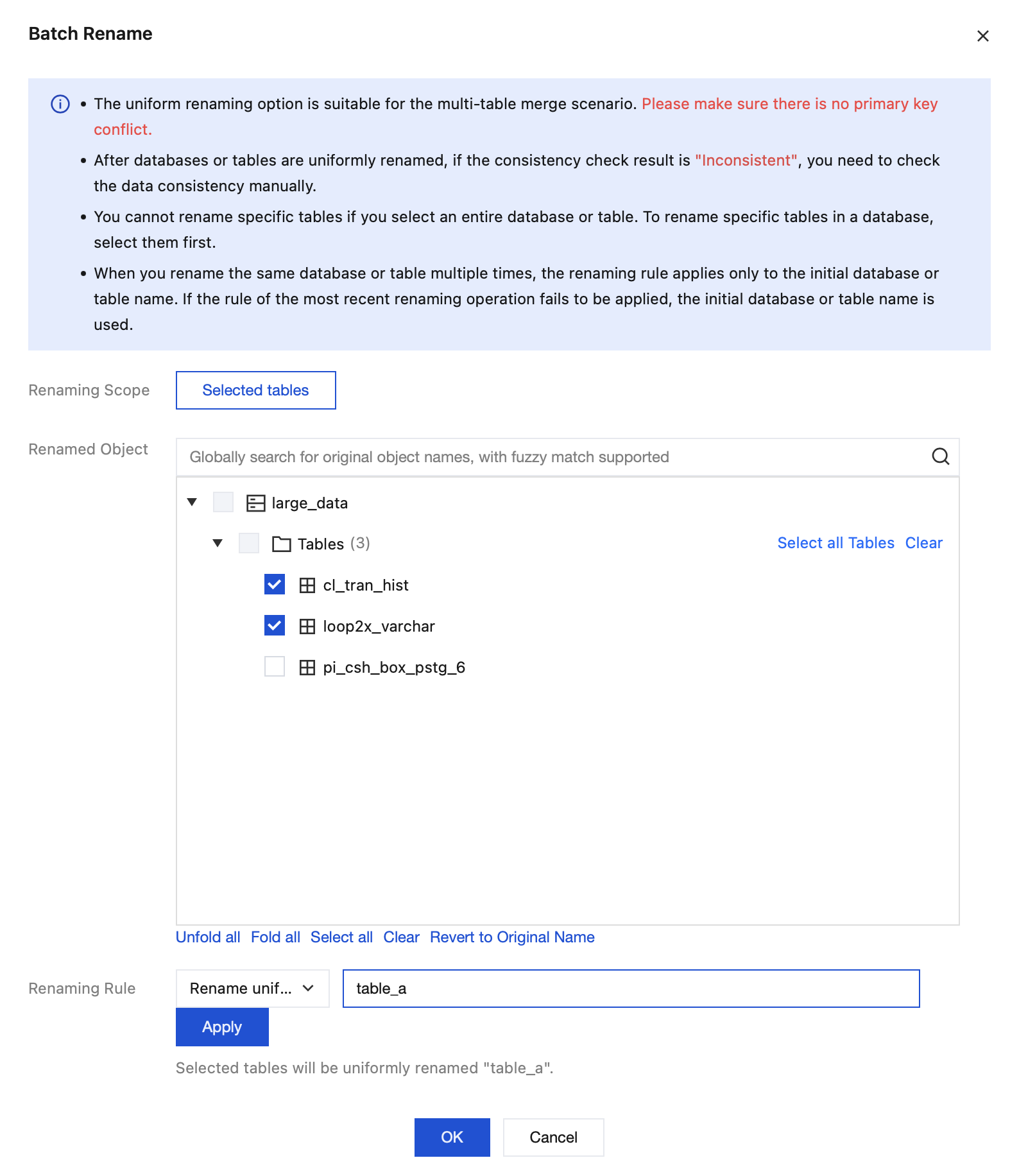
Rename uniformly: The selected objects will be renamed uniformly, which is suitable for multi-table merge scenarios. Make sure that there is no primary key conflict when migrating table data from multiple sources to the target database.


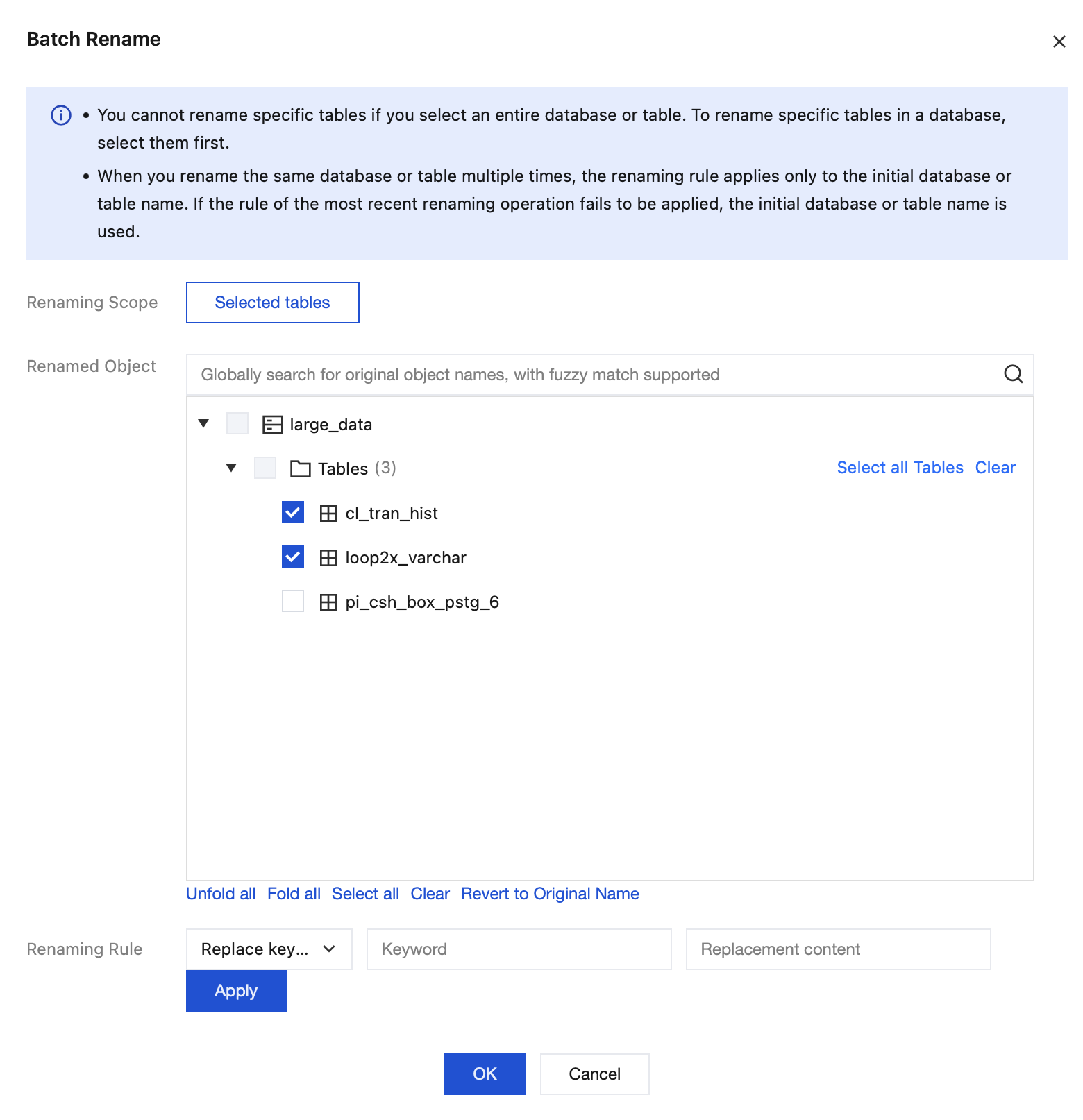
Replace keyword: The keyword in the names of the selected objects will be replaced uniformly. If an object name contains multiple keywords, only the first one will be replaced.
Ajuda e Suporte

Esta página foi útil?

comentários