Step 6: Deleting Resource
Baixar
Modo Foco
Tamanho da Fonte
After completing the getting started process, you can use the purchased cluster for your official production environment. If the cluster specifications do not meet your business requirements, you can adjust the cluster specifications in the console. For specific operation steps, see Changing Instance Specifications. If you no longer need the cluster, you can delete the cluster resources. We will process the refund based on your billing mode and usage duration, and clean up the relevant data.
Operation Steps
Note:
If you delete an instance, the instance is immediately removed from the instance list of your account. All data will be cleared and cannot be recovered after deletion. Back up your data in advance.
This step uses a pay-as-you-go instance as an example. The deletion process for monthly subscription instances is slightly different. For more information, see Deleting/Returning an Instance
1. Log in to the TDMQ for CKafka (CKafka) console.
2. In the left sidebar, select Instance List, select a region, and choose More > Terminate/Return in the Operation column of the target instance.
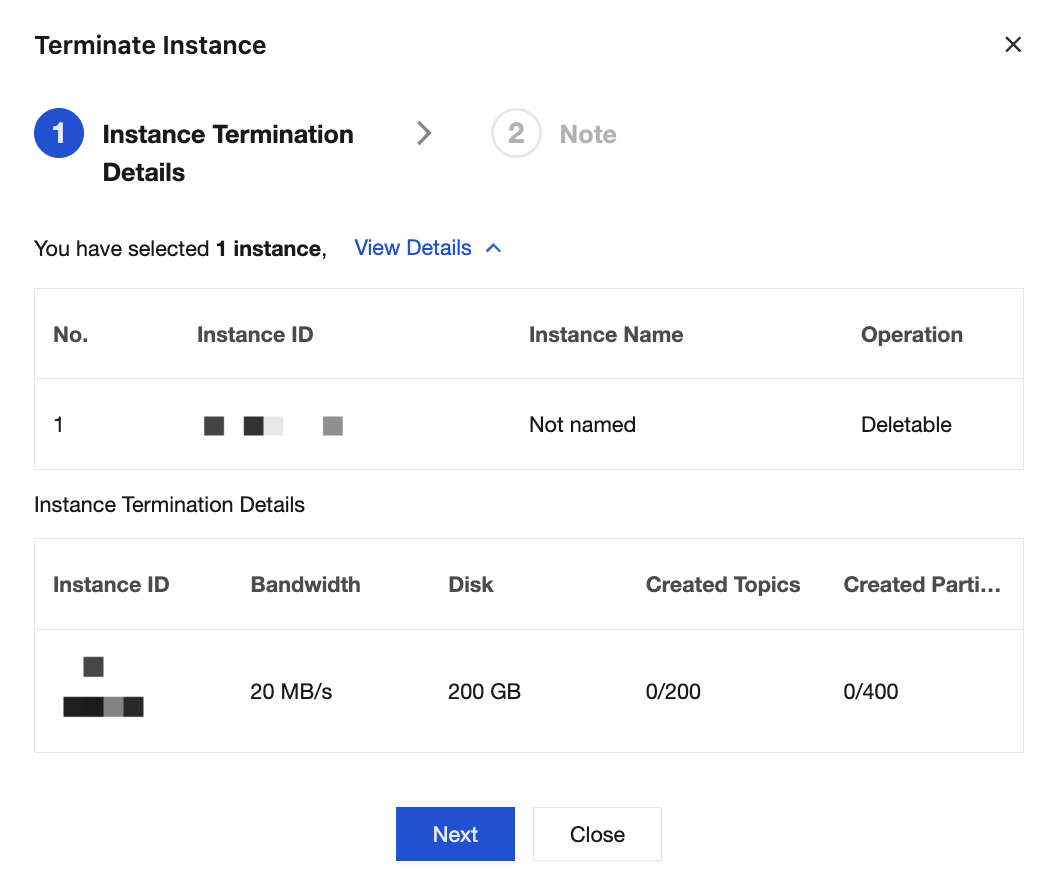
3. After confirming the deletion details, click Next, and click Confirm Deletion in the pop-up window to delete the instance.
Ajuda e Suporte
Esta página foi útil?
Você também pode entrar em contato com a Equipe de vendas ou Enviar um tíquete em caso de ajuda.
comentários