The SDK for Unity has integrated Windows, macOS, Android, iOS, PlayStation, Xbox, Switch, and WebGL platform architectures at the same time.
Project Configuration
Step 1: import Plugins files
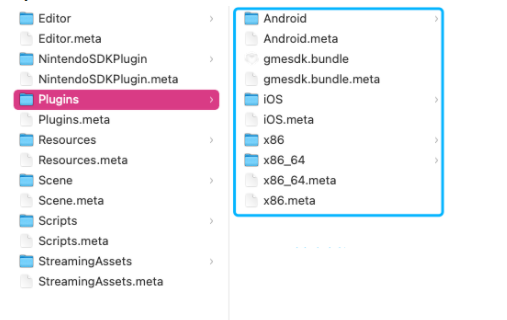
Copy the files from the Plugins folder in the SDK to the folder under Unity project > Assets > Plugins as shown below:
Note:
If you don't need to export executables in the Win32 architecture, delete the x86 folder under the Plugins folder.
Step 2: import code files
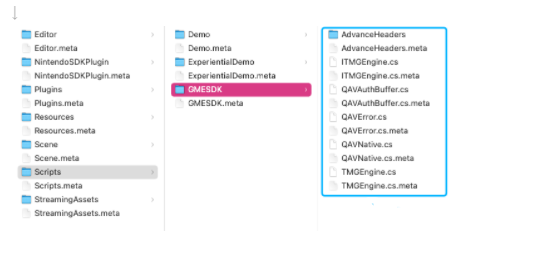
Copy the files in the Scripts folder in the SDK to the folder used to store code in your Unity project as shown below:
Unity 2021 Configuration
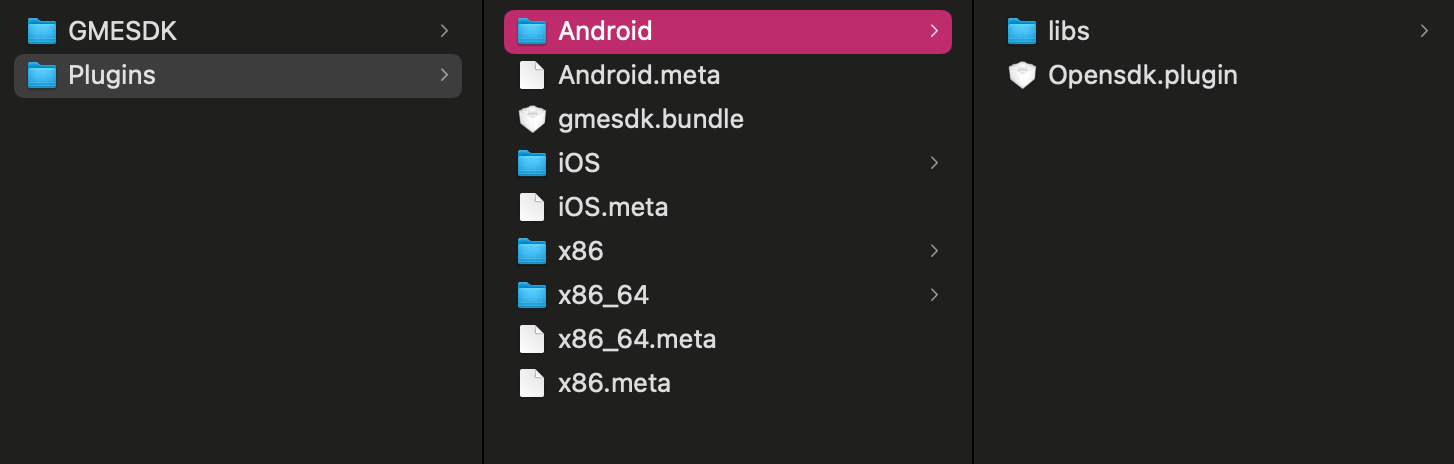
If you use Unity Editor 2021 or higher, you need to cut the lib folder under Plugins > Android > Opensdk.plugin and paste it in the Android directory of the Plugins file in the project, at the same level as Opensdk.plugin.
Audio Settings
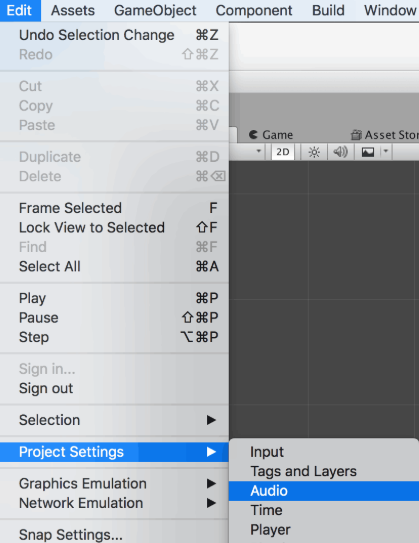
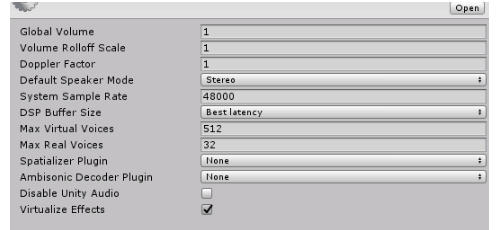
In the Unity editor, go to Edit > Project Settings > Audio and use the default system settings. If you make a change to the settings, Unity playback sound effect will be affected due to the hardware buffer set on the iOS device, as shown below:
Unity Audio Setting
Please do not set the Audio module in Project Settings.
If the settings are as follows, Unity playback sound effect will be interrupted due to the hardware buffer set on the iOS device:
Operations on macOS
If you use Unity to integrate the GME SDK on macOS 10.15.x, an error shows that the file is corrupted during the execution due to the com.apple.quarantine attribute.
The most direct solution is to delete the com.apple.quarantine attribute, as shown below:
1. Run the cd command in terminal to go to the Unity_OpenSDK_Audio/Assets/Plugins/ folder in the project.
2. Run the following command.
$ xattr -d com.apple.quarantine gmesdk.bundle
Note:
This operation is risky. We recommend you use an earlier version of macOS for access.