Mini Program Loading Page
Download
Focus Mode
Font Size
Customize mini program loading view
Mini programs have loading animations for checking updates and starting up, both of which can be customized.
1. Customize update loading view
The default update loading animation is shown below:
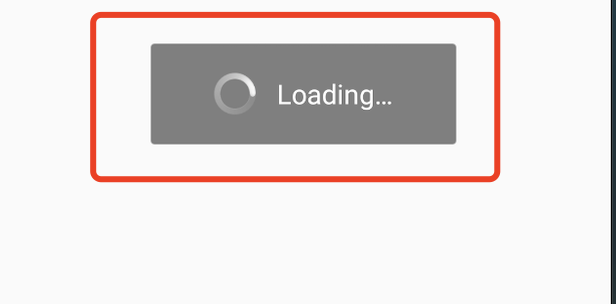
You can customize it by overriding the updateLoadingView method in AbsMiniUiProxy.
API description:
Notes:
The return value of the updateLoadingView method is an instance of the IMiniLoading.
IMiniLoading methods:
Create: Creates a loading view.
Show: Callback when the loading effect is displayed.
Stop: Callback when the loading effect is stopped.
/*** Customizes the loading page for checking updates in the mini program* Calling environment: Main process** @param context* @return*/public abstract IMiniLoading updateLoadingView(Context context);
Example:
@Overridepublic IMiniLoading updateLoadingView(Context context) {return new IMiniLoading() {@Overridepublic View create() {return LayoutInflater.from(context).inflate(R.layout.applet_activity_custom_update_loading, null);}@Overridepublic void show(View v) {}@Overridepublic void stop(View v) {}};}
2. Customize the startup loading view

You can customize it by overriding the startLoadingView method in AbsMiniUiProxy.
API description:
Notes:
The return value of the startLoadingView method is an instance of the IMiniLoading.
IMiniLoading methods:
Create: Creates a loading view.
Show: Callback when the loading effect is displayed.
Stop: Callback when the loading effect is stopped.
/*** Customizes the startup loading page for mini program.* Calling environment: Subprocess** @param activityWeakRef - Activity reference* @param app - Mini program information* @return - Returns the mini program loading UI*/public abstract IMiniLoading startLoadingView(WeakReference<Activity> activityWeakRef, MiniAppLoading app);
Example:
@Overridepublic IMiniLoading startLoadingView(Context context) {return new IMiniLoading() {@Overridepublic View create() {return LayoutInflater.from(context).inflate(R.layout.applet_activity_custom_start_loading, null);}@Overridepublic void show(View v) {}@Overridepublic void stop(View v) {}};}
3. Hide the capsule button on the loading page
A capsule button is shown in the upper right corner of the mini program loading page by default.You can choose to hide/show the capsule button by overriding the hideLoadingCapsule method in AbsMiniUiProxy.
The capsule button is shown as below:
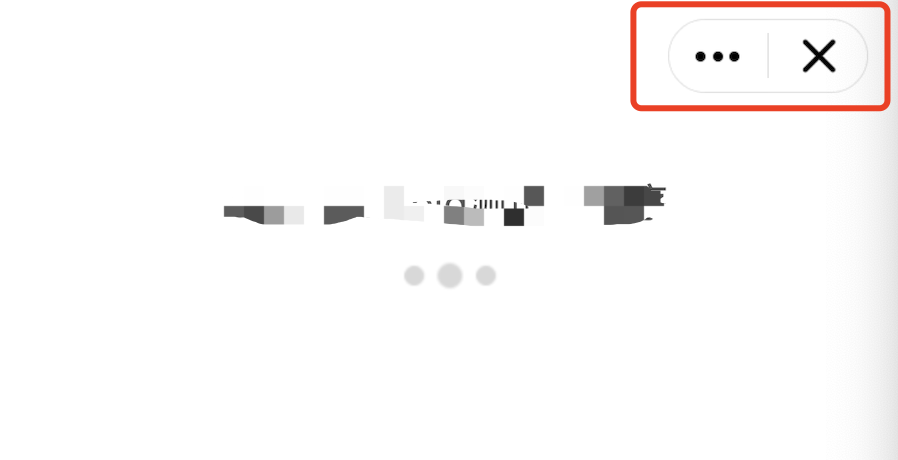
API description: Returning true indicates that the capsule button on the loading page should be hidden, while returning false indicates that it should not be hidden (default value).
/*** Whether to hide the the capsule button on the upper right corner of the mini program loading page** @return - true: hide; false: do not hide (default value)*/boolean hideLoadingCapsule();
Help and Support
Was this page helpful?
You can also Contact sales or Submit a Ticket for help.
Help us improve! Rate your documentation experience in 5 mins.
Feedback