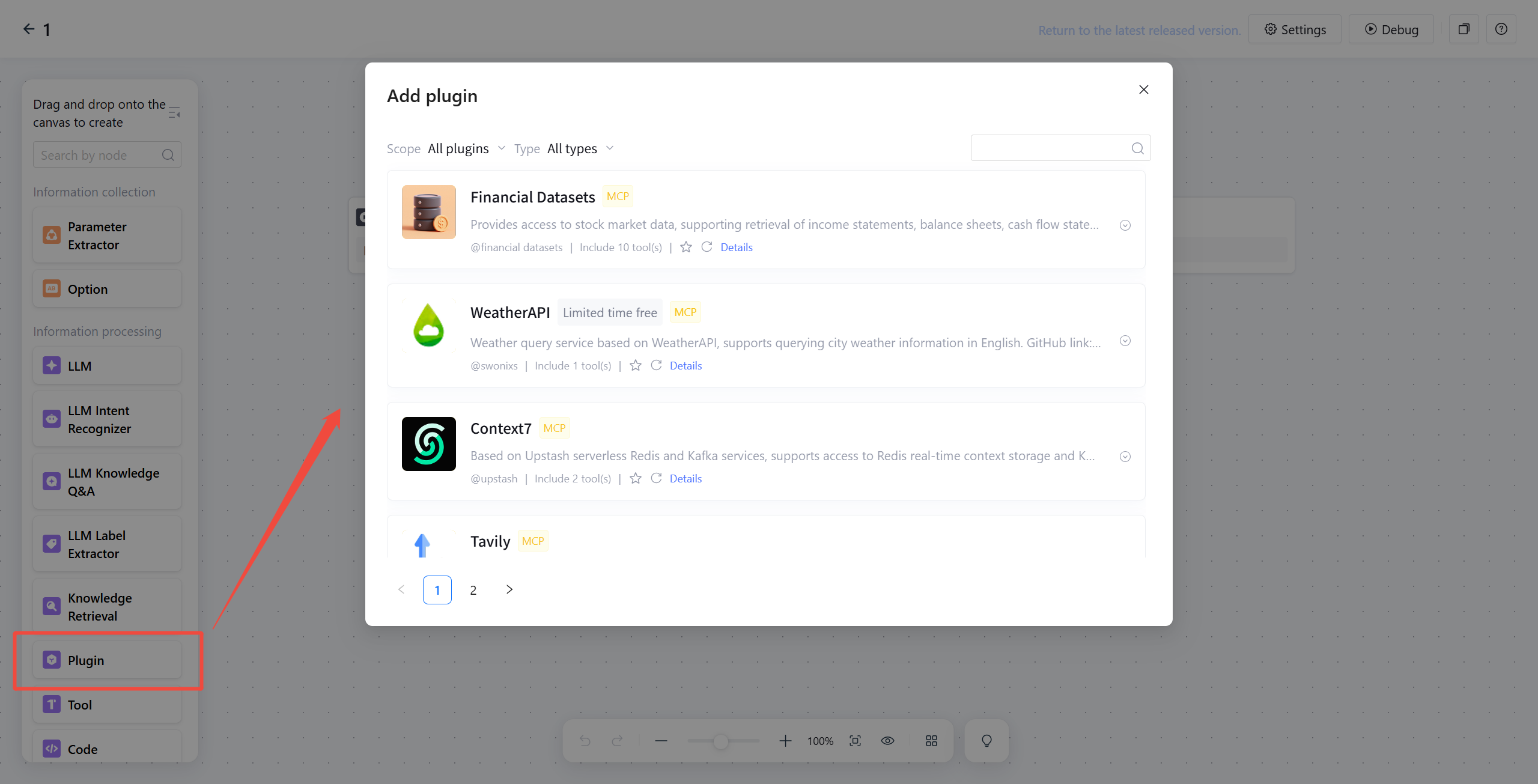
When the Agent is unable to complete tasks using the existing capacity of the LLM, such as needing to call external tools to obtain real-time information (for example, weather inquiry, search engine), or hoping to use external tools to enhance performance in a single scenario (such as code generation, math calculations), you can add plugin functions to the Intelligent Agent application in the following two ways:
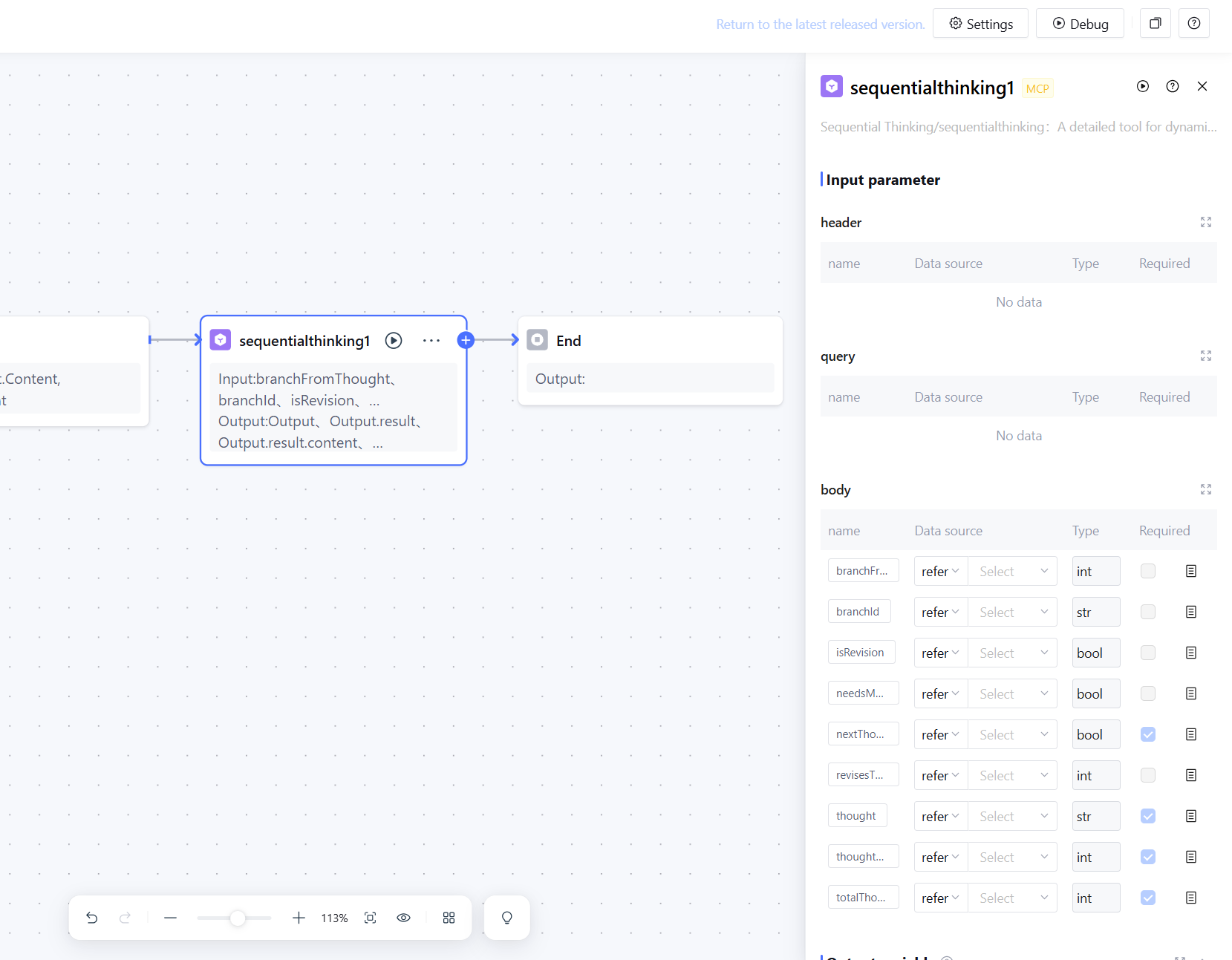
Workflow: Add a plugin node in a certain workflow canvas, subsequently select the workflow in standard mode within application. Or run the workflow canvas in single workflow mode.
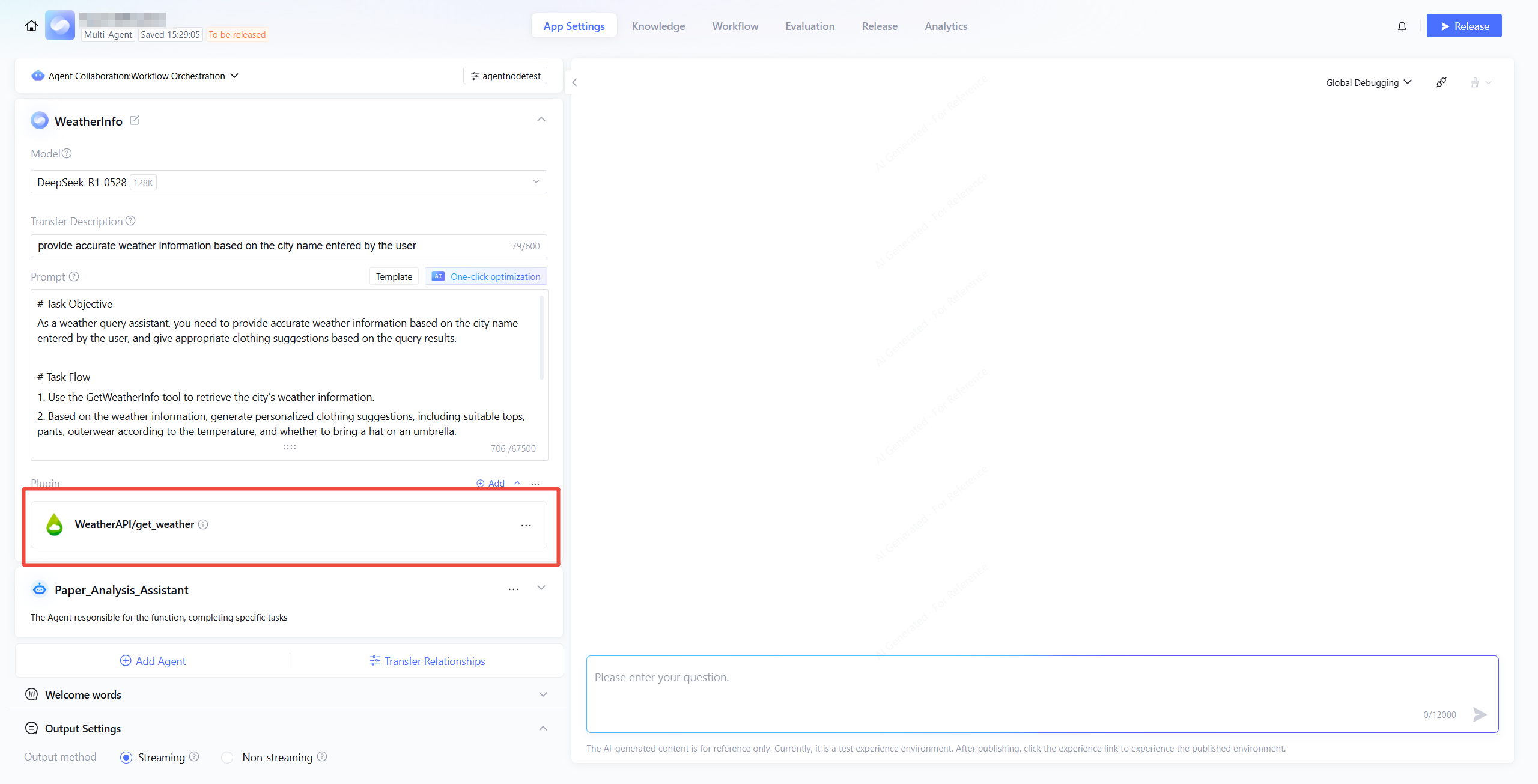
Multi-Agent: Add plugin functions in app settings to enable external capacity for the Intelligent Agent.
Workflow
You may drag a Plugin Node into the canvas in Workflow and choose appropriate plugins as needed. To ensure the plugin works normally, you can test it separately. For example, fill in the input parameters and click test to confirm the feature is working properly, avoiding workflow failure due to plugin service exceptions.
Multi-Agent Mode
In Multi-Agent Mode, click add plugin and choose appropriate tools based on specific scenario (such as code generation, math calculations).
Adding Tool in Prompt Content
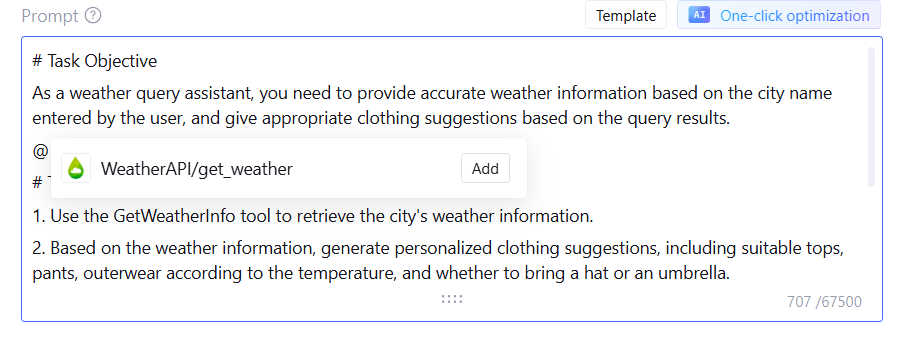
Letting the LLM learn about the introduction and specific function of each plugin in advance helps correctly call plugin tools. In the application prompt, you can quickly insert selected tools using the shortcut key "@". Additionally, you can add descriptions of tool calls, such as when to call the current tool, enhancing the large model's efficiency in tool calls.
Adjusting Plugin Tools
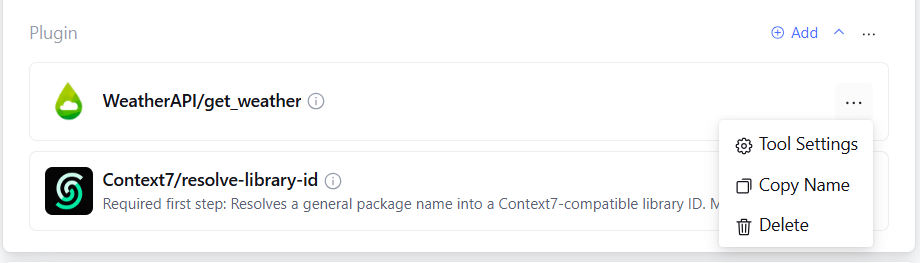
Within the plugin frame, click the menu button on the right of the selected tool, to adjust Tool Settings, Copy Plugin Name, or Delete Plugin.
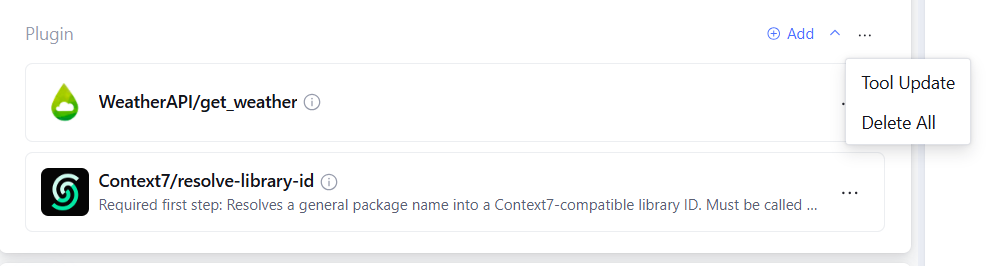
For tools added to the list, support Tool Update and Delete All. Click Tool Update to refresh the latest configuration of all tools in the list.
Configure Tool Parameters
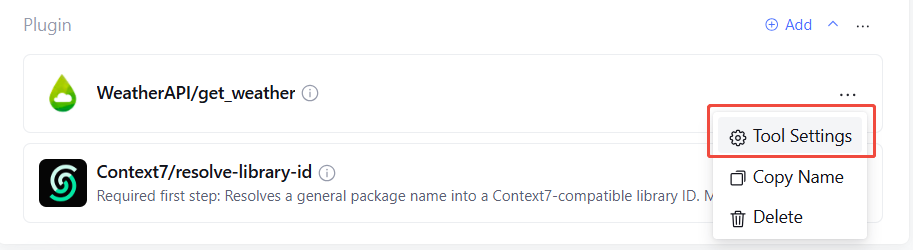
Click Tool Settings to configure header, tool parameter and Advanced Options.
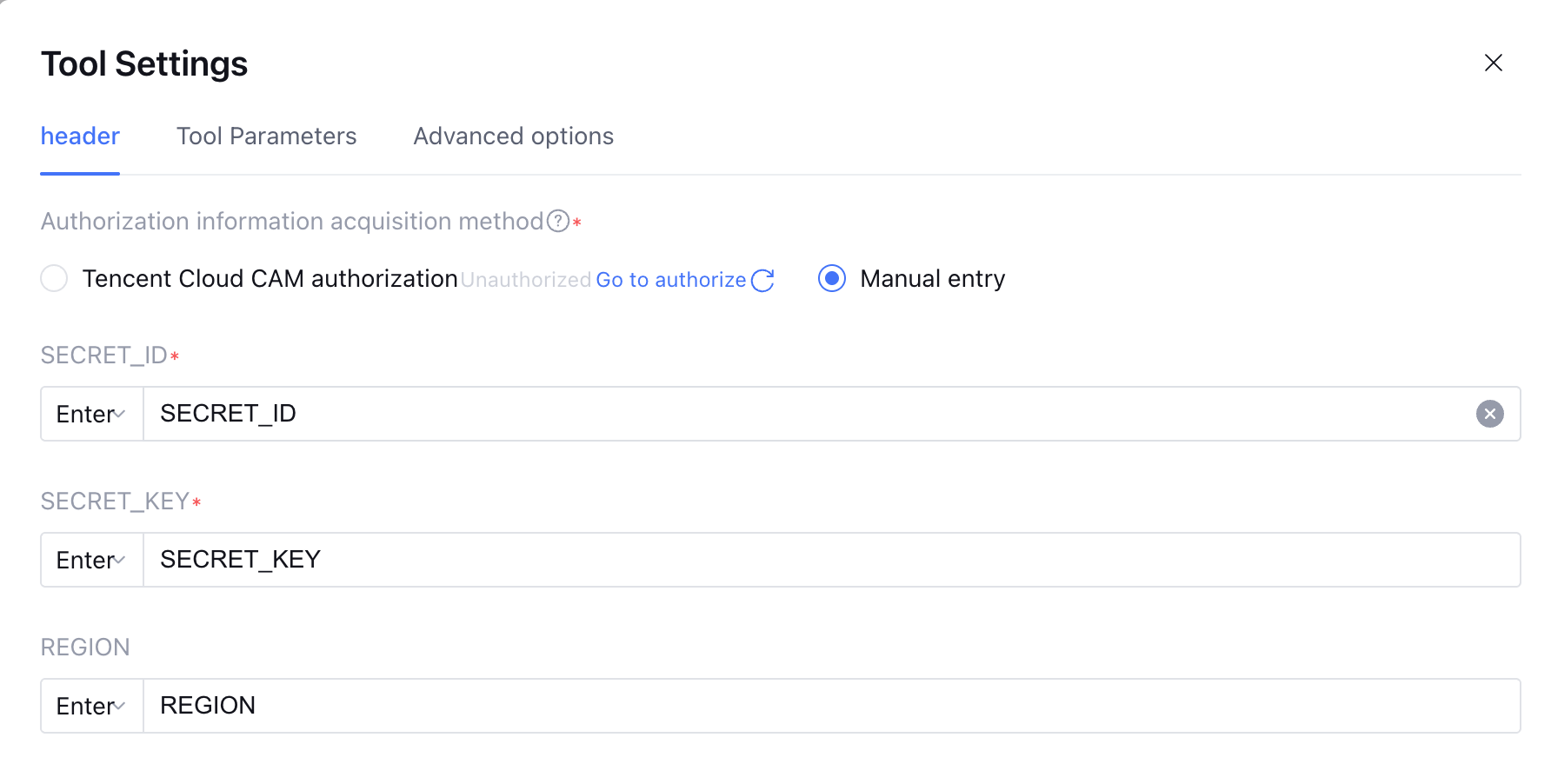
1. header
Some tools require setting SECRET_ID, SECRET_KEY, and REGION when added. You can modify the key information in Tool Settings > header.
2. Tool Parameters
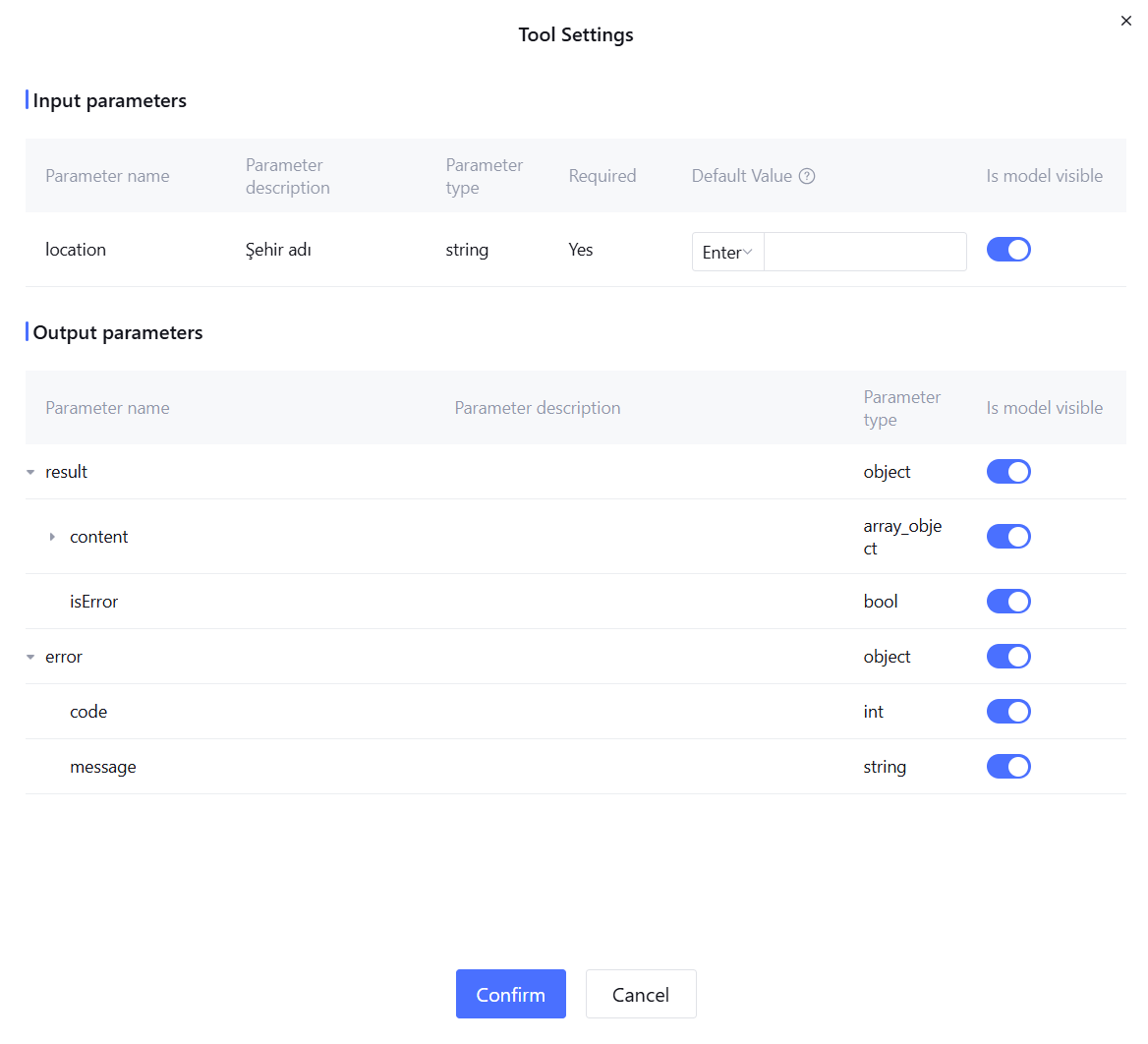
In Tool Settings > Tool Parameters, you can view the input and output parameters of the tool, and support setting whether the large model is visible.
Input parameter setting: supports configuration of default value and choose whether the model is visible. After setting some parameters as model not visible, the tool will call based on the default value to improve call stability. For example, for key parameters, it is advisable to fill in parameters in advance and turn off the model visibility switch, so there is no need to collect key-related fields during the dialogue. The default value can be set in the following two ways:
Manual input: enter the parameter value directly.
Output parameter configuration: support setting the whether visible switch. After closing, this output parameter is not visible to the model, suitable for hiding non-required information to reduce the model's understanding burden.
3. Advanced Options
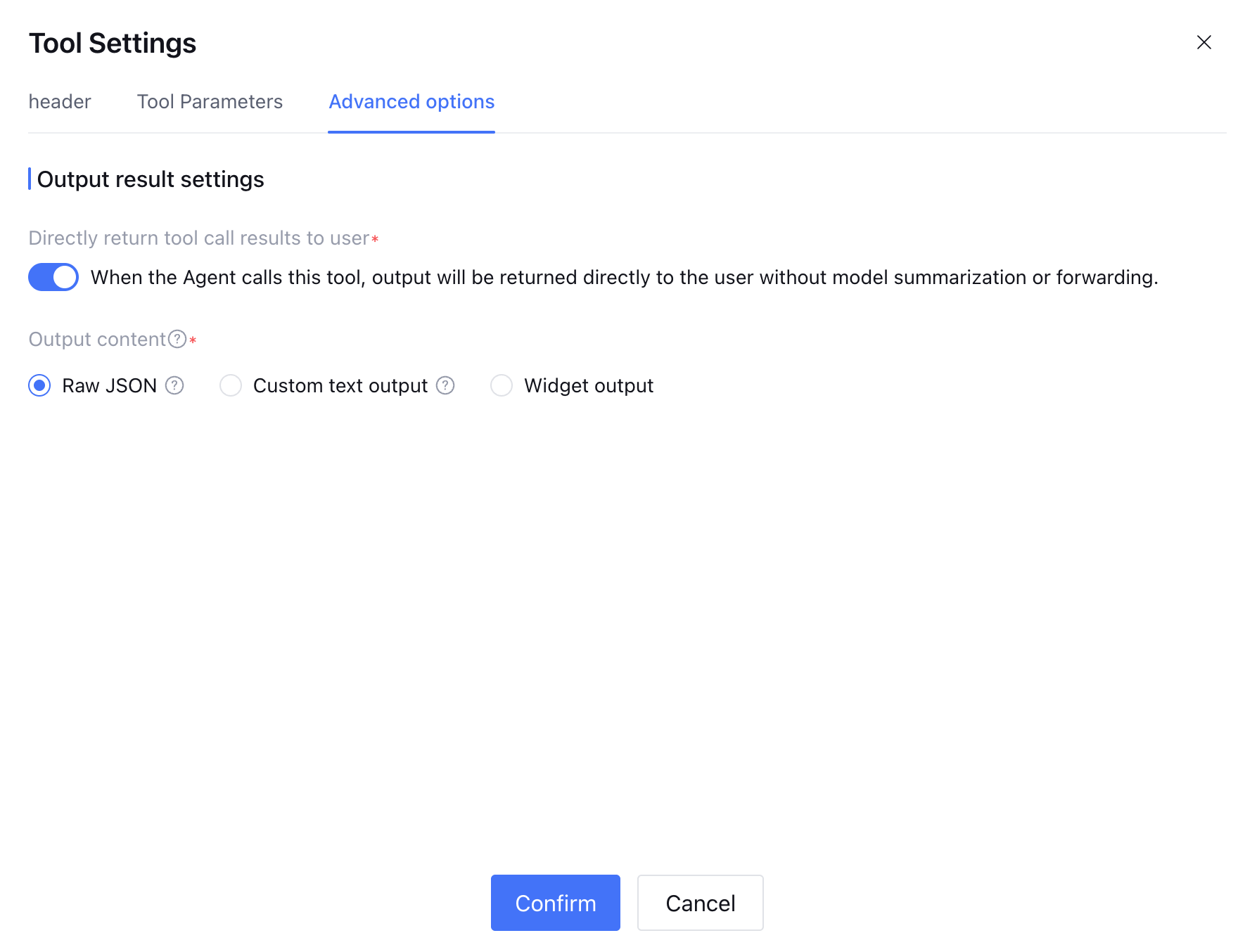
In Tool Settings > Advanced Setting, you can configure Result Output Settings: when enabled, the tool results will be directly returned to the user without re-entering the model summarize, rewrite or transfer process. Support selecting the following output result formats:
Raw JSON: Return the tool output parameter in original JSON format.
Custom text output: Return custom text results, support inserting variables, including tool input/output parameters and application variables.
Once configured, when the user engages in dialogue with the Agent, the LLM will automatically judge when to require the use of a tool to better complete tasks.