CSS offers DRM encryption capabilities based on Widevine, FairPlay, and NormalAES to help you protect your content and prevent piracy and hotlinking. This document shows you how to configure DRM encryption in the CSS console.
Must-Knows
Tencent Cloud only encrypts your content. DRM licenses are offered by third party licensing services SDMC and DRMtoday, which charge a licensing fee. To learn more details, please contact the companies.
You have created an account at SDMC DRM or DRMtoday and configured an access key.
Console Settings
Configuring DRM key information
1. Log in to the CSS console and select Feature Configuration > DRM management on the left sidebar.
2. Click Edit on the right to enter the DRM management configuration page.
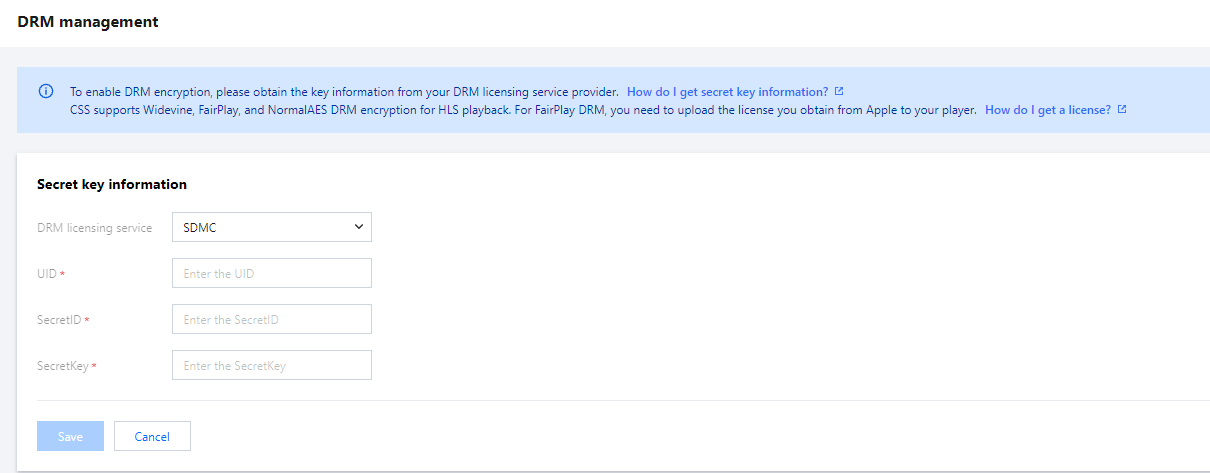
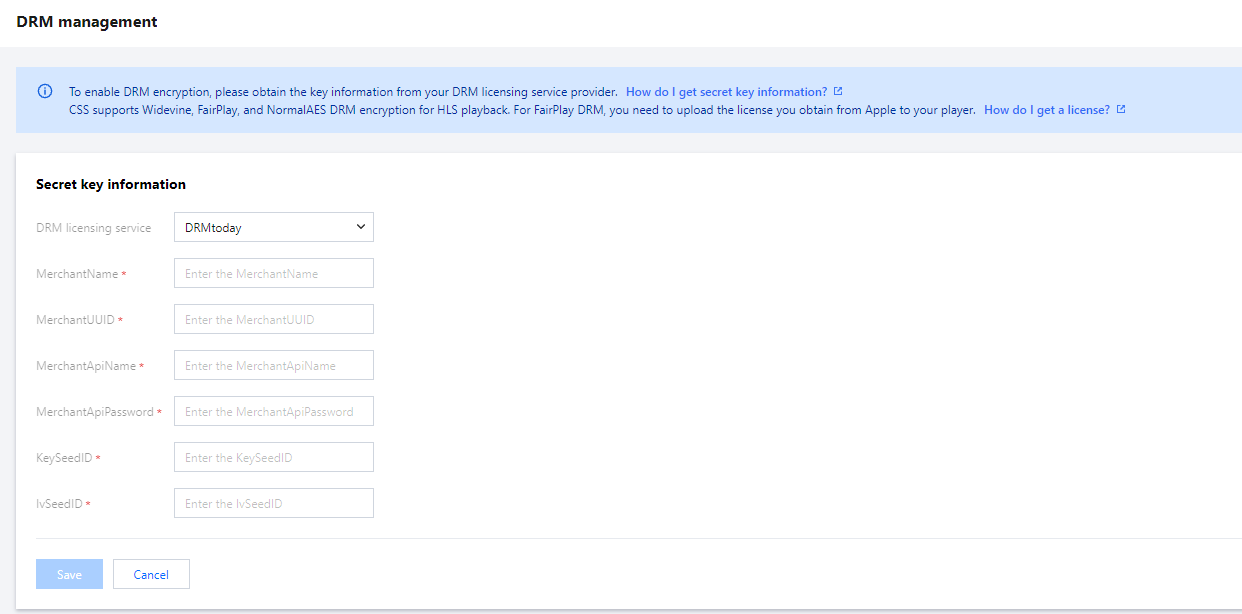
3. Fill in the secret key information and select your certificate management provider. You can choose SDMC or DRMtoday. The specific configuration is as follows:
If your licensing service provider is SDMC:
Enter your SDMC UID, Secret ID, and Secret key (you need to obtain the information from SDMC).
If your licensing service provider is DRMtoday:
Enter your DRMtoday Merchantname, MerchantUUID, MerchantAPIName, MerchantAPIPassword, KeySeedID, and IVSeedID (you need to obtain the information from DRMtoday).
Setting Transcoding Templates
1. Log in to the CSS console and enter the Feature Configuration > Live Transcoding.
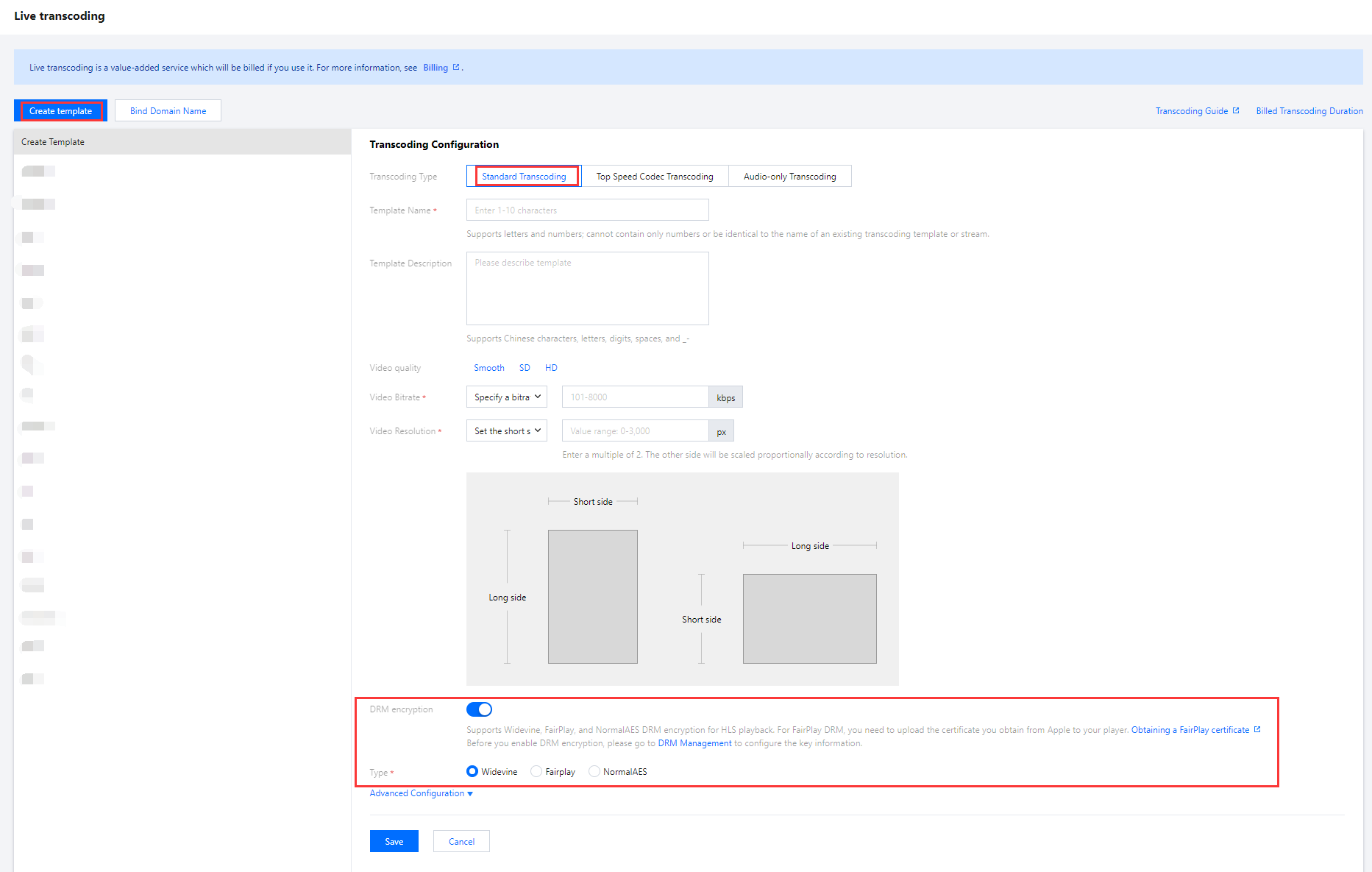
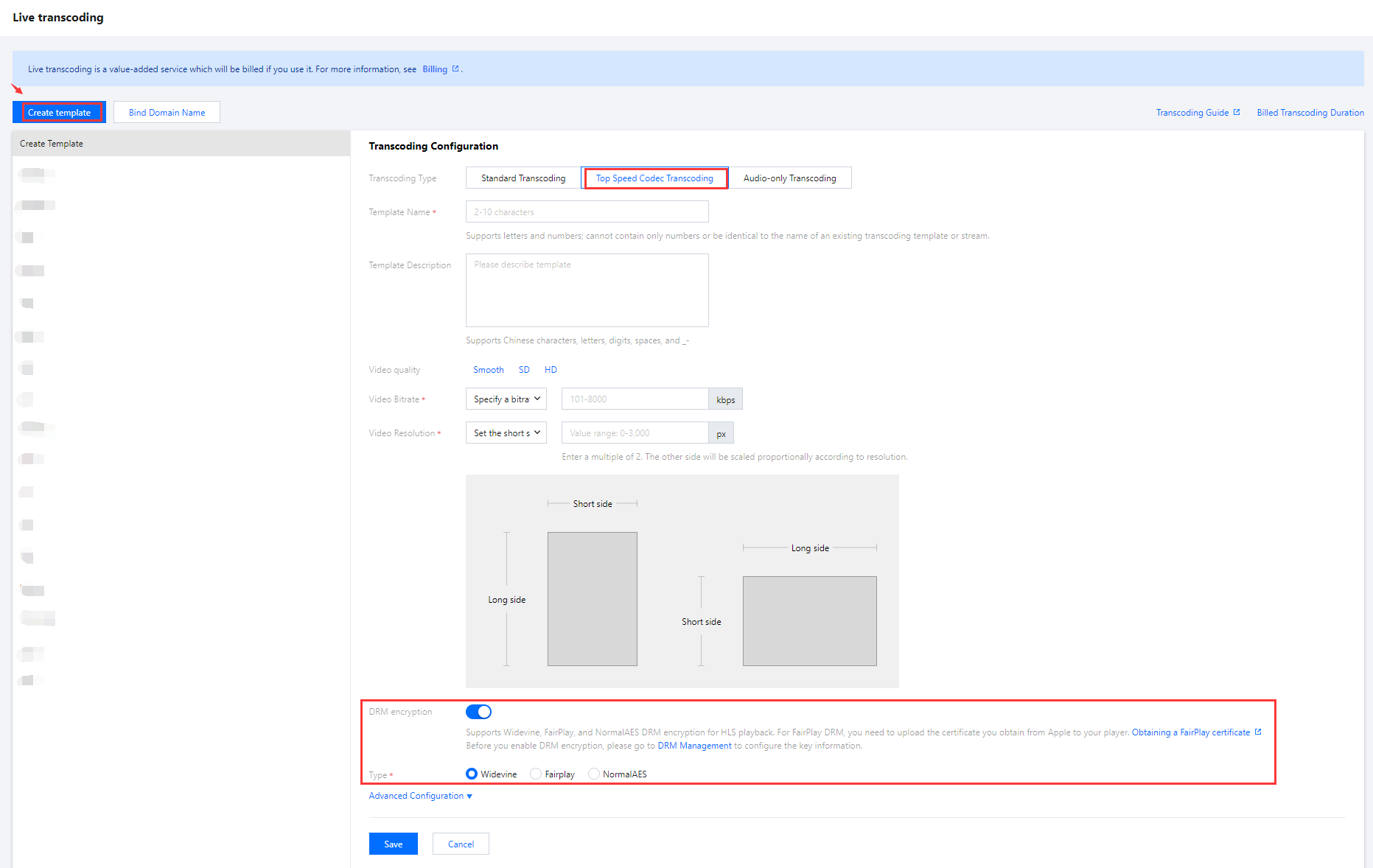
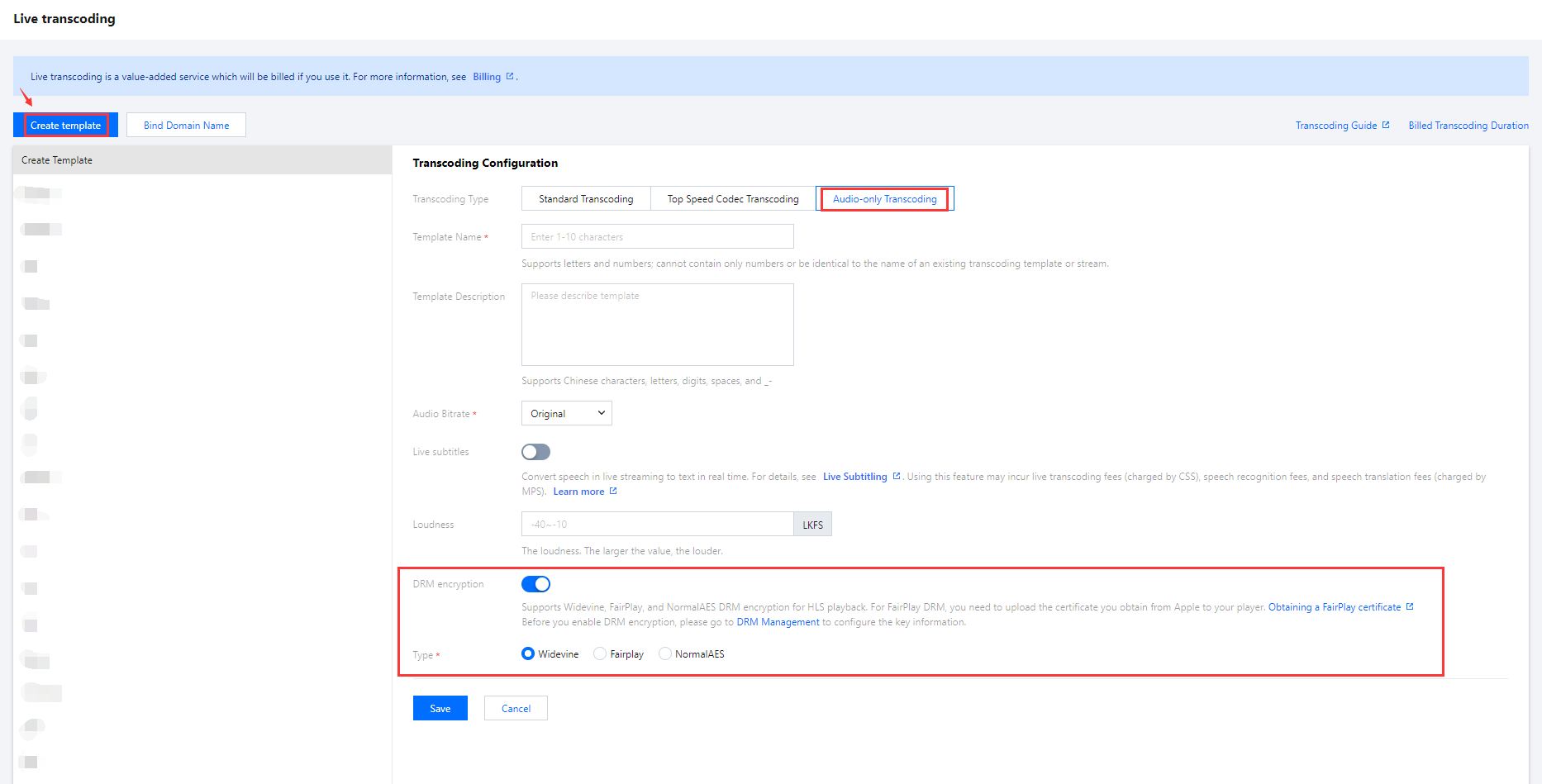
2. Click Create Transcoding Template to enter the transcoding configuration page. Click
to enable the DRM encryption. Set the DRM encryption information.
Configuration Item
Required
Description
DRM encryption
No
Whether to enable DRM encryption. It’s disabled by default. Before enabling this feature, you need to configure DRM key information in “DRM management”.
Type
Yes
Widevine, FairPlay, or NormalAES. For FairPlay encryption, you need to upload the certificate you obtain from Apple to your player. For details, see Obtaining a FairPlay certificate.
2.1 You can switch between different tabs to view the DRM encryption configuration requirements for standard transcoding, top speed codec transcoding, and audio-only transcoding.
Standard Transcoding
Top Speed Codec Transcoding
Audio-only Transcoding
3. After the configuration is completed, click Save .
Binding Domain Names
1. Log in to the CSS console and enter the Feature Configuration > Live Transcoding.
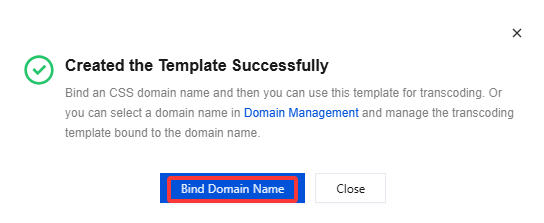
2. Enter the domain name binding window in the following ways:
Directly bind the domain name : Click Bind Domain Name on the top left.
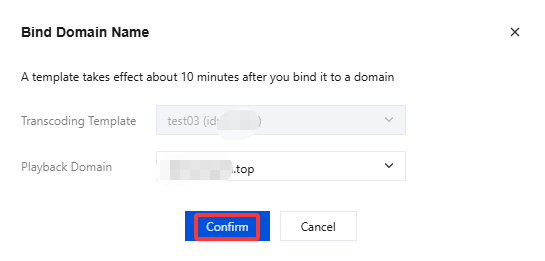
3. In the domain name binding window, select the transcoding template and playback domain name(Multiple playback domain names can be bound simultaneously) you want to bind, and click Confirm to finish.
Obtaining the DRM-encrypted playback URL
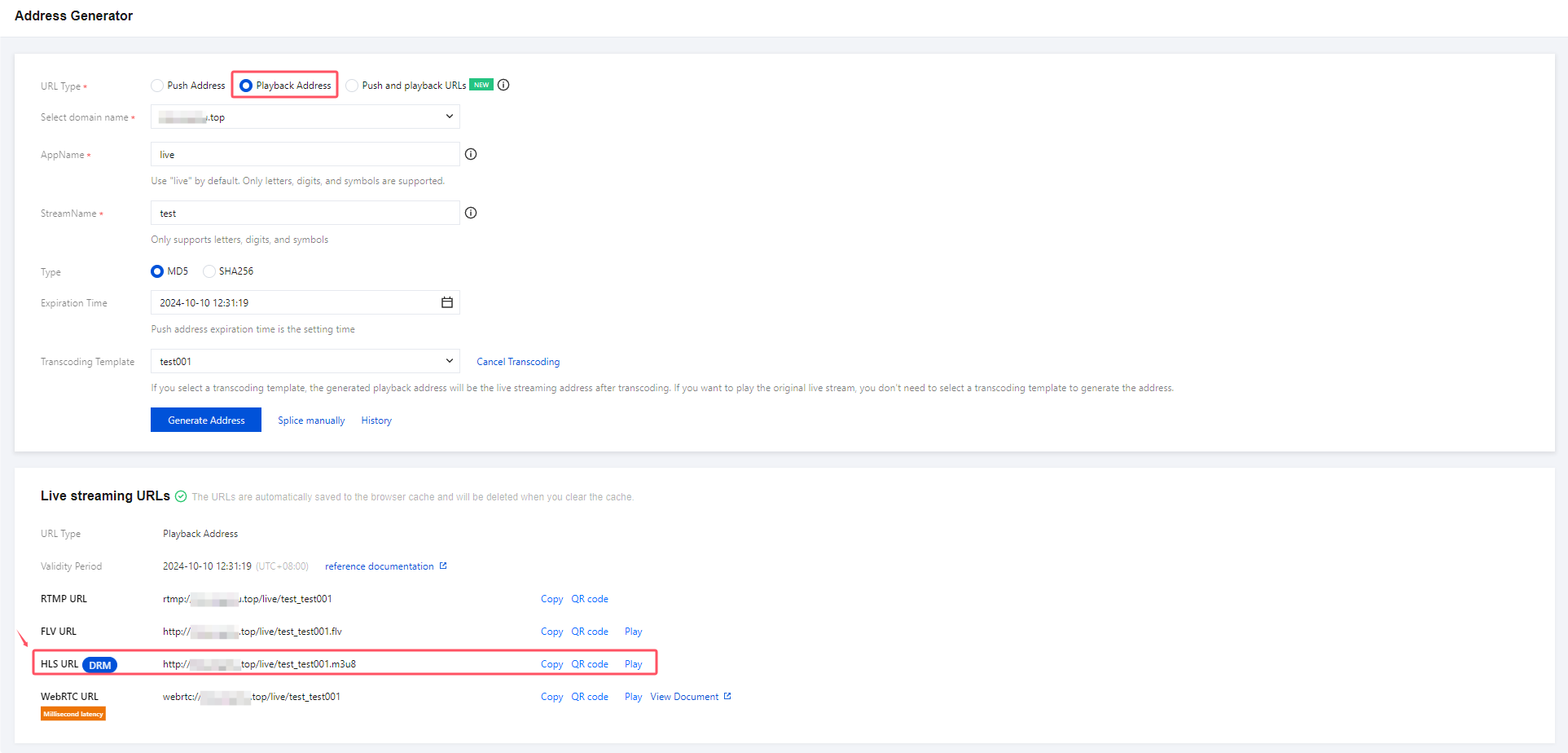
Only HLS playback supports DRM encryption. Use the Address Generator to generate playback URLs (select the template you created). The HLS URL generated is DRM-encrypted.
Configuring Your Player
For the DRM encryption feature to work, your player must meet the following requirements:
It must have been equipped by SDMC with the ability to obtain and decrypt license information from video data.
Use FairPlay encryption for iOS players and Widevine or NormalAES for Android players.
On iOS, you need to apply for a certificate and upload it to the SDMC console.
Note:
You need to create an account first before you can visit the SDMC console. For detailed directions on how to create an SDMC account, see Obtaining the UID and Key Information. If you encounter any problems, please submit a ticket. We will help you navigate the process.