Credit Limit Management
Download
フォーカスモード
フォントサイズ
Apply for credit
Customer credit is allocated and managed by reseller. If you need to adjust the credit, contact your reseller.
Note:
Your credit is solely allocated by your reseller and is not financially associated with Tencent Cloud.
View the credit
You can log in to the Billing Center Console > Account Information to view their credit.The available credit is equal to the total credit minus the used credit.
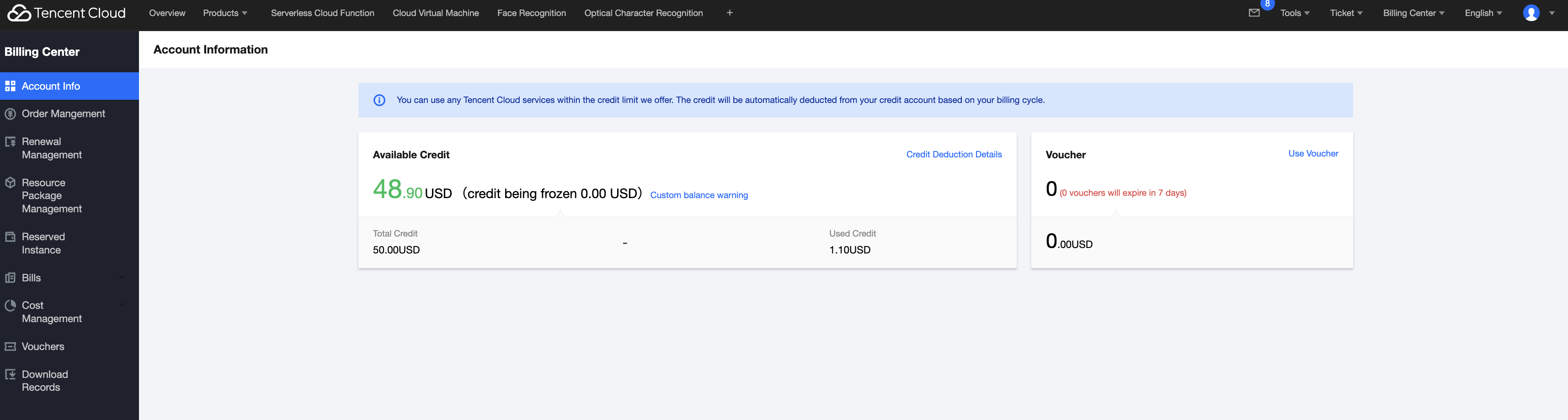
Note:
If your historical bills have been paid to your reseller, ask your reseller to confirm them online. Confirmed bill amounts will be returned to your available credit.
Credit Limit Notifications
The system will provide two kinds of quota notifications: custom quota alert and system default available quota warning to ensure that quota information can be conveyed promptly and guarantee the normal usage of your cloud resources.
Custom Available Quota Alert
Alert Rules
Intended for customers: distributor sub-customers.
Timing of reminders: An alert notification will be sent to you when the available credit is lower than the alert threshold.
Reminder frequency: Only one notification will be sent within a natural day (00:00 - 24:00), and no repeated notifications will be sent to you.
Set Alerts
1. Enter Billing Center Console > Account Information, click Custom Balance Warning.
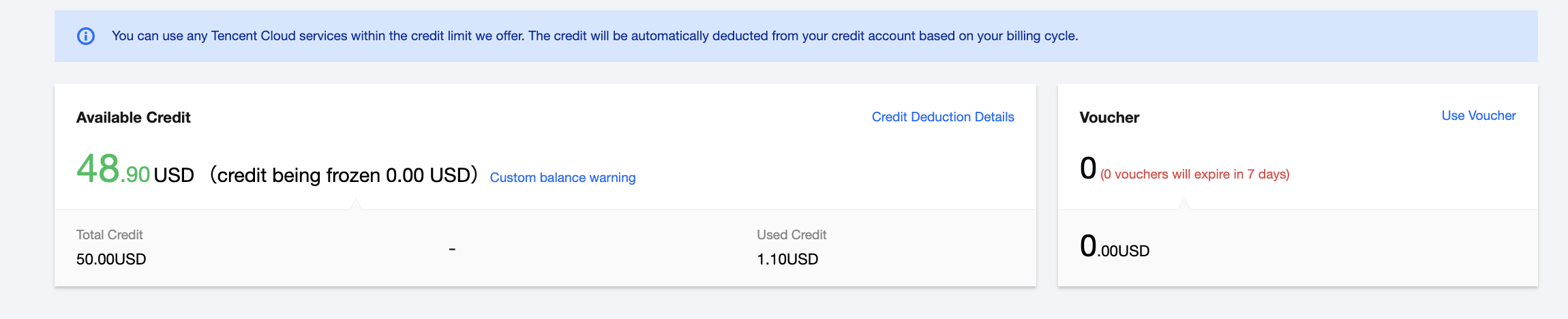
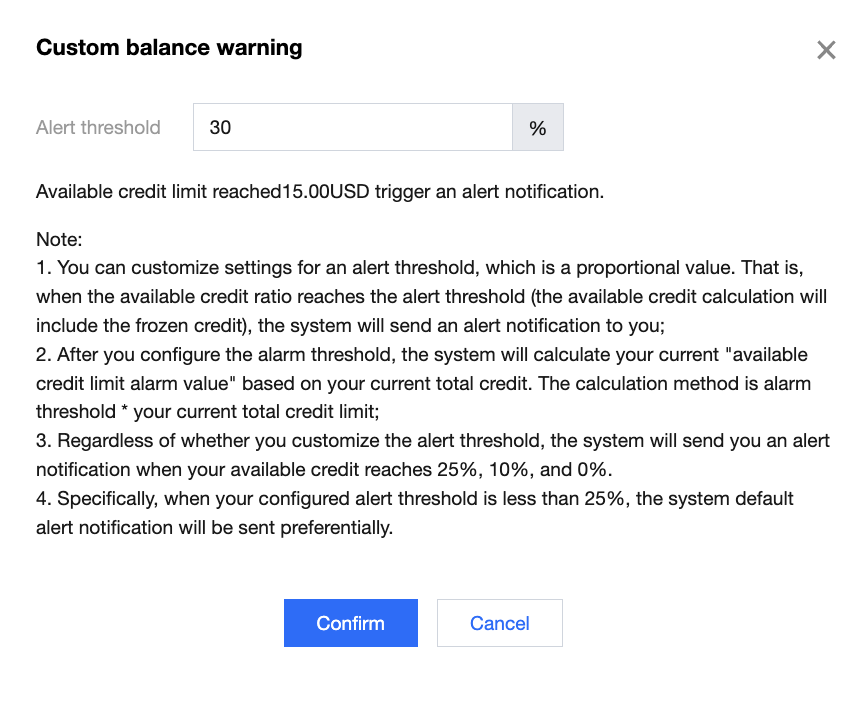
2. Configure the alert threshold for the available credit ratio, and then click Confirm.
Note:
1. The value entered for the alert threshold must be greater than 0% and less than 100%.
2. Regardless of whether you customize the alert threshold, the system will send you an alert notification when your available credit reaches 25%, 10%, and 0%.
3. Note that when the alert threshold you configure is less than 25%, the system default alert notification will be sent preferentially.
For example: If the custom alert threshold you configure is 20%, and the ratio of your available credit limit is between 20% and 25% on the day, only the 25% alert notification will be triggered; if you continue consumption on the day and your available credit limit reaches 20%, your custom alert notification will be triggered.
Default Available Quota Alert
Intended for customers: distributor sub-customers.
Timing of reminders: After the ratio of available credit reaches 25%, 10%, and 0%, the system will automatically send you an alert notification. Additional settings are not required.
Reminder frequency: Only one notification will be sent for each gear selection within a natural day (00:00 - 24:00), and no repeated notifications will be sent to you.
Enable Channel Service Subscription Notifications
Open Message Center > Message Subscription, select Channel Service Notifications, and check the corresponding notification method.
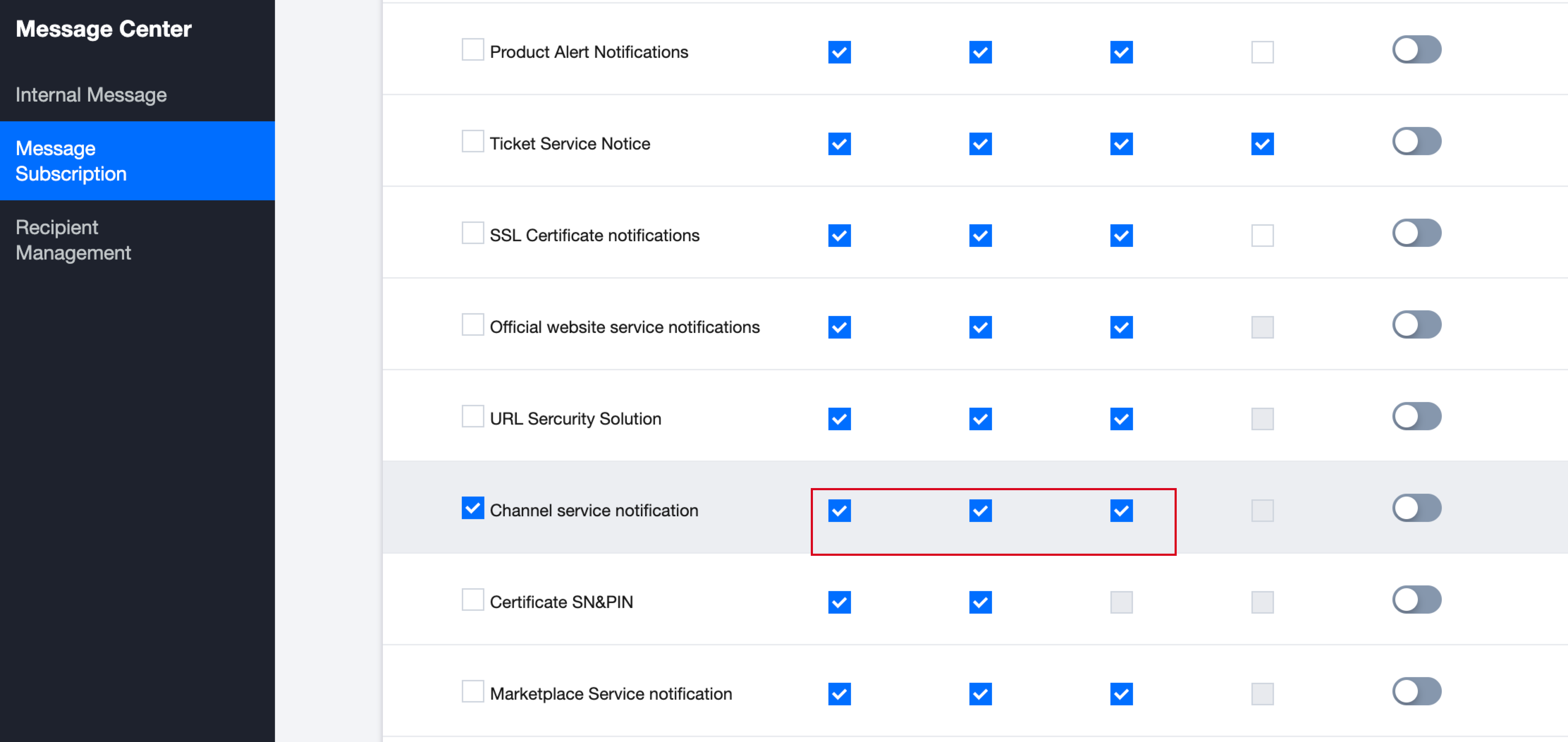
Disable Channel Service Subscription Notifications
If you don't want to receive this alert notification, just uncheck the corresponding notification method of "Channel Service Notification".
フィードバック