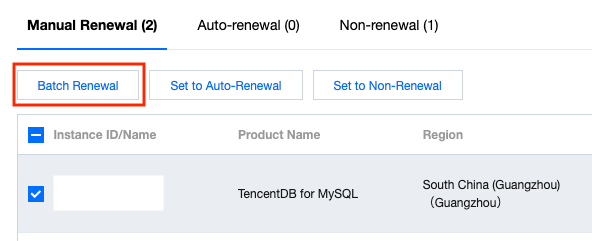
On the Renewal Management page in the Billing Center Console, select the resources you want to renew in the Manual Renewal and click Batch Renewal. To find resources more easily, you can filter them by expiration time, product, region, etc.
Note:
You can select all resources across pages for quick batch renewal.
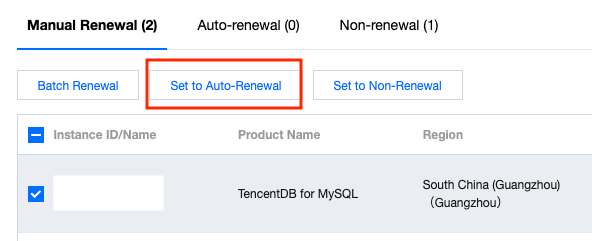
Set to auto-renewal.
If you intend to use a resource in the long term, you can set auto-renewal for it. You can manage resources set to auto-renewal on the Auto-Renewal tab.
Resources set to auto-renewal are renewed automatically on the expiration date, but the exact renewal time may be later than the expiration time. Do not change the auto-renewal flag for resources that are about to expire or get repossessed.
If your account has insufficient balance to cover the renewal cost on the expiration date, we will check your account balance daily before service suspension, and once there is sufficient balance, we will renew the resources set to auto-renewal immediately.
Suspended resources will not be automatically renewed or displayed on the Auto-Renewal tab.
If you cancel auto-renewal for your resources, we will resume the notify-before-expiration practice for them.
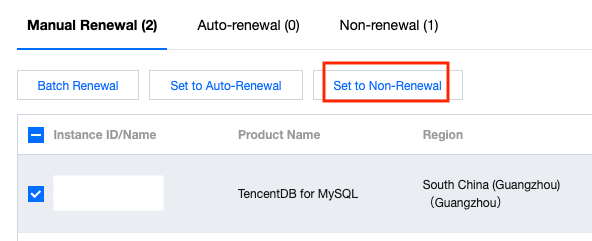
Set to non-renewal.
If you intend to stop using a resource after it expires, you can set non-renewal for it. You can manage resources set to non-renewal on the Non-Renewal tab.
We will not send notifications prior to the expiration of resources set to non-renewal.
If you switch your resources from non-renewal to manual renewal or auto-renewal, we will implement the notify-before-expiration practice for them.
Set renewal reminders.
You can customize when to receive renewal reminders. This may be helpful if your budget application process is time-consuming.
You can configure reminders to be sent seven days to three months before the date of resource expiration or auto-renewal.
The system can send you reminders via Message Center, SMS, and email if an auto-renewal resource of yours is about to expire and there is insufficient balance in your account to cover the renewal cost. You can customize the channels to receive reminders.
If you don't select any channel, we will not send you reminders.
These settings take effect only for the logged-in account but not for other collaborators.
You can change the mobile number or email address for your account on the User List page.