If a second-level reseller needs to issue vouchers to end customers (vouchers are used to offset fees in bills), costs of these vouchers will be borne by a distributor.
Applicable Scope
This document is applicable to second-level resellers.
Prerequisites
A distributor needs to allocate a voucher quota to a second-level reseller in advance (see Allocate Voucher Limit). The total voucher amount issued by the second-level reseller to end customers cannot exceed this quota.
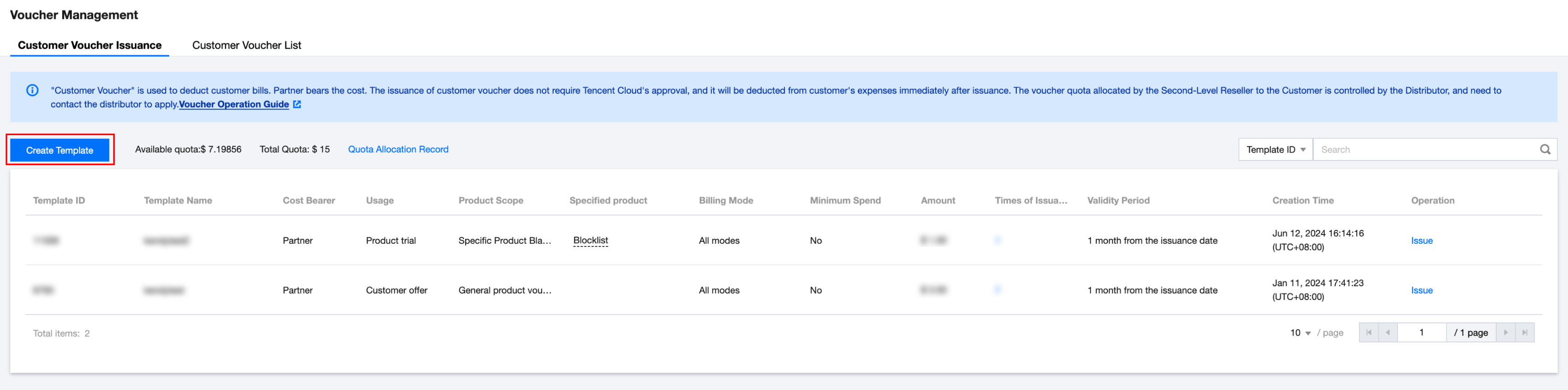
2. Choose Customer Business > Voucher Management in the left sidebar and enter the Customer Voucher Issuance page. This page shows previously used templates.
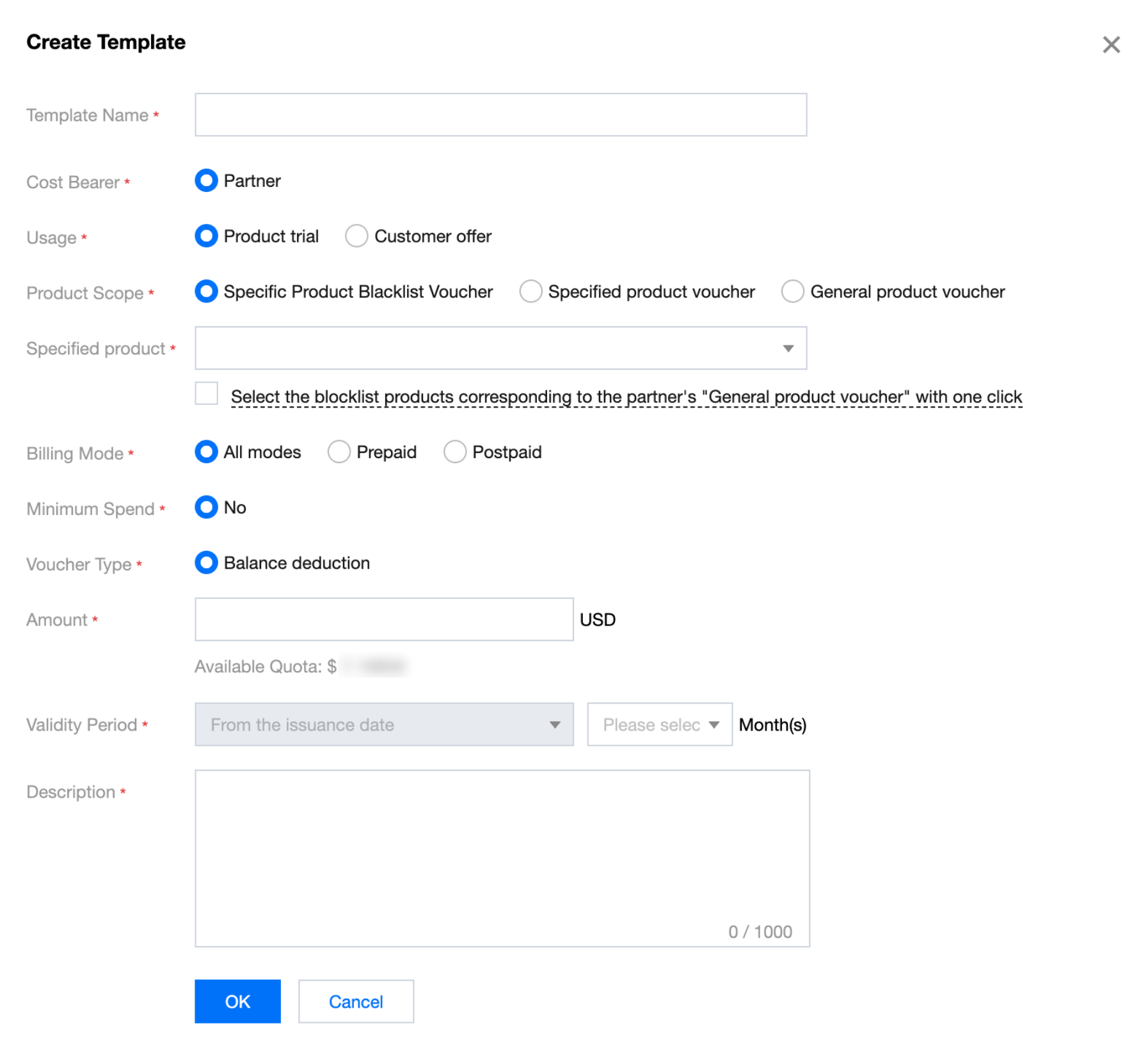
3. Click Create Template and fill in the voucher template information in the pop-up window.
Note:
There are blocklists for the "General Product Voucher". If the applicable product range for both the end customer voucher and partner voucher is selected as "General Product Voucher", the two types of vouchers will have different deduction scopes.
Voucher for designated blocklist product: Costs of products in a specified range cannot be deducted. At the same time, after one-click selection of the blocklist products corresponding to the partner's "General Product Voucher", the corresponding blocklist product list in the "General Product Voucher" will be automatically selected. If the list changes subsequently, it is subject to the voucher issuance date.
Voucher for designated allowlist product: Costs of products in a specified range can be deducted.
General Product Voucher: Costs of any products consumed by an end customer can be deducted.
4. After completing the information, click OK to save the voucher template.
5. After the voucher template is created, you can view the created voucher template and search for it by condition.
Note:
After a voucher template is created successfully, you can still edit it if you have never used it to issue vouchers. However, once vouchers are issued, the template cannot be edited again.
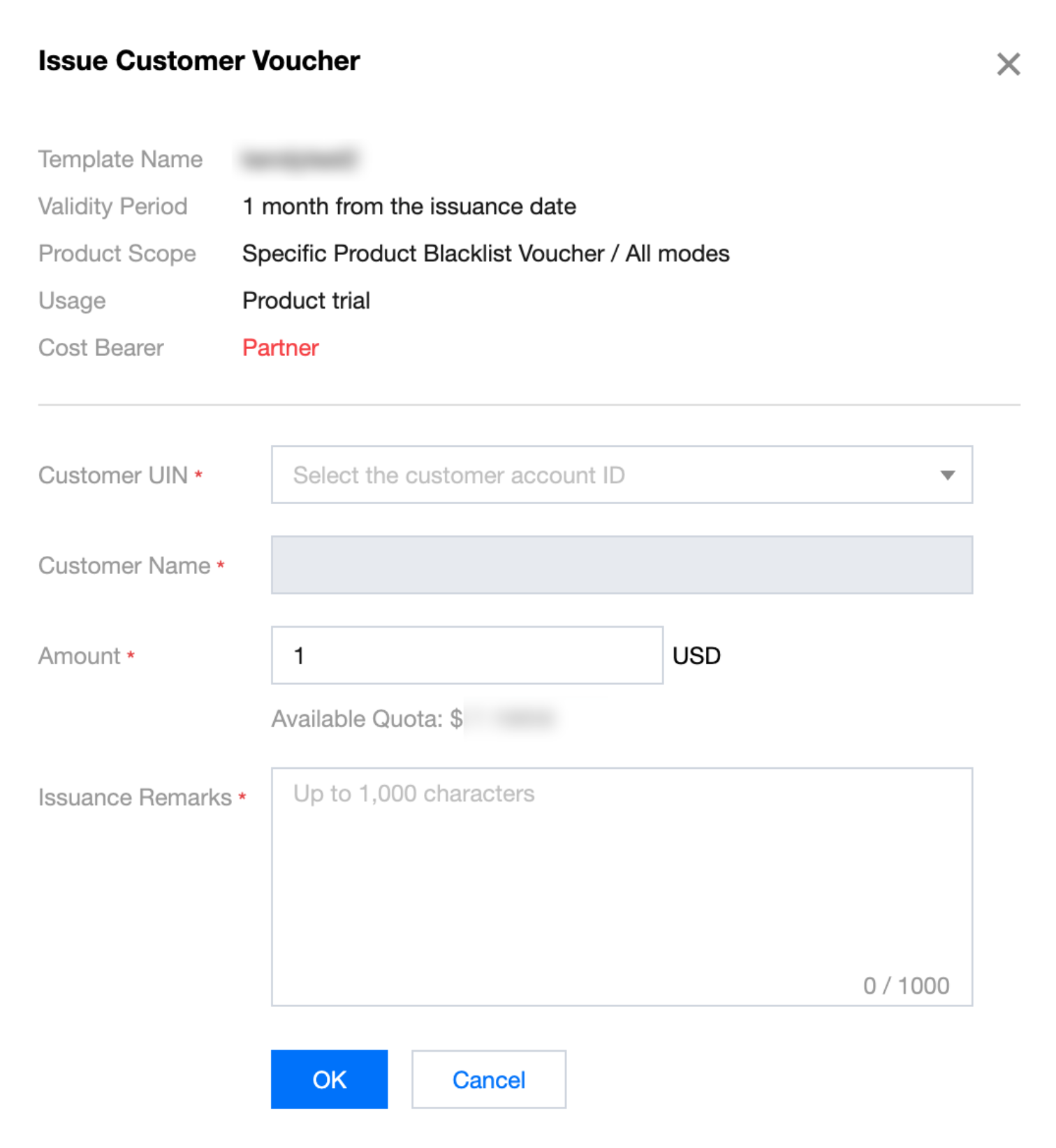
6. Click Issue on the right side of the template and select the customer UIN you need to issue vouchers to in the pop-up window. The issuance amount can differ from the template amount. Once it is filled out, click OK.
Note:
Issuance of "customer voucher" does not require Tencent Cloud approval. Once a reseller confirms the issuance, vouchers can be used for end customer expense deduction.
Querying Customer Vouchers
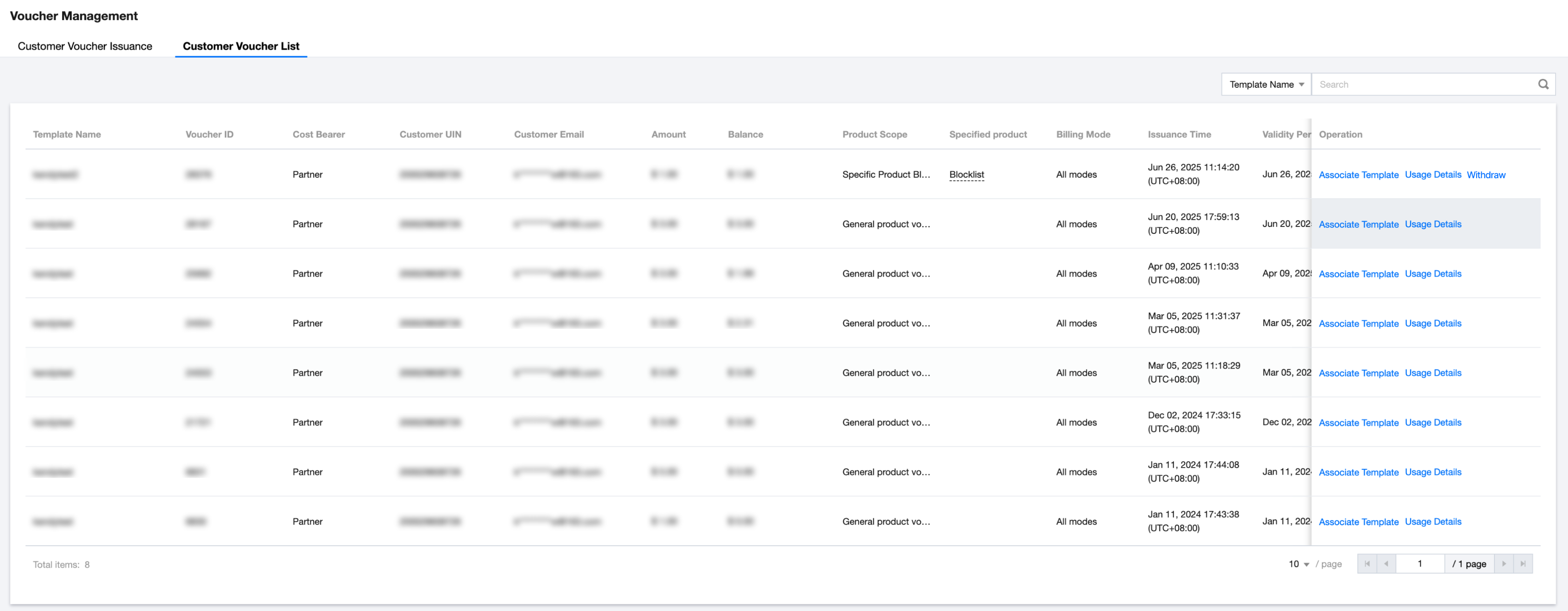
On the Customer Voucher List page, you can query the statuses, balances, and details of all customer vouchers. Full query and specific condition query are supported.
Click Usage Details to view or download the voucher deduction details.
For unused and unexpired vouchers, you can withdraw them by clicking Withdraw. Withdrawn vouchers cannot be used to offset subsequent expenses, while already deducted amounts remain unaffected. This operation is irreversible.