Sub-Customer Balance Warning
Download
フォーカスモード
フォントサイズ
Overview
The system will provide two kinds of quota notifications: custom quota alert and system default available quota alert, to help you promptly learn about the change details of your sub-account's credit limit.
This document describes the default available credit alert rule and how to customize available credit alerts and receive notifications.
Default Available Quota Alert
Applicable Objects: reseller,distributor, and second-level reseller.
Reminder timing: when the available credit limit ratio of a sub-customer is below 25%, 10%, or 0%, the system will automatically send you an alert notification.
Reminder frequency: Each threshold sends a notification once daily (00:00 - 24:00) without repeated notifications.
Note:
Note: Distributor can only receive available quota alert notifications from direct sub-clients.
Custom Available Quota Alert
Alert Rule
Applicable Objects: reseller, distributor, and second-level reseller.
Reminder timing: When the available credit limit of your sub-customer is below the alert threshold, an alert notification will be sent to you.
Reminder frequency: A notification will be sent once daily (00:00 - 24:00) without repeated notifications.
Note:
Note: distributor can only receive available quota alert notifications from direct sub-customers.
Setting Alert
1. Log in to the Tencent Cloud official website with a partner account and enter the partner center console.
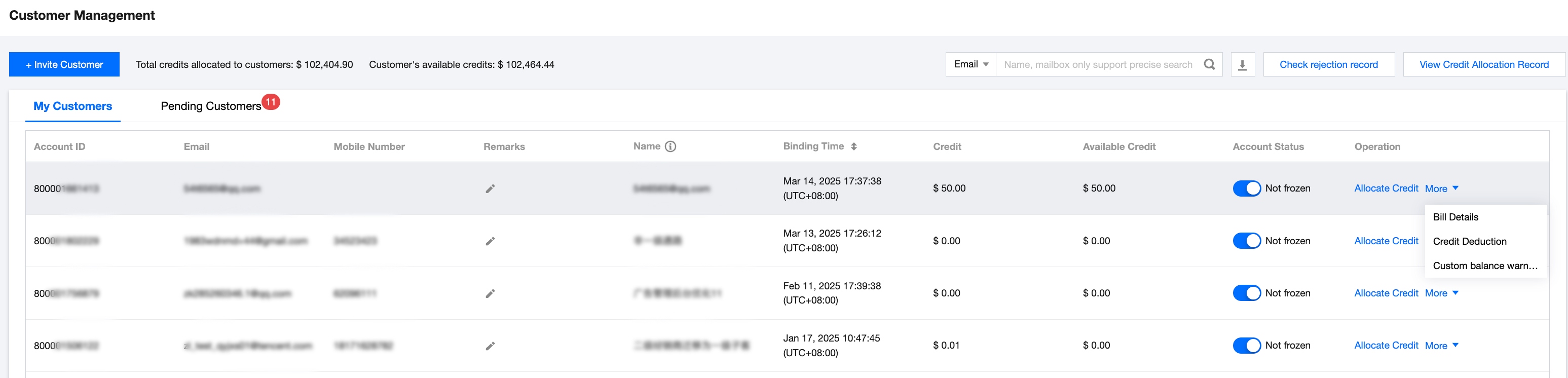
2. In the left sidebar select Customer > Customer Management, click More then select Custom Balance Warning.
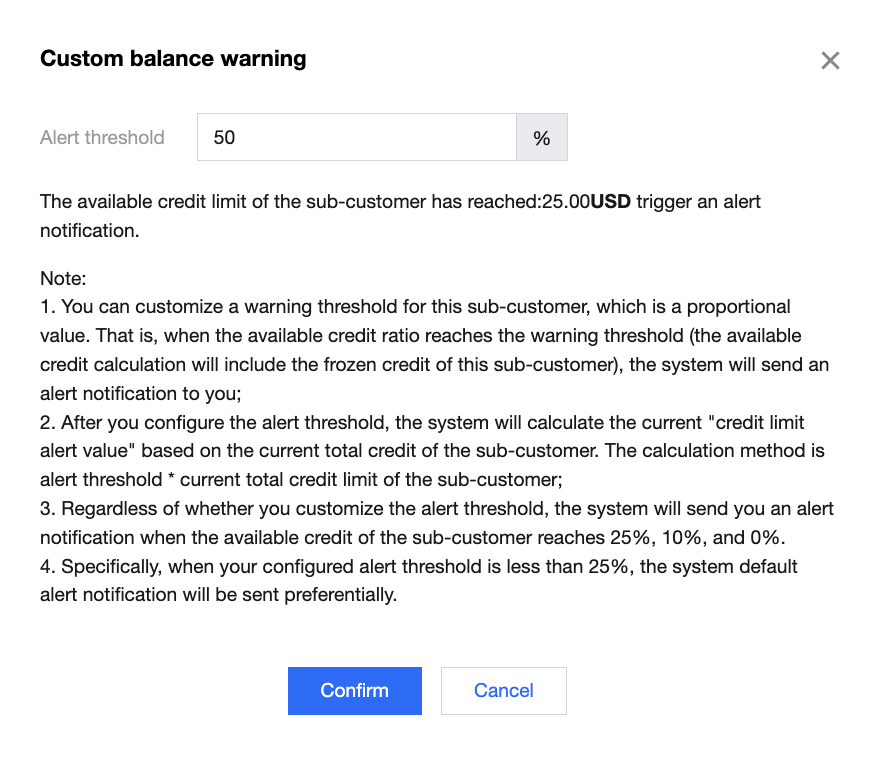
3. Configure the alert threshold for the proportion of usable credit limit for sub-customers, then click Confirm.
Note:
The alert threshold must be any integer value between 0 and 100.
Regardless of whether a custom alert threshold is set, the system will send you an alert notification when the available credit limit of the sub-customer reaches 25%, 10%, or 0%.
When the alert threshold you configured for the sub-customer is less than 25%, the system will send the default alert notification by default.
For example: If you set a custom alert threshold of 20% for a sub-customer, when the available credit limit ratio of that sub-customer is between 20%–25% on the day, only the 25% alert notification will be triggered. If the sub-customer continues to consume and the available credit limit reaches 20%, the custom alert notification will be triggered.
Channel Service Subscription Notification
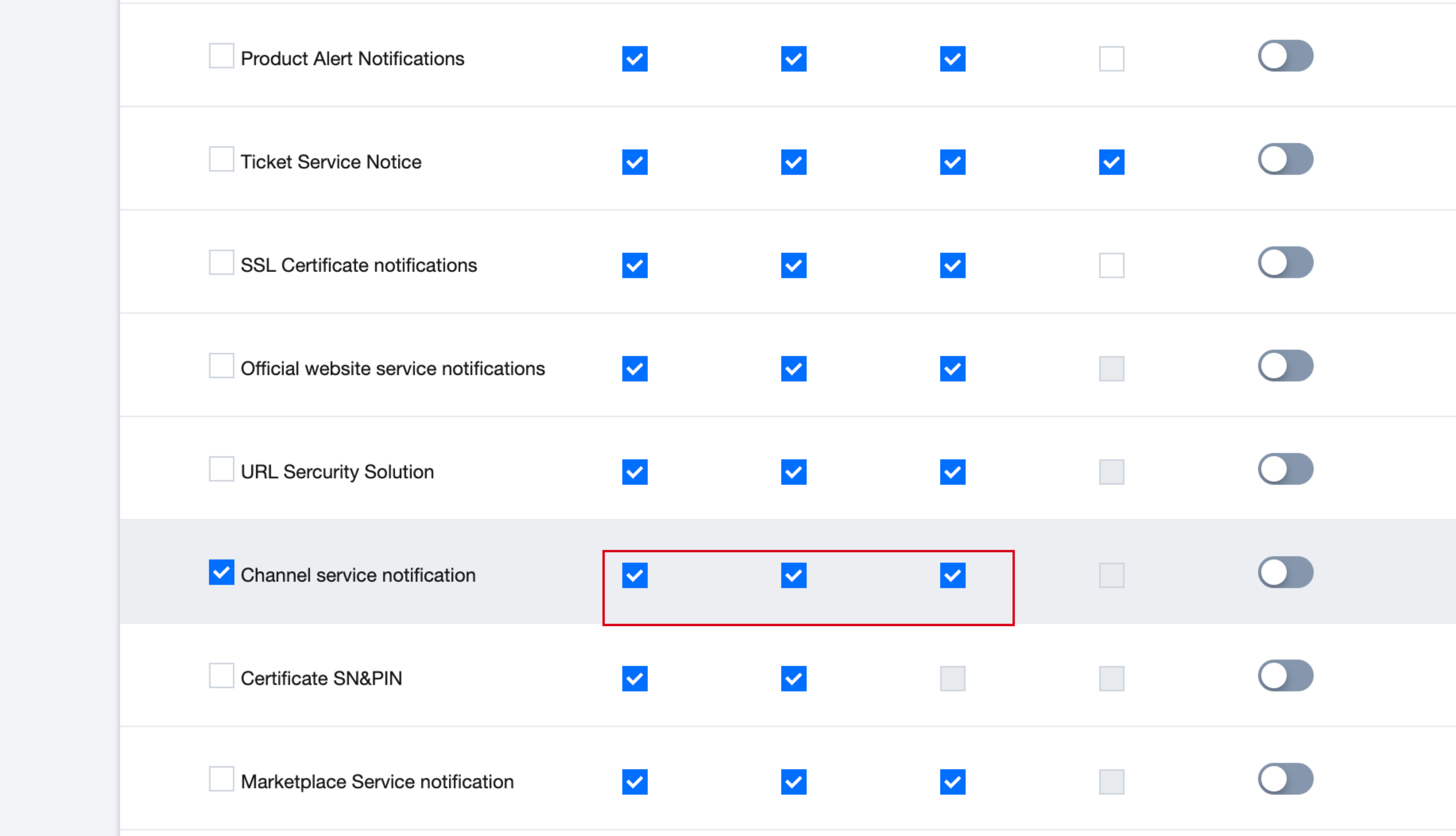
Enter Message Center > Message Subscription, find the channel service notification under product messages, and check the corresponding notification method.
Note:
If you do not wish to receive this alert notification, just uncheck the corresponding notification method under "Channel Service Notification".
フィードバック