tencent cloud

International Partners

Release Notes
Introduction to Channel Partners
Partner Type and Level
Partner Platform Function Overview
User Guide (Reseller)
Become a Partner
Sign in to Partner Center
Account and Organization Information Management
Customer Management
Reseller Management
Managing Reseller
Expense Management
Commission Management
Agreement Management
User Guide (Customer)
Invited to Bind as a Customer
Unbind Reseller
Account Management
Product Purchase
Renewal Management
Bill Management
Cost Management
Agreement Management
User Guide (Partner Academy)
Partner Academy Guide
Becoming an MSP
Becoming a CSP
Agreement Management
Security and Compliance
Access Management
API Documentation
History
Introduction
API Category
Making API Requests
Customer Management APIs
Credit Management APIs
Agent APIs
Bill Management APIs
Voucher Management APIs
Commission Management APIs
Data Types
Error Codes
FAQs
Partner Onboarding
End Customer Relationship Management
Credit Management
Vouchers
Purchase Transactions
Discount Management
About Bills
Organization Management
Contact Us
Glossary

Policy Performance Breakdown

PDF
フォーカスモード
フォントサイズ
最終更新日: 2025-12-29 17:25:12

Overview

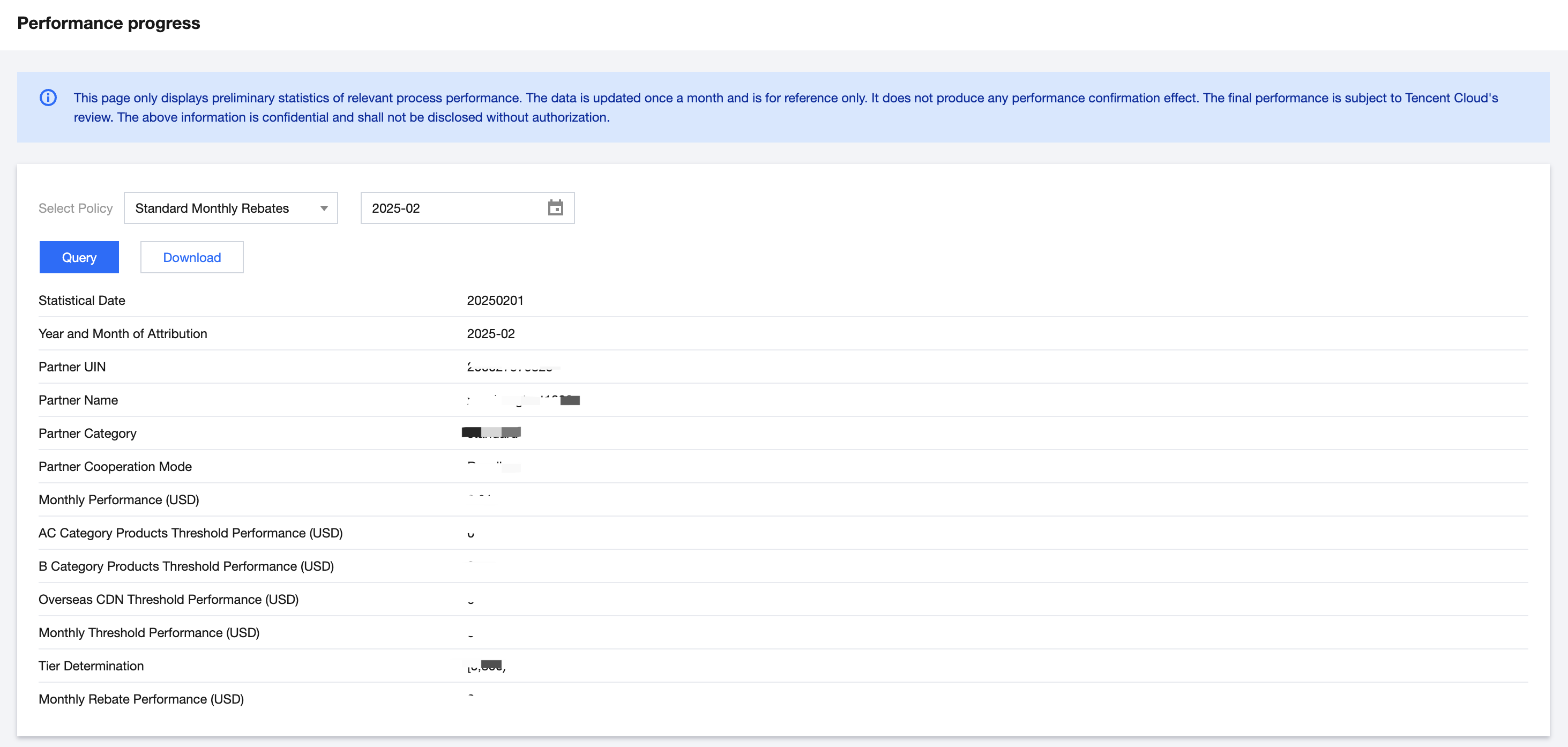
Resellers can view or download the estimated rebate currency of participated policies by month in the performance progress module.

Applicable Objects

This document is suitable for resellers and first-level distributors to read.

Operation Steps

1. Log in to Tencent Cloud official website with a partner account and enter Partner Center console.
2. Select Commission in the left sidebar.
3. Select the corresponding policy and month, then click the query button.
Note:
If the displayed data is 0, the data of the selected month might be not generated, or the reseller has not yet joined the corresponding policy.
4. Click Download to download the query results on the interface.

ヘルプとサポート

この記事はお役に立ちましたか?

フィードバック