tencent cloud

Cloud Contact Center

Announcement
What's New
Cloud Contact Center Terminology Update
What is Tencent Cloud Contact Center
Overview
Feature List
Terms Introduction
Handling Firewall Restrictions
AI Voicebot
Billing Guide
Voice Call Billing Overview
Desk Billing Overview
View Billing
Refund Policy
New User Guide
Voice Guide
Desk Guide
Use Case
Inbound: Customer Experience
Outbound: Telemarketing
Auto Dialer: Voice Notification
Integration Use Case (SDK)
Administrator Guide
Voice Guide
Desk Guide
Member Guide
Voice Guide
Desk Guide
AI Voice Agent Guide
Introducing AI Voice Agent
AI Voice Agent Practical Tutorial
Set Up Your AI Voice Agent
Activate AI Voice Agent Call
AI Voice Agent Call Logs
Developer Guide
SDK Development Guide
Data Push
Voice API Reference
History
Introduction
API Category
Making API Requests
Agent APIs
Skill Group APIs
Number APIs
Dual Call APIs
Predictive Outbound Call APIs
SIP Phone APIs
Call Service Record APIs
Billing APIs
Other APIs
Outbound Call APIs
Speech Intelligent Agent APIs
Data Types
Error Codes
Desk API Reference
API Reference
Callback Configuration
FAQs
Data Deletion Guide
Legal
Privacy Policy
Data Processing And Security Agreement
Service Level Agreements
TENCENT CLOUD CONTACT CENTRE TERMS OF USE
Glossary
Contact Us

Uni-app FAQs

PDF
フォーカスモード
フォントサイズ
最終更新日: 2025-01-09 15:51:30

How do I view Cloud Contact Center logs?

The logs of Cloud Contact Center are compressed and encrypted by default, with suffix .log.
Log path:
Android:/sdcard/Android/data/package name/files/tccc
iOS: In the tccc folder under the sandbox/Documents directory

Does the Cloud Contact Center SDK support X86 simulators on Android?

The current version of Cloud Contact Center does not support simulators, but it will support simulators in the future. If you need to run on a simulator, we recommend debugging on an iOS x86 simulator.

Does the Cloud Contact Center SDK support the CPU type armv7 on iOS?

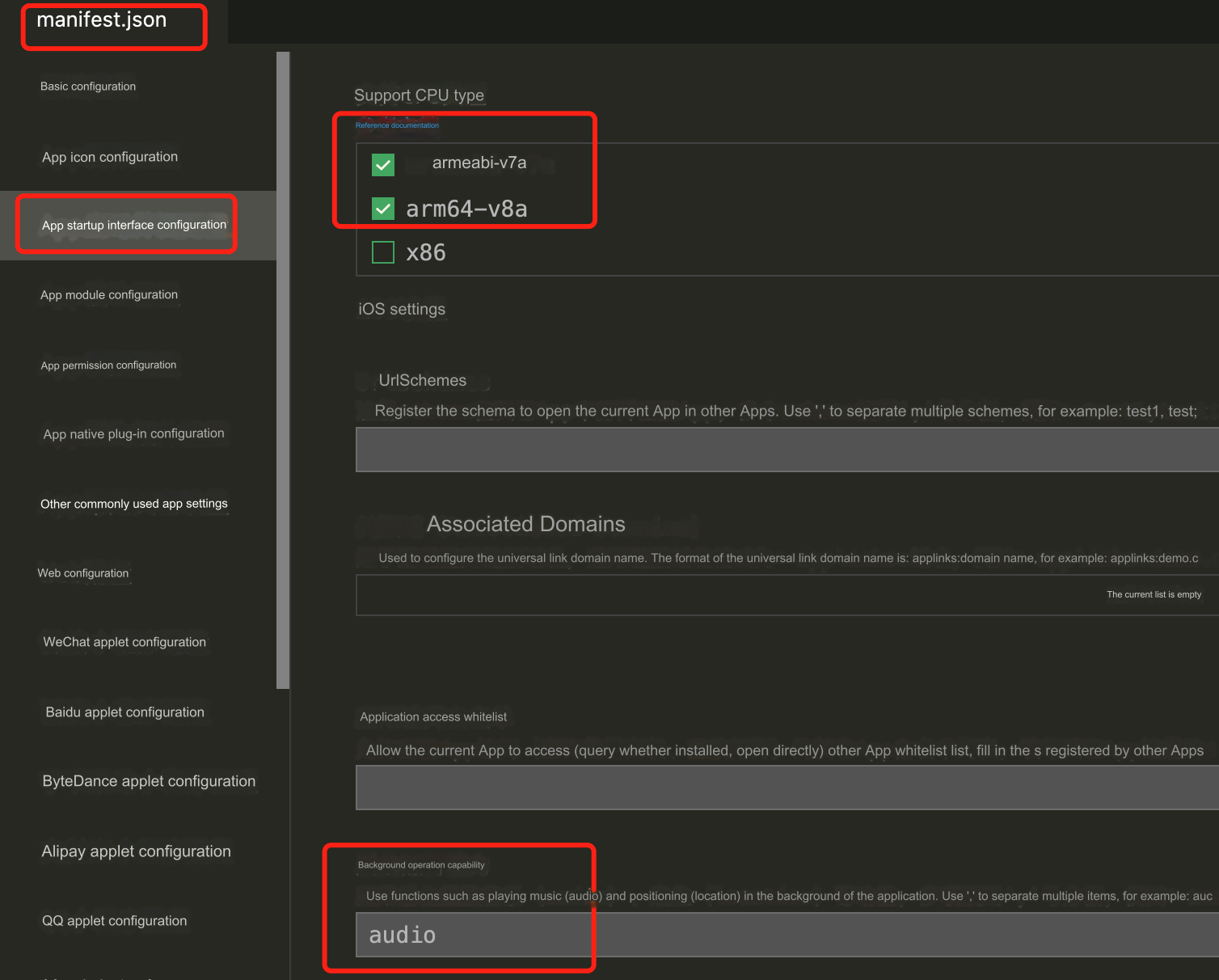
Because only iPhone 5c and earlier versions have this type of CPU, and almost no one is using it now. Therefore, we do not adapt to this type of CPU. When packaging iOS on the cloud, you need to modify the manifest.json file.
"validArchitectures": [
"arm64"
],

Why do phone calls get interrupted when iOS switches to the background?

When the mobile application switches to the background, the operating system will suspend the application process to save resources. You can configure audio background mode in iOS to ensure that the application will not be terminated when there is audio impact.


Why can't incoming calls be handled under mobile phones?

If a new session occurs while the mobile phone is running in the foreground, you will receive onNewSession callback. However, we do not recommend handling incoming calls on mobile phones (the app will pause when switching to the background). We recommend you activate the feature of receiving calls on mobile phones.

ヘルプとサポート

この記事はお役に立ちましたか?

フィードバック