Test Your Conversation Workflow
Download
フォーカスモード
フォントサイズ
Overview
You can now test the conversation flow in real time using the text test feature to see how your configuration works.
Guide
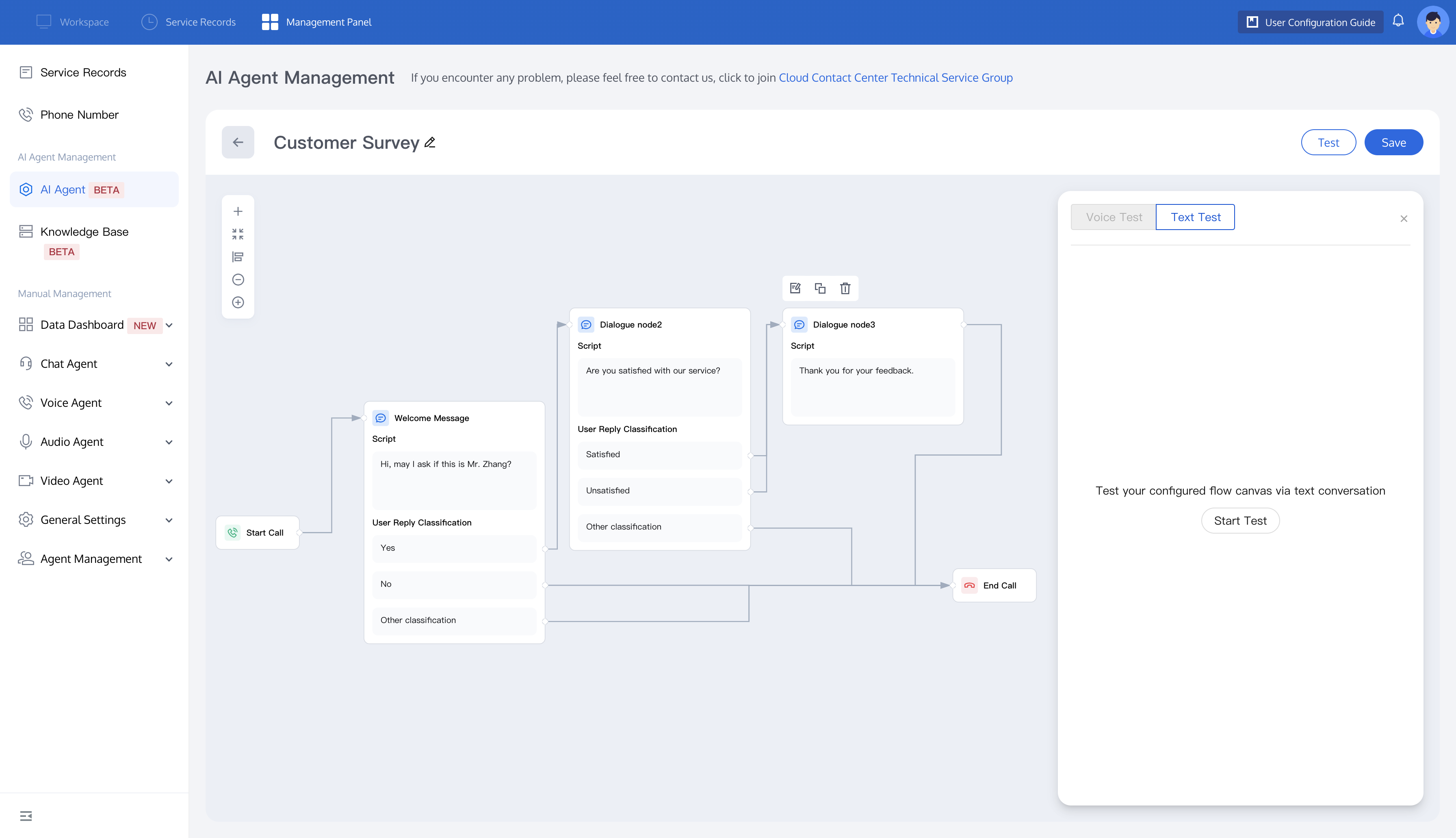
1. Log in to the Tencent Cloud Contact Center (TCCC) Management Panel, select AI Agent from the left sidebar, and click the conversation flow you need to test. In the upper-right corner, click Test to open the Text Test settings. Then, click Start Test to begin testing your configured conversation flow.
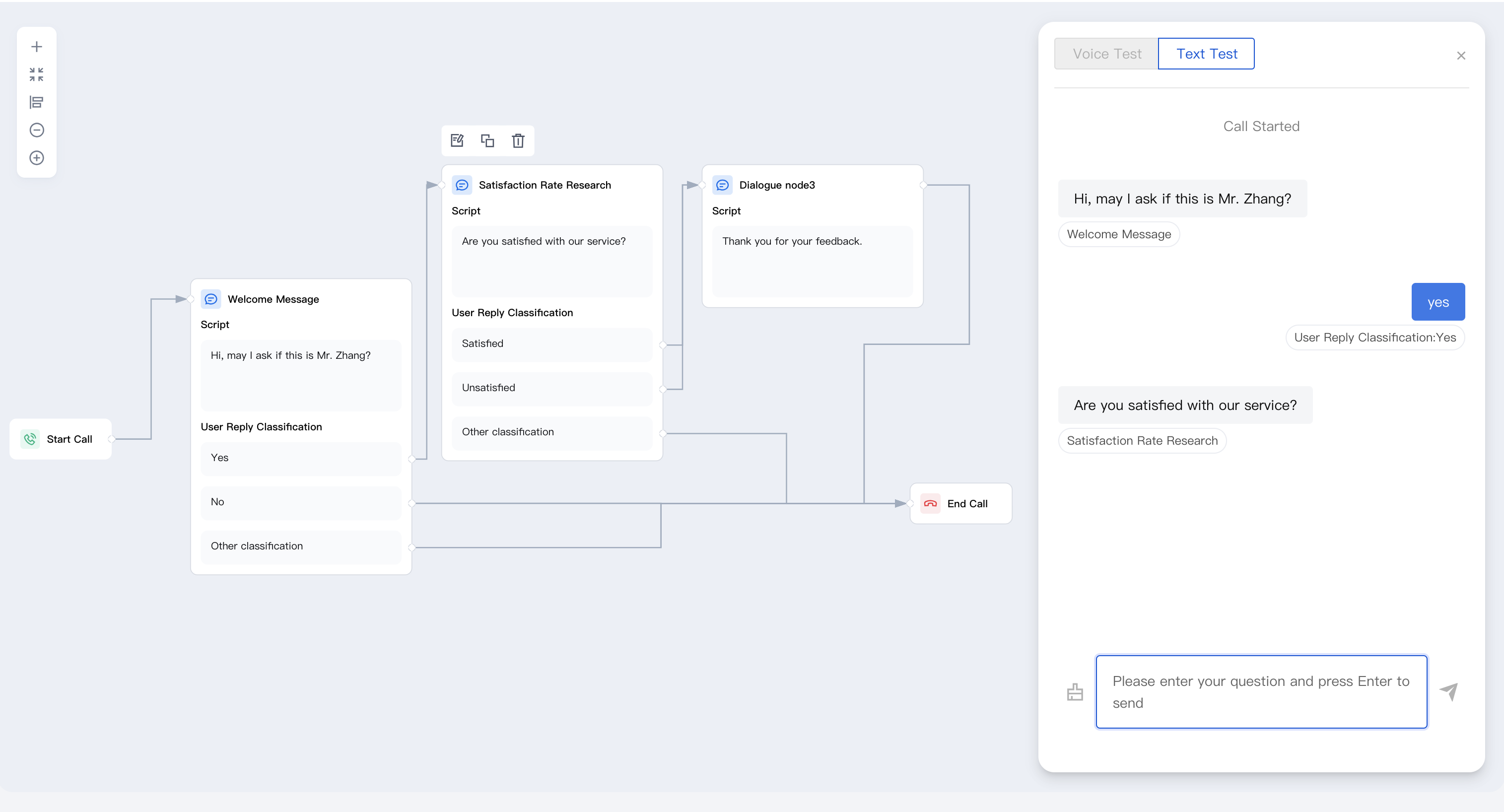
2. The system will display the conversation path, including the intent recognition results based on user input and any node redirection situations (e.g., "if the user replies 'Yes', it will go to the Satisfaction Rate Research node"), allowing you to clearly track the operation logic of each step. If you want to restart at any time, simply click the Clear button next to the input question to reset the test.
フィードバック