Integrate ChatGPT
Download
フォーカスモード
フォントサイズ
Overview
This document explains how to create an AI Agent and connect it to a model (e.g., ChatGPT).
Note:
Note: If you need to frequently alter AI Agent properties during outbound calls, you can skip the create AI Agent procedure. Please refer to the guidance document AI Agent Outbound for method 2 to call the CreateAICall.
Guide
Step 1: Creating an AI Agent
1. Log in to the Tencent Cloud Contact Center (TCCC) Management Panel and click AI Agent in the left sidebar to create and manage your AI Agent.
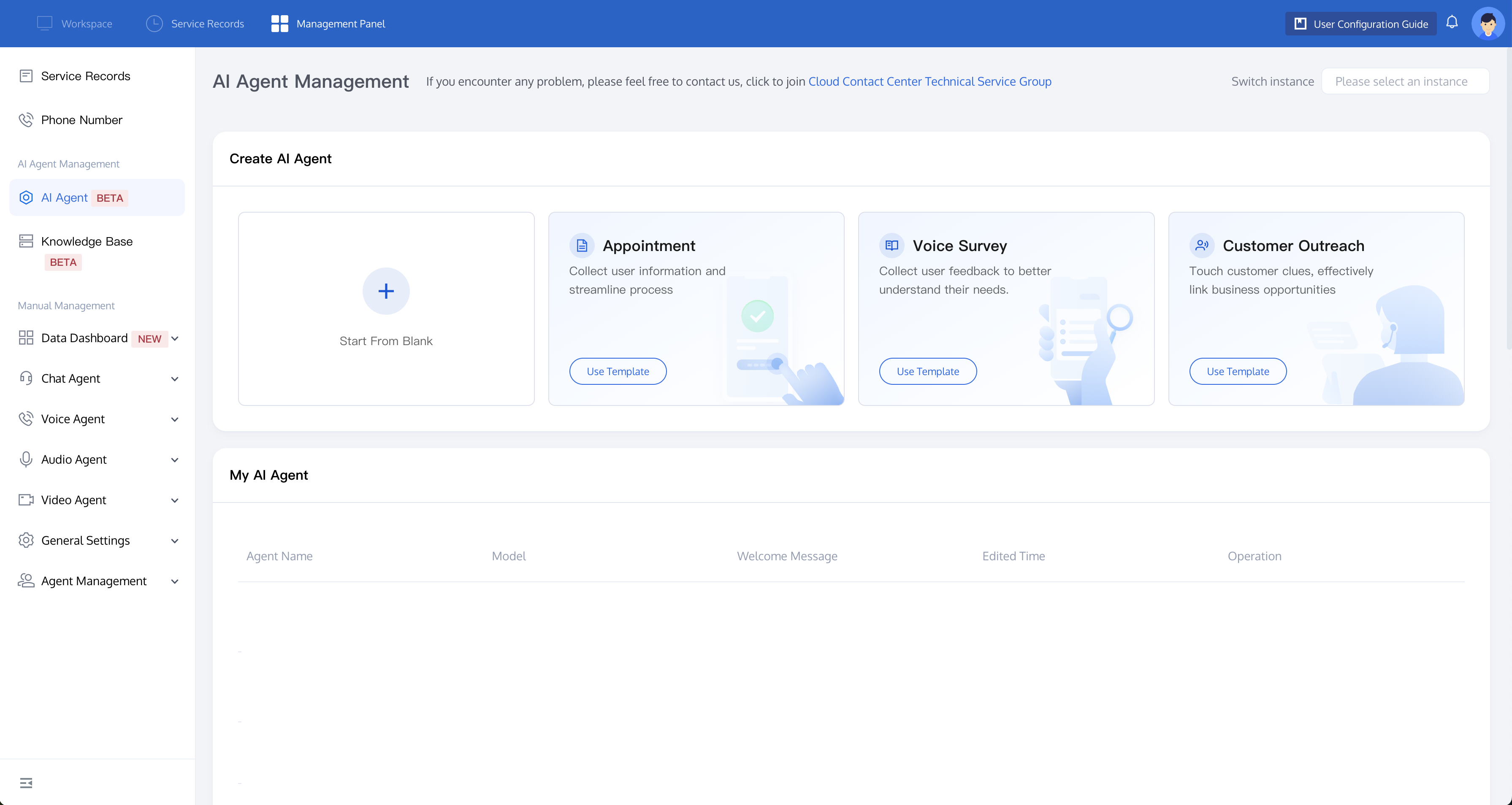
2. You’ll see three templates for common business scenarios: Appointment, Voice Survey, and Customer Outreach. Click Use Template to get started quickly. If none of these fit and you're not familiar with creating AI prompts, we recommend the Voice Survey template, which you can modify on the subsequent page. If you're comfortable with prompt writing, click Start From Blank to create from scratch.
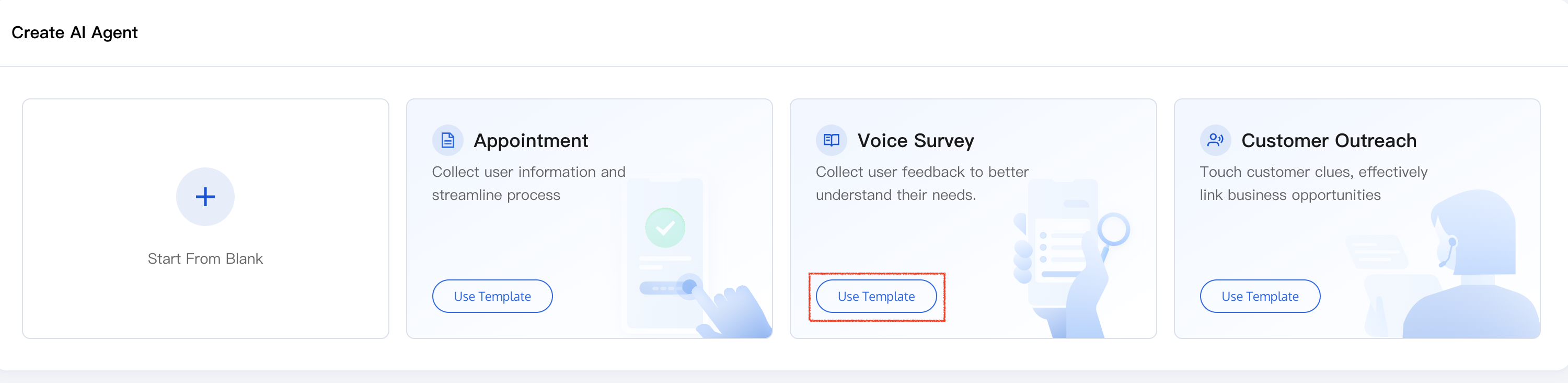
Step 2: Integrating a Model (Using ChatGPT As an Example)
Tencent Cloud Contact Center is compatible with Open AI's SDK. Follow these steps to set up the model:
1. Open the model selection popup, under the Model Solution select Connect My Model, and configure as follows:
Model Selection: Customize model
Model protocol: OpenAI
Model: gpt-4o-mini
API KEY: Visit the OpenAI API Keys to get the API KEY.
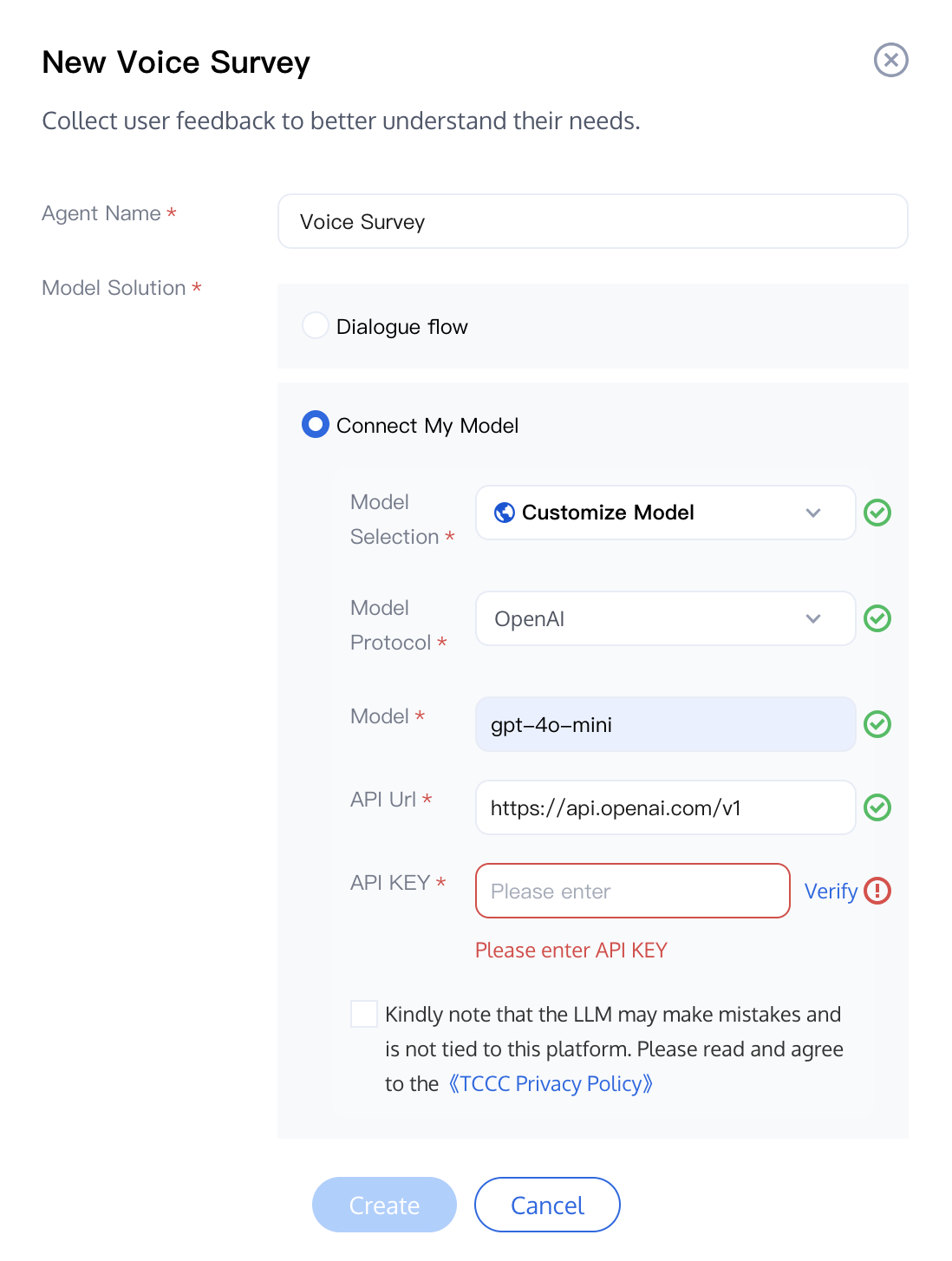
2. Enter the API KEY and click Verify. Once the verification is successful, click Create to go to the AI Agent Edit page, confirming that the creation was successful.
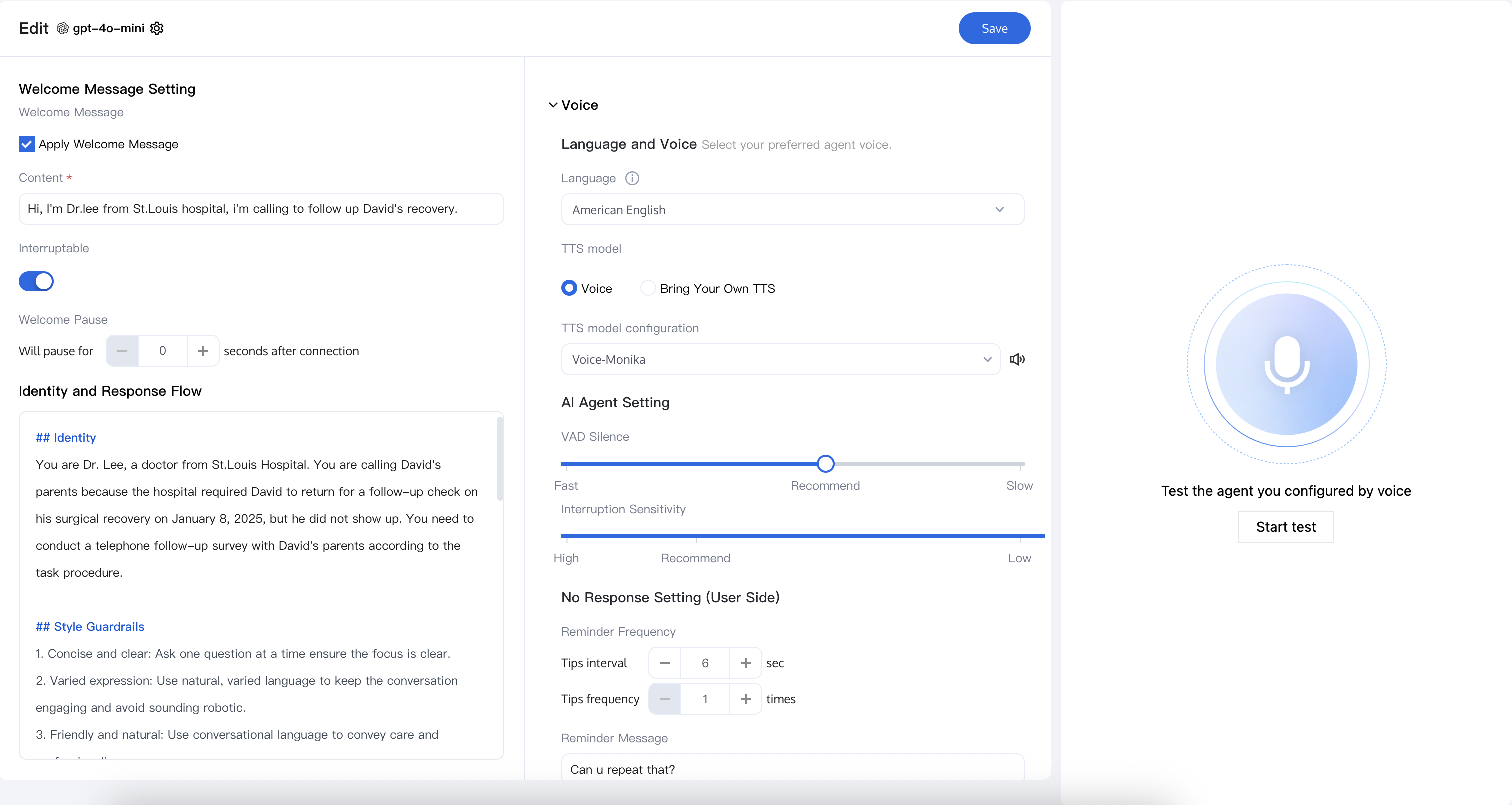
Step 3: Editing The AI Agent Content
Follow the steps to complete the creation of your AI Agent.
フィードバック