Inbound API Calls
Download
フォーカスモード
フォントサイズ
Scenario Description
In an inbound call scenario, you can determine how to handle the call based on caller information, such as switching the reception AI Agent/IVR or adjusting the script. Using the inbound API, you can fetch the customer's VIP status and name. Based on this data, you can select the appropriate AI Agent and personalize the greeting message.
How to Enable
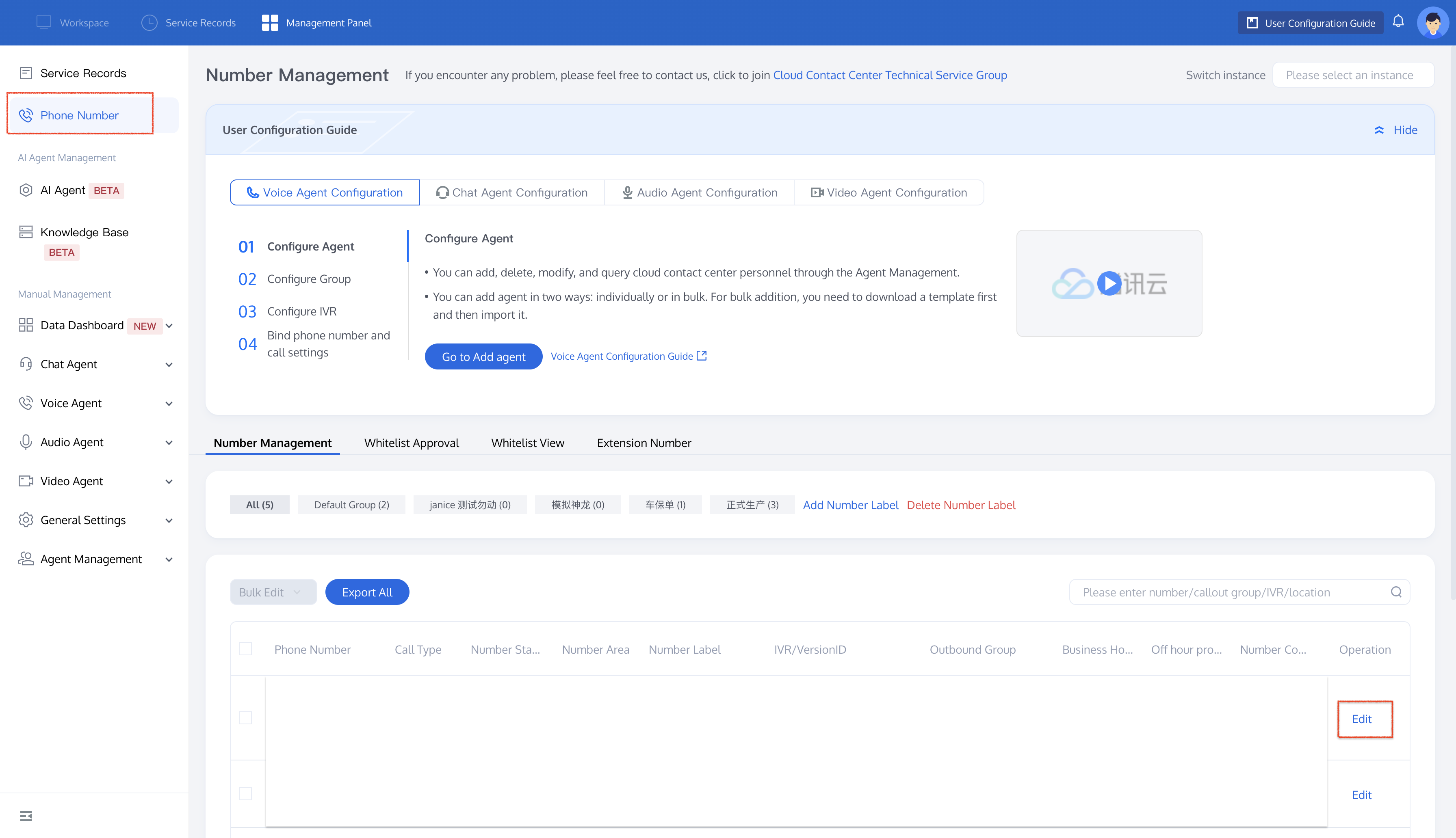
In the TCCC Management Panel, go to Phone Number, find the number you want to configure, and click Edit.
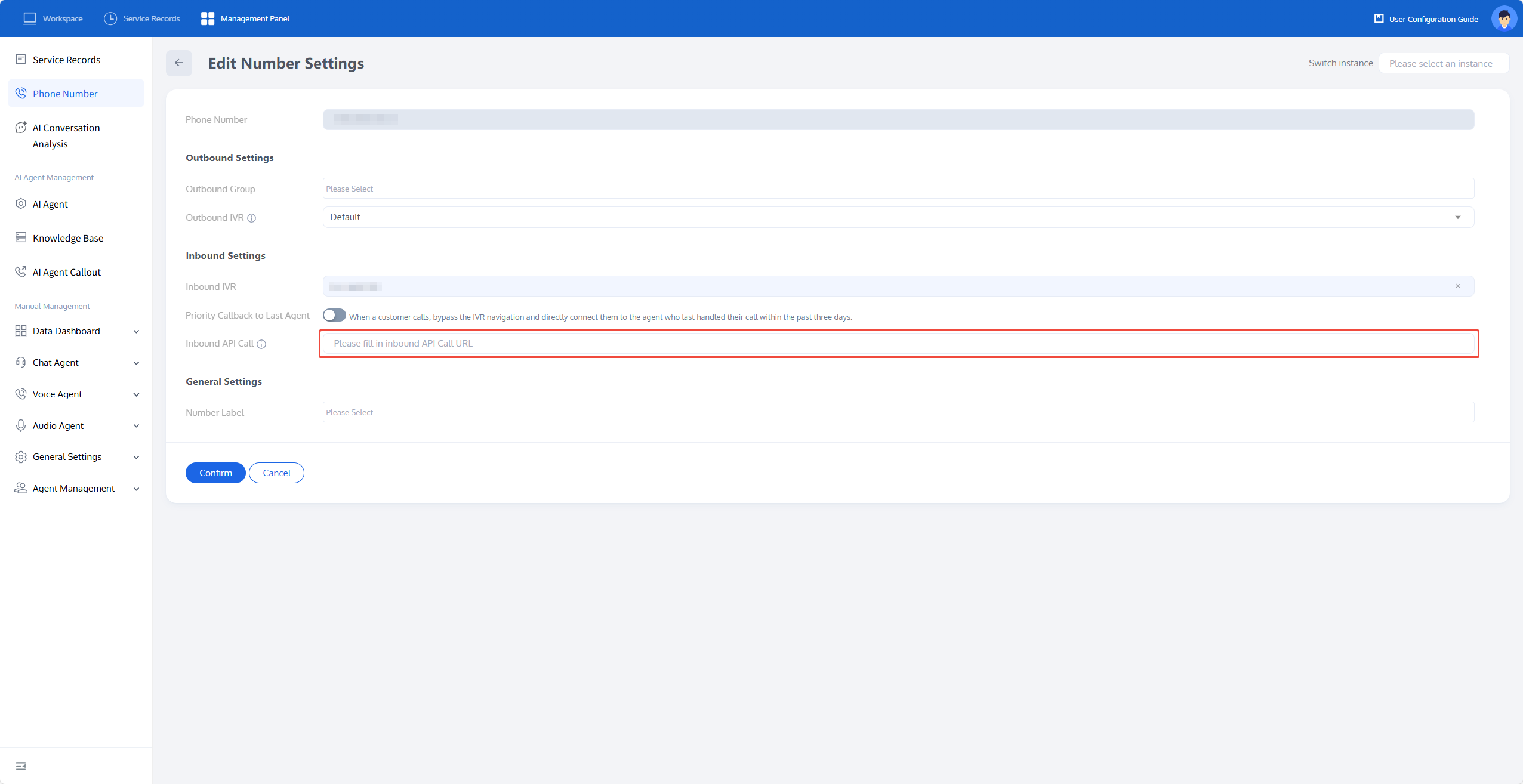
Go to the Edit Number Settings page, fill in the callback URL under Inbound Settings > Inbound API Calls, and click Confirm to save the changes.
Request Method
After successful activation of the inbound API calls, when the user dials the corresponding phone number and the call starts ringing, the system will request the information you configured via the API.The caller-side will continue to ring until receiving your API request.
Note:
Note: If the API does not return information within 5 seconds, the system will resend the request. After 2 failed retries,the system will abandon the request and route the call to the default AI Agent or IVR bound to the number. If not bound, the call will be ended.
1. API request format.
When making the API request, the following information will be provided:
SessionId: A unique ID for each call.
SdkAppId: The App ID associated with the phone number.
AIAgentId: The AI Agent ID that was previously bound to the number (0 means not bound to an AI Agent).
IvrId: The IVR ID that was previously bound to the number (0 means not bound to an IVR).
Caller: The calling number used when a user dials in.
Callee: The called number.
{"Event": "CallInBound","SessionId": "01bd935d-c45e-476a-9e5b-700e09494470","SdkAppId": 1400692008,"CallInBound": {"AIAgentId": 123,"IvrId": 0,"Caller": "+8613066668888","Callee": "+8675566668888"}}
2. API response format.
Call settings can be configured in the following response format.
OverrideAIAgentId: The target Agent ID to override (only one can be passed with OverrideIvrId).
OverrideIvrId: The target IVR ID to override (only one can be passed with OverrideAIAgentId).
Variables: Variable.
Note:
If you wish to end the call, leave the "CallInBound" empty in the response, and the system will automatically hang up the call.
{"CallInBound": {"OverrideAIAgentId": 388,// "OverrideIvrId": 435,"Variables": [{"Key": "name","Value": "Xiao Ming"}]}}
フィードバック