1. In the TBaaS Console, select Fabric > Blockchain Network in the left sidebar to enter the network card page. Click the corresponding card to enter the network details page.
2. Select a blockchain network name and enter the overview page of the blockchain network.
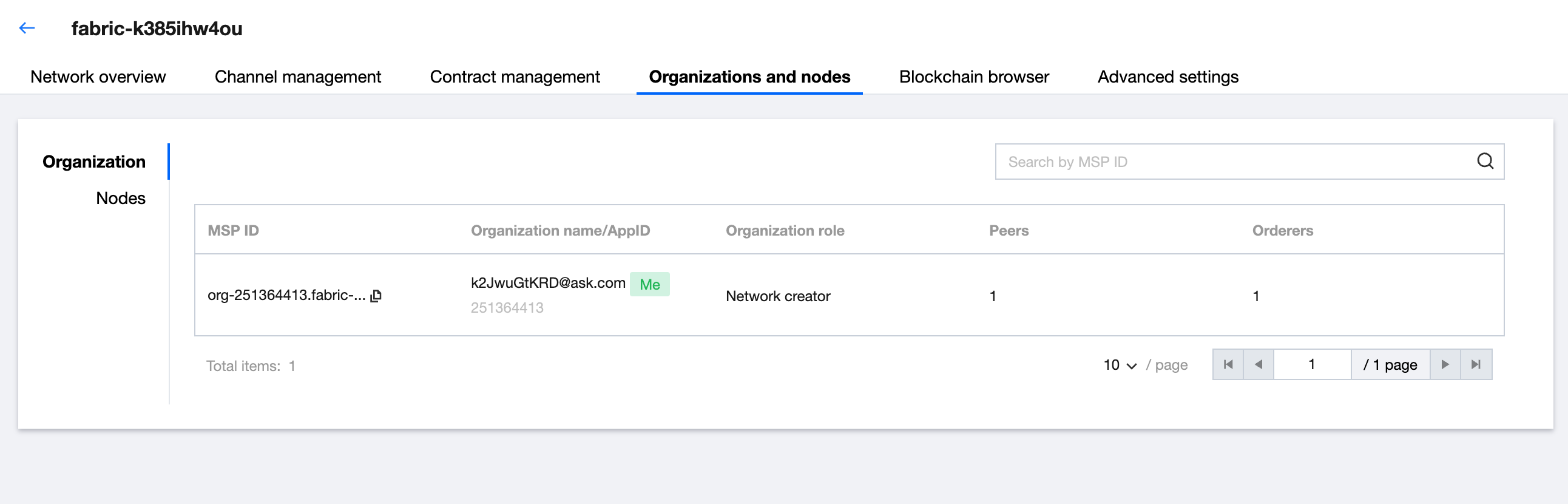
3. Select the Organization and Node > Network Organization tab to enter the organization list page. You can then view the organization information in the current network, including MSP ID, organization name, number of nodes, etc. When an organization is invited to join the channel, it will also be synchronized to the network and can be viewed on the network organization page. As shown below: