tencent cloud

Tencent Cloud Blockchain as a Service

Release Notes
Product Introduction
Overview
Product Features
Underlying Engine
Strengths
Scenarios
Basic Concepts
Purchase Guide
Purchase Page Description
Overdue Payment Instructions
Pricing and Specification Description
Getting Started
Hyperledger Fabric
Operation Guide
Consortium
Event Center
Network Overview
Connection Management
Contract Management
Organization Management
Node Management
Blockchain Browser
Certificate management
Audit Log
Node Monitoring and Logs
Development Guide
Hyperledger Fabric
Application System Integration
API Documentation
History
Introduction
API Category
Making API Requests
Hyperledger Fabric 2.3 APIs
Data Types
Error Codes
FAQs
Product Policy
Data Processing And Security Agreement
Contact Us

Certificate management

PDF
フォーカスモード
フォントサイズ
最終更新日: 2025-04-10 00:40:56

Overview

This document guides users to apply for and manage certs in the Hyperledger Fabric Engine network.

Prerequisites

Logged in to the TBaaS Console.

Operation Steps

Certificate Application

1. In the TBaaS Console, select Fabric > Blockchain Network in the left sidebar to enter the network card page. Click the corresponding card to enter the network details page.
2. Select the Advanced Settings > Certificate Management tab to enter the certificate list page and view the certificate information of the current organization.
3. Click Apply for a Certificate in the upper left corner of the certificate list, fill in the certificate identifier in the popup, and upload the CSR files of the user certificate and TLS certificate. As shown below:
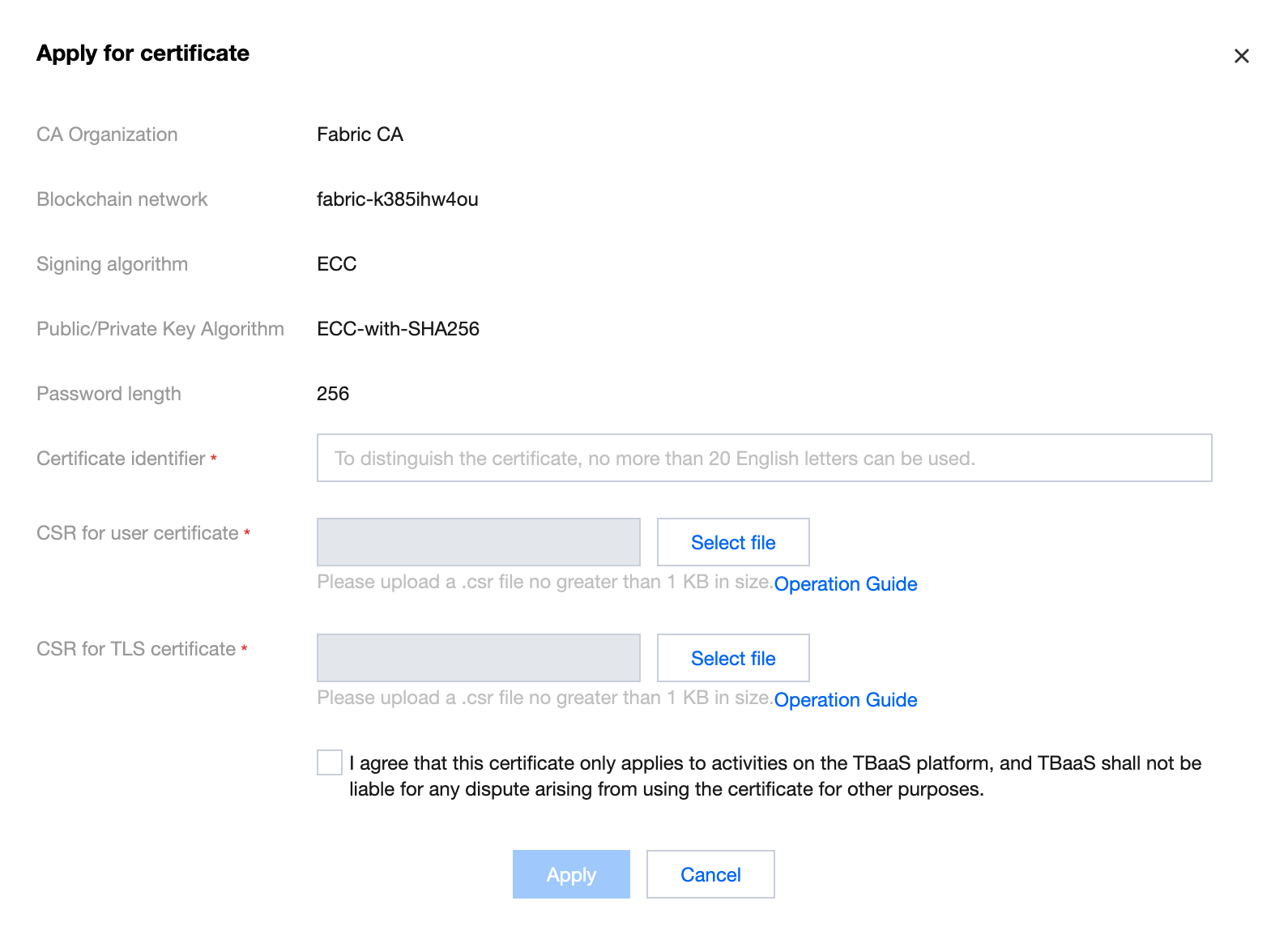

4. Click Apply to complete the generation of the certificate. For the generation method of the CSR file, please refer to Certificate Application CSR Generation Guide.

Download Certificate

After completing the application for the certificate, click Download in the certificate list to download the certificate file compression package. 
After decompression, you can obtain 4 files, which are:
ca.crt: organization root certificate to verify user certificate.
user.tls.crt: user TLS certificate for tls communication with nodes.
user.sign.crt: user certificate for transaction signature.

ヘルプとサポート

この記事はお役に立ちましたか?

フィードバック