tencent cloud

Game Multimedia Engine

製品アップデート情報
製品紹介
製品概要
優位性のある特徴
製品機能
ユースケース
セキュリティコンプライアンス認証
初心者ガイド
SDKダウンロードガイド
製品機能体験
基本機能Demo
シーン化体験
コンソールガイド
使用量の表示
サービスの有効化
クイックスタート
Quick Integration of SDK
Quick Integration of Sample Project
基本機能開発ガイド
Authentication Key
リアルタイム音声ロール設定
音質設定
拡張機能開発ガイド
サーバー側のレコーディング
レンジボイス
3Dサウンド
効果音と伴奏
ネットワークオーディオストリーム転送ルーティング
カスタムメッセージチャネル
社内ファイアーフォール制限への対応について
Language Parameter Reference List
GMEルーム管理機能の導入
クライアントAPI
SDK for Unity
SDK for Unreal Engine
Cocos2D SDK
SDK for Windows
SDK for iOS
SDK for Android
SDK for macOS
H5 SDK
Electron SDK
SDK for Flutter
SDK Version Upgrade Guide
エラーコード
Toolchain
Server APIs
History
Introduction
API Category
Usage APIs
Recording APIs
Making API Requests
Voice Chat APIs
Application APIs
Data Types
Error Codes
よくある質問
製品機能質問
問題解決ガイド
課金について
Sample Projectの使用上の問題
一般的な質問
認証について
リアルタイム音声ルーム参加失敗について
リアルタイム音声利用時に音声が聞こえない問題とオーディオ関連について
ネットワークについて
ボイス・ツー・テキスト変換について
プロジェクトエクスポートについて
Service Agreement
Service Level Agreement
お問い合わせ
用語集
GME ポリシー
データ処理とセキュリティ契約
プライバシーポリシー

iOS Project Upgrade Guide

PDF
フォーカスモード
フォントサイズ
最終更新日: 2024-01-18 15:11:45

Overview

The GME SDK has been upgraded to v2.9. To implement this upgrade, perform the following steps in your Xcode project:

Upgrade Directions

1. Download the SDK

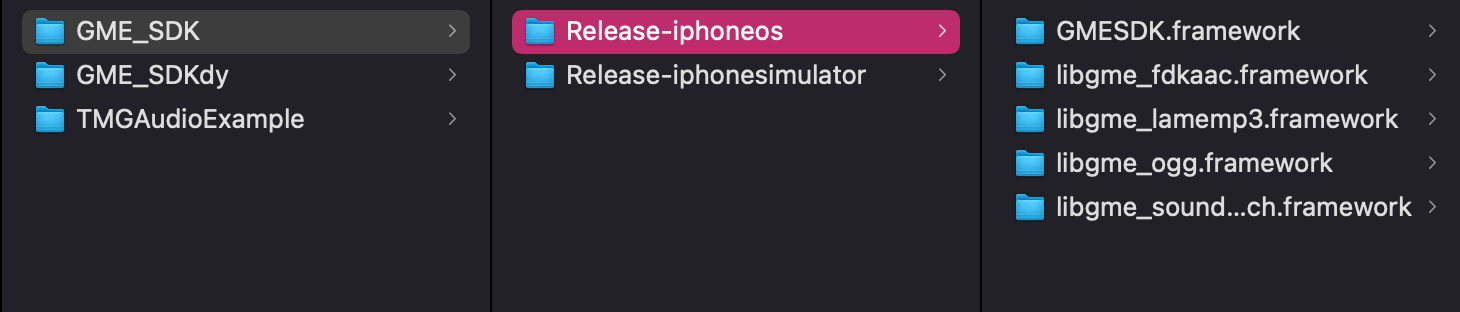
In the new version, the dynamic libraries of the SDK are split into the following files:
libgmefdkaac.framework
libgmeogg.framework
libgmelamemp3.framework
libgmesoundtouch.framework
Make sure that the downloaded SDK contains these files. After downloading, put them together with GMESDK.framework in the project directory. Release-iphoneos is the SDK file used for real devices, while Release-iphonesimulator is the SDK file used for simulators.


2. Import the SDK into the project

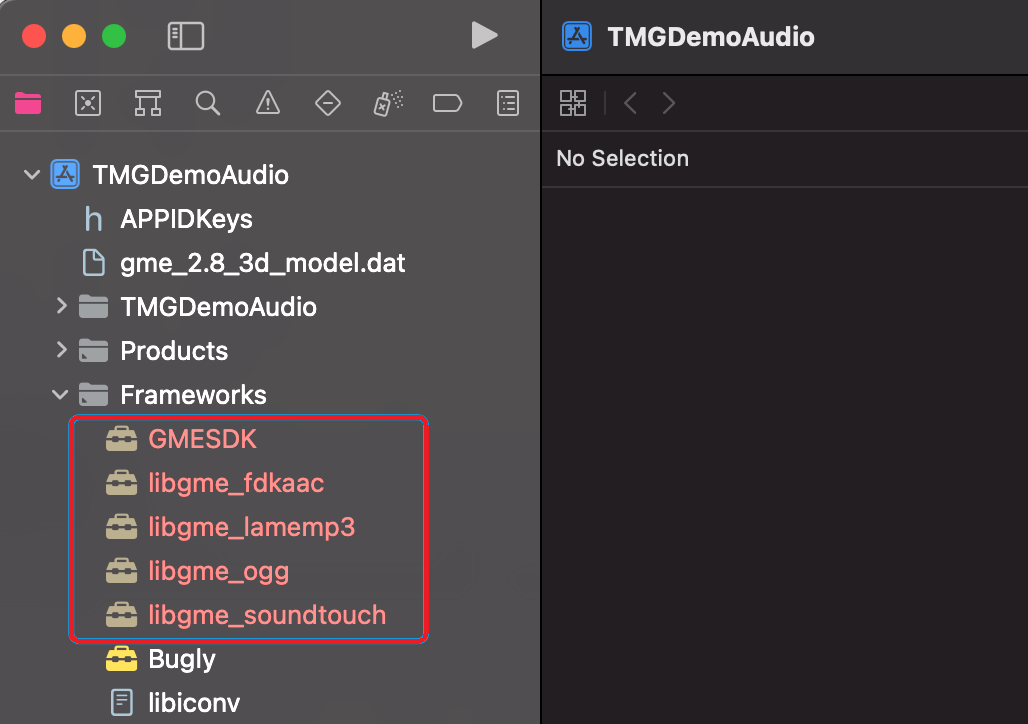
Import all frameworks into the project as shown below:


3. Configure frameworks and sign

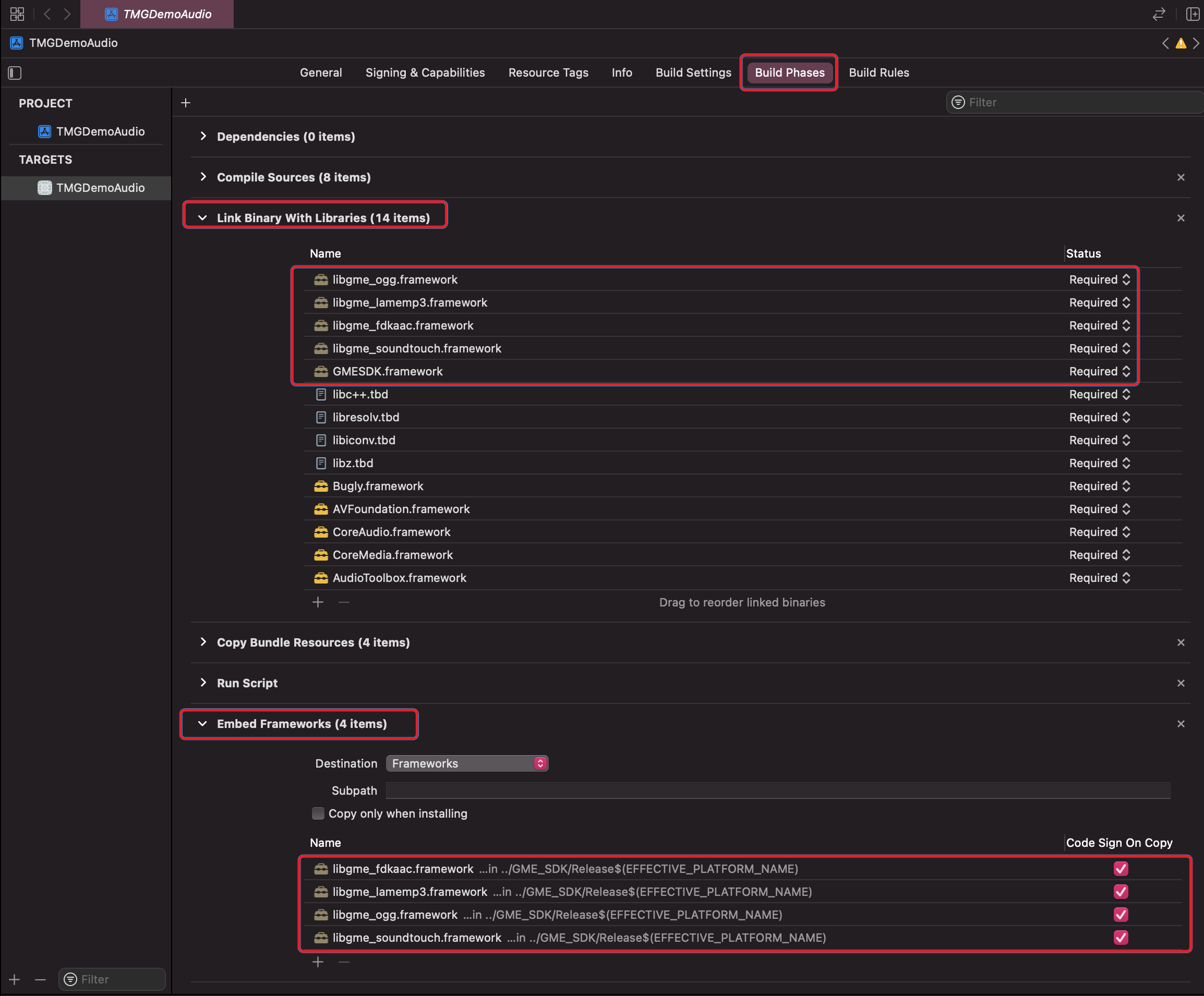
1. In the Xcode project, click Build Phases, expand Link Binary With Libraries, and import all GME frameworks.
2. Expand Embed Framework, import all GME frameworks, and select Code Sign On Copy.


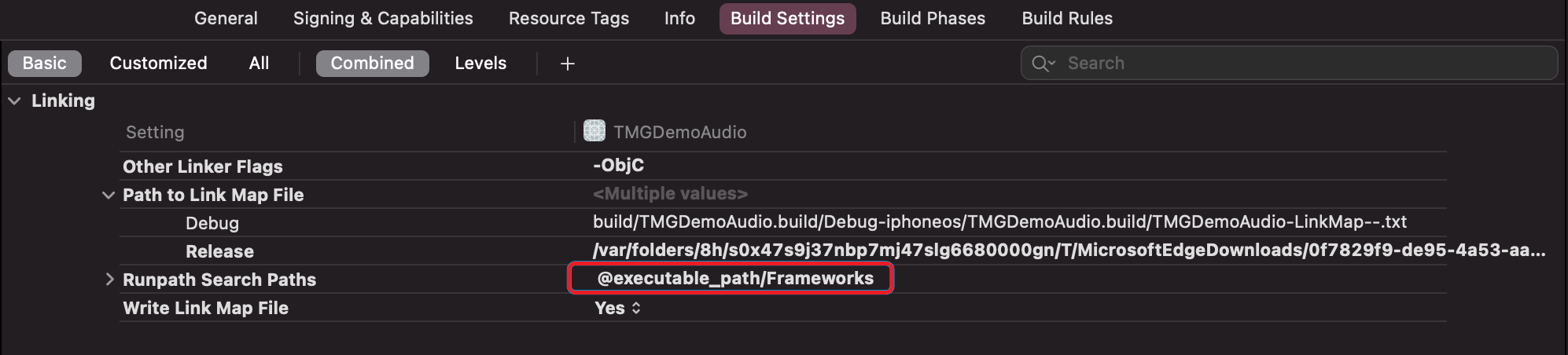
4. Modify the rpath

You need to add @executable_path/Frameworks in the rpath. If it has already been added, there is no need for modification.
ヘルプとサポート

この記事はお役に立ちましたか?

フィードバック