tencent cloud

SSL Certificates

Release Notes
Announcements
Notice on price adjustment of DigiCert and its affiliated brands'SSL certificates​
Price Change to DigiCert SSL Certificates
TrustAsia Root Certificate Update
Domain Validation Policy Update
SSL Certificate Service Console
Multi-Year SSL Certificate and Automatic Review
Notice on Stopping the Issuance of 2-Year SSL Certificates by CAs Starting from September 1, 2020
Announcement on Stop Using the Symantec SSL Certificate Name After 30 April 2020
Notice on Certificate Revocation Due to Private Key Compromises
Notice on Application Limits for DV SSL Certificates
Notice on Adjustment of Free SSL Certificates Policy
Let's Encrypt Root Certificate Expired on September 30, 2021
Product Introduction
Overview
Introduction to Tencent Cloud SSL Certificates
Strengths
Advantages of HTTPS
Browser Compatibility Test Report
Multi-Year SSL Certificate and Automatic Review Overview
SSL Certificate Security
Purchase Guide
Pricing
SSL Certificate Purchase Process
SSL Certificate Selection
Paid SSL Certificates Renewal
SSL Certificate Renewal Process
SSL Certificate Refund Process
Getting Started
Certificate Application
Information Submission Process for Paid SSL Certificates
Domain Ownership Validation
Domain Validation Method Selection
Automatic DNS Addition
DNS Validation
File Validation
Automatic DNS Validation
Automatic File Validation
Validation Result Troubleshooting Guide
Operation Guide
Domain Ownership Verification
Uploading Certificates
Secured Seal
CSR Management
Certificate Installation
Installing an SSL Certificate on a Tencent Cloud Service
Installation of International Standard Certificates
Selecting an Installation Type for an SSL Certificate
Certificate Management
Instructions on SSL Certificate Auto-Renewal
Certificate Hosting
Uploading (Hosting) an SSL Certificate
Reminding Reviewers to Review an SSL Certificate Application
Revoking an SSL Certificate
Deleting an SSL Certificate
Reissuing an SSL Certificate
Ignoring SSL Certificate Notifications
Customizing SSL Certificate Expiration Notifications
API Documentation
History
Introduction
API Category
Making API Requests
Certificate APIs
Certificate Renewal (Certificate ID Unchanged) APIs
CSR APIs
Data Types
Error Codes
Use Cases
Automatic Solution for Implementing and Issuing Multi-Year Certificates and Binding Resources
Apple ATS Server Configuration
Quickly Applying for a Free SSL Certificate via DNSPod
Enabling Tencent Cloud DDNS and Installing Free Certificates for Synology NAS
Batch Applying for and Downloading Free Certificates Using Python-based API Calls
Profile Management
Adding Organization Profile
Adding Administrator
Adding Domain
Troubleshooting
Domain Validation Failed
Domain Security Review Failed
Website Inaccessible After an SSL Certificate is Deployed
404 Error After the SSL Certificate is Deployed on IIS
“Your Connection is Not Secure” is Displayed After the SSL Certificate is Installed
Message Indicating Parsing Failure Is Displayed When a Certificate Is Uploaded
Automatic DNS Validation Failed for a Domain Hosted with www.west.cn
Host Name Field Cannot Be Edited in IIS Manager When Type Is Set to https
Message Indicating Intermediate Certificates Missing in Chain Is Displayed When a Free SSL Certificate Is Deployed on IIS
FAQs
SSL Certificate Selection
SSL Certificate Application
SSL Certificate Management
SSL Certificate Installation
SSL Certificate Region
SSL Certificate Review
SSL Certificate Taking Effect
SSL Certificate Billing and Purchase
SSL Certificate Validity Period
Related Agreement
SSL Service Level Agreement
Contact Us
Glossary
DokumentasiSSL CertificatesTroubleshootingWebsite Inaccessible After an SSL Certificate is Deployed

Website Inaccessible After an SSL Certificate is Deployed

PDF
Mode fokus
Ukuran font
Terakhir diperbarui: 2024-03-06 17:56:24

Symptoms

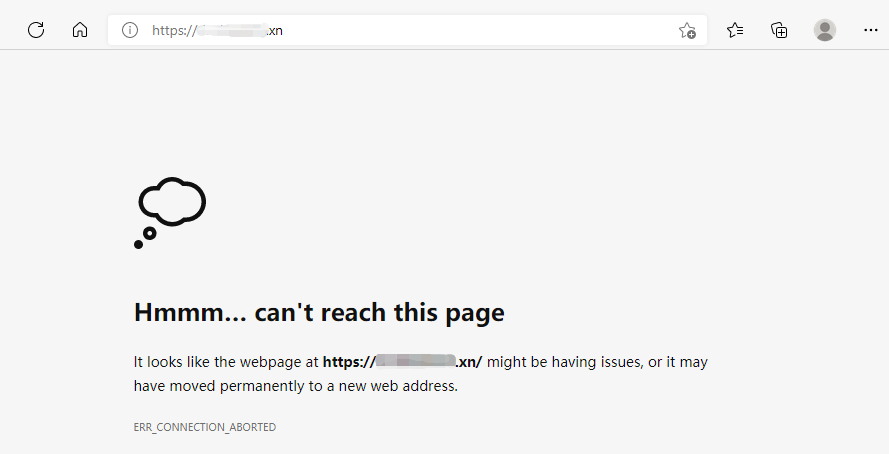
After the SSL certificate is deployed on the server, using HTTPS to access pages is slow, the page is blank, or “This page can’t be reached” is displayed, as shown in the following figure:


Possible Causes

Port 443 is closed on the server firewall: If port 443 is closed, you may not be able to access pages over HTTPS normally. In this case, please open port 443 on the server and then retry.
Disabled security group: A security group is a virtual firewall that features stateful data packet filtering. It is used for vendors to configure the network access control of CVM, Cloud Load Balancer, TencentDB, and other instances while controlling their outbound and inbound traffic. It is an important means of network security isolation. The security group is disabled by default. You can enable the security group on your server and then retry.
Browser cache pollution: Browser cache speeds up the loading and allows you to make better use of network resources. In most cases, the browser caches recently requested resources and returns these resources when they are requested again.
Incorrect configuration file: If the configuration file of the server’s web service is incorrect, requests may not be handled correctly and thus the website cannot be accessed.

Solutions

Opening port 443 on the server firewall

If you use Tencent Cloud’s Cloud Virtual Machine (CVM) service, you can skip this step as port 443 is open on CVM instances by default. Therefore, you can proceed with Disabled security group.
If you use Tencent Cloud’s Lighthouse service, open port 443 by referring to Firewall Management.
If you use cloud servers of other vendors, please contact your cloud vendor.

Enabling a security group

If you use Tencent Cloud’s CVM service, open port 443 by referring to Adding Security Group Rules.
Tencent Cloud’s Lighthouse service does not have this feature. Therefore, you can check whether port 443 is opened on the firewall.
If you use cloud servers of other vendors, please check whether your vendor supports this policy. If yes, consult your vendor about how to open port 443. If not, check whether port 443 is opened on the firewall.

Browser cache pollution

Clear your browser cache or try to use another browser to access the page.

Incorrect configuration file

Check whether the configuration file is correct by referring to the corresponding deployment guide, or purchase the certificate deployment service in the Tencent Cloud Market.
Note:
If your SSL certificate was installed and deployed by referring to Tencent Cloud’s documentation, please see Selecting an Installation Type for an SSL Certificate.

Bantuan dan Dukungan

Apakah halaman ini membantu?

masukan