tencent cloud

Cloud Migration

Release Notes and Announcements
Release Notes
Product Introduction
Overview
Use Cases
Purchase Guide
Quick Start
Data Collector
AWS Online Research
AWS Tool Research
AWS Billing Import Tool
IDC Tool Research
IDC File Import Research
Specification Mapping
Source-end Resource List
Resource Mapping
Migration Plan
File Storage Migration
Object Storage Migration​​
High-Performance Migration Cluster
Server Migration
COS Migration Guide
Overview
Using Semi-Managed Migration Agent
Migrating from AWS S3 (International)
Migrating by HTTP URL List
Migrating Between Tencent Cloud COS Buckets
Migrating from Alibaba Cloud OSS
S3 Protocol Migration
Azure Blob Migration
FAQs
Contact Us
문서Cloud Migration Migration PlanObject Storage Migration​​

Object Storage Migration​​

PDF
포커스 모드
폰트 크기
마지막 업데이트 시간: 2025-05-27 10:49:32

Prerequisites

Support Scope

Currently, cloud migration provides migration support for batch migrating Cloud Object Storage (COS) with AWS as the source.

Operation Steps

1. Enter Cloud Migration > Preparation > Migration Plan > AWS tab, select the Cloud Object Storage to be migrated, and click Create migration task.


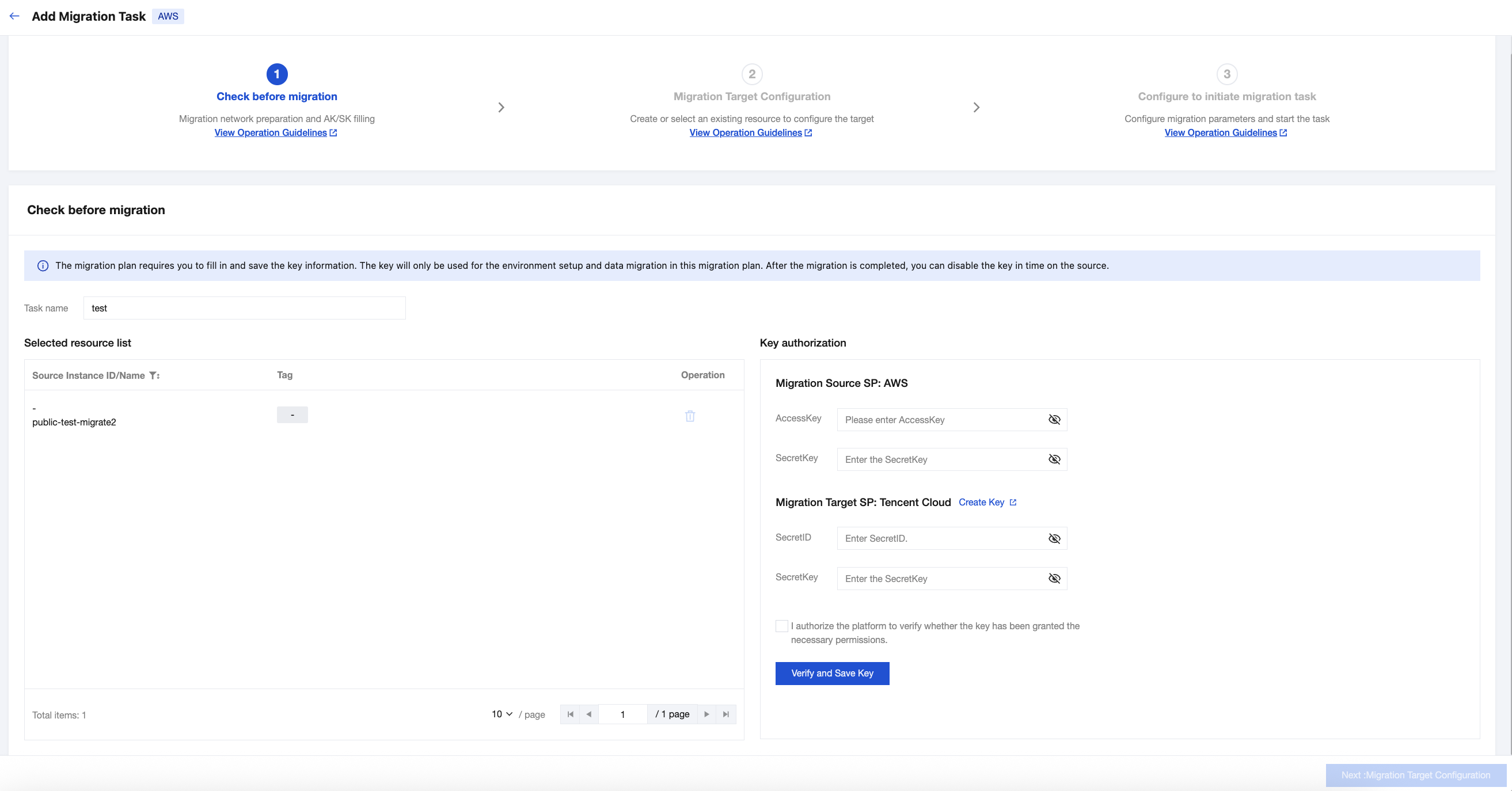
2. Step 1 is Check before migration. Input the migration Task name. Fill in the AWS and Tencent Cloud key information respectively. Then click Verify and save key.


3. After the key verification passes, click Next:Migration Target Configuration.
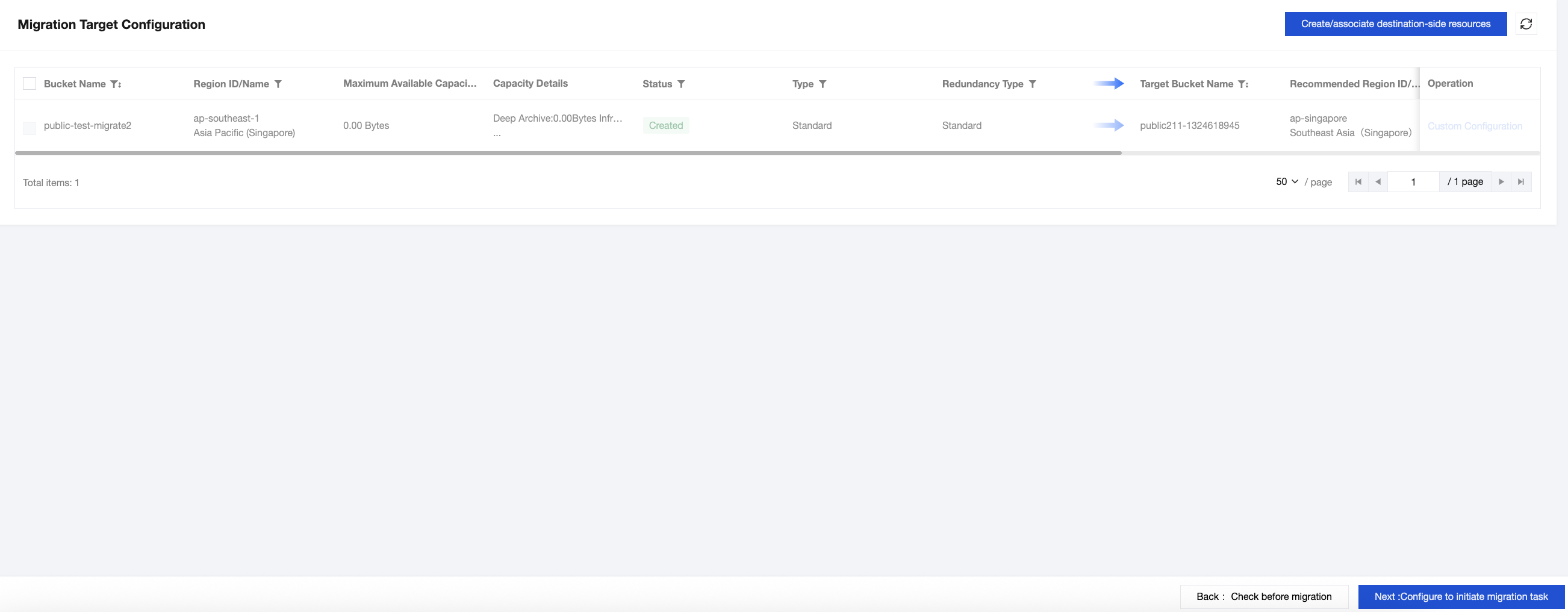
4. Click Custom Configuration in the operation column of the resources to be migrated. In the custom configuration, you can choose Created by recommended resources or select to migrate to existing resources, and then click Submit.


5. Check the resources to be migrated, click Create/associate destination-side resources, click Confirm in the pop-up to complete the association or creation of the target bucket for migration, and then click Next:Configure to initiate migration task.


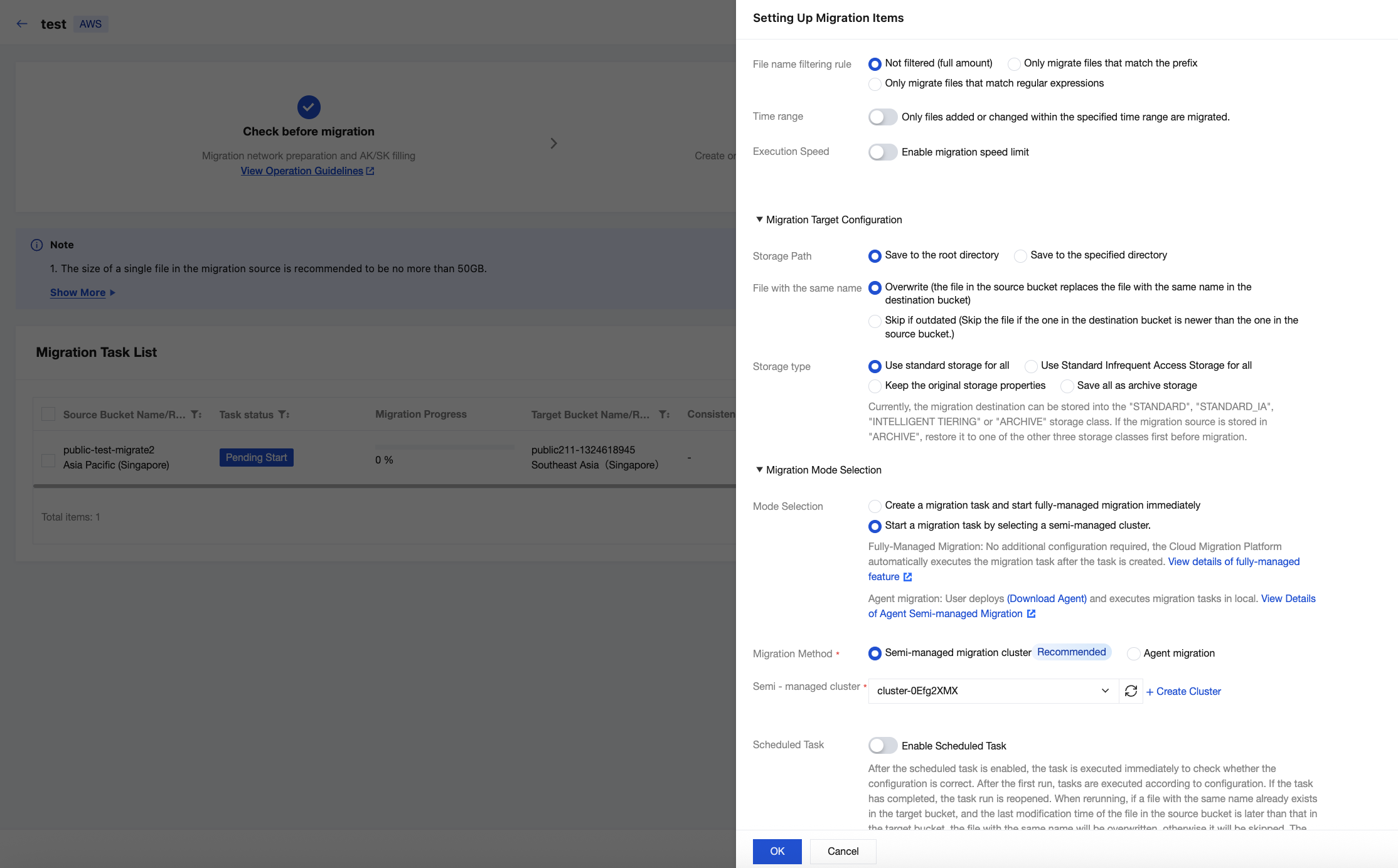
6. Check the COS bucket to be migrated and click Advanced Configuration.
6.1 If it is a public network migration, select Create a migration task and start fully-managed migration immediately in Mode Selection, keep other parameters as default, and then click OK.


6.2 If it is a private network migration, select Start a migration task by selecting a semi-managed cluster in Mode Selection, select an available migration cluster in Semi-managed migration cluster, keep other parameters as default, and then click OK.

To create a new cluster, see High-Performance Migration Cluster.


7. Check the COS bucket to be migrated and click Start Migration Task. You can start COS migration tasks individually or in batches.

도움말 및 지원

문제 해결에 도움이 되었나요?

피드백