The MPS Intelligent Identification Template is designed for scenarios requiring II on videos, such as Face Identification, Text identification, Speech identification, Speech translation, and Object identification. You can directly use the II preset template provided by the system in Service Orchestration Management or create an Intelligent Identification Template as per your business needs via Definition. Created templates will be displayed in the template list and can be managed through filter and view, editing, and deletion operations.
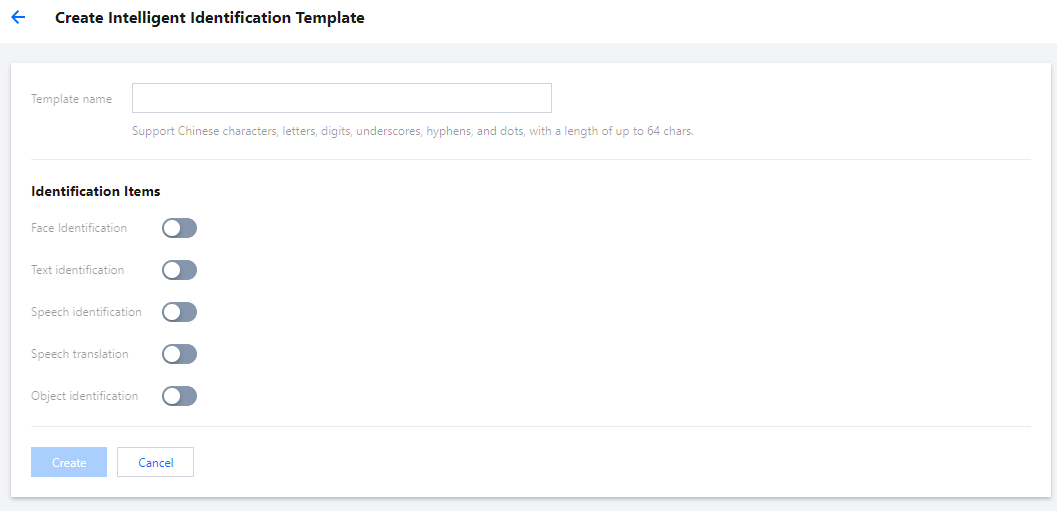
Go to Templates > Intelligent Identification, click Create Intelligent Identification Template to enter the template Definition settings interface, where you can set the template name and Identification Items.
Identification Items
Description
Template Name
Support Chinese characters, letters, digits, underscores (_), hyphens (-), and dots (.), with a length of up to 64 chars.
Identification Items
Identification items include Face Identification, Text identification, Speech identification, Speech translation, and Object identification.
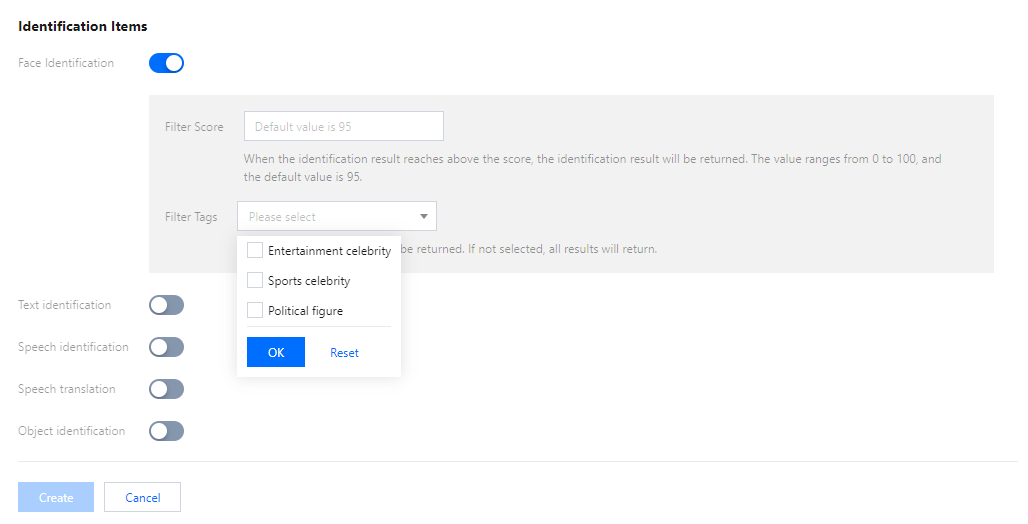
Face Identification can set Filter Score and Filter Tags.
Filter Score is used to constrain the confidence of recognition results. The value range is 0-100, and the default value is 95. When the recognition result reaches the specified score or above, the result is returned.
You can filter by tags "Entertainment celebrity," "Sports celebrity," and "Political figure." The corresponding tag results will be returned after selection; otherwise, all results will be returned.
Speech identification
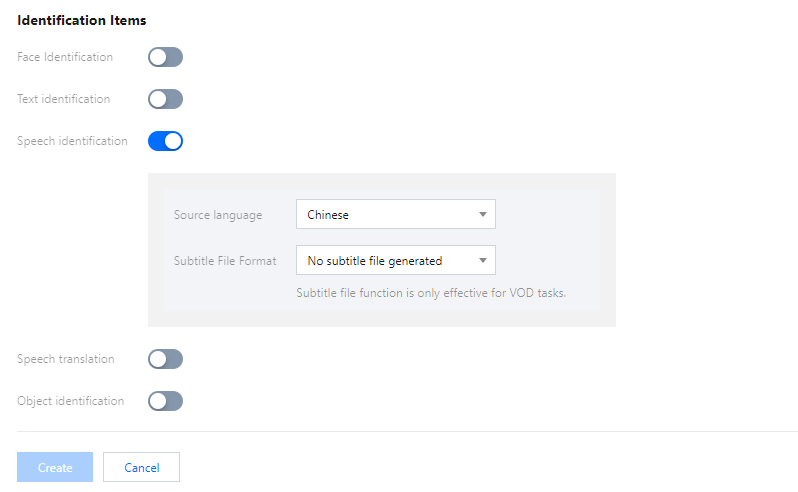
To enable speech identification, you need to select the source language of the video. To generate subtitle files after recognizing the speech, you need to choose the subtitle file format.
Note:
The current subtitle file feature is valid only for on-demand tasks and on-demand files, not for ASR tasks initiated by live streaming.
The currently supported languages are listed in the table below:
Source language
Chinese
English
Japanese
Korean
Chinese-English-Cantonese
Chinese Medical
Cantonese
Vietnamese
Malay
Indonesian
Filipino
Thai
Portuguese
Turkish
Arabic
Spanish
Hindi
French
German
Italian
Russian
Chinese Dialect
-
-
Speech translation
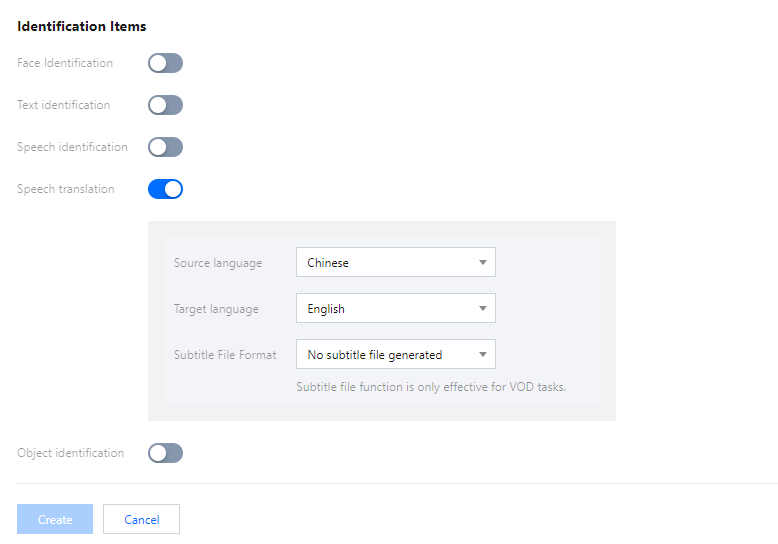
To enable the speech translation feature, you need to select the source language and the target language. To generate subtitle files after translating the language, you need to choose the subtitle file format.
Note:
The current subtitle file feature is valid only for on-demand tasks and on-demand files, not for ASR tasks initiated by live streaming.
The currently supported languages are listed in the table below:
Source language
Chinese
English
Japanese
Korean
Vietnamese
Malay
Thai
Portuguese
Turkish
Arabic
Spanish
Hindi
French
-
-
Text identification
After enabling text identification, the OCR results within the video will be returned via callback. Currently, Chinese and English are supported, other languages are not supported yet.
Object identification
After enabling object identification, the object recognition results within the video will be returned via callback. Common objects are recognized by default. If you have specific identification requirements, please submit a ticket or contact the product research and development team.