LEB
Download
포커스 모드
폰트 크기
LEB Overview
Live Event Broadcasting (LEB) is the ultra-low-latency version of LVB. It features lower latency than traditional streaming protocols and delivers superior playback experience with millisecond latency. It is suitable for scenarios with high requirements on latency, such as online education, sports streaming, and online quizzes.
Note:
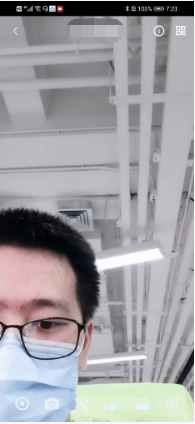
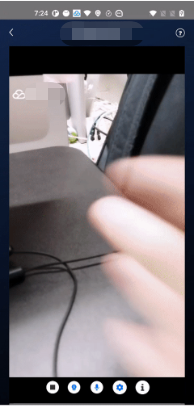
The figure above (made using scrcpy) is a comparison of LEB and standard CDN live streaming. The images on the left and in the middle show the playback end of standard CDN live streaming and LEB, and the image on the right shows the publishing end.
LVB and LEB are priced differently. For details, please see LVB Billing Overview and LEB Billing Overview.
Strengths
Strength | Description |
Playback with millisecond latency | The latency is kept within 1s thanks to the use of UDP, as opposed to 3-5s in traditional live streaming. This, along with excellent instant streaming performance and low stuttering rate, guarantees a superior streaming experience. |
Diverse features and smooth migration | LEB integrates a wide range of features including stream publishing, transcoding, recording, screenshot, porn detection, and playback. It allows smooth migration from standard live streaming. |
Easy-to-use, secure, and reliable | The use of a standard protocol makes integration easy. You can play live video on Chrome and Safari without installing any plugins. In addition, the playback protocol encrypts video by default for improved security and reliability. |
Use cases
Scenario | Description |
Sports event | LEB offers ultra-low-latency streaming for sports events. It brings sports content to audience at low latency, allowing audience to learn what’s happening in real time. |
E-commerce streaming | Some e-commerce streaming scenarios, for example, online auctions and sales promotion, require extremely low latency. LEB’s ability to stream at ultra-low latency ensures that hosts and audience get real-time feedback from each other, improving online shopping experience. |
Online classes | LEB can be used for online classes. Its ability to stream at ultra-low latency allows teachers and students to interact with each other as they do in offline classes. |
Online quizzes | Due to latency, some online quizzes have to insert extra frames at the audience end to ensure that the host and audience are in sync with each other. This is not necessary if you use LEB, whose ultra-low-latency streaming capability makes sure that the two sides are in sync. It helps you implement online quizzes more easily and deliver smoother experience. |
Showrooms | LEB can significantly improve the experience of latency-sensitive interactions such as gift giving in live showrooms. |
Tryout
Video Cloud Toolkit is a comprehensive audio-video solution developed by Tencent Cloud that allows you to try out the features of the TRTC, MLVB and UGC SDKs, including the LEB Player.
Note:
The demonstration and directions in this document use the demo app for Android as an example. The UI of the app for iOS is slightly different.
Source code and demonstration
Note:
In addition to the above sample code, regarding frequently asked questions among developers, Tencent Cloud offers a straightforward API example project, which you can use to quickly learn how to use different APIs.
iOS:MLVB-API-Example
Android:MLVB-API-Example
Flutter:Live-API-Example
Publishing
LEB is compatible with LVB, which means you can publish streams using an ordinary publisher and play the streams using LEB.
1. Download and install Video Cloud Toolkit, log in, and go to MLVB > Push (Camera).
2. Allow the permissions asked, and tap Auto-generate to start publishing streams.
3. If publishing is successful, tap the QR code icon in the top right and select LEB to get the playback URL for LEB.
4. During publishing, you can tap the menu icon in the bottom right to apply filters, add background music, switch cameras, etc.
Playback
1. Download and install Video Cloud Toolkit, log in, and go to Live Broadcast > LEB Player.
2. Allow the permissions asked, tap the scan button, and scan the LEB playback URL obtained earlier.
3. Playback starts automatically once the QR code is read. During playback, you can tap the menu icon in the bottom right to mute playback or change other settings.
Integration
In the new version of the MLVB SDK, you can use V2TXLivePlayer for LEB and
V2TXLivePusher for publishing. LEB supports WebRTC protocols and uses the standard extension method. All URLs in LEB start with webrtc://.Step 1. Download the SDK
Step 2. Configure License Authorization for SDK
1. Obtain license authorization:
If you have obtained the relevant license authorization,need to Get License URL and License Key in Cloud Live Console
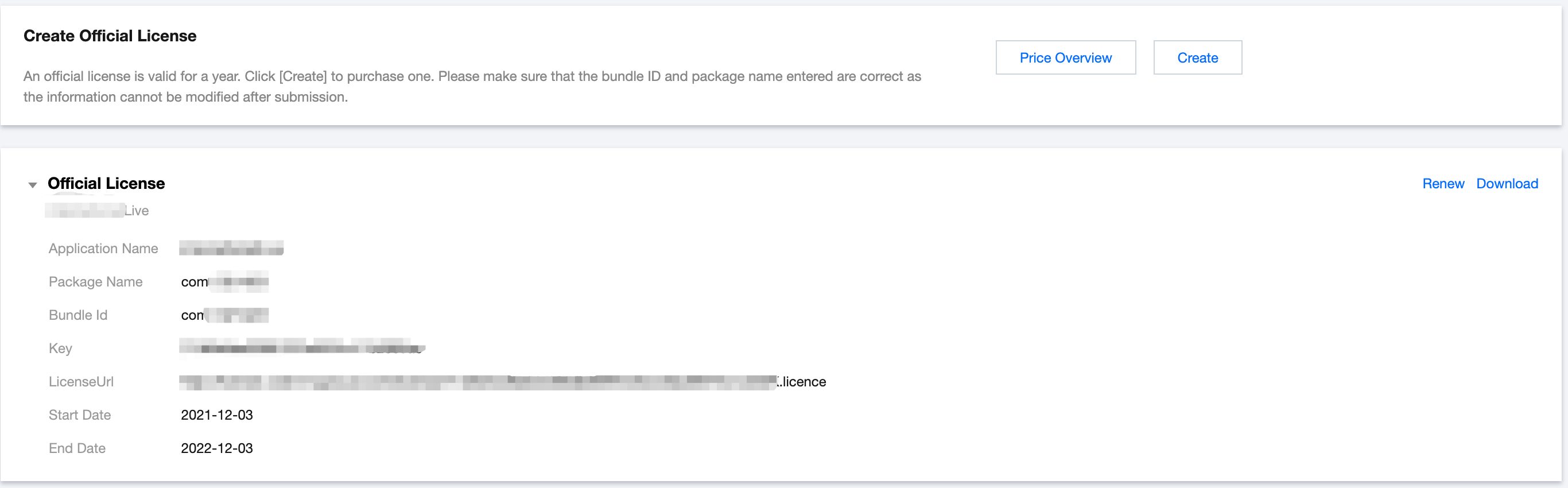
If you have not yet obtained the license authorization,Please reference Adding and Renewing Licenses to make an application.
2. Before your App calls SDK-related functions (it is recommended in the Application class), set the following settings:
public class MApplication extends Application {@Overridepublic void onCreate() {super.onCreate();String licenceURL = ""; // your licence urlString licenceKey = ""; // your licence keyV2TXLivePremier.setEnvironment("GDPR"); // set your environmentV2TXLivePremier.setLicence(this, licenceURL, licenceKey);V2TXLivePremier.setObserver(new V2TXLivePremierObserver() {@Overridepublic void onLicenceLoaded(int result, String reason) {Log.i(TAG, "onLicenceLoaded: result:" + result + ", reason:" + reason);}});}
Step 3. Get a playback URL
In live streaming, URLs are needed for both publishing and playback. For instructions on how to get URLs for LEB, please see Live Event Broadcasting (LEB) > Get Playback URL.
All LEB URLs start with
webrtc://, as in:webrtc://{Domain}/{AppName}/{StreamName}
The table below lists the key fields in an LEB URL and their meanings.
Field | Description |
webrtc:// | Prefix |
Domain | Domain name |
AppName | Application name, which is live by default. It specifies the storage path of a live streaming file. |
StreamName | Stream name, which is the unique identifier of a stream |
Note:
Step 4. Start LEB
You can use a
V2TXLivePlayer object for LEB. For details, see the code below (make sure that you pass in the correct URL).Sample code
// Create a V2TXLivePlayer objectV2TXLivePlayer player = new V2TXLivePlayerImpl(mContext);player.setObserver(new MyPlayerObserver(playerView));player.setRenderView(mSurfaceView);// Pass in the low-latency playback URL to start playbackplayer.startPlay("webrtc://{Domain}/{AppName}/{StreamName}");
V2TXLivePlayer *player = [[V2TXLivePlayer alloc] init];[player setObserver:self];[player setRenderView:videoView];[player startPlay:@"webrtc://{Domain}/{AppName}/{StreamName}"];
피드백