Bring Your Own Carrier via SIP Trunk
Download
포커스 모드
폰트 크기
Before you use Cloud Contact Center to make/answer calls, you need to first connect your number to the Cloud Contact Center - Console. Cloud Contact Center provides free platform number integration and does not charge any communication costs.
Note:
1. If you do not have a number, you can purchase a number from international ISPs such as Twilio, Avoxi, Vonage.
Refer to Number Purchase Guide (Twilio)
2. Once number is purchased, you can connect telephone line via SIP trunk to make and answer calls.
The process consists of two steps:
1. Create SIP Channel
2. Add numbers in the SIP Channel.
Step 1: Create SIP Channel
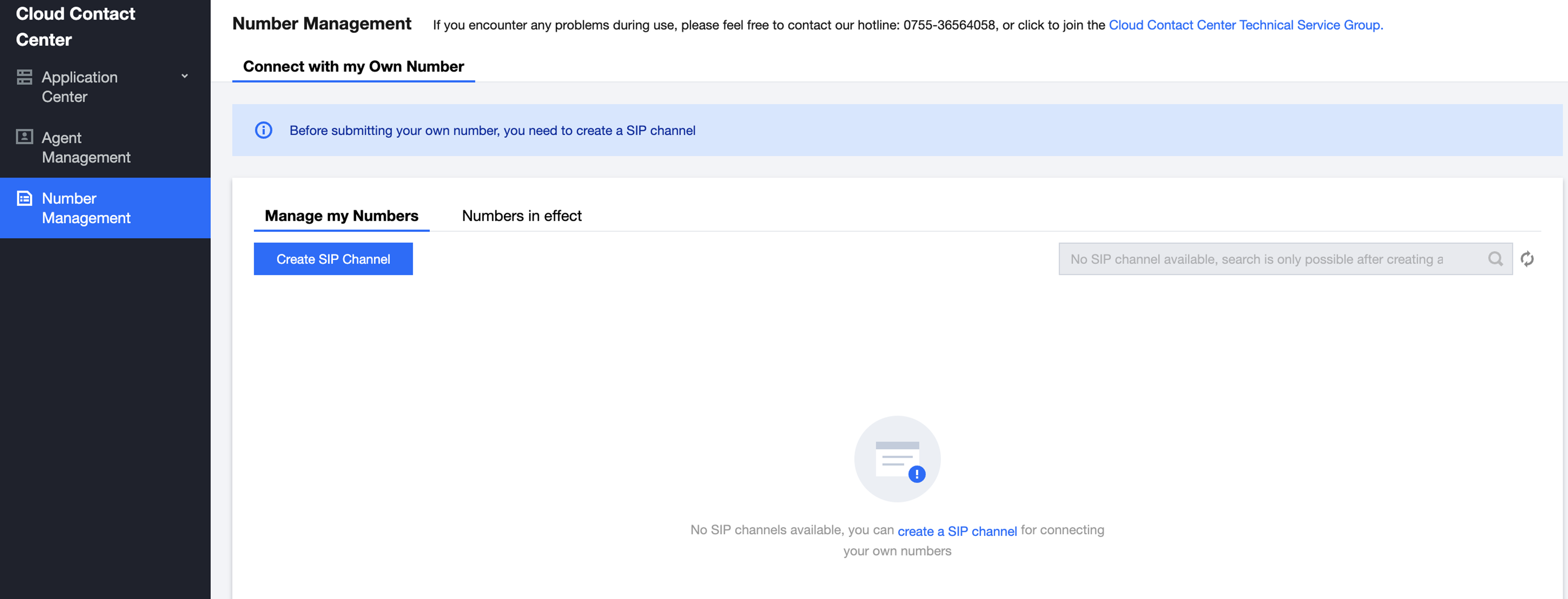
1. Console [ Cloud Contact Center ] - Number Management
Cloud Contact Center Number Management, select "Connect with My Own Number" tab, click Create SIP Channel.
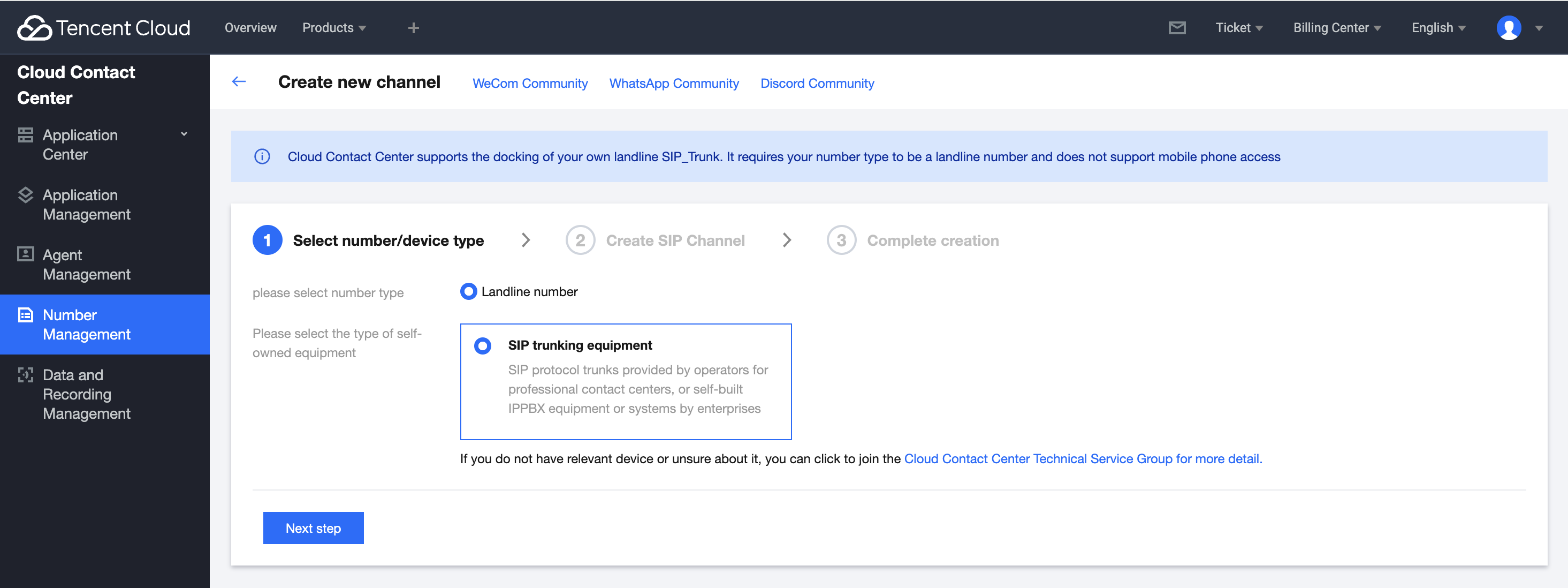
2. Select Number Type
Default Fixed-line Number - SIP Trunking Device, click Next.
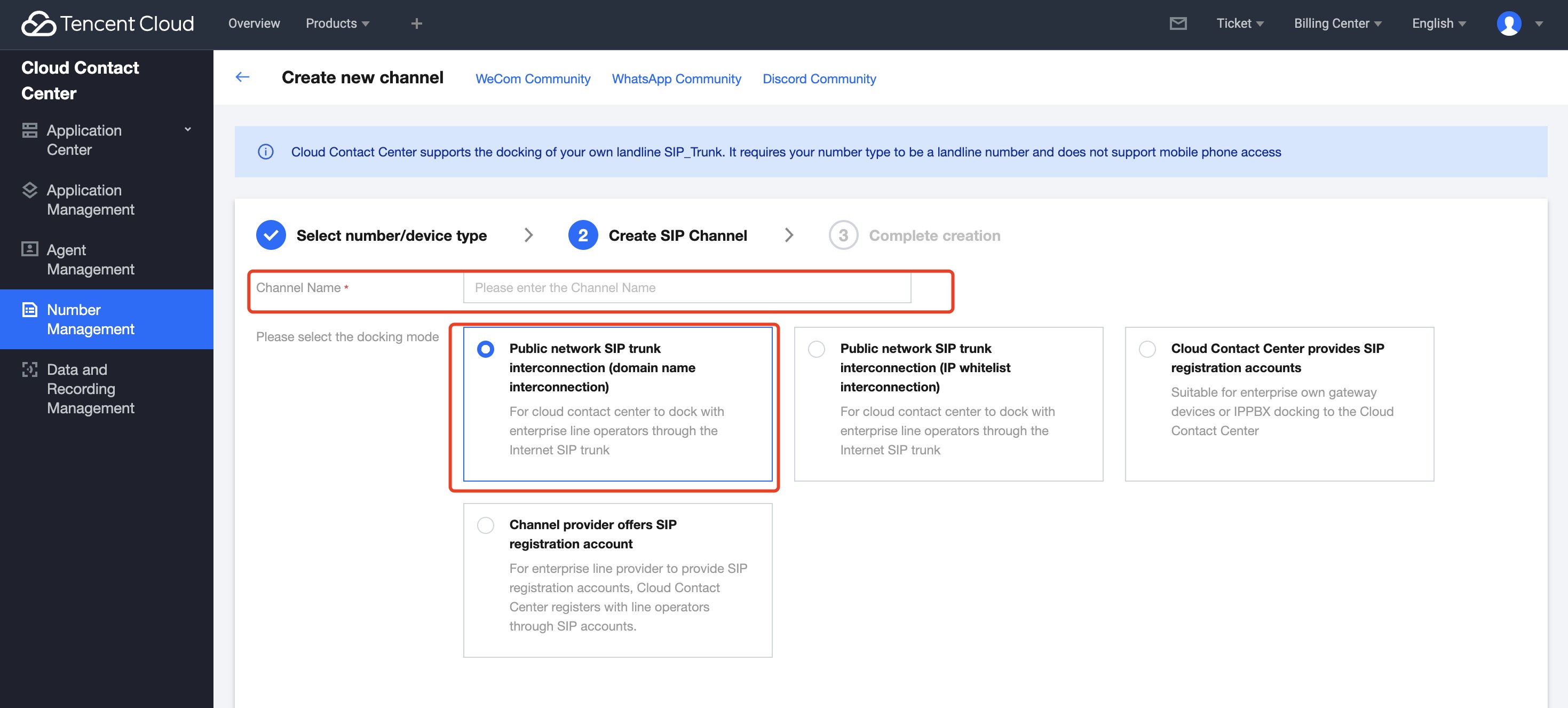
3. Create SIP Channel
3.1 Enter the Channel Name
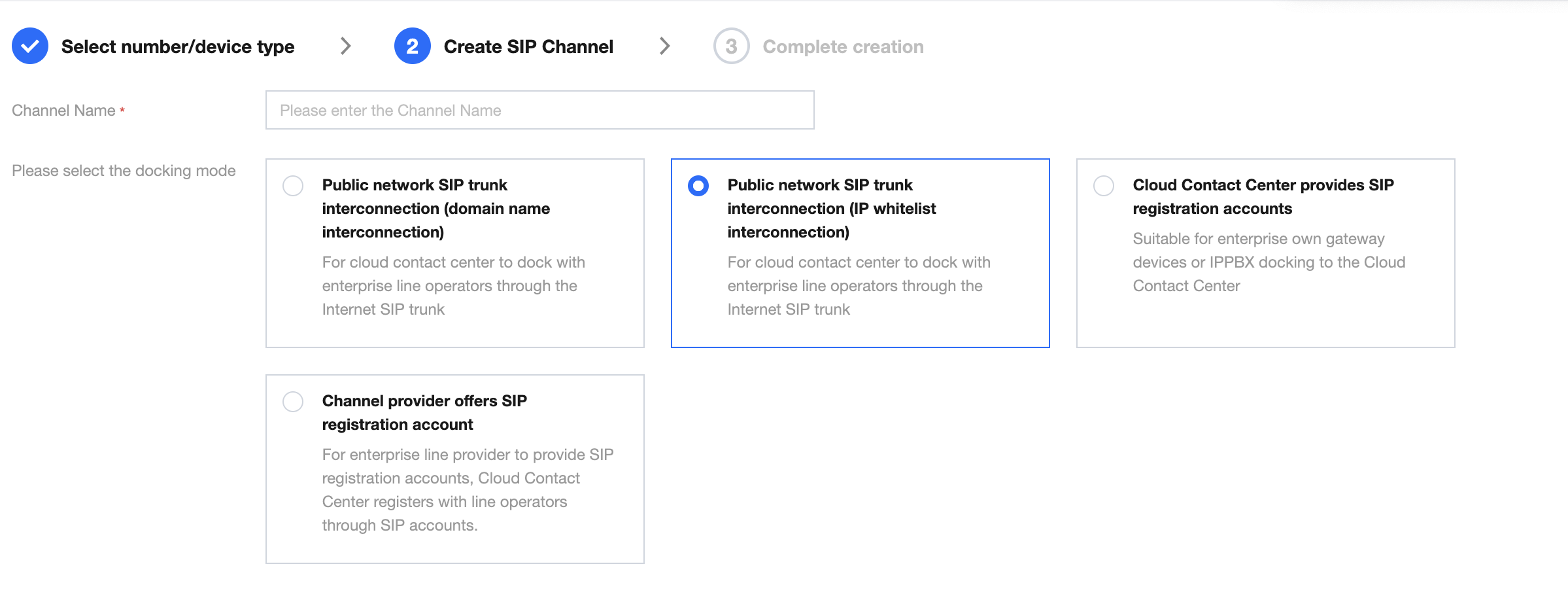
3.2 Choose an access mode
Note:
Please confirm the docking method with your number ISP. Cloud Contact Center supports the following four methods:
Public network SIP trunk docking (Domain Name Integration)
Public network SIP trunk docking (IP Allowlist Integration)
Cloud Contact Center provides a SIP account
The line ISP provides a SIP registration account
This method is suitable for when you purchase a number from ISPs like Twilio, Vonage, etc., and fill in the ISP-provided address into the Cloud Contact Center platform.
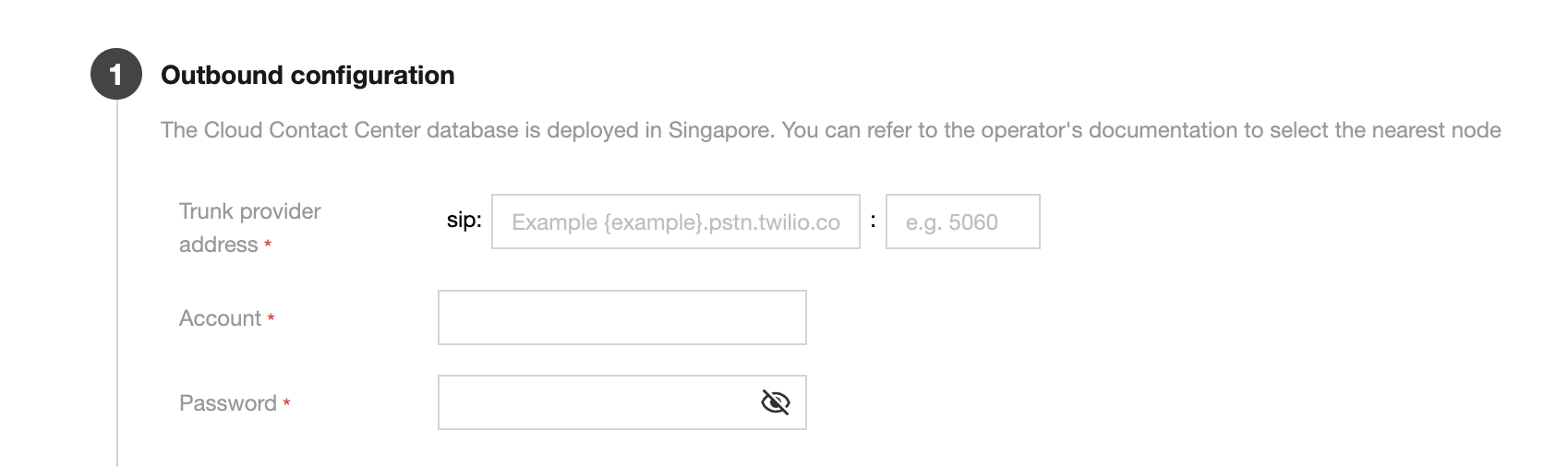
0. Domain name and port
Domain name: Cloud Contact Center overseas data centers are independently deployed in Singapore. You can refer to the ISP documentation to select nodes near Singapore.
Port: Typically defaults to 5060.
1. Account authentication
In the Authentication information field, enter the ISP's authentication information.
Account: Please refer to the ISP platform.
Password: Please refer to the ISP platform.
2. Outbound call configuration
After completing the entry, please click Create.
This method is suitable for docking with the enterprise line ISP through the SIP trunk of the Internet.
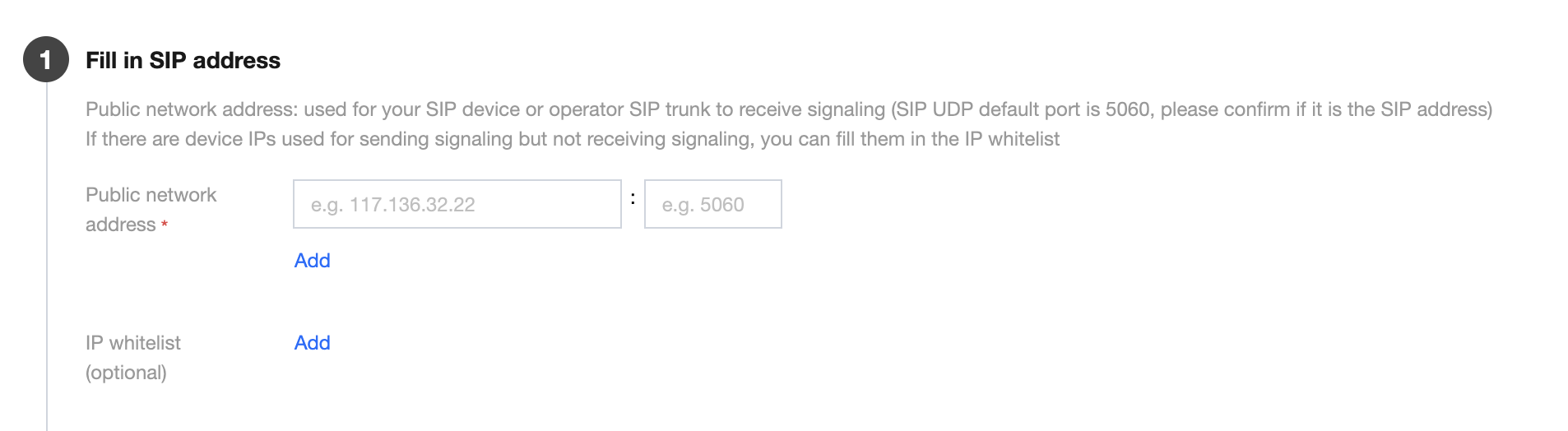
1. Fill in the SIP Address
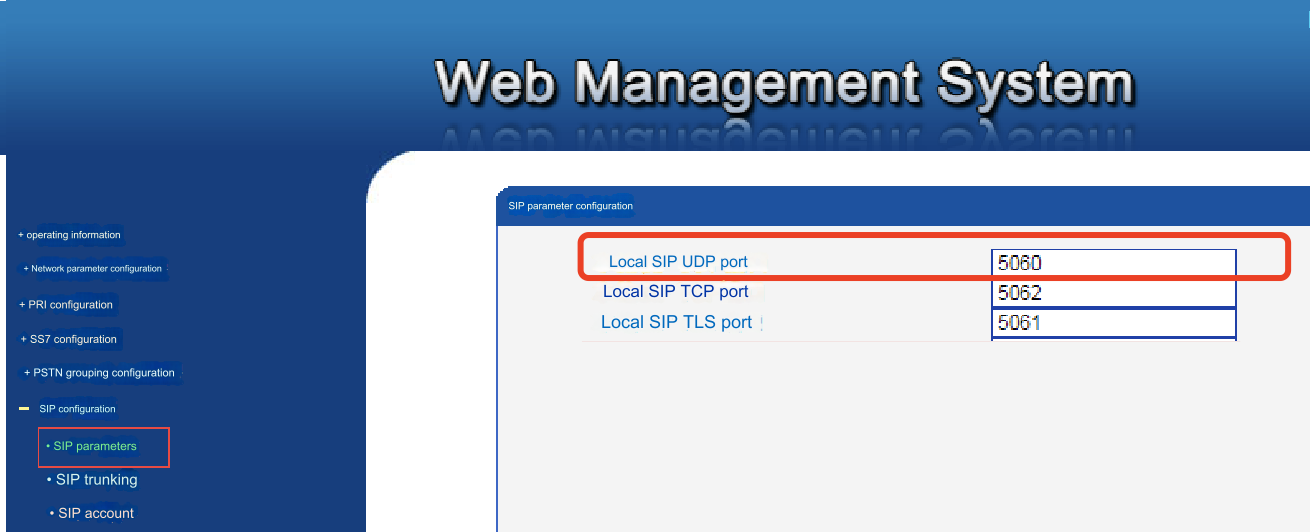
Fill in the public IP address for your SIP device or ISP's SIP trunk to receive SIP signaling. (The default port for SIP UDP is 5060. Confirm whether the IP address you filled in is a SIP address.)
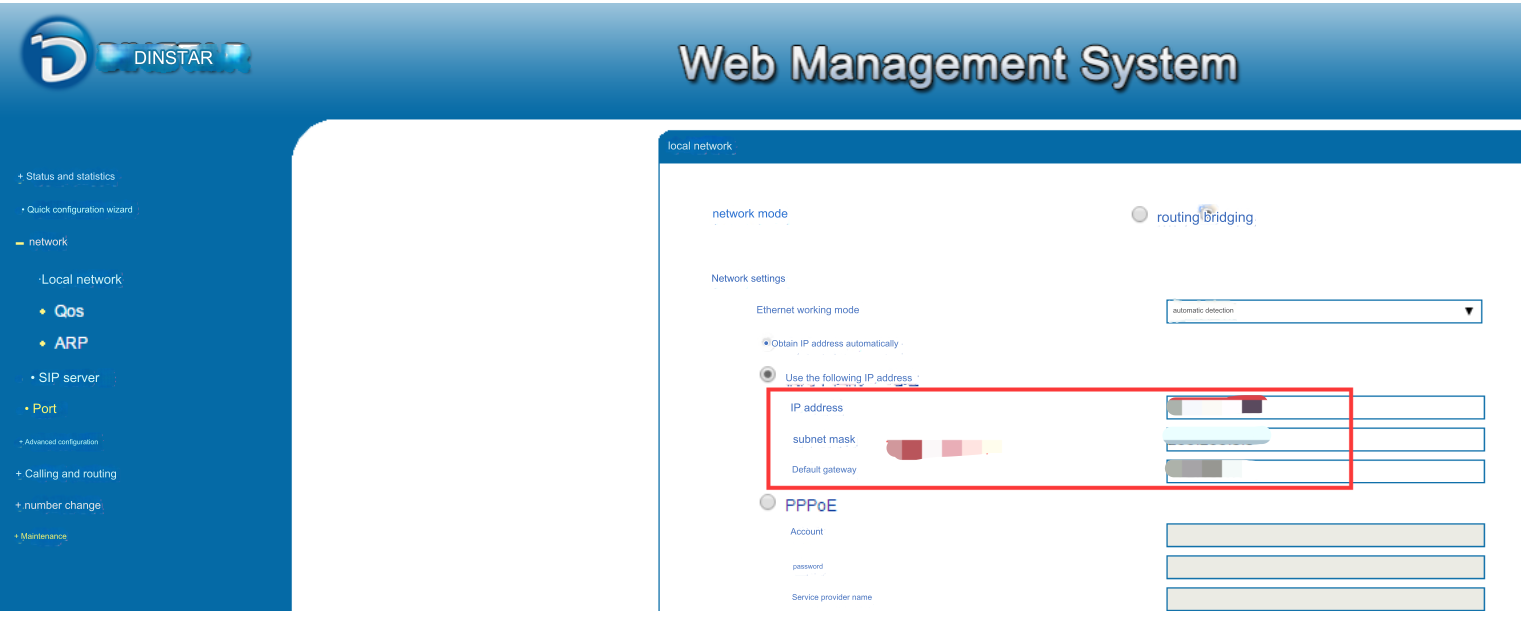
You can find the SIP gateway IP address and SIP UDP port in the background of your gateway, for example:
2. Authorize Tencent Cloud to access the IP
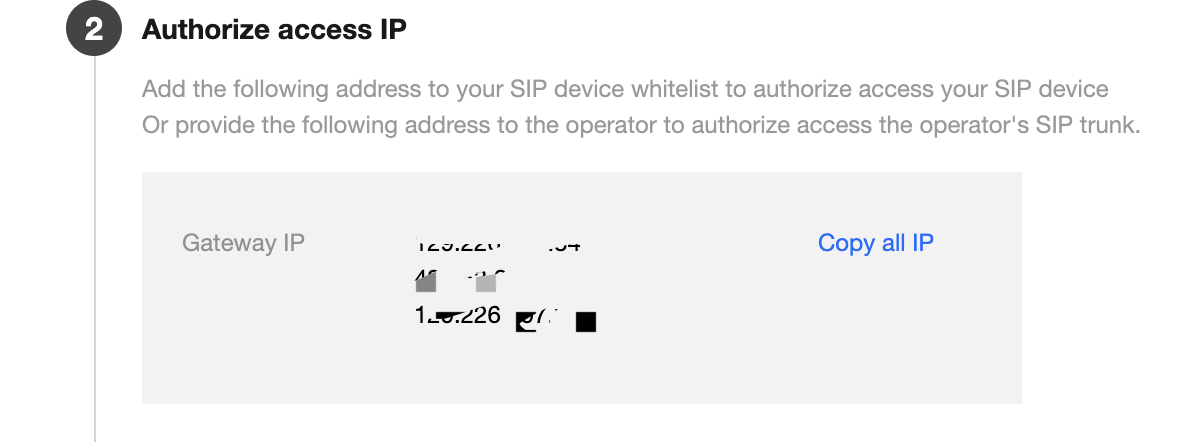
Add the following addresses to the allowlist of the SIP device/SIP trunk to authorize Tencent Cloud to access your SIP device or ISP's SIP trunk.
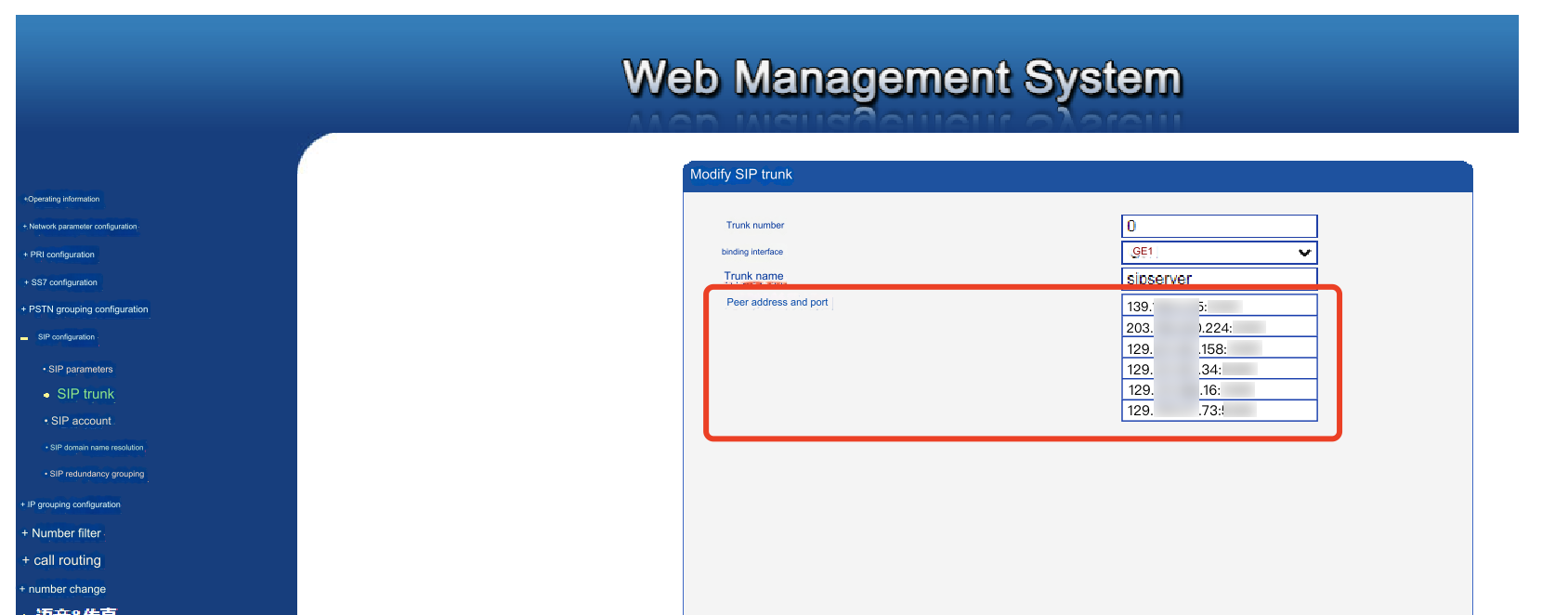
Copy the above addresses and add them to the allowlist, for example:
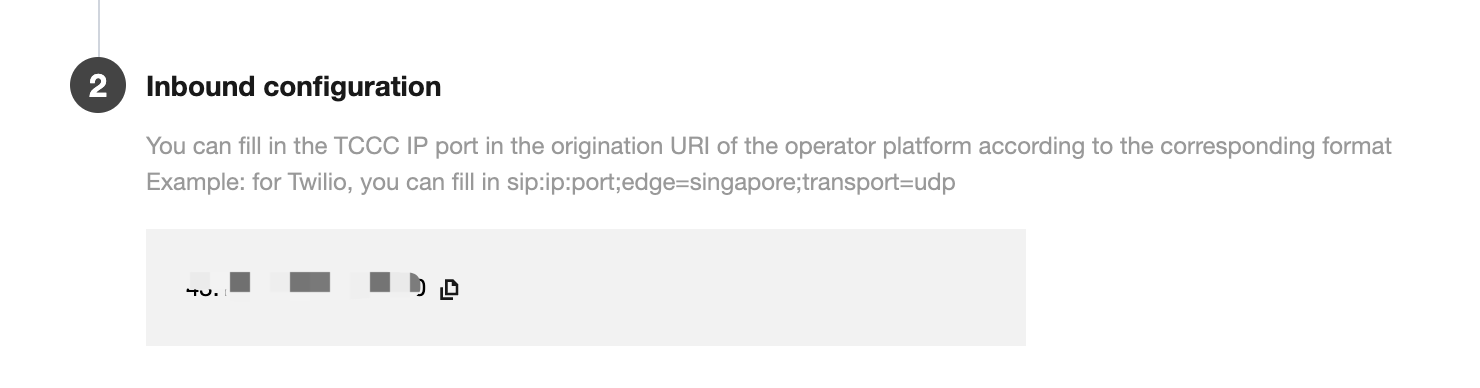
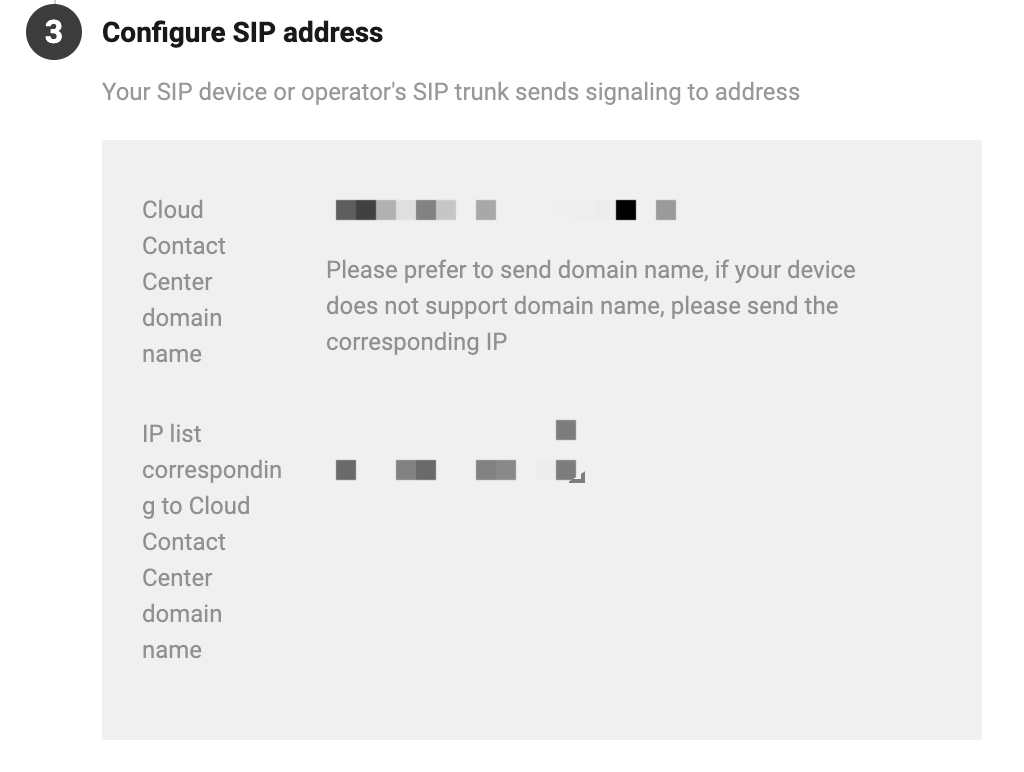
3. Configure the Tencent Cloud SIP address for your SIP device or ISP's SIP trunk to send signaling to Tencent Cloud's address.
This method is fit for enterprise lines ISP provided SIP registration accounts. The cloud call center registers with the line ISP through SIP accounts and configures the SIP account information provided by the ISP into the gateway.
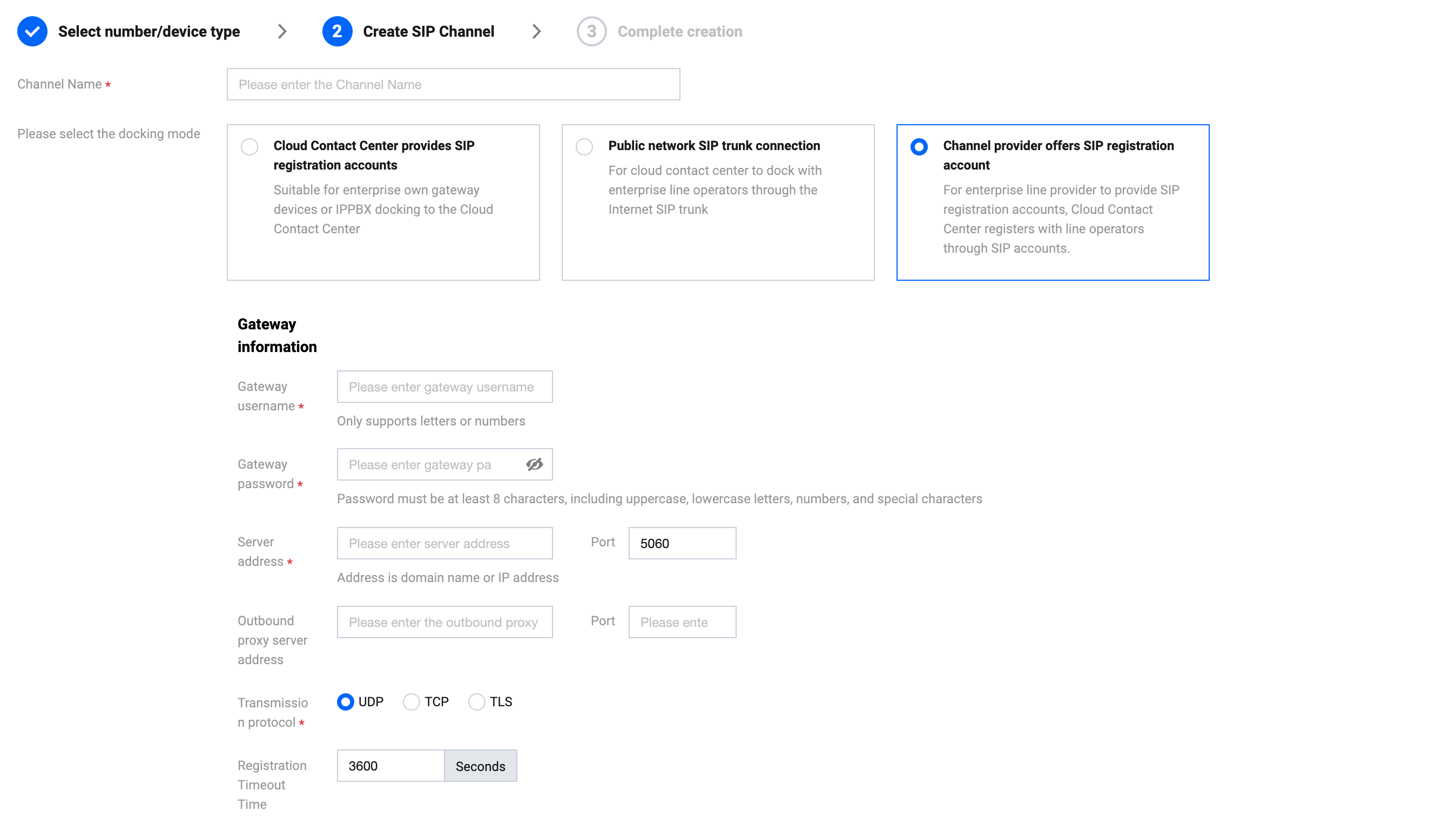
This method is applicable when an enterprise-owned gateway device or IPPBX is connected to Cloud Contact Center.
Click Create Channel and configure the gateway information of the channel into your gateway.
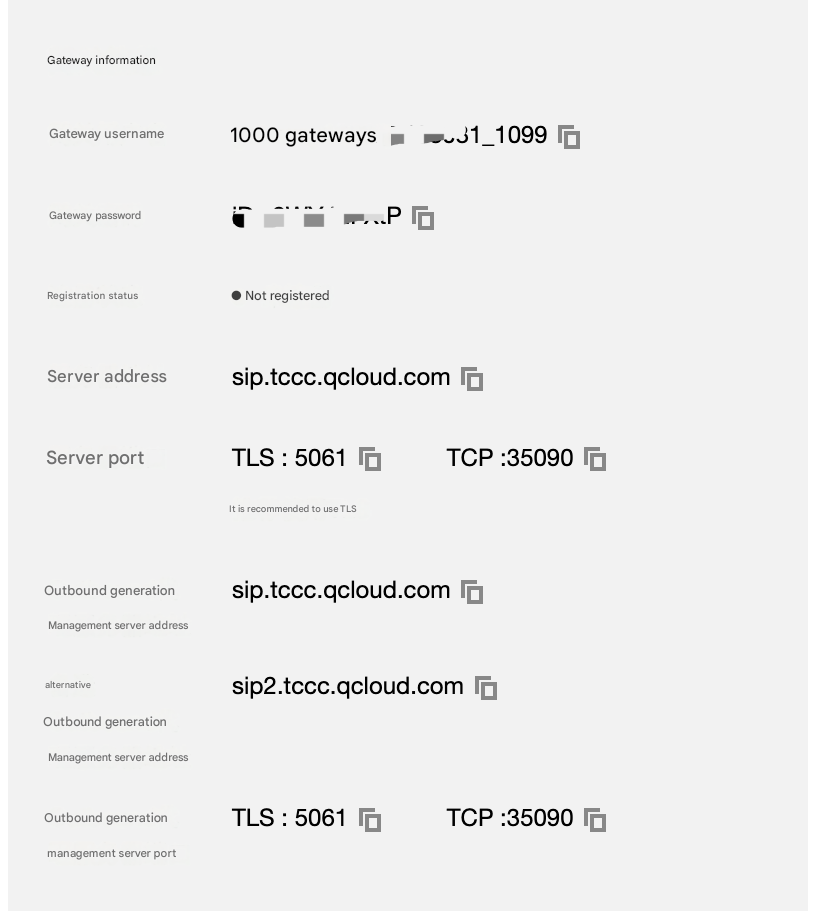
1. The following figure shows the SIP account information of the channel created by Tencent Cloud.
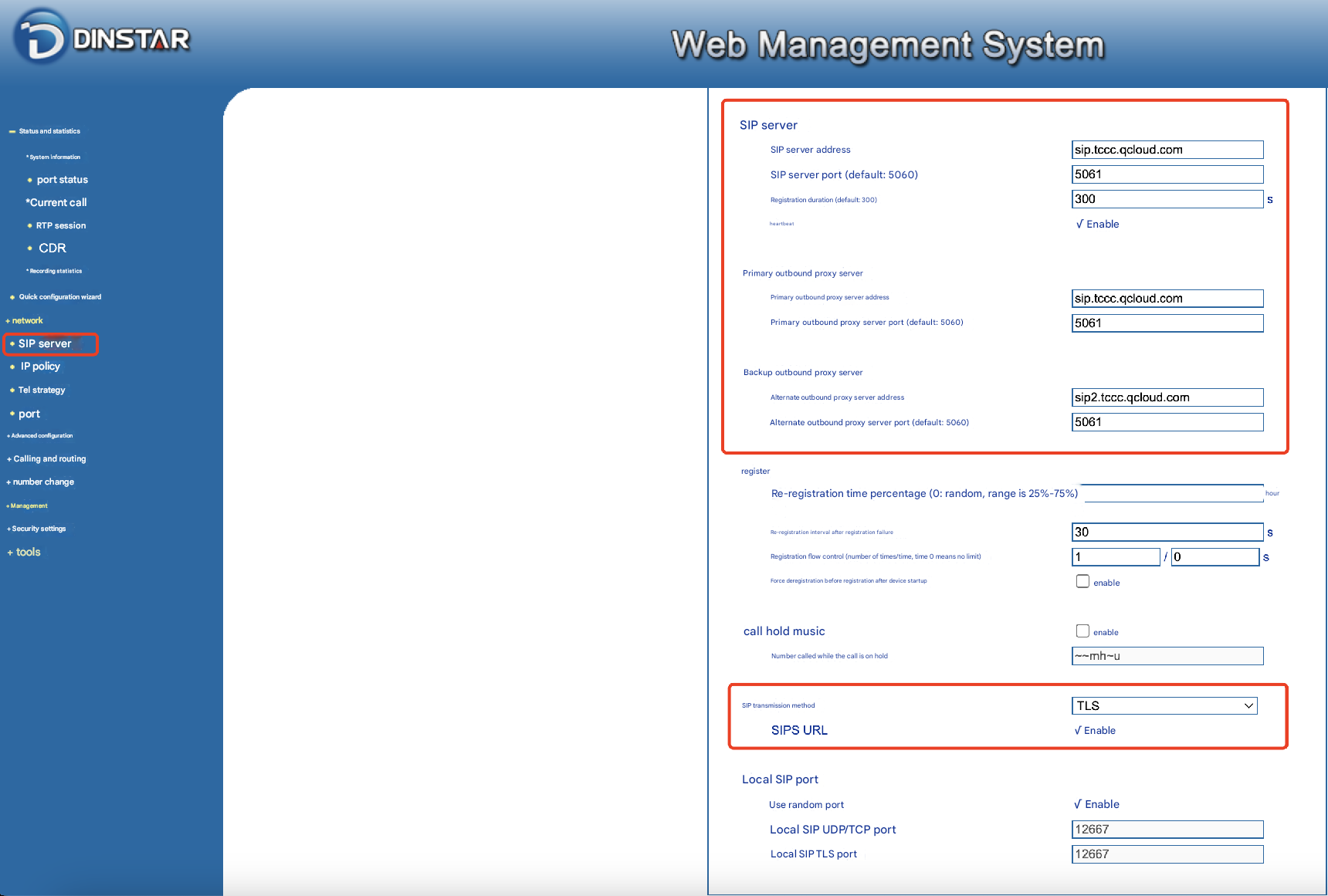
2. Configure your gateway.
2.1 Configure the SIP server
2.2 Configure the port O.
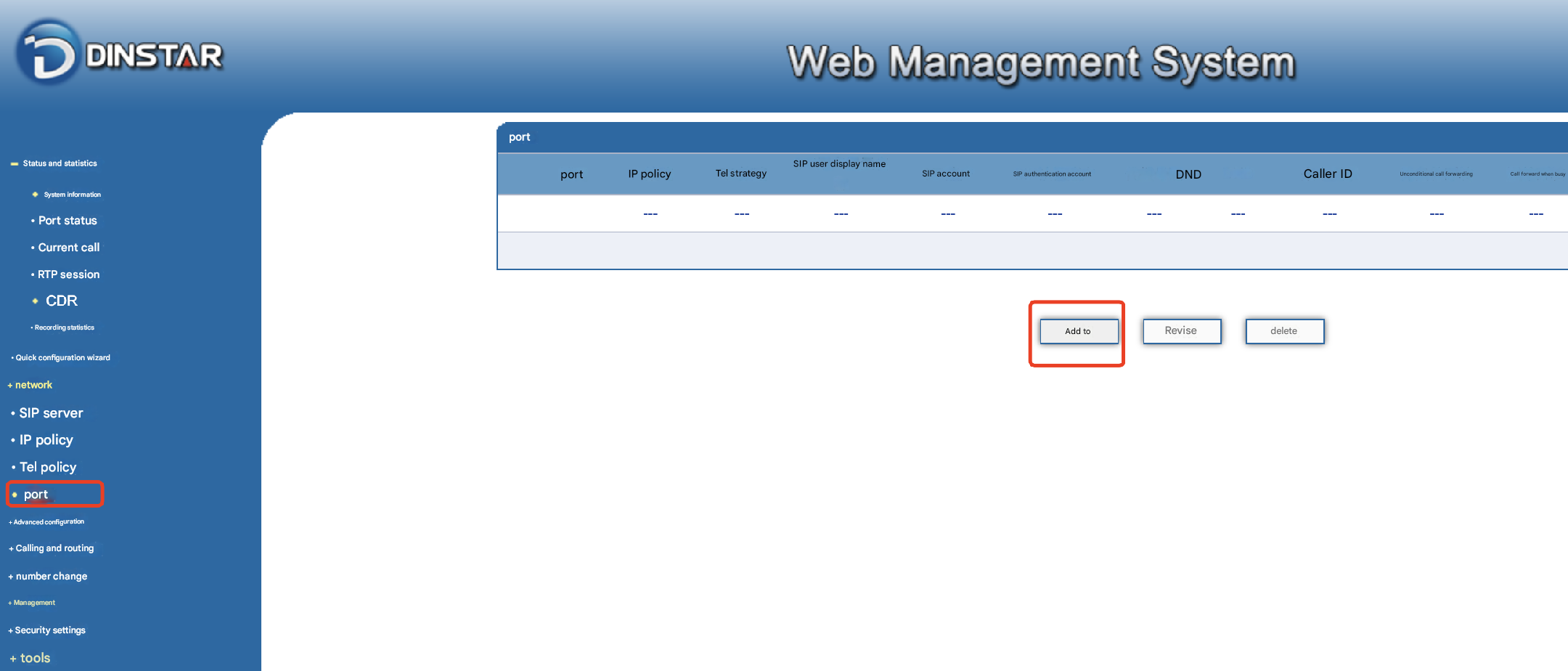
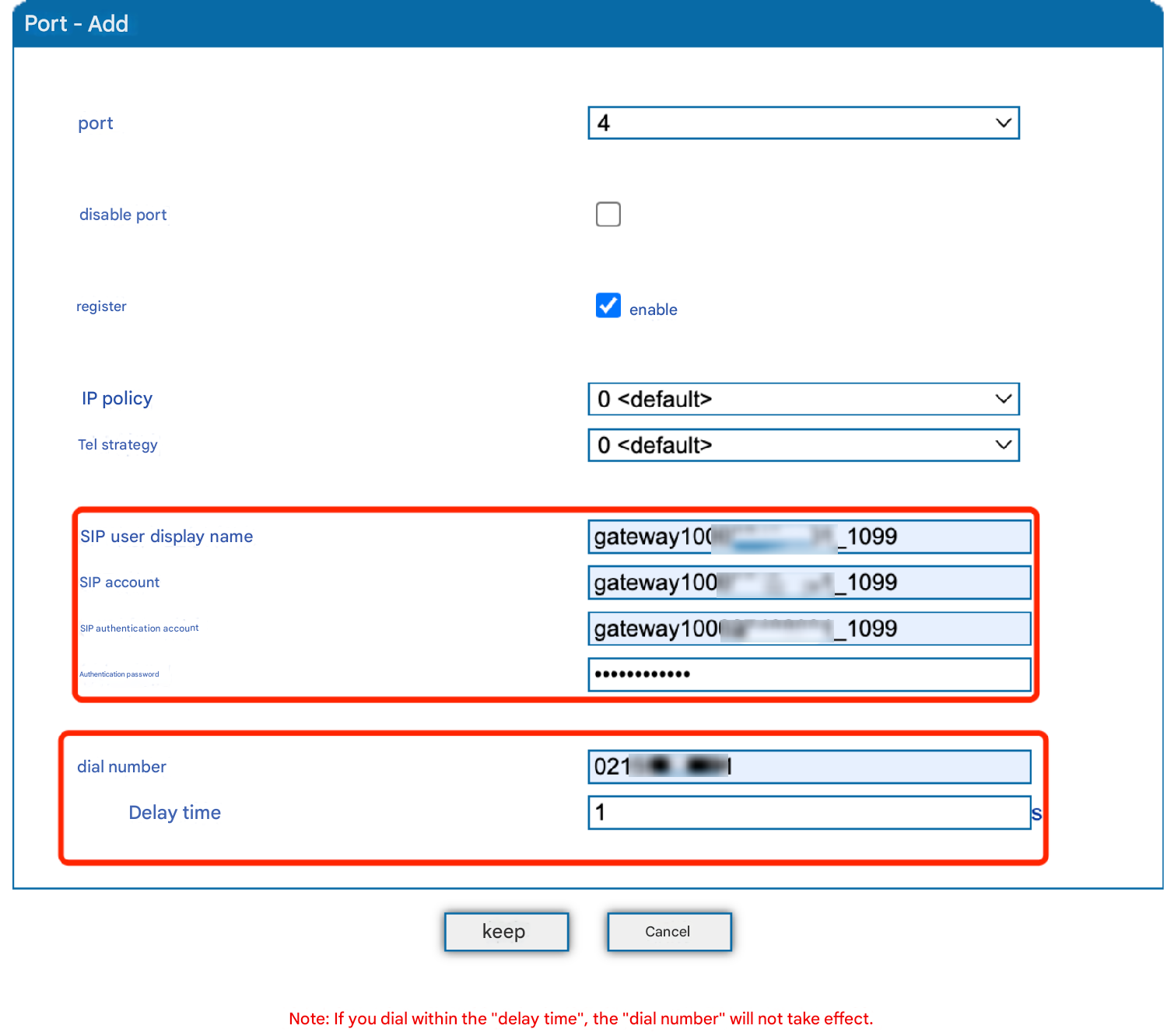
2.3 Add the call and routing policies.
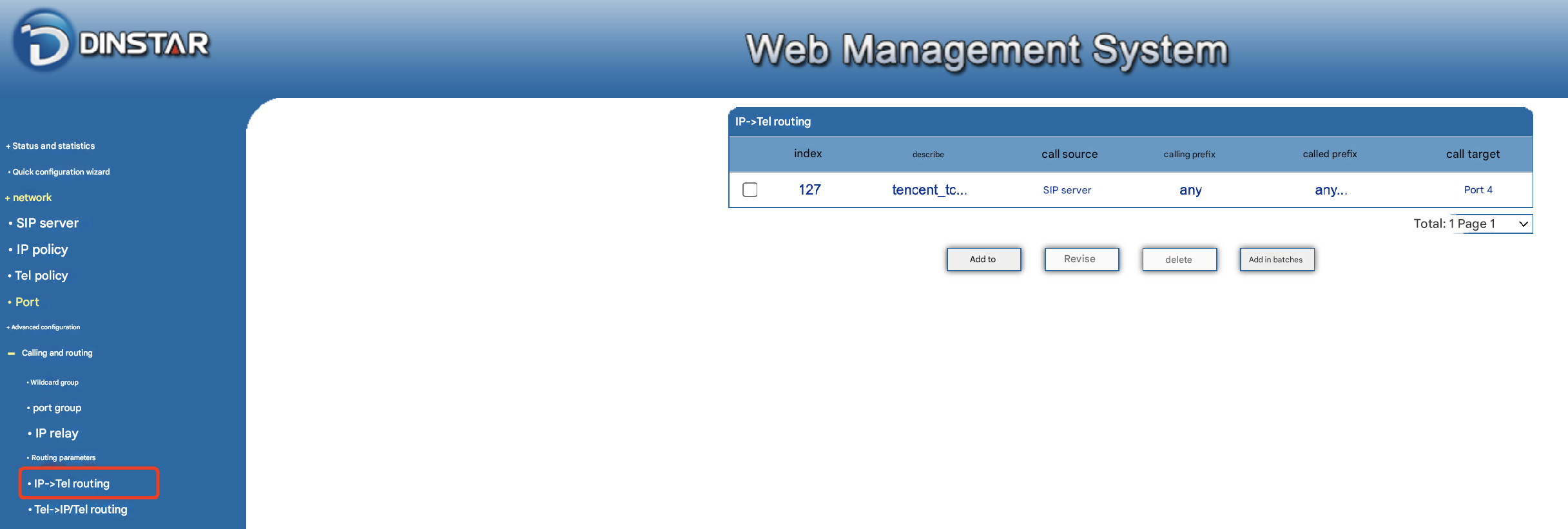
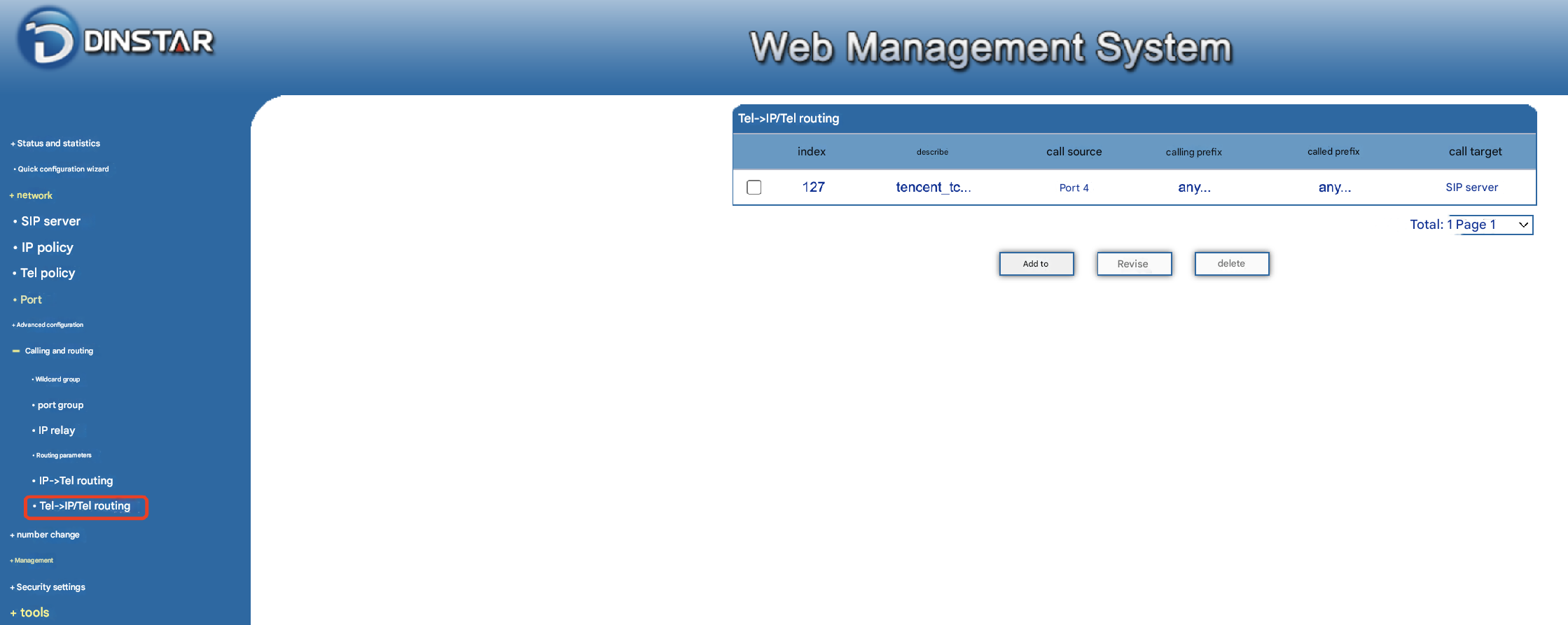
Step 2: Add numbers
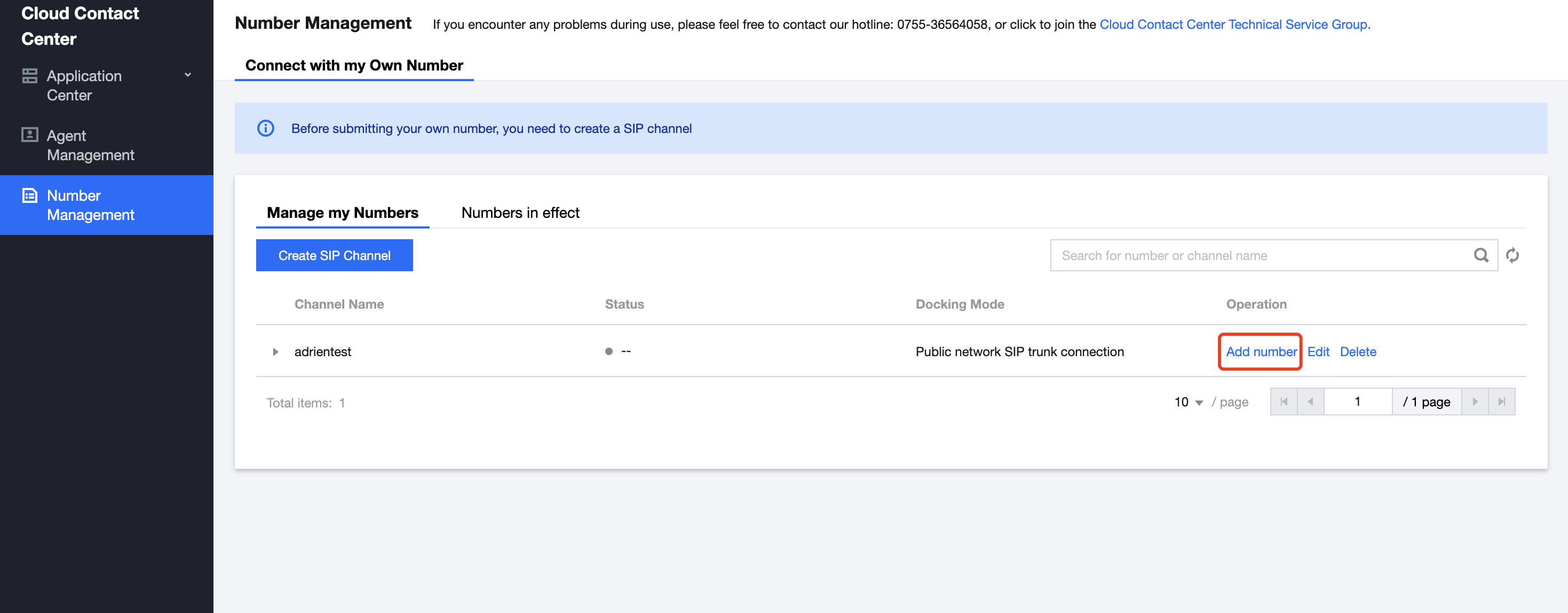
1. After the SIP channel is successfully created, please click Add Numbers under your channel.
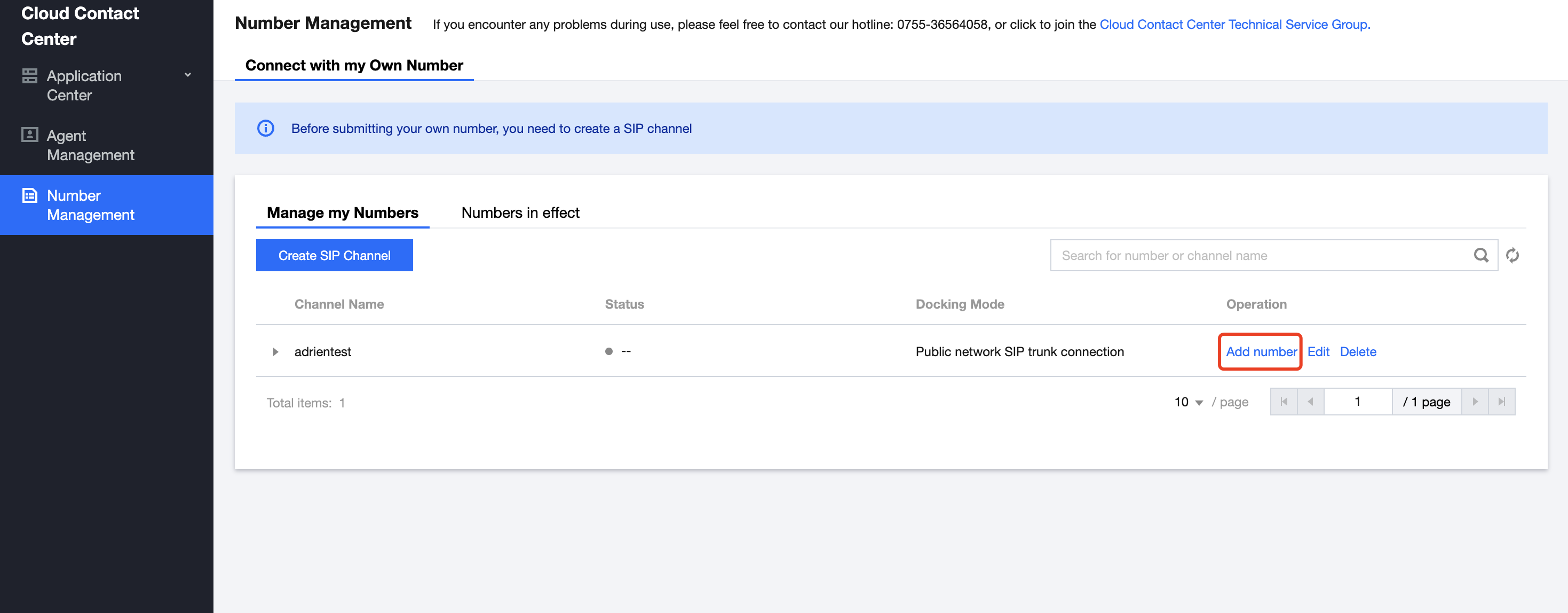
2. Add numbers.
Select the application of using your own number, configure prefix for sending numbers, and add your number (please enter the number with area code in the number details).
Note:
International numbers usually use the +E.164 format, which is [+][country code][number] (e.g., +86123456789). Some ISPs use E.164 (without the plus sign). It is recommended that you confirm the number sending format with your ISP when filling out the details
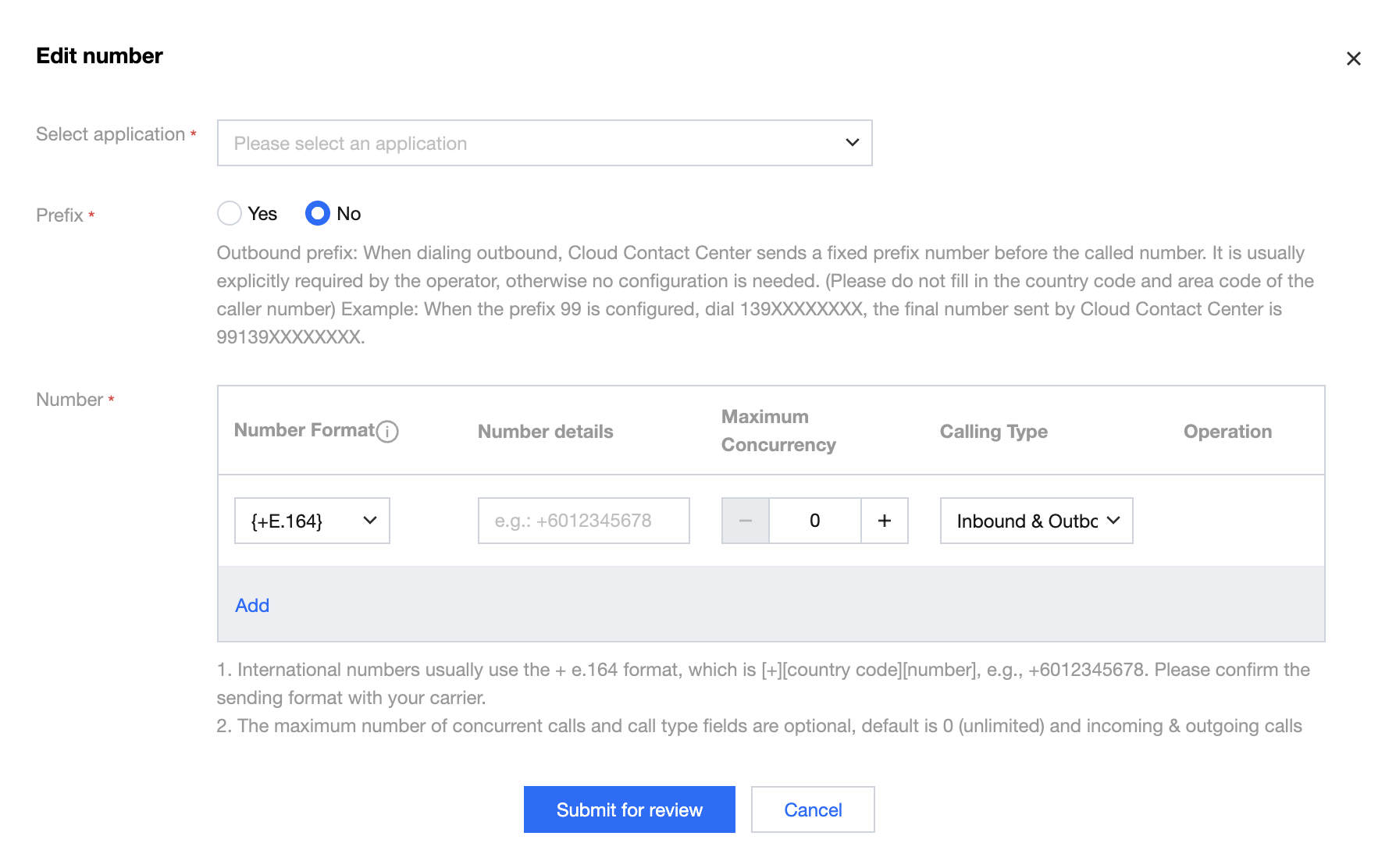
Click Submit for Review. After approval, you can manage numbers under the numbers that have taken effect.
피드백