Cloud Contact Center allows customers to connect the SIP landline phones they purchased with the agents on Cloud Contact Center. In this way, the agents can make calls through the landline phones. The main features include:
The administrator can manage the status of the SIP phone, including registration and resetting the password.
Each agent's SIP phone has its own reserved extension number.
The phone can be bound to an agent as the dedicated phone of the agent. Every employee can use the phone for work without logging in to Cloud Contact Center. The scenarios include internal calls, outbound calls, inbound call answering, and more.
The phone can be added to a skill group. When a user call comes in, the system can distribute the call from the skill group to the appropriate phone according to preset rules.
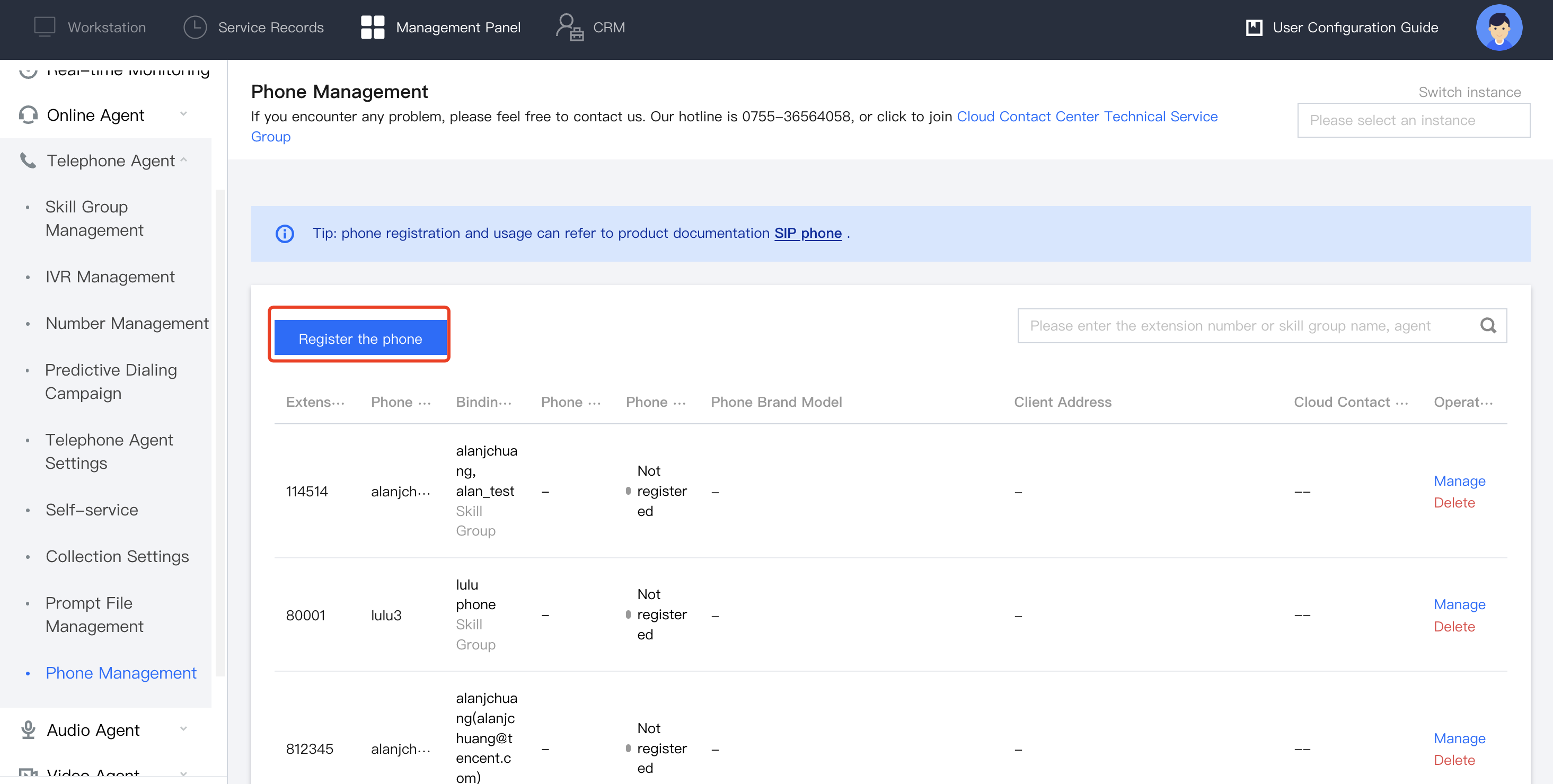
2. Choose Telephone Agent > Phone Management in the left navigation bar to enter the Phone Management page, and then click Register Phone in the top left corner.
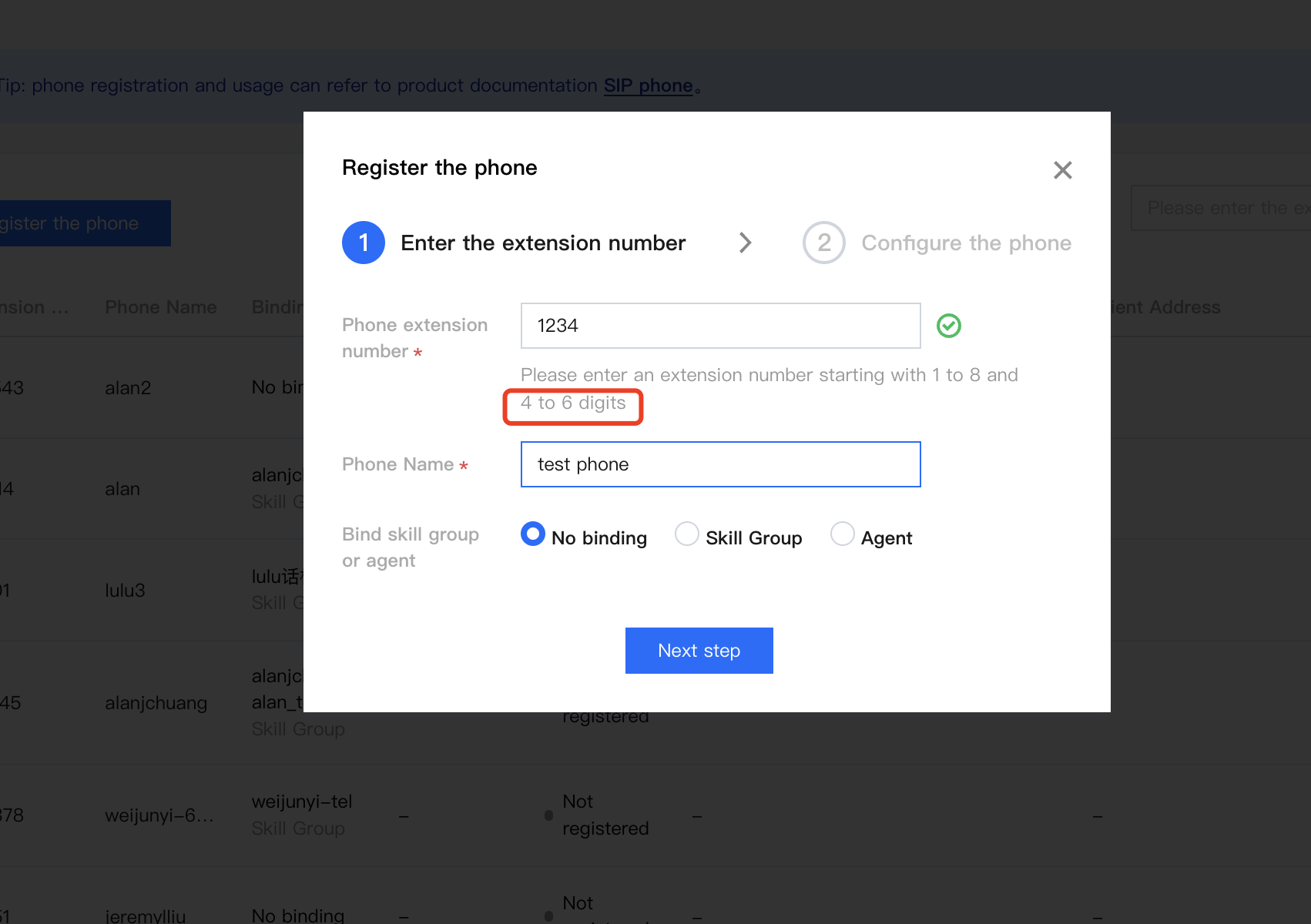
3. Set a 4- to 6-digit extension number starting with 1 to 8 for the phone and set the name of the phone.
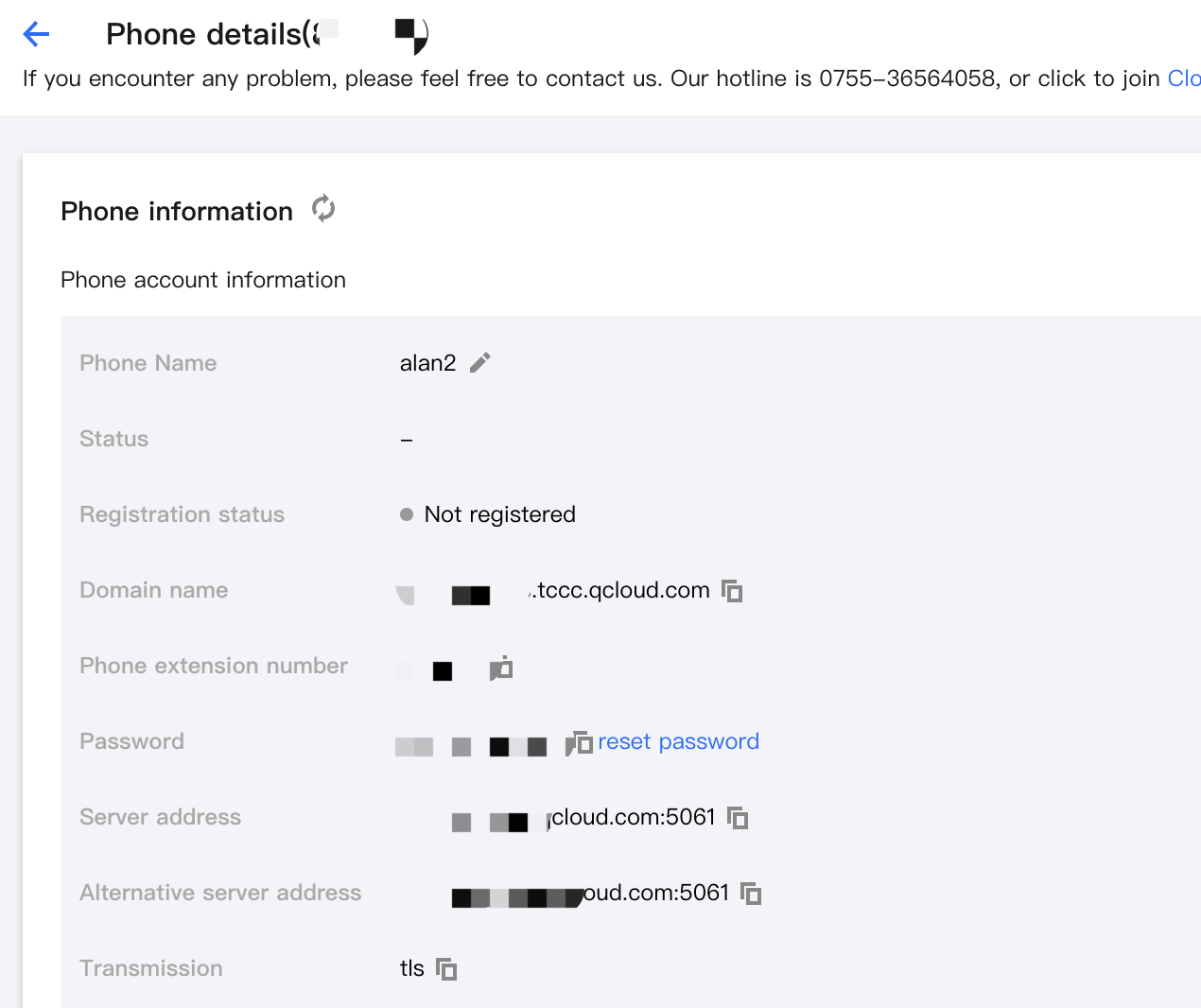
4. Configure the registration information to your SIP phone.
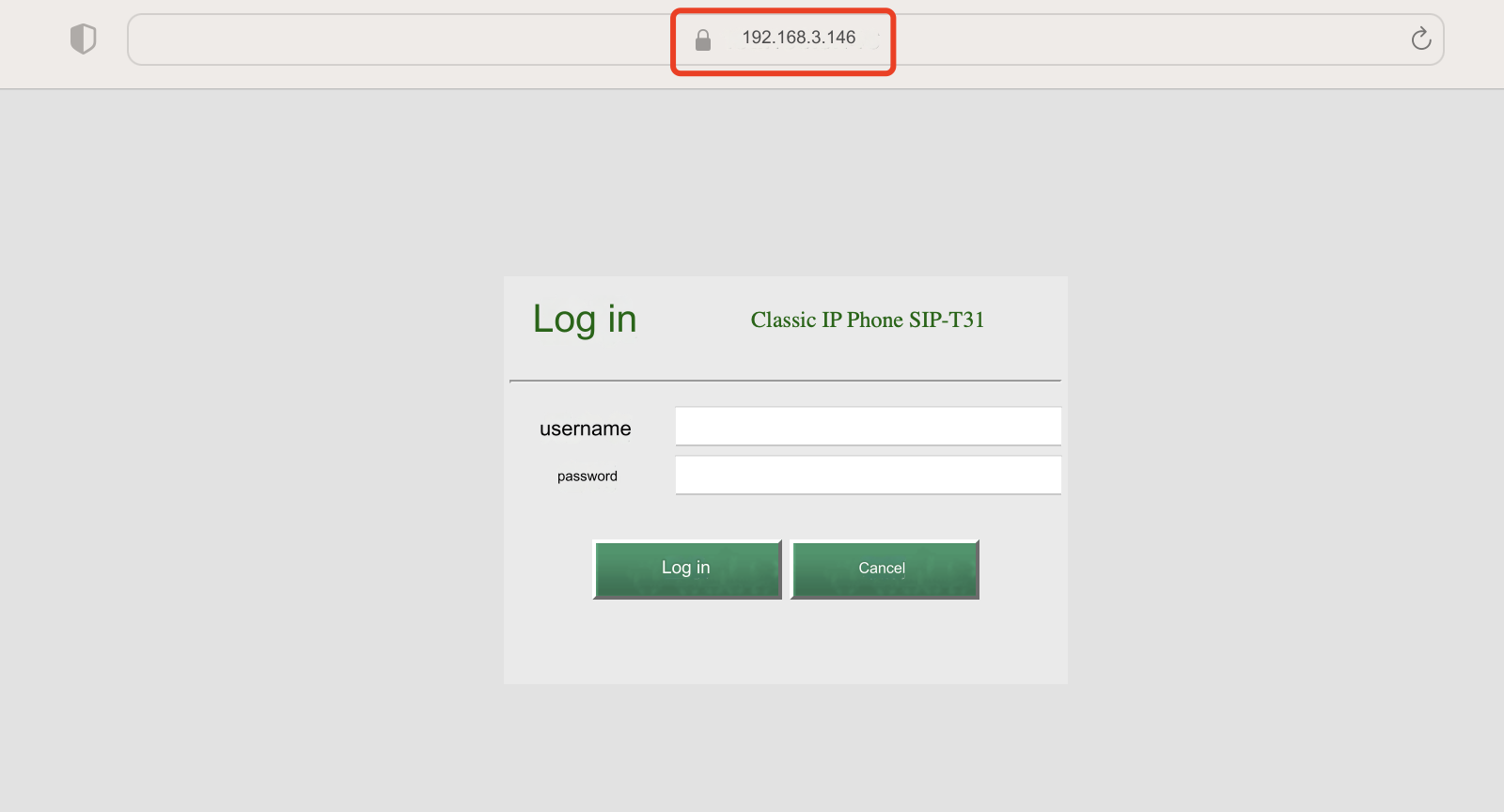
5. Enter the IPv4 address of the phone in the browser to enter the Phone Management page. Follow the operation guidelines below based on the type of your SIP phone to configure your phone.
Steps:
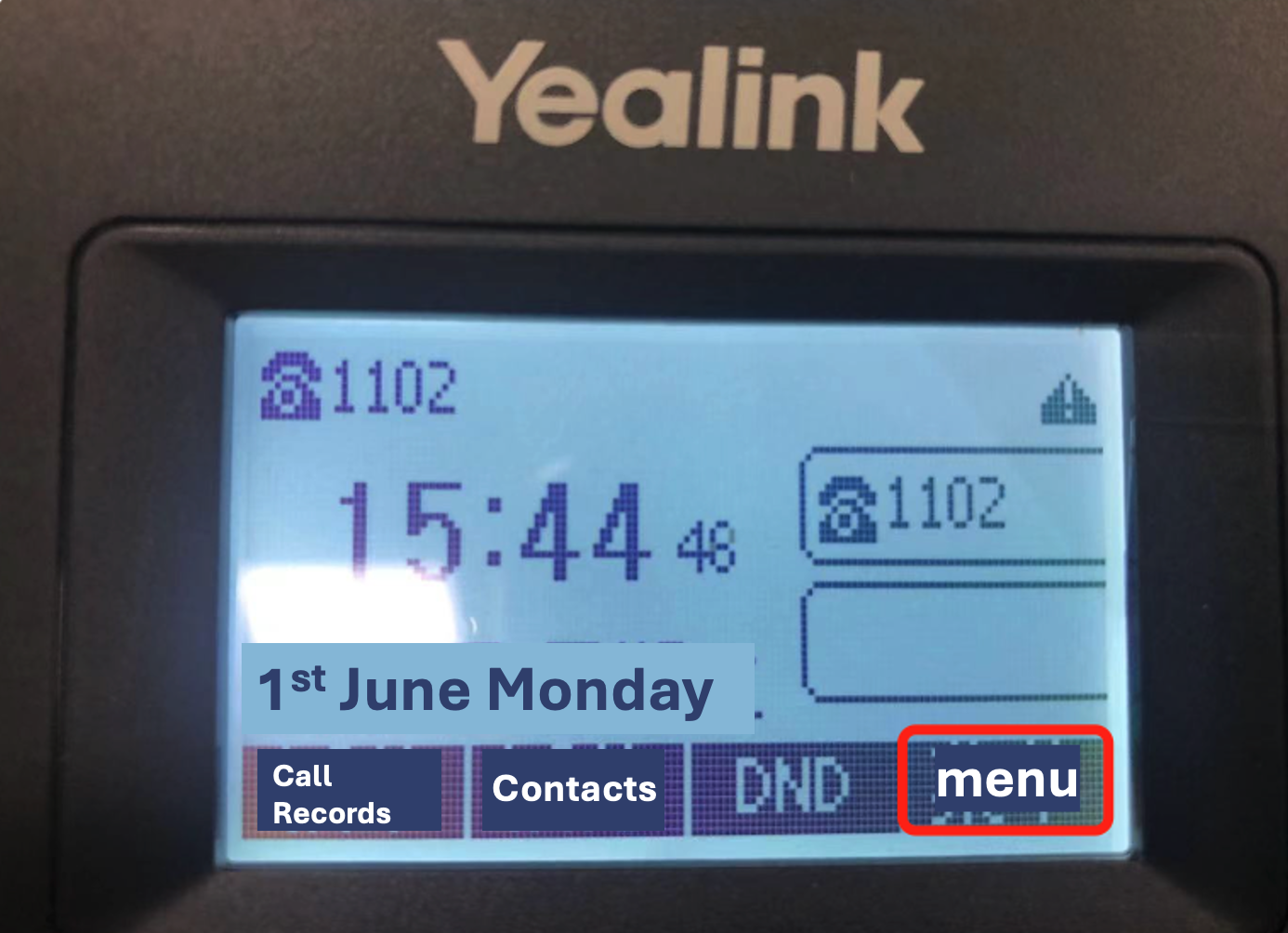
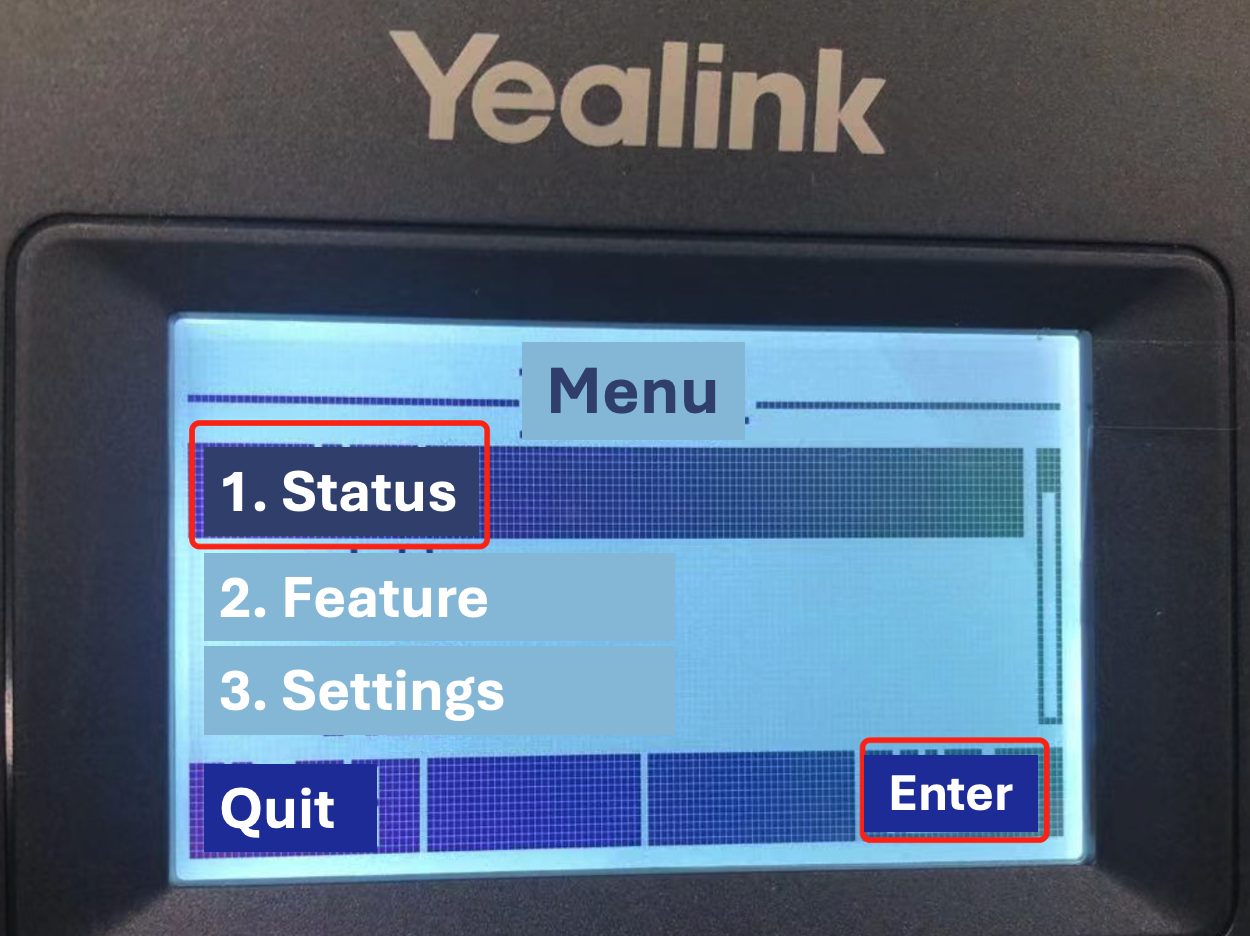
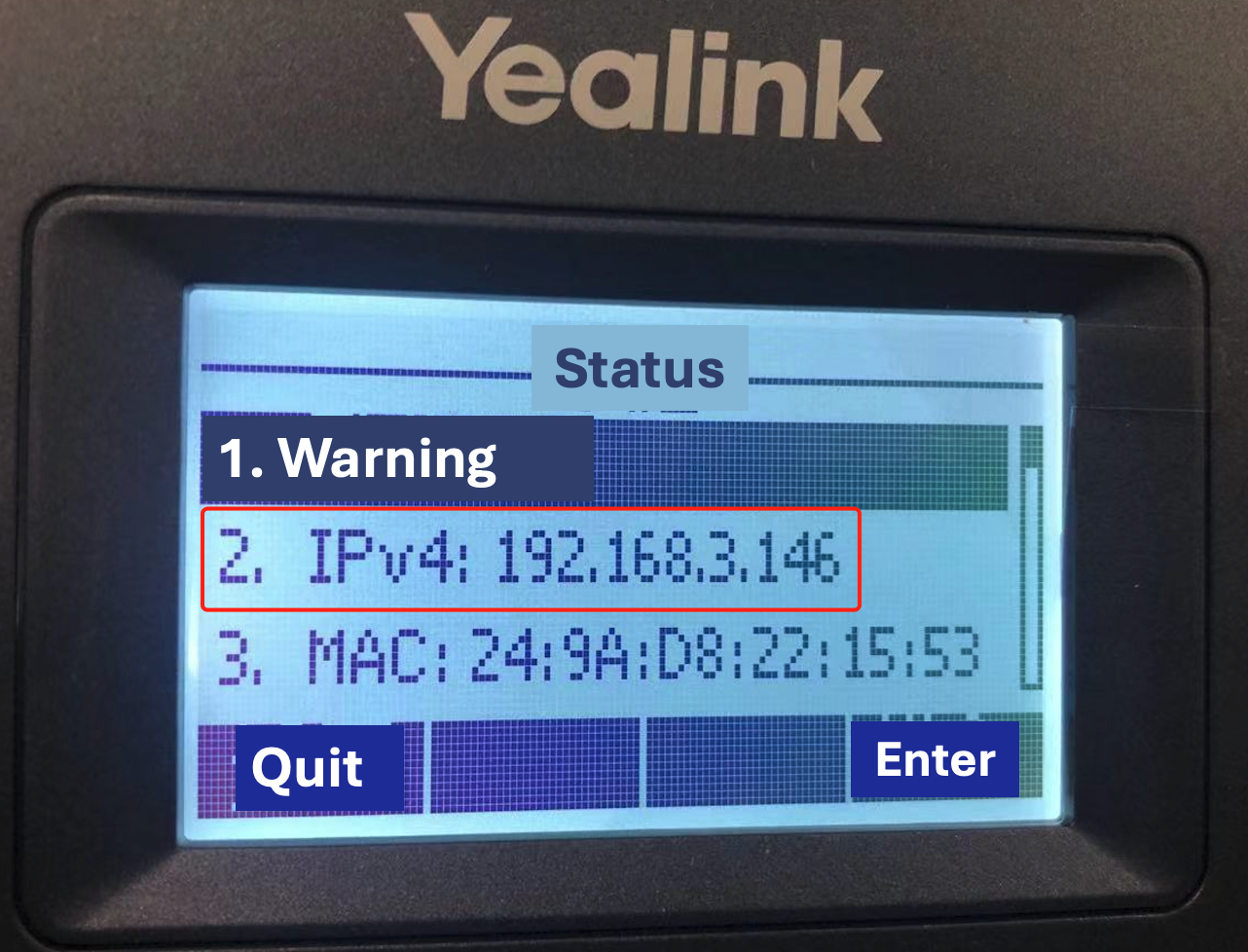
5.1 Menu > Status > access the "Private IP Address".
5.2 Enter the phone's IP address in the browser of a computer on the same network segment to access the Phone Management page.
Yealink
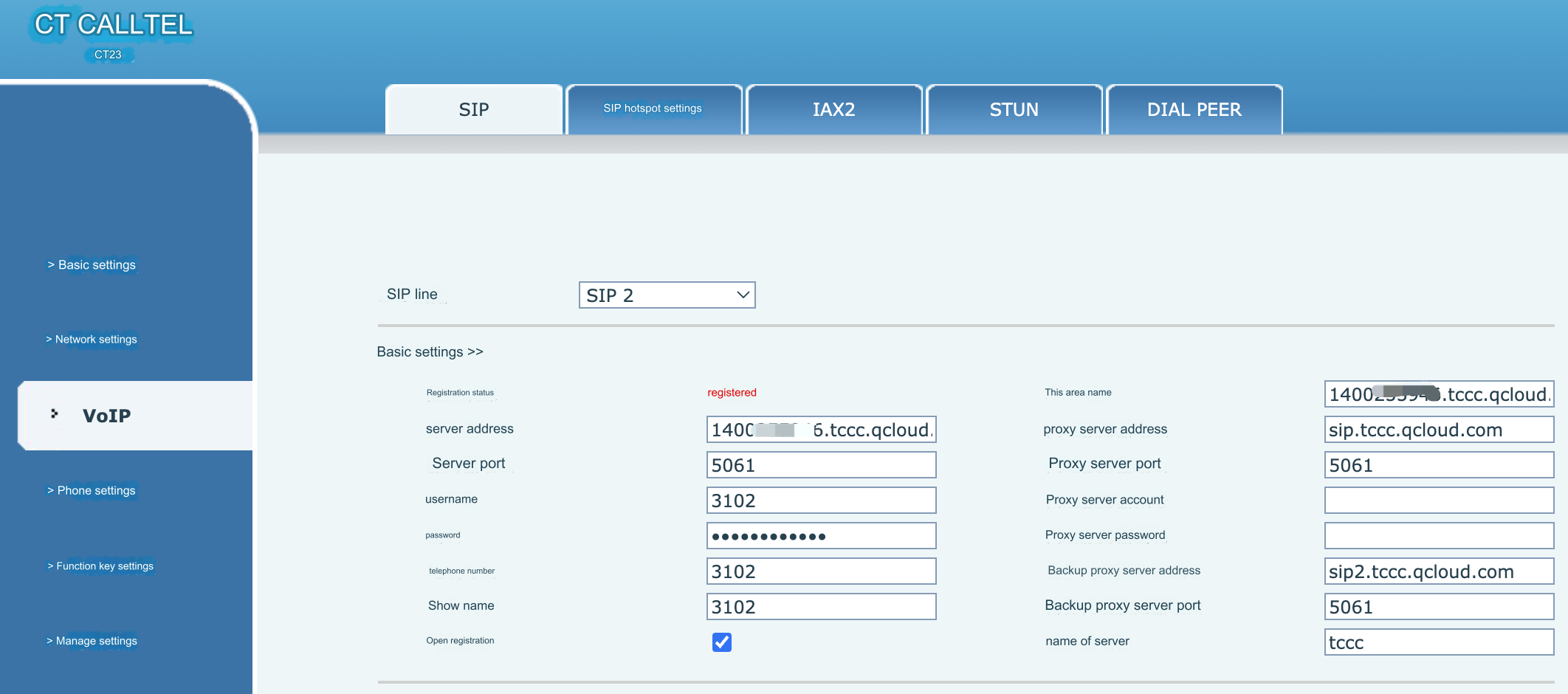
CallTel
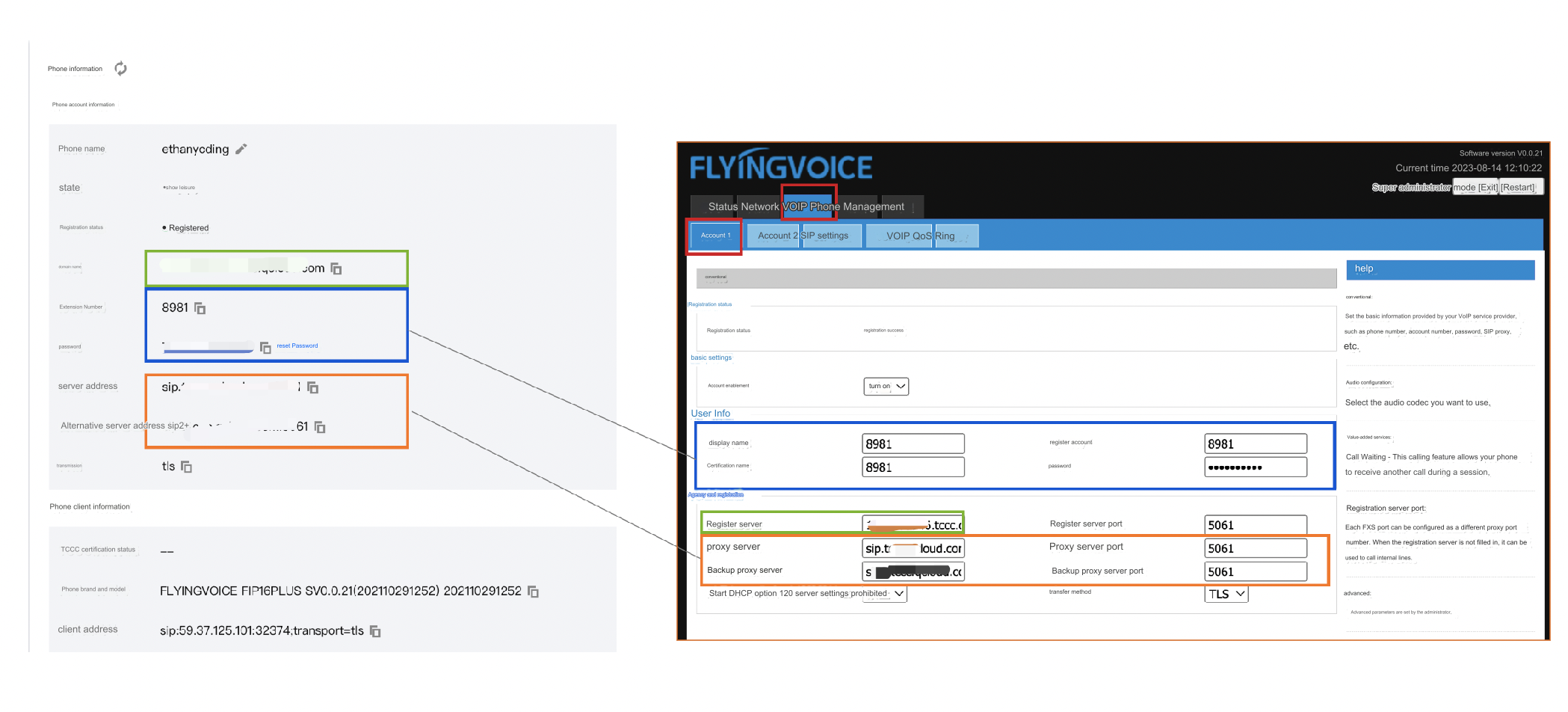
Flying Voice
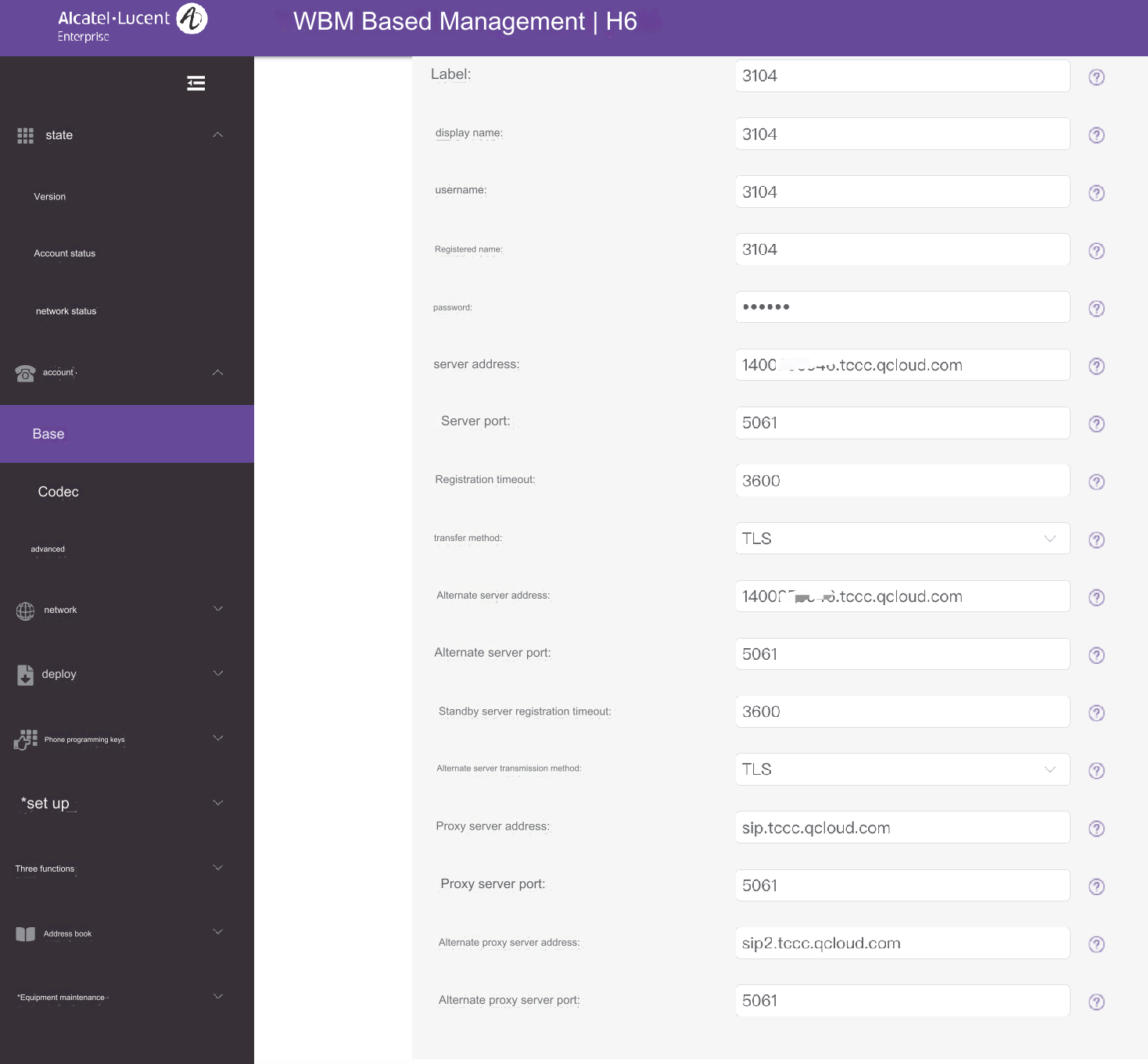
Alcatel-Lucent
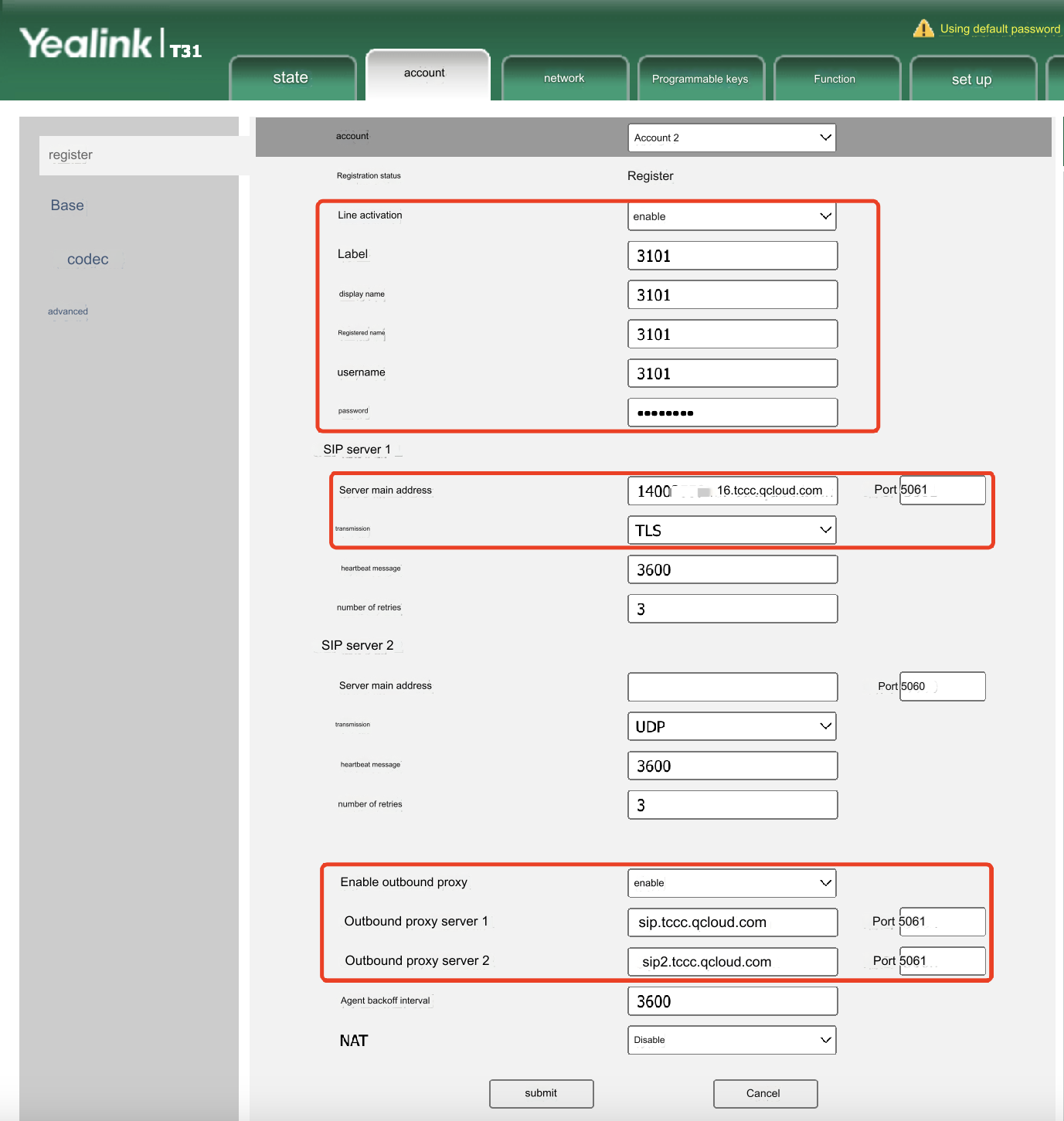
Tag, Display Name, Registry, Username: Enter the phone extension number.
Password: Enter the phone password.
Main server address: Enter the domain name.
Transport: Select TLS.
Outbound proxy server 1: Enter the server address.
Outbound proxy server 2: Enter the alternative server address.
Username, Phone Number, Display Name, Proxy Server Account: Enter the phone extension number.
Password, Proxy Server Password: Enter the phone password.
Server Address, Server Port, Local Domain Name: Enter the domain name.
Proxy Server Address, Proxy Server Port: Enter the server address.
Backup Proxy Server Address, Backup Proxy Server Port: Enter the alternative server address.
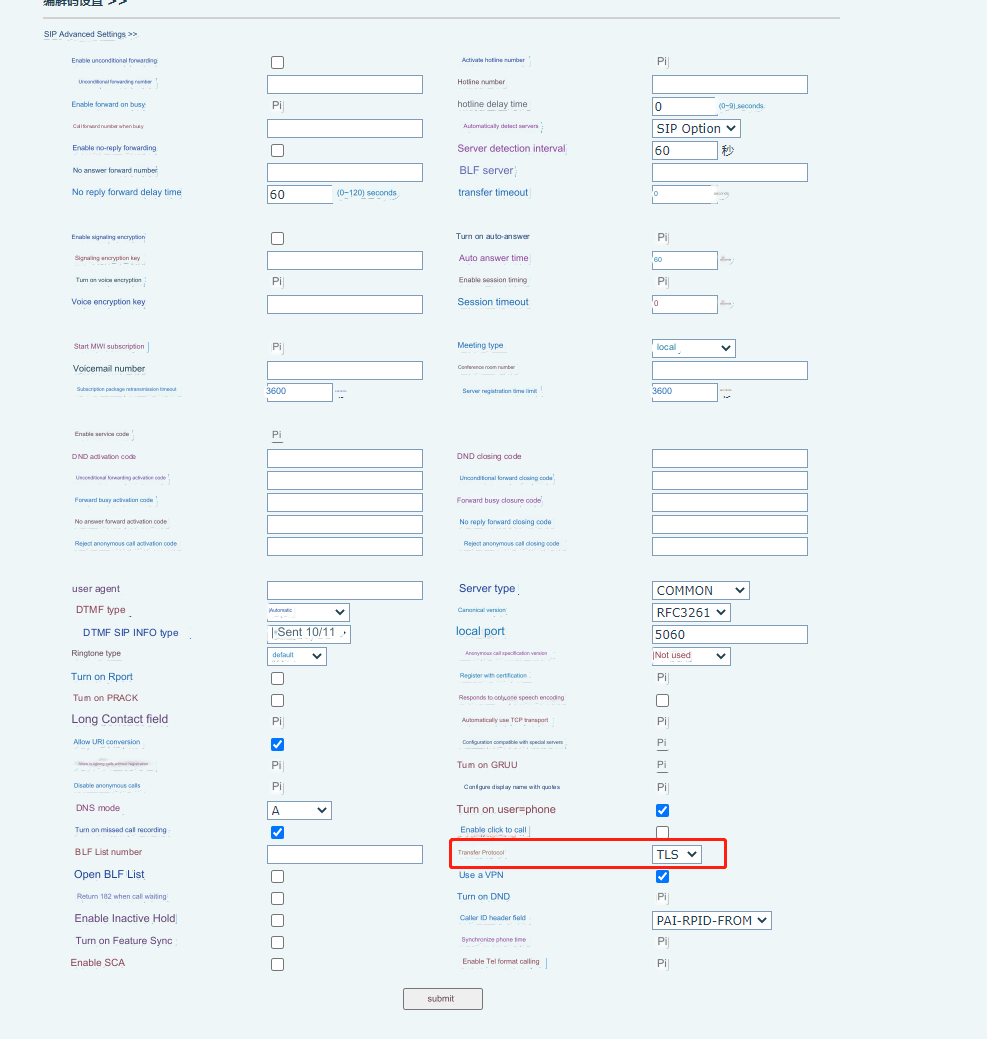
In SIP Advanced Settings, select Transport Protocol as TLS:
Display Name, Registered Account, Authorization Name: Enter the phone extension number.
Password, Proxy Server Password: Enter the phone password.
Registration Server, Registration Server Port: Enter the domain name.
Proxy Server: Enter the server address (before the colon).
Proxy Server Port: Enter the server address (after the colon).
Backup Proxy Server: Enter the alternative server address (before the colon).
Backup Proxy Server Port: Enter the alternative server address (after the colon).
Transport: TLS
Tag, Display Name, Username, Registry: Enter the phone extension number.
Password: Enter the phone password.
Server Address, Server Port, Alternative Server Address, Alternative Server Port: Enter the domain name.
Transport: Select TLS.
Proxy Server Address, Proxy Server Port: Enter the server address.
Backup Proxy Server Address, Backup Proxy Server Port: Enter the alternative server address.