Cloud Contact Center allows customers to connect the SIP landline phones they purchased with the agents on Cloud Contact Center. In this way, the agents can make calls through the landline phones. The main features include:
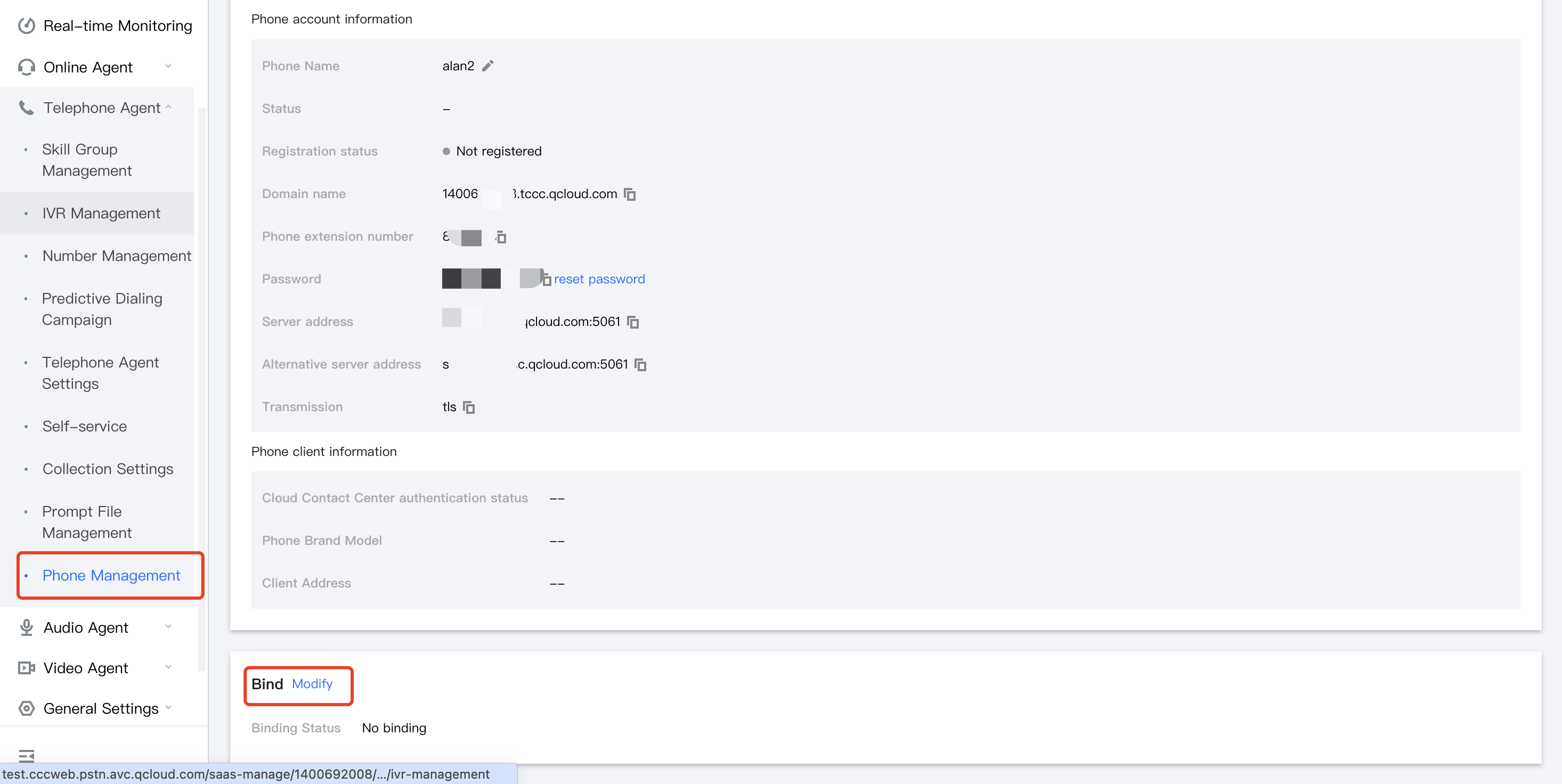
The administrator can manage the status of the SIP phone, including registration and resetting the password.
Each agent's SIP phone has a dedicated extension number. An online phone occupies one agent license.
The phone can be bound to an agent as the dedicated phone of the agent. Every employee can use the phone for work without logging in to Cloud Contact Center. The scenarios include internal calls, outbound calls, inbound call answering, and more.
The phone can be added to a skill group. When a user call comes in, the system can distribute the call from the skill group to the appropriate phone according to preset rules.
SIP Inbound Call
After completing SIP phone registration, you can bind the phone to an agent or a skill group.
Binding to Agent (only for advanced version agents)
On the Phone Management page, after the phone is bound to an agent, the status of the phone remains consistent with the agent's status. When the agent is available and there is a user call, the phone bound with the agent will ring.
Binding to Skill Group
On the Phone Management page, after the phone is bound to a skill group, when the phone is available and a user call comes in, the system can distribute the call from the skill group to the appropriate phone according to preset rules.
SIP Outbound Call
SIP outbound call to a mobile phone: Directly dial the mobile phone number using the phone.
SIP outbound call to a landline: First input the area code of the landline, and then input the landline number, for example: 02182881882.
Phone Call to Phone
Directly dial the extension number of the contact's phone.
Workstation Call to Phone
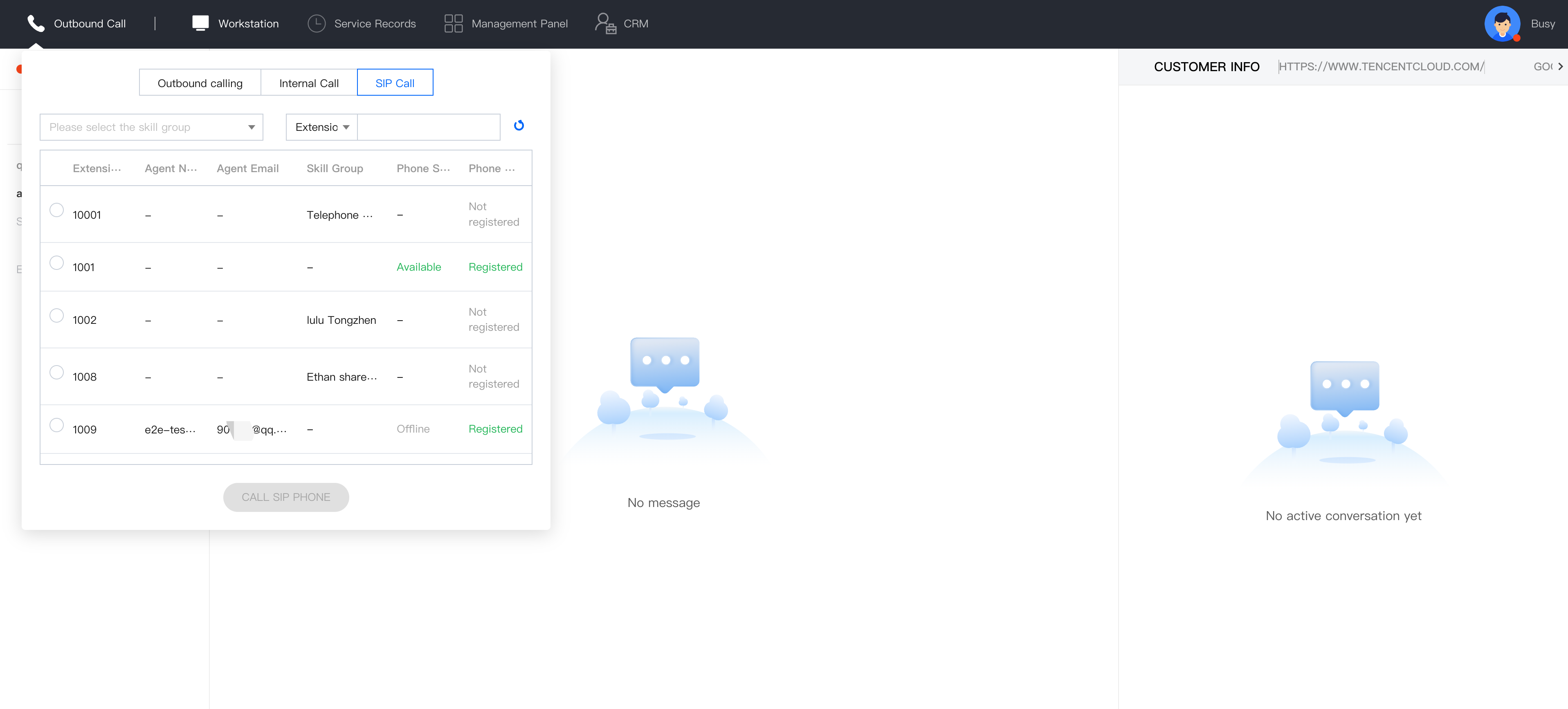
Click Outbound Call, select SIP Call, select the extension number of the contact, and click Call SIP Phone.