tencent cloud

Cloud Contact Center

Announcement
What's New
Cloud Contact Center Terminology Update
What is Tencent Cloud Contact Center
Overview
Feature List
Terms Introduction
Handling Firewall Restrictions
AI Voicebot
Billing Guide
Voice Call Billing Overview
Desk Billing Overview
View Billing
Refund Policy
New User Guide
Voice Guide
Desk Guide
Use Case
Inbound: Customer Experience
Outbound: Telemarketing
Auto Dialer: Voice Notification
Integration Use Case (SDK)
Administrator Guide
Voice Guide
Desk Guide
Member Guide
Voice Guide
Desk Guide
AI Voice Agent Guide
Introducing AI Voice Agent
AI Voice Agent Practical Tutorial
Set Up Your AI Voice Agent
Activate AI Voice Agent Call
AI Voice Agent Call Logs
Developer Guide
SDK Development Guide
Data Push
Voice API Reference
History
Introduction
API Category
Making API Requests
Agent APIs
Skill Group APIs
Number APIs
Dual Call APIs
Predictive Outbound Call APIs
SIP Phone APIs
Call Service Record APIs
Billing APIs
Other APIs
Outbound Call APIs
Speech Intelligent Agent APIs
Data Types
Error Codes
Desk API Reference
API Reference
Callback Configuration
FAQs
Data Deletion Guide
Legal
Privacy Policy
Data Processing And Security Agreement
Service Level Agreements
TENCENT CLOUD CONTACT CENTRE TERMS OF USE
Glossary
Contact Us

QA Optimization

PDF
포커스 모드
폰트 크기
마지막 업데이트 시간: 2025-07-10 10:35:11

Feature Introduction

Log in to the management console, click Chatbot > Q&A Optimization in the left sidebar, and use this feature.
The platform uses the clustering ability of AI to analyze user questions' statistics and shows you the clustering issue groups of questions not hit in the last 30 days. You can quickly optimize your knowledge base here.
Notes:
If you need to use the QA optimization feature, please purchase the Advanced Edition smart customer service. For more details on fees, see Billing Overview.

Operation Guide

1. After selecting a time period, the list of optimizable Q&A below will show the questions that were not hit within the specified time range.
2. Clustered Question Group refers to the clustering center of a certain type of questions. Number of question asked indicates the total number of questions asked for this question group in the specified time period.
3. Unfold the clustered question group, and you can check the number of questions asked for other expressions of this question group in the specified time period.
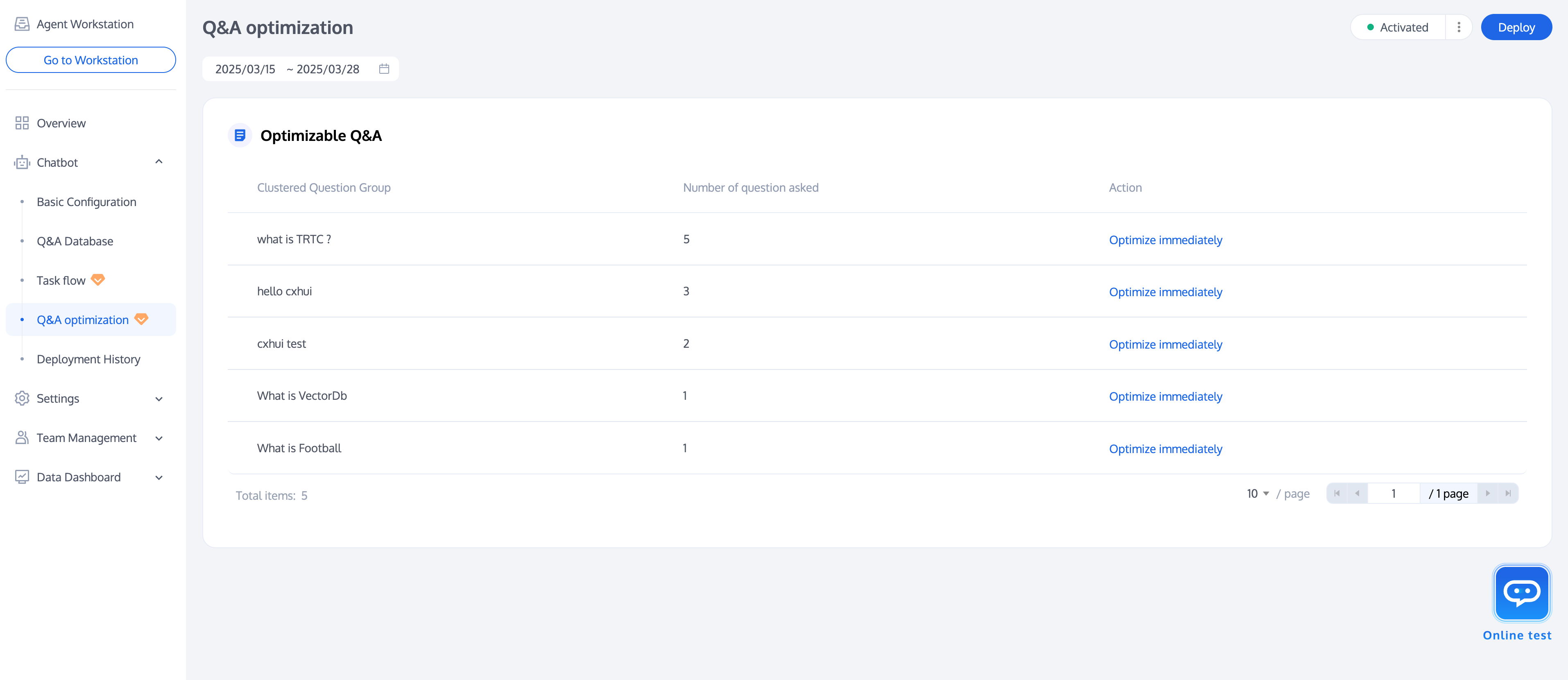
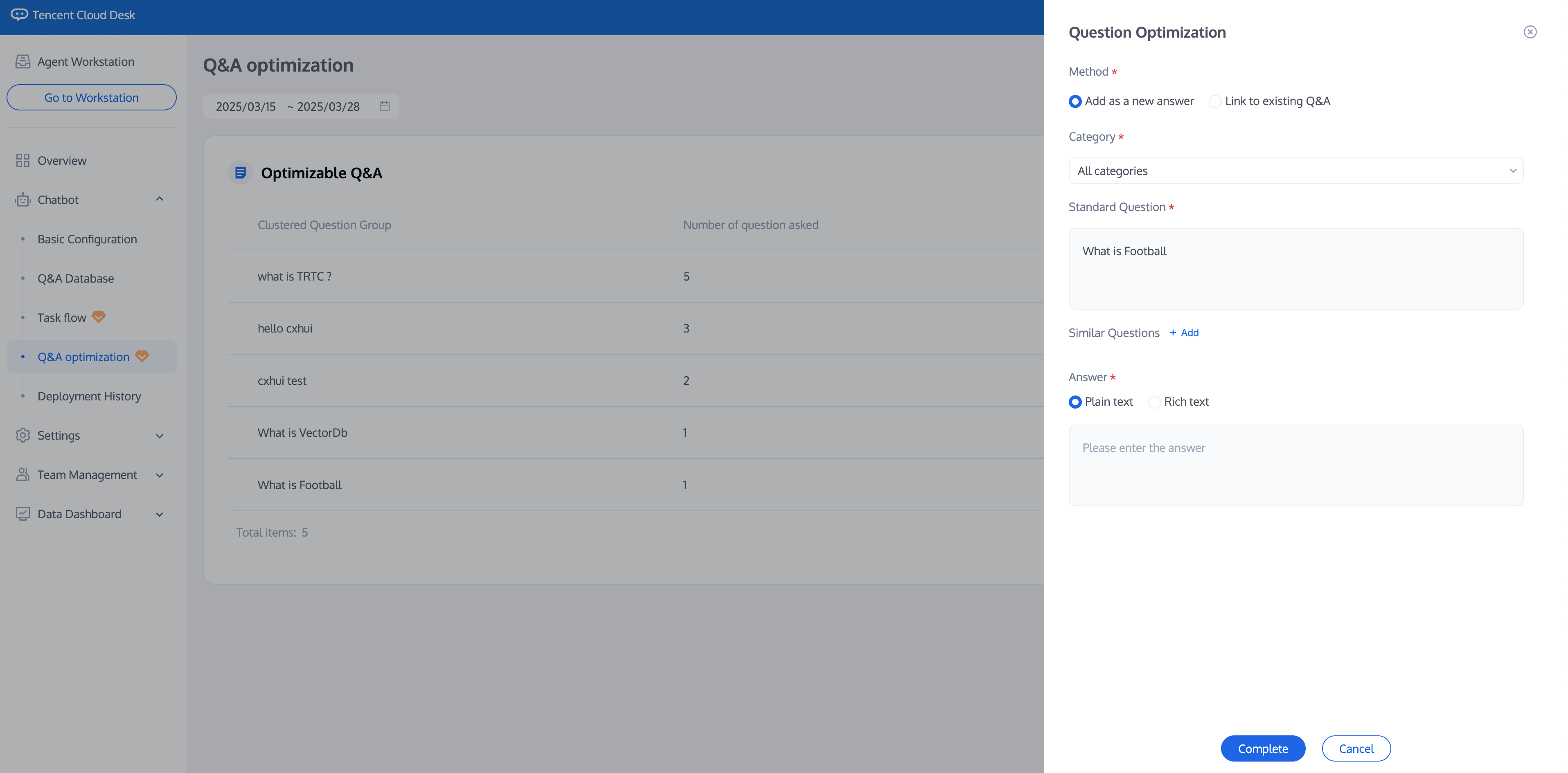
4. Click Optimize immediately in the Operation column of the clustering question group. You can add this type of question as a new Q&A or a similar question associated with an existing Q&A.


도움말 및 지원

문제 해결에 도움이 되었나요?

피드백