Terminating an Instance
Download
포커스 모드
폰트 크기
Scenarios
According to your workload requirements, you can return the pay-as-you-go instances and yearly/monthly subscription instances by yourself in the console.
After a yearly/monthly subscription instance is returned, it is moved to the recycle bin for the cloud database and retained for 15 days, during which the instance is inaccessible. If you wish to restore the instance, you can renew it in the recycle bin.
After a pay-as-you-go instance is returned, it is moved to the recycle bin for the cloud database and retained for 15 days, during which the instance is inaccessible. If you wish to restore the instance, you can renew it in the recycle bin.
After a self-service return, once the instance status changes to Isolated, it will no longer incur any fees associated with the instance.
Must-Knows
After instance termination, the IP address resources are released simultaneously. Before termination, ensure that no business needs require access to the instance.
Primary instances with disaster recovery instances cannot be terminated.
When the instance status enters the "Isolated" state, the instance cannot be accessed. Instances in isolation will be completely destroyed after expiration. Alternatively, you can go to the Recycle Bin to perform immediate terminating and permanently delete the instance.
Once an instance is deleted, the data will be irrecoverable. Backup files will be deleted simultaneously, making data recovery in the cloud impossible. Please make sure to download the backup files locally beforehand.
Refund processing after instance termination:
The five-day unconditional self-service refund is returned to the Tencent Cloud account.
The amount from a standard self-service refund will be refunded to your Tencent Cloud account based on the payment ratio of cash and credits used during the purchase.
Refunds for orders for promotion reward channels will be charged a refund fee of 25% of the actual cash payment amount. Orders for promotion reward channels currently do not support self-service refunds. Please submit a ticket to initiate a refund request.
Operation Steps
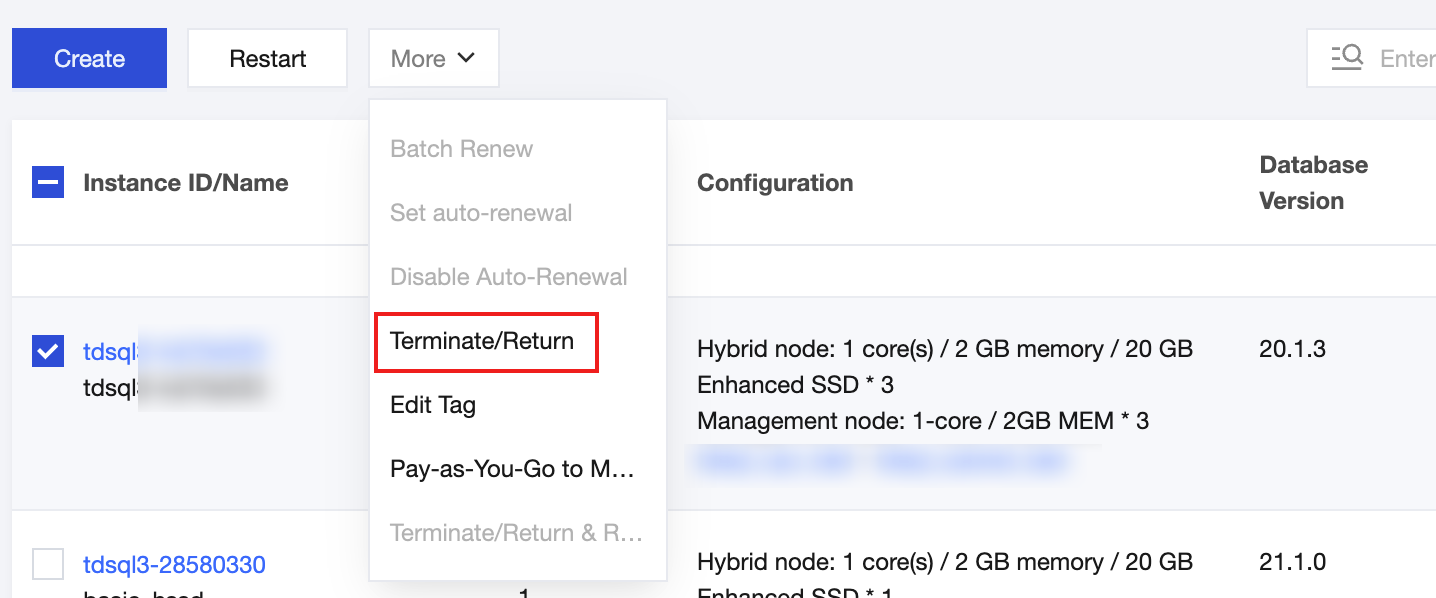
1. Log in to the console, In the Instance List, select the instance(s) by checking the box, then choose More > Terminate/Return in the top operation bar.
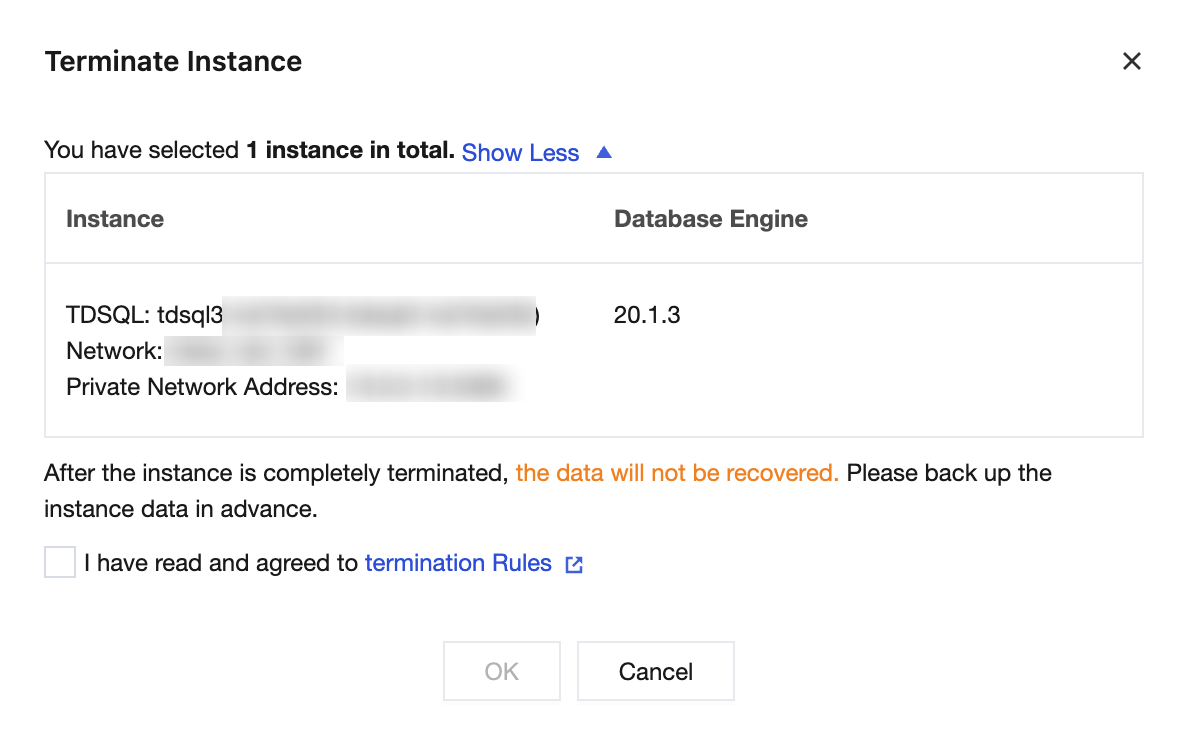
2. In the pop-up dialog box, carefully read and acknowledge the termination rules, then click OK.
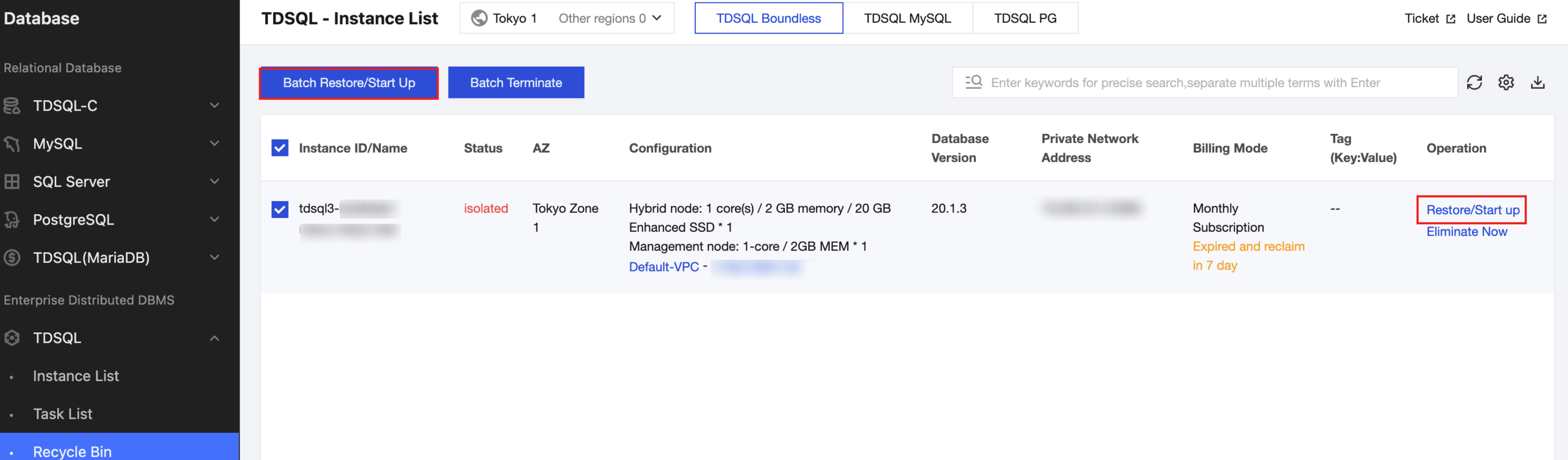
3. After the operation is completed, the instance will be moved to the Recycle Bin with its status marked as "Isolated".
Recycle Bin Operation
Restoring Instances
Restoring an instance is the operation to return an isolated instance to normal operation. The restoration may take several minutes. Restoring an instance may reassign a new IP address rather than retaining the pre-isolation IP address.
Terminating an Instance Immediately
You can go to the Recycle Bin to execute Eliminate Now to permanently delete this instance.

피드백