Manage Binlog
Download
포커스 모드
폰트 크기
TDSQL Boundless supports real-time synchronization of data changes from source TDSQL Boundless database instances to target databases or third-party platforms by subscribing to Binlog events. This capability is applicable to scenarios such as multi-active cloud/on-premises environments, cross-region disaster recovery, cross-border synchronization, and real-time data warehousing. This feature has been operating stably for over a year within multiple core Tencent business systems, with extensive coverage across domains including e-commerce marketing, big data scheduling, content moderation, and advertising delivery.
The Binlog format generated by TDSQL Boundless is completely consistent with MySQL, enabling compatibility with the MySQL community's Binlog subscription ecosystem and supporting common third-party tools such as Canal, Flink, and so on. In implementation, TDSQL Boundless converts and generates Binlog based on the asynchronous log stream of the Raft consensus protocol. This design ensures that enabling the Binlog feature has minimal impact on write performance.
Subscription Limitation
Note:
TDSQL Boundless backup and recovery are independent of Binlog. Enabling or disabling Binlog does not affect automatic backup and restore capabilities. Backups are built on underlying storage technology to ensure data security and reliability, while Binlog is designed for real‑time data subscription and synchronization across different scenarios. You can enable Binlog as needed without any impact on backup and recovery.
When subscribing to data changes in TDSQL Boundless database instances via Binlog, please note the following limitations, requirements, and unsupported scenarios.
Compatibility limitations
Only database instances with kernel version 19.2.0 and above support enabling Binlog.
Database instances with kernel versions below 20.0.0 will automatically disable the
CREATE TABLE ... AS SELECT ... syntax after Binlog is enabled. To restore it, contact technical support to disable the synchronization feature and restart the instance.Database instances with kernel versions below 21.0.0 do not support generating Binlog for VIEW operations.
Currently, generating Binlog for FUNCTION, PROCEDURE and TRIGGER operations is not supported.
Feature Limitations
Only subscribing to logs via the MySQL Binlog protocol is supported; downloading Binlog files independently is not currently supported.
A single database instance can create up to 5 Binlog subscription tasks.
Billing Mode
During the promotion period of the Binlog subscription feature, it can be used free of charge. For more detailed billing information, see Billing Overview.
Enable Binlog
1. Log in to the TDSQL Boundless console, select the instance ID for which you want to enable Binlog in Instance List, and go to Instance Details.
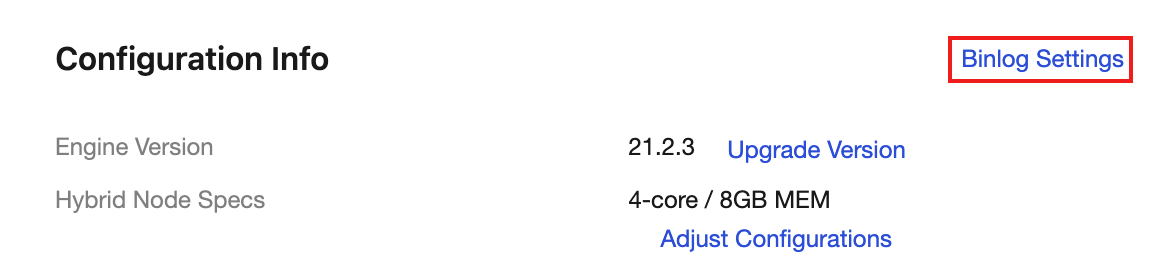
2. Click Binlog Settings in the Configuration Info section.
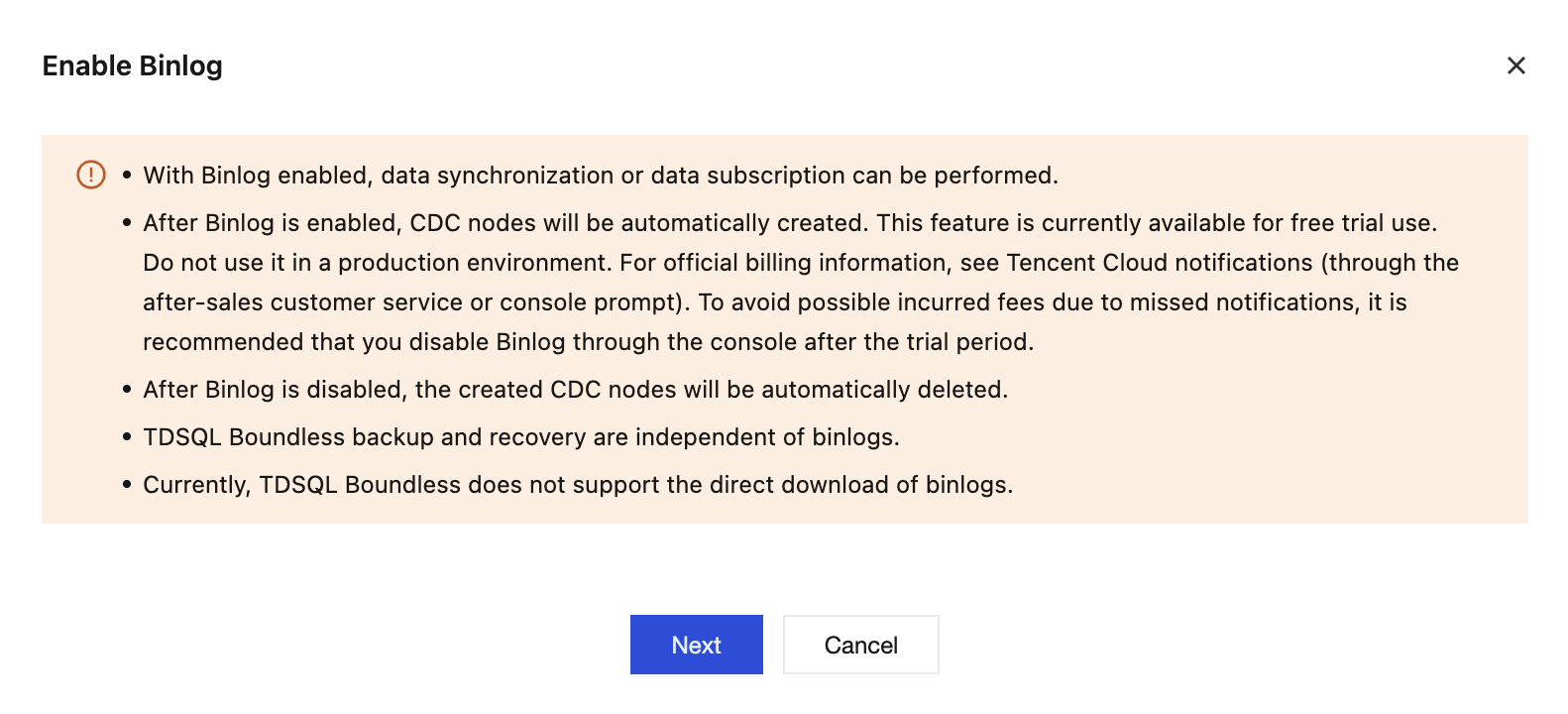
3. In the Enable Binlog dialog box, click Next to go to the Binlog enablement page.
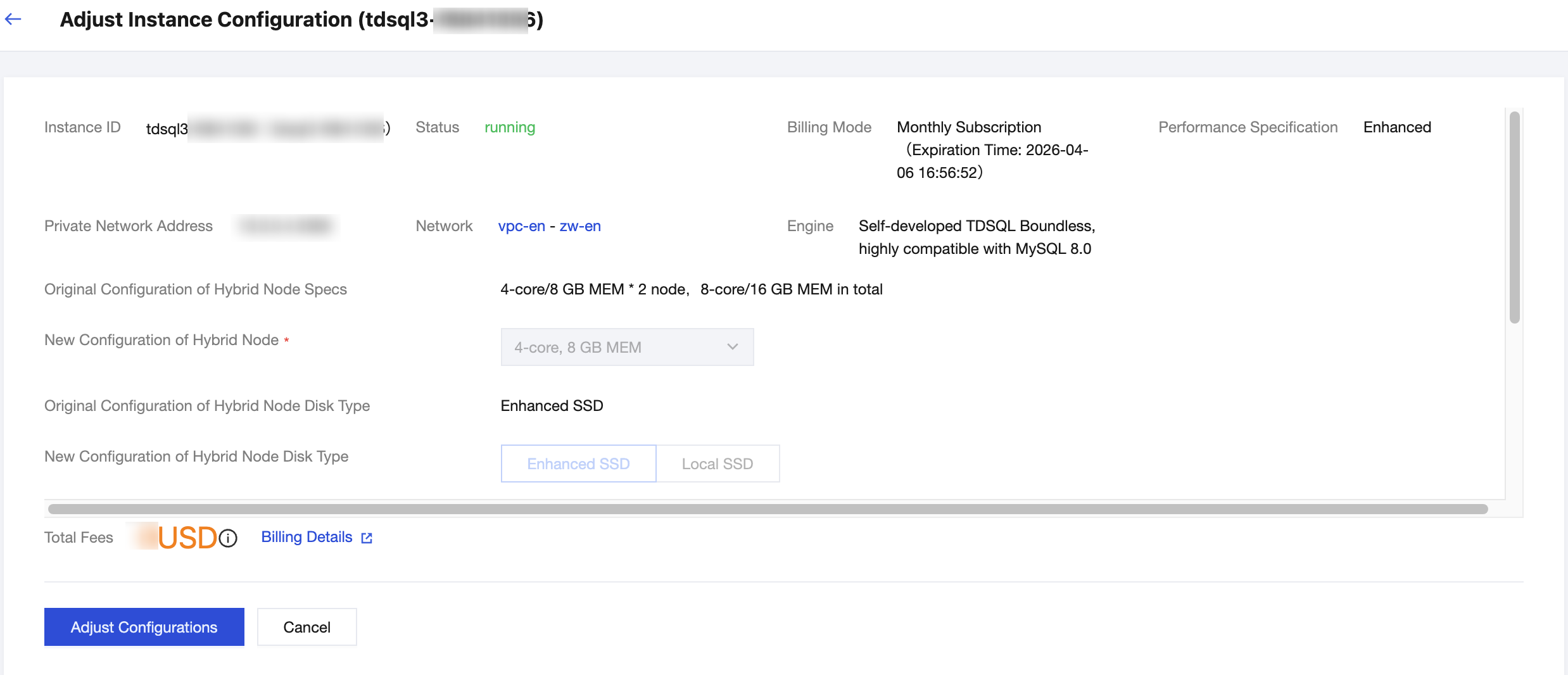
4. Click Adjust Configurations to complete enabling Binlog.
Note:
During the promotion period of the Binlog subscription feature, it can be used free of charge, while the price displayed here refers to the database instance pricing.
5. Verify that Binlog is enabled.
5.1 Log in to the TDSQL Boundless console, and select the instance ID with Binlog enabled in the Instance List.
5.2 On the Instance Details page, check whether the Binlog CDC node has been automatically created in the Instance Architecture Diagram area.
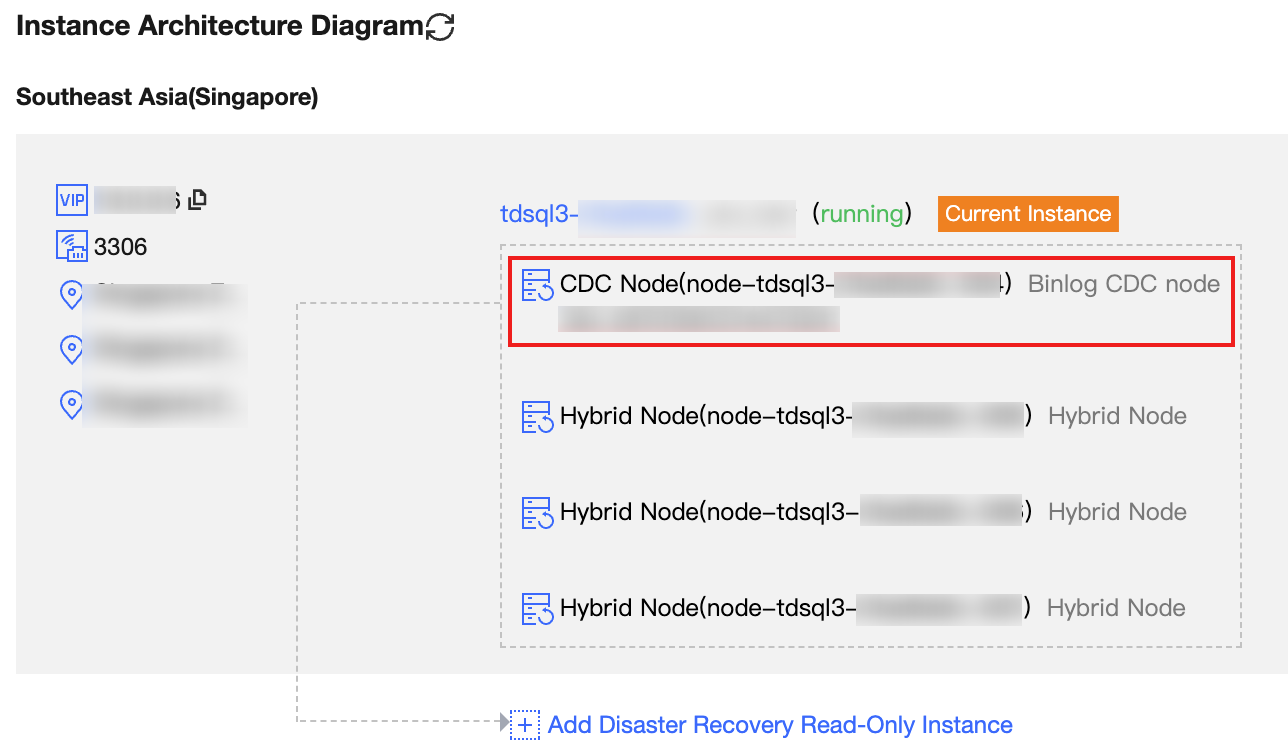
5.3 Subscribe to or consume Binlog logs using the MySQL Binlog protocol based on the IP address and port returned by the Binlog CDC node.
Disable Binlog
1. Log in to the TDSQL Boundless console, select the instance ID with Binlog enabled in the Instance List, and go to the Instance Details.
2. Click Binlog Settings in the Configuration Info section.
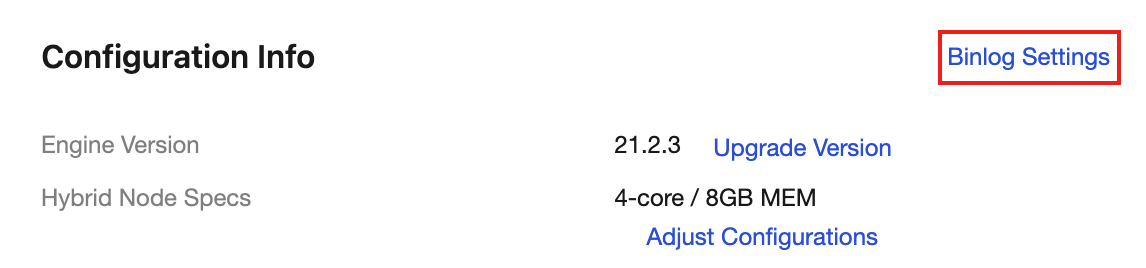
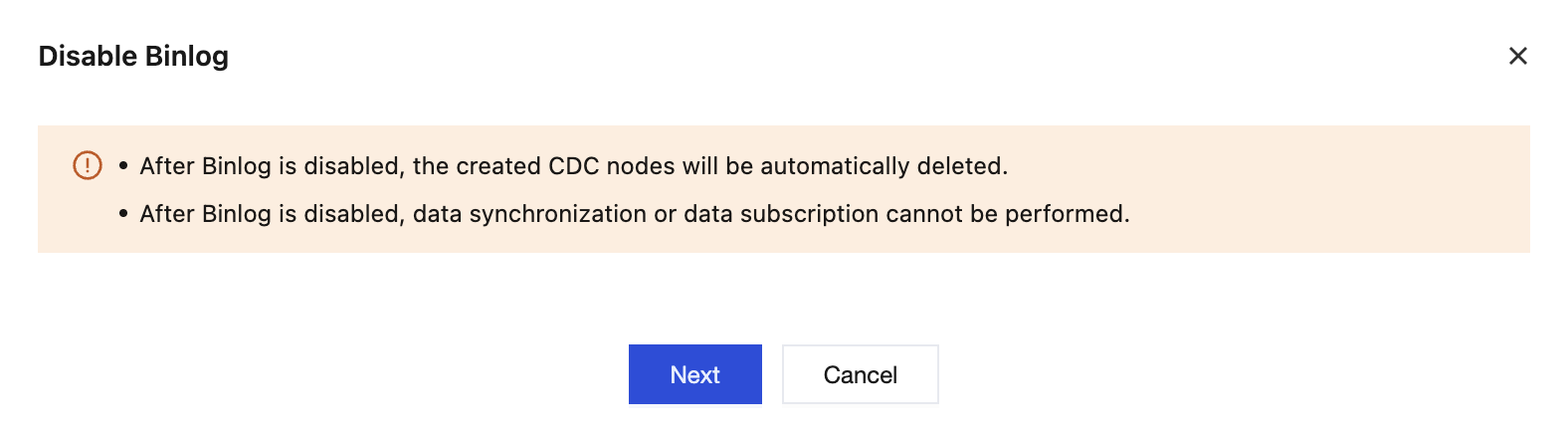
3. In the Disable Binlog dialog box, click Next to go to the Binlog disablement page.
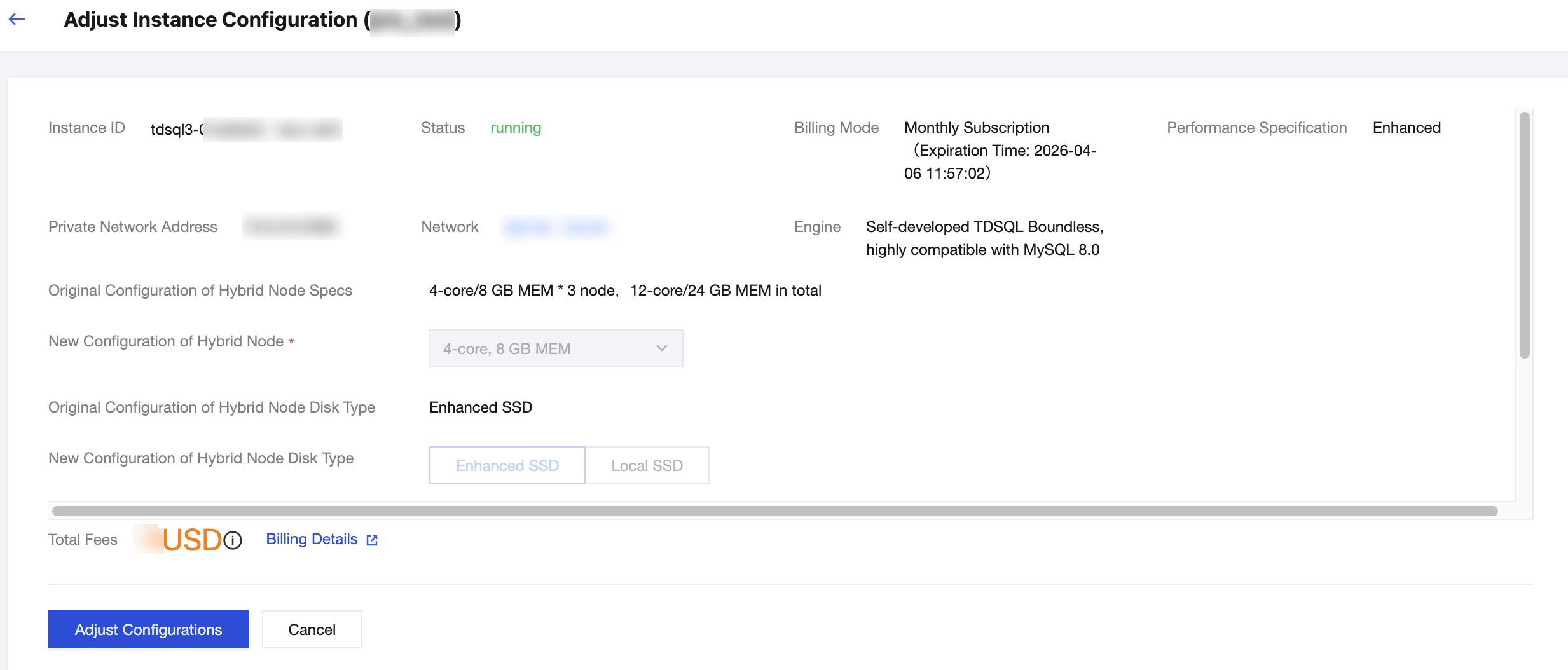
4. Click Adjust Configurations to complete disabling Binlog.
Note:
During the promotion period of the Binlog subscription feature, it can be used free of charge, while the price displayed here refers to the database instance pricing.
5. Verify that Binlog is disabled.
5.1 Log in to the TDSQL Boundless console, and select the instance ID with Binlog enabled in the Instance List.
5.2 On the Instance Details page, in the Instance Architecture Diagram area, check whether the Binlog CDC node does not exist.
피드백